Restaurant Menu QR Code Generator
Update Prices Tonight. Same QR Code Tomorrow. Save $3,000+/Year on Reprints.
Build your digital menu with our free menu builder, then generate a QR code that customers can scan to view it. Update your menu anytime without reprinting—perfect for daily specials, seasonal items, or price changes.
This is a sample menu — edit it to make it yours!
Explore the builder by editing this sample, or clear it and add your own dishes.
AURA
Build your menu below. Your changes are automatically saved.
Starters
Burrata & Heirloom Tomato
$18Basil pesto, balsamic glaze, grilled sourdough crostini.
Spicy Tuna Tartare
$22Avocado, sesame oil, crispy wonton chips, sriracha mayo.
Wild Mushroom Arancini
$16Crispy risotto balls, truffle aioli, parmesan shavings.
Mains
Wagyu Beef
$28Thinly sliced raw beef, truffle emulsion, parmesan.
Seared Scallops
$24Pan-seared diver scallops, cauliflower purée, brown butter, capers.
Lobster Linguine
$38Fresh Maine lobster, cherry tomatoes, white wine, fresh herbs.
Desserts
Chocolate Fondant
$14Warm molten center, vanilla bean ice cream, raspberry coulis.
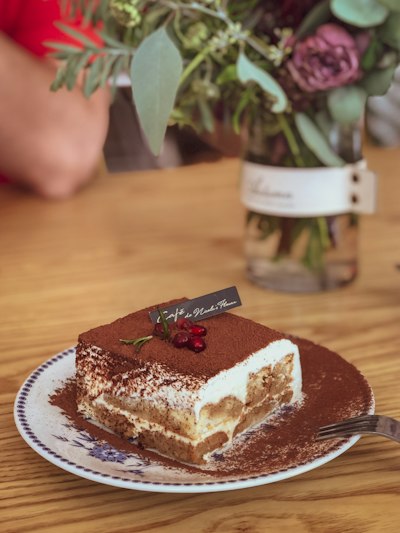
Classic Tiramisu
$12Espresso-soaked ladyfingers, mascarpone cream, cocoa dust.
Signature Drinks
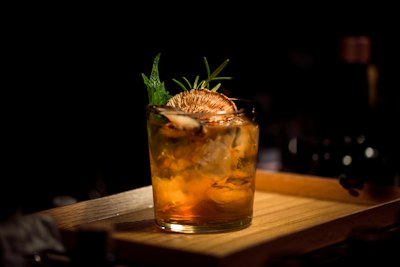
Signature Negroni
$16House-infused gin, Campari, sweet vermouth, orange peel.
Espresso Martini
$15Vodka, fresh espresso, coffee liqueur, vanilla.
Welcome to
AURA
Chef's Table
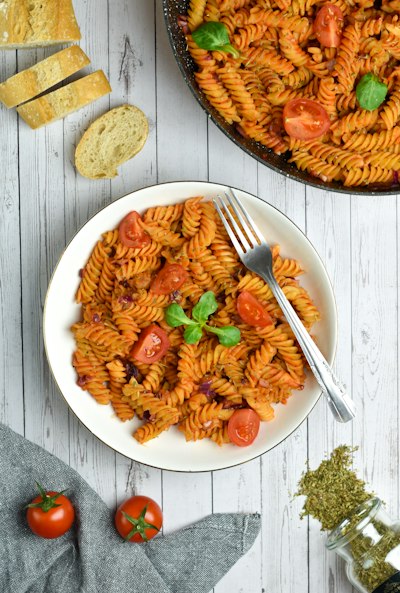 $18
$18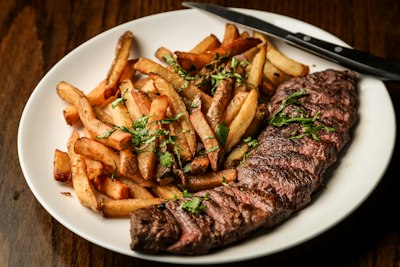 $28
$28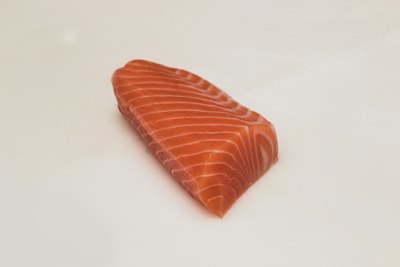 $24
$24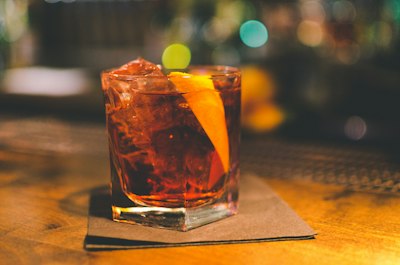 $16
$16Starters
Burrata & Heirloom Tomato
Basil pesto, balsamic glaze, grilled sourdough crostini.
Spicy Tuna Tartare
Avocado, sesame oil, crispy wonton chips, sriracha mayo.
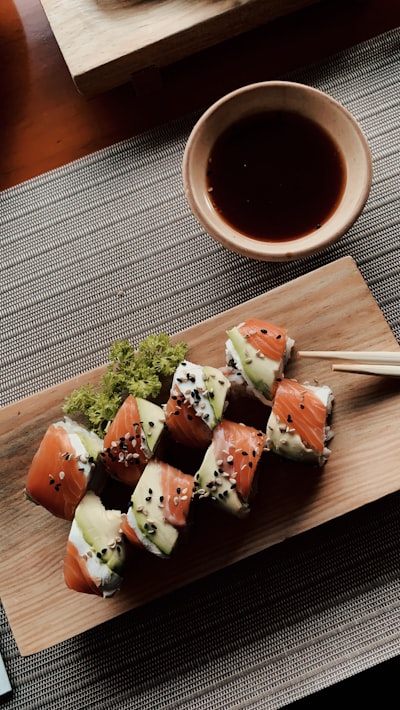
Wild Mushroom Arancini
Crispy risotto balls, truffle aioli, parmesan shavings.
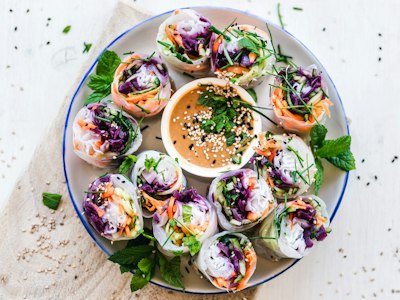
Mains
Wagyu Beef
Thinly sliced raw beef, truffle emulsion, parmesan.
Seared Scallops
Pan-seared diver scallops, cauliflower purée, brown butter, capers.
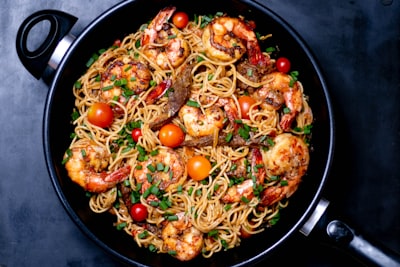
Lobster Linguine
Fresh Maine lobster, cherry tomatoes, white wine, fresh herbs.
Desserts
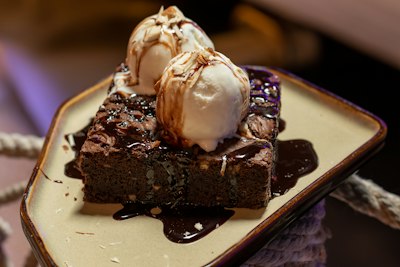
Chocolate Fondant
Warm molten center, vanilla bean ice cream, raspberry coulis.
Classic Tiramisu
Espresso-soaked ladyfingers, mascarpone cream, cocoa dust.
Signature Drinks
Signature Negroni
House-infused gin, Campari, sweet vermouth, orange peel.
Espresso Martini
Vodka, fresh espresso, coffee liqueur, vanilla.
This is what your customers will see after scanning your QR code
When you activate your menu:
Free account required. No credit card needed.
Ready to Create Your Restaurant Menu QR Code?
Create your first QR code in seconds — completely free.
QR Code Menus by the Numbers
of restaurants continue using QR code menus in 2025
National Restaurant Association
increase in QR code adoption by US restaurants since 2020
PYMNTS Research
higher average check size with digital menu ordering
Restaurant365 2024
average annual savings on menu printing costs
Restaurant Business Magazine
Why We're Different
What is a Restaurant Menu QR Code?
A restaurant menu QR code links to a digital version of your menu that customers can view on their smartphones. When scanned, it opens your menu in a web browser—no app download required. This allows restaurants to offer contactless menu viewing while maintaining the flexibility to update prices, items, and specials without reprinting.
Unlike static QR codes that encode a fixed URL, restaurant menu QR codes are dynamic. This means the destination can be updated anytime—upload a new PDF, change seasonal offerings, or adjust prices—and the same printed QR code will show your latest menu. This is critical for restaurants where menus change frequently.
Digital menu QR codes are now standard in the restaurant industry because of their practical benefits: instant updates, lower printing costs, and the ability to offer richer information like photos, allergen details, and dietary filters that paper menus can't match.
The technology works universally across all modern smartphones. iPhone users running iOS 11 or later and Android users with Android 9+ can scan QR codes directly through their camera app—no third-party scanner needed. This means virtually every customer walking into your restaurant already has the ability to view your digital menu.
From a business perspective, QR code menus represent significant cost savings. Restaurants that update their menus quarterly can save $2,000-5,000 annually on printing alone. For establishments with daily specials, wine lists that change with inventory, or seasonal menus, the savings compound even further. The ROI typically covers the cost of a dynamic QR code subscription within the first month.
Why Does Your Restaurant Need a QR Code Menu?
Stop Reprinting Menus Every Time Prices Change
Food costs fluctuate constantly—ingredient prices, supplier changes, seasonal availability. With printed menus, every price adjustment means a reprint. At $3-8 per menu for professional printing, updating 50 menus costs $150-400 each time. Most restaurants update prices 4-6 times per year, adding up to $600-2,400 annually just for price changes.
QR code menus eliminate this entirely. Update prices in seconds from any device. Your printed QR codes stay exactly the same—only the digital menu changes. The savings typically pay for a dynamic QR code subscription in the first month.
Beyond cost savings, you gain agility. Run a lunch special that didn't sell? Adjust the price by 2pm. Supplier short on an ingredient? Mark it unavailable before dinner service. This flexibility is impossible with printed menus.
Show Off Your Food With Photos and Videos
Paper menus are limited to text and maybe a few small images. Digital menus can include high-resolution photos of every dish, preparation videos, ingredient close-ups, and chef introductions. Visual menus increase average order value by 15-30% because customers can see exactly what they're ordering.
This is particularly powerful for restaurants with visually stunning presentations, ethnic cuisines unfamiliar to some diners, or dishes where portion size matters. When customers can see that your $28 steak covers the entire plate, the price feels justified.
Many restaurants report that items with photos outsell text-only items by 2-3x. If you have signature dishes you want to push, give them the visual treatment on your digital menu.
Handle Allergens and Dietary Restrictions Properly
Allergen information is legally required in many jurisdictions, but printing it on paper menus creates clutter. Digital menus solve this elegantly—customers can filter by dietary restriction (vegetarian, vegan, gluten-free, nut-free) and see only items that match their needs.
This isn't just about compliance; it's about hospitality. When a customer with celiac disease can browse your menu confidently instead of interrogating staff about every ingredient, their dining experience improves dramatically. They're also more likely to return and recommend you to others with similar restrictions.
For restaurants with complex menus or multiple allergen concerns, digital menus transform a liability into a competitive advantage.
Support International Guests Without Awkward Translations
Tourist areas, business districts, and diverse neighborhoods serve customers who speak different languages. Printed menus in multiple languages are expensive and quickly outdated. QR code menus can offer instant language selection—one scan, choose your language, browse comfortably.
This goes beyond translation. Digital menus can include cultural context, pronunciation guides, and dish descriptions that help unfamiliar customers understand what they're ordering. A Japanese tourist at your Italian restaurant shouldn't have to guess what 'ossobuco' means.
Multi-language support also reduces staff burden. Instead of explaining every dish to non-English speakers, servers can focus on recommendations and hospitality while the digital menu handles basic information.
Get Data on What Customers Actually Look At
With printed menus, you have no idea which items customers consider before ordering. QR code menus with analytics show you exactly what's getting attention: which categories customers browse most, how long they spend on each section, which items they expand for details.
This data transforms menu engineering from guesswork to science. If your high-margin appetizer section gets skipped by 80% of viewers, you know to reposition it. If customers spend 3 minutes on desserts but rarely order them, maybe your dessert prices are too high or the descriptions aren't compelling.
Over time, you build a picture of customer behavior that informs not just menu design but also kitchen prep, staffing, and purchasing decisions.
Advantages of Digital Menu QR Codes
Update Without Reprinting
Change prices, add daily specials, or rotate seasonal items instantly. Your printed QR codes remain valid—only the menu content changes. Restaurants save $2,000-5,000 annually on printing costs alone.
Rich Media & Interactive Features
Digital menus go beyond text. Include high-resolution food photos, ingredient lists, preparation videos, and chef's notes. Customers can tap to expand descriptions, view calorie counts, or see suggested pairings—interactions impossible with paper.
Real-Time Scan Analytics
Track how many people view your menu, peak viewing times, popular items, and device types. Identify which table placements drive the most scans. Data-driven insights help optimize menu design and staffing decisions.
Multi-Language Support
Serve international tourists and diverse communities with menus in their preferred language. One QR code can offer language selection, or you can create separate codes for each language. No more awkward pointing at menu items.
Environmentally Sustainable
Eliminate paper waste from reprinting menus. The average restaurant prints 500+ menus annually—that's significant paper, ink, and environmental impact. QR code menus are a visible sustainability commitment that environmentally-conscious diners appreciate.
Reduced Contact Points
Fewer physical menus means better hygiene. Staff spend less time sanitizing between guests, and health-conscious customers appreciate the contactless option. Many diners now expect digital menu alternatives.
Accessibility Features
Digital menus work with screen readers and can be zoomed without limit. Customers with visual impairments can adjust text size on their own devices. Always keep a few paper menus available for those who prefer them—67% of diners appreciate having both options.
How to Create a Restaurant Menu QR Code
Create or upload your menu
Use our built-in menu builder to create a digital menu, or upload an existing PDF. You can also link to a menu hosted on your website or Google Drive.
Sign up for free
Create a free account to generate your menu QR code. This lets you update your menu anytime without reprinting and track scan analytics.
Customize your QR code design
Choose colors that match your branding and select a frame style. Your QR code should look professional on table tents and signage.
Download and print
Download your QR code as PNG, SVG, or PDF. Print on table tents, menu cards, window decals, or add to your existing printed materials.
Update anytime
Update your menu for seasonal changes, daily specials, or price adjustments. Your printed QR codes automatically show the latest version.
Restaurant QR Code Menu Best Practices
Always Keep Physical Menus Available
QR codes should supplement, not replace, physical menus. About 30% of diners prefer paper menus—elderly customers, those with dead phone batteries, people who simply prefer paper. Telling these customers 'we only have QR codes' creates a poor first impression.
Keep a small stack of laminated menus at the host stand. When offering the QR code, mention that paper menus are available for those who prefer them. This inclusive approach respects customer preferences while still capturing the benefits of digital menus for the majority.
Place QR Codes Where Customers Can Scan Comfortably
Table tents and table stickers are the most common placements, but think about the customer experience. The QR code should be scannable from a seated position without awkward reaching or standing. Avoid placing codes flat on tables where glare from overhead lights makes scanning difficult.
For bars, place codes at eye level on the bar top or on standing menu holders. For outdoor seating, ensure codes are weather-resistant and positioned away from direct sunlight that can wash out the contrast. Test scanning in all lighting conditions your restaurant experiences.
Optimize Your Digital Menu for Mobile Viewing
Your digital menu will be viewed on smartphones, not desktops. Design accordingly: large, tappable text; high-contrast colors; vertical scrolling that feels natural on phones. Avoid PDFs designed for print—they require pinching and zooming that frustrates mobile users.
Keep load times under 3 seconds. Compress images appropriately. A beautiful menu that takes 10 seconds to load will be abandoned. Test on both iPhone and Android devices, and on both WiFi and cellular connections to ensure fast loading in all conditions.
Include Clear Instructions for Non-Tech-Savvy Diners
Not everyone knows how to scan a QR code. Add simple text like 'Open your camera app and point at this code' near the QR code. For restaurants serving older demographics, consider a small illustration showing a phone camera pointed at the code.
Train staff to assist cheerfully when customers struggle. A server who makes a guest feel stupid for not knowing how to scan a code has damaged the dining experience. Assume nothing about customer tech literacy.
Update Your Menu Before Each Service, Not During
The ability to update instantly is powerful, but updating mid-service creates confusion. If a customer scanned at 6pm and their friend scans at 6:30 after you've changed something, they're looking at different menus. This leads to ordering problems and disappointed customers.
Establish a routine: update menus before opening for lunch, before dinner service, and whenever you do a significant change like 86ing an item. Avoid casual tweaks during service unless absolutely necessary (like marking something sold out).
Why Use Our Restaurant Menu QR Code Generator?
Popular Use Cases
Table Top Menus
Place QR codes on table tents or table numbers. Customers scan to see your full menu.
Fine Dining Wine Lists
Elegant digital wine lists with tasting notes, pairings, and seasonal selections.
Food Truck Menus
Display QR code on truck exterior. Update daily specials without reprinting.
Hotel Room Service
In-room menu cards with QR codes linking to full room service options.
QR Code Menus by Restaurant Type
Fine Dining Restaurants
Wine Lists & Tasting Menus
Maintain extensive wine lists with detailed tasting notes, vintage information, and food pairings. Update as bottles sell out or new selections arrive. Guests can browse at their pace without feeling rushed.
Chef's Special Menus
Feature rotating tasting menus, seasonal specials, and prix fixe options that change weekly or daily. The QR code stays on the table; only the menu content updates.
Casual Dining & Family Restaurants
Kids' Menus & Allergy Information
Include detailed allergen information and dietary tags (gluten-free, vegetarian, nut-free) that help families make safe choices. Parents can filter options based on their children's needs.
Happy Hour & Daily Specials
Promote time-limited offers with automatic scheduling. The lunch menu shows during lunch hours; dinner specials appear in the evening—all from the same QR code.
Cafes & Coffee Shops
Seasonal Drink Menus
Update your menu with seasonal beverages—pumpkin spice in fall, iced drinks in summer—without reprinting. Add photos of specialty drinks to boost sales.
Food & Pastry Display
Link to detailed descriptions of bakery items, including ingredients and nutritional information. Customers browsing the display case can learn more before ordering.
Food Trucks & Pop-ups
Daily Menu Updates
Change your menu based on available ingredients or location. One QR code on your truck can show different menus depending on where you're parked that day.
Festival & Event Menus
Create special menus for events and festivals. When the event ends, switch back to your regular menu instantly.
Bars & Breweries
Rotating Tap Lists
Craft breweries with rotating taps can update their beer list in real-time as kegs kick. Include ABV, IBU, tasting notes, and brewery information. Customers see exactly what's pouring right now, not what was available last week.
Cocktail Menus & Drink Specials
Feature signature cocktails with photos and ingredient lists. Highlight happy hour specials during specific hours. Link to your full spirits selection for guests who want to browse beyond the signature list.
Hotels & Resorts
Multi-Outlet Dining
Large hotels with multiple restaurants, pool bars, and room service can offer guests a unified QR code that shows all dining options. Guests see what's open now and can browse menus across all outlets from one scan.
Room Service & In-Room Dining
Replace paper room service menus with QR codes on bedside tables or bathroom mirrors. Update prices and availability without reprinting and distributing new menus to every room. Track which rooms order most to optimize marketing.
Pool Bar & Spa Menus
Waterproof QR code displays at pools and spas link to food and drink options. Guests can order from their lounge chairs. Update offerings based on time of day or special events.
Quick Service Restaurants
Drive-Thru Menu Boards
Supplement physical menu boards with QR codes for customers who want more details. Link to nutritional information, allergens, and combo options. Customers can browse while waiting in line.
Counter & Kiosk Ordering
QR codes at the counter let customers browse the menu on their phones while waiting. Reduces perceived wait time and helps customers decide faster. Link to mobile ordering for even faster service.
Frequently Asked Questions
Can I update my menu after printing the QR code?
Yes. With dynamic QR codes, you upload a new PDF and the same QR code links to the updated version. This is perfect for seasonal menus, daily specials, or price changes. Your printed QR codes never need to be reprinted.
Do customers need an app to view the menu?
No. All modern smartphones can scan QR codes with the built-in camera app. When scanned, the menu PDF opens in the phone's browser or PDF viewer. No special app download required.
Can I track how many people scan my menu?
Yes. Dynamic QR codes include analytics showing scan counts, scan times, device types, and approximate locations. This helps you understand customer behavior and peak dining times.
Can I have different menus for different languages?
Yes. Create separate QR codes for each language version of your menu. You can print multiple QR codes with language labels, or use one QR code that links to a page with language selection.
Is a contactless QR code menu better than a paper menu?
Contactless QR code menus offer several advantages: instant updates without reprinting costs, no physical contact for hygiene, and analytics to understand customer behavior. Many restaurants now offer both options—QR codes for convenience and paper menus for those who prefer them. 67% of diners appreciate having both choices.
Do I need an account to create a restaurant menu QR code?
Yes, a free account is required for restaurant menu QR codes. This gives you the ability to update your menu anytime without reprinting codes, track scan analytics, and manage multiple menus. Sign up takes just seconds and ensures your customers always see your latest prices and offerings.
How do I design a QR code for my restaurant menu?
Start by choosing colors that match your restaurant branding. Select a frame style and add a call-to-action like "Scan for Menu." Our design tools let you preview changes in real-time before downloading.
What size QR code stand should I use for restaurant tables?
For table tents and stands, a QR code of 1.5 to 2 inches (4-5 cm) works best—large enough to scan easily from arm's length but compact enough for table space. For wall signage or window displays, go larger (4-6 inches). Always test scanning distance before printing your final design.
Can customers scan the menu QR code with any phone?
Yes. All modern smartphones (iPhone and Android) have built-in QR code scanners in their camera apps—no special app needed. Customers simply point their camera at the QR code and tap the notification to open your menu. Works instantly on iOS 11+ and Android 9+.
How much does a QR code menu cost?
Basic QR code menus are free forever with our static codes. Dynamic QR codes that let you update your menu without reprinting require a paid plan—see our pricing page for current rates in your region. Unlike competitors who charge per-scan or delete your data when you cancel, we offer straightforward monthly billing with no hidden fees.
What about older customers who struggle with technology?
We recommend offering both options. Keep a few physical menus available for customers who prefer them. Our data shows 67% of diners appreciate having both digital and paper menu options. The QR code is an addition, not a replacement.
Can I use one QR code for multiple restaurant locations?
You can, but we recommend separate QR codes for each location. This allows you to track analytics per location, customize menus for regional preferences or pricing, and update individual locations without affecting others.
How do I display allergen and dietary information?
Our menu builder includes dietary tags (vegetarian, vegan, gluten-free, nut-free, spicy) that display as icons next to each item. Customers can also filter the menu to show only items matching their dietary needs—a feature impossible with paper menus.