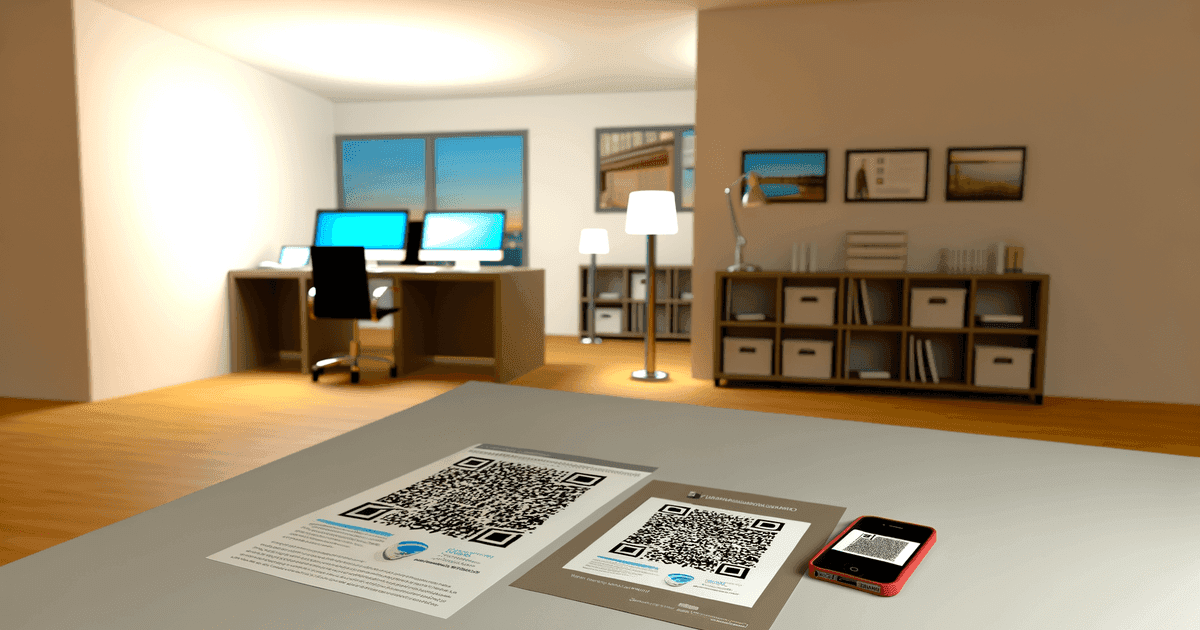

Learn how QR codes work—how they store data, how scanning technology reads them, and how they're generated. A complete technical guide explained simply.
You scan QR codes constantly—menus, payments, product info—but have you ever wondered what's actually happening in that split second between pointing your camera and seeing a website? The technology is elegant, and understanding it makes you appreciate why QR codes work so reliably.
The Basic Concept
QR stands for "Quick Response"—invented in 1994 by a Toyota subsidiary to track vehicle parts. Traditional barcodes encode data horizontally (one dimension), limiting capacity. QR codes encode data both horizontally and vertically (two dimensions), dramatically increasing storage.
A barcode might hold 20 characters. A QR code can hold over 4,000.
How QR Codes Store Data
QR codes store data through a clever system of black and white squares called modules. Each module represents a binary digit—black for 1, white for 0. But the pattern isn't random; it follows a precise encoding system.
Here's the simple version: your content (a URL, phone number, or text) gets converted to binary, then arranged into the grid following specific rules. The process adds extra "backup" data for error correction, applies a mask pattern for better readability, and wraps it all in functional markers that help scanners orient themselves.
The result is a compact, scannable pattern that can survive printing errors, partial damage, and being scanned at odd angles.
Year QR codes were invented
Maximum alphanumeric characters per code
Maximum damage tolerance with high error correction
Anatomy of a QR Code
Every QR code contains several key components:
Finder Patterns (The Three Big Squares)
The three large squares in the corners serve one critical purpose: they tell the scanner "this is a QR code" and establish its orientation. No matter how you rotate your phone, the scanner can instantly determine which way is up.
Alignment Patterns
Larger QR codes include smaller alignment squares throughout the pattern. These help scanners correct for distortion—when you scan at an angle or from a curved surface, alignment patterns help the software "flatten" the image digitally.
Timing Patterns
The alternating black-white lines connecting finder patterns establish the grid. They tell the scanner exactly how many rows and columns of data modules to expect.
Format Information
Areas near the finder patterns store crucial metadata: which error correction level was used and which mask pattern was applied (more on this below).
Data and Error Correction
Everything else—the seemingly random pattern of black and white squares—contains your actual encoded data plus redundancy information for error correction.
How Data Gets Encoded
The encoding process converts your content (a URL, text, contact information) into that pattern of squares:
Step 1: Choose the Encoding Mode
QR codes support multiple encoding modes optimized for different content:
- Numeric mode: Most efficient for numbers (0-9). 10 bits per 3 digits.
- Alphanumeric mode: Numbers, uppercase letters, and some symbols. 11 bits per 2 characters.
- Byte mode: Any character (UTF-8). 8 bits per character.
- Kanji mode: Japanese characters. 13 bits per character.
The encoder automatically selects the most efficient mode for your content.
Step 2: Add Error Correction
QR codes use Reed-Solomon error correction—the same technology used in CDs and satellite communications. Four levels are available:
| Level | Error Correction | Use Case |
|---|---|---|
| L (Low) | ~7% | Clean environments, maximum data |
| M (Medium) | ~15% | Standard use, balanced |
| Q (Quartile) | ~25% | Printed materials, some wear expected |
| H (High) | ~30% | Harsh environments, logos in center |
Higher correction means more redundancy data, which means a larger QR code for the same content.
Step 3: Arrange in Matrix
The data gets arranged into the grid following a specific pattern—a serpentine path that weaves through the matrix, avoiding the functional patterns.
Step 4: Apply Masking
Here's something clever: raw QR data might accidentally create patterns that look like finder squares or cause scanning errors. Masking XORs the data with one of eight predefined patterns to ensure a good balance of black and white modules. The encoder tries all eight masks and picks the one that scores best on readability criteria.
How Scanning Works
When you point your phone at a QR code:
1. Image Capture
The camera captures the image. Modern phones don't need a dedicated QR app—the native camera handles detection.
2. Locate the Code
Software searches for finder patterns (those distinctive squares). Finding three corners in the right geometric relationship triggers recognition.
3. Determine Orientation
The finder patterns establish which way is up. QR codes work at any rotation.
4. Sample the Grid
Using timing and alignment patterns, the scanner determines exactly where each module falls and whether it's black (1) or white (0).
5. Unmask and Decode
The scanner reads format information to determine which mask was used, applies the inverse, then decodes the data using the appropriate mode.
6. Error Correction
Even if some modules were read incorrectly (dirt, damage, bad lighting), error correction often recovers the original data.
This entire process happens in milliseconds.
Static vs. Dynamic: The Short URL Trick
There are two fundamentally different ways to use QR codes:
Static QR Codes
A static QR code encodes your actual content directly. If you encode https://example.com/very-long-product-page, every character of that URL lives in the code's pattern.
Pros: Works forever, no external dependencies Cons: Can't update content, can't track scans, longer URLs = denser codes
Dynamic QR Codes
A dynamic QR code encodes a short redirect URL (like https://qrc.sh/abc123). When scanned, the redirect server sends visitors to your actual destination.
Pros: Update destination anytime, track every scan, analytics Cons: Requires the redirect service to keep working
The redirect happens in milliseconds—users never notice. But the flexibility is enormous. Update your marketing URL after printing 10,000 flyers? No problem. See which locations drive the most scans? Easy.
QR Code Capacity Limits
How much can you actually store?
| Content Type | Maximum Characters |
|---|---|
| Numeric only | 7,089 digits |
| Alphanumeric | 4,296 characters |
| Binary/Bytes | 2,953 bytes |
| Kanji | 1,817 characters |
These maximums assume the largest QR version (177×177 modules) with lowest error correction. In practice, most codes use version 3-10 (29×29 to 57×57 modules) for scanability.
Rule of thumb: Keep URLs under 100 characters for clean, easy-to-scan codes. Use a URL shortener or dynamic codes for longer destinations.
Common QR Code Types
QR codes can encode different data types that phones handle automatically:
URL
Opens in browser. Most common use.
https://example.com
WiFi
Automatically joins network without typing password.
WIFI:T:WPA;S:NetworkName;P:password123;;
vCard
Adds contact to phone.
BEGIN:VCARD
VERSION:3.0
N:Smith;John
TEL:+1234567890
END:VCARD
SMS
Opens messaging app with pre-filled content.
sms:+1234567890?&body=Your message here
Opens email client with pre-filled fields.
mailto:hello@example.com?subject=Hello
Why QR Codes Are So Reliable
Several design decisions make QR codes remarkably robust:
Redundancy: Error correction can recover data even with significant damage.
Self-identifying: Finder patterns make detection instant—no ambiguity about what's a QR code.
Rotation-independent: Scans work at any angle.
Scale-flexible: Works from tiny printed codes to giant billboards.
Standardized: ISO/IEC 18004 ensures any scanner works with any code.
The inventors at Denso Wave specifically designed for industrial use—codes needed to survive factory conditions. That robustness translates well to everyday use.
Frequently Asked Questions
How do QR codes store data?
A QR code stores data as a grid of black and white squares called modules, where each module represents a binary digit (1 or 0). The data is encoded, padded with Reed-Solomon error-correction data, arranged in a fixed serpentine pattern, and then "masked" to balance the light and dark areas so cameras read it reliably. A single QR code can hold up to 4,296 alphanumeric characters this way.
How is a QR code generated?
QR code generation has four core steps: pick an encoding mode (numeric, alphanumeric, byte, or kanji) for the data, append Reed-Solomon error-correction codewords, lay the bits out in the QR matrix alongside the fixed finder and timing patterns, then apply the mask pattern that makes the code easiest to scan. Generators do all of this for you — see how QR codes are generated for a deeper walkthrough.
Can QR codes be read if partially covered?
Yes, depending on the error correction level. With Level H (High) error correction, up to 30% of the code can be damaged or covered and still scan successfully. This is why you can add small logos to the center of QR codes without breaking them—as long as you don't exceed the error correction threshold.
Do QR codes expire?
Static QR codes never expire—they encode data directly and work forever. Dynamic QR codes depend on a redirect service; they work as long as that service operates. When choosing a QR code generator, check whether dynamic codes have scan limits or expiration dates.
How much data can a QR code hold?
Maximum capacity is 7,089 numeric digits or 4,296 alphanumeric characters. However, more data means a denser, harder-to-scan code. For best results, keep content under 100 characters and use URL shorteners or dynamic codes for longer destinations.
Why do some QR codes look different (colored, with logos)?
QR codes can tolerate modifications as long as there's sufficient contrast between modules and error correction can compensate. Colors work if the "dark" modules are darker than the "light" ones. Logos work in the center because error correction treats that area as damaged and reconstructs the data. However, too much modification can make codes unreliable.
Can QR codes be hacked or contain malware?
QR codes themselves are just data containers—they can't contain executable code. However, they can link to malicious websites. Always check the URL preview before visiting unknown codes. Use QR scanners that show the destination before opening it.
Create Your Own
Now that you understand how QR codes work, create one:
- URL QR codes - Link to any website
- WiFi QR codes - Share network credentials instantly
- vCard QR codes - Digital business cards
- Text QR codes - Encode plain text messages
For codes you might need to update or track, check our pricing for dynamic QR codes with analytics.
For a deeper dive into the technical process, read how QR codes are generated.
Ready to create your QR code?
Free forever for static codes. Pro features with 14-day trial, no credit card required.

Irina Aguiar
·Content LeadIrina Aguiar leads content strategy at QR Code Maker, where she has written extensively on QR code technology, marketing, and business operations. Her work ranges from technical explainers on how QR codes are generated and how error correction works to practical guides on QR marketing, automation, and scan analytics — plus hands-on tutorials covering Python, Google Sheets, and Zapier integrations. She also publishes honest competitor comparisons and industry-specific playbooks for retail, real estate, hospitality, healthcare, and events.
More from Irina Aguiar →Related Articles
LinkedIn QR Code: Share Your Profile Instantly (2026 Guide)
Create a LinkedIn QR code to share your profile, company page, or post with one scan. Step-by-step guide with design tips, placement ideas, and tracking.
YouTube QR Code: Link Videos to the Physical World (2026 Guide)
Create a YouTube QR code that links to a video, channel, or playlist. Step-by-step guide with use cases for packaging, events, education, and marketing.
QR Code A/B Testing: How to Test What Actually Works
Most guides say print two QR codes and compare. Here's what they don't tell you about costs, statistical significance, and why one-code testing changes everything.