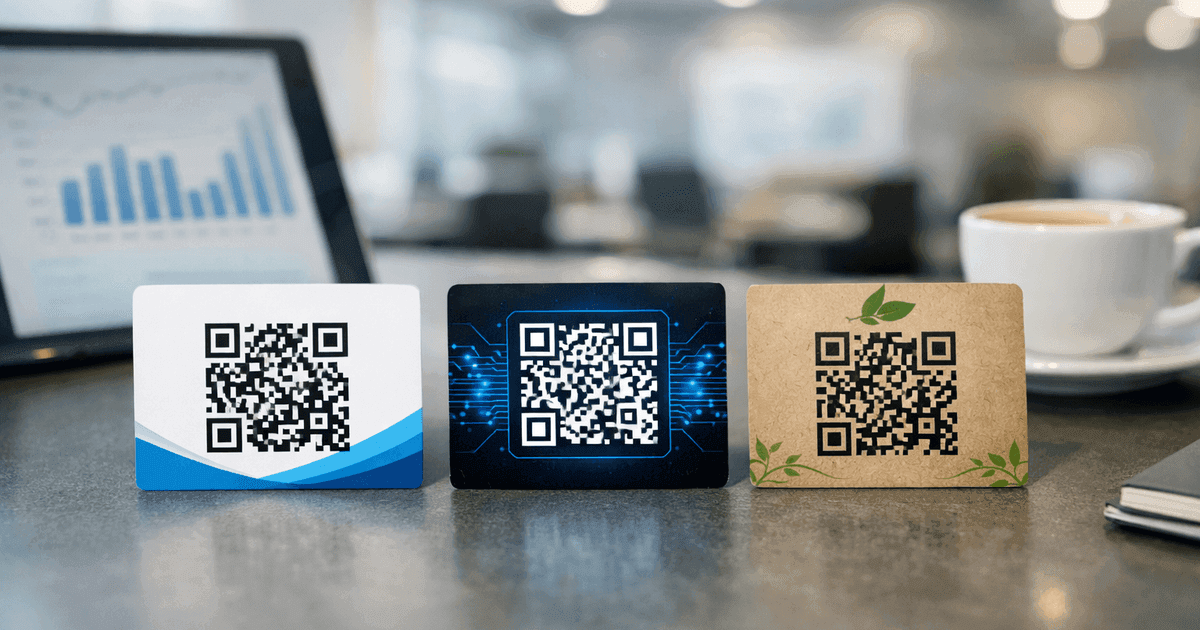
Unlock the full potential of your campaigns with our guide to QR code best practices. Learn design, tracking, and placement for maximum engagement.
QR codes have evolved from a simple convenience into a powerful marketing channel, seamlessly connecting your physical and digital worlds. For small business owners, marketers, and event organizers, a well-executed QR code can drive engagement, capture valuable data, and streamline customer experiences. However, a poorly designed code that won't scan, leads to a broken link, or looks untrustworthy can cause frustration and missed opportunities.
This guide provides ten essential QR code best practices to ensure your codes are scannable, engaging, and effective. We will cover everything from design and branding to tracking and privacy, offering actionable advice and real-world examples for restaurants, retailers, and event managers. You will learn not just what to do but why it matters for your business.
By following these expert-backed steps, you can create professional, high-performing QR code campaigns that deliver measurable results. Let's explore the practical strategies you need to make every scan count.
1. Ensure High Contrast and a Proper "Quiet Zone"
The most fundamental aspect of a functional QR code is its scannability. This depends on two critical design elements: color contrast and its surrounding white space, also known as the "quiet zone." Scanners work by distinguishing between the dark and light squares (modules) of the code. The classic black-on-white combination is the gold standard because it offers maximum readability for any device.
Equally important is the quiet zone—the empty margin around the code. This buffer helps scanners isolate the QR code from other visual elements. A lack of sufficient white space can confuse scanners, leading to failed scans and frustrated users.
Why It's a Top Best Practice
A QR code that doesn’t scan is worse than no QR code at all. It breaks the customer journey and reflects poorly on your brand. Prioritizing high contrast and a proper quiet zone is the first and most crucial step in any successful QR code campaign. For instance, a restaurant's menu QR code must be clear and easily scannable, even in the dim lighting of an evening service.
Actionable Tips for Implementation
To ensure your QR codes always work, follow these specific guidelines:
- Mind the Margin: The quiet zone should be at least four modules wide on all four sides of the code. A module is one of the small squares in the code.
- Stick to Dark on Light: Always place a dark-colored QR code on a light-colored background. Avoid "inverting" this with light colors on a dark background, as many older scanner apps cannot read them.
- Test Extensively: Before printing, test your QR code with different scanner apps on both iOS and Android devices. Scan it from various distances and angles to simulate real-world conditions.
- Leverage Built-in Tools: When using a tool like QR Code Maker, the platform automatically enforces proper contrast ratios and helps you maintain the quiet zone, taking the guesswork out of creating a reliable code.
2. Brand QR Codes with Your Logo and Colors
While a standard black-and-white QR code is functional, it’s also a missed branding opportunity. By customizing your QR code with your logo and brand colors, you transform it into a powerful marketing asset. A branded QR code not only looks more professional but also significantly boosts user trust and engagement. People are far more likely to scan a code that they recognize and associate with a brand.
This simple customization builds brand recall and reassures users that they are scanning a legitimate code, reducing hesitation. However, branding must be done carefully to avoid compromising the code's scannability. The key is to find the right balance between aesthetic appeal and technical function.
Why It's a Top Best Practice
In a crowded marketplace, every touchpoint matters. A branded QR code is an extension of your visual identity, reinforcing your brand on everything from product packaging to event banners. It signals professionalism and intent. For example, a real estate agent who adds their agency logo to a property flyer's QR code instantly builds credibility. Similarly, an event organizer using their event logo helps attendees feel confident scanning for the schedule.
Actionable Tips for Implementation
To effectively brand your codes without sacrificing performance, follow these key guidelines:
- Keep Logos Small: Your logo should occupy no more than 15-20% of the total QR code area. Placing it in the center is ideal, as QR codes have built-in error correction that can handle this.
- Maintain High Contrast: While using brand colors is effective, you must maintain a strong contrast between the dark modules and the light background. If your brand colors are light (e.g., yellow), use them for the background and a dark color for the code.
- Test Branded Codes Rigorously: Before any large-scale printing, test your custom QR code with multiple devices and scanning apps from different angles and distances.
- Use a Customization Tool: A platform like QR Code Maker simplifies this process. Its tools allow you to upload a logo, select brand colors, and preview the changes in real-time, ensuring your design choices don't compromise scannability. You can learn more about how to design a QR code on qr-code-maker.app.
3. Use Dynamic QR Codes to Track and Update Campaigns
One of the most powerful qr code best practices is using dynamic codes instead of static ones. A static code permanently embeds the destination URL into its pattern—it can never be changed. A dynamic QR code, however, encodes a short redirect URL. This means you can change the destination link at any time without having to reprint the physical QR code.
Beyond being editable, dynamic codes enable robust tracking. Every scan can be logged, providing valuable data such as the number of scans, user location (city/country), device type, and time of the scan. This turns your QR code into a sophisticated data collection tool, offering deep insights into customer engagement and campaign performance.
Why It's a Top Best Practice
Using a static QR code on printed marketing materials is a huge risk. If a link breaks or a promotion ends, the printed code becomes useless, wasting your investment. Dynamic codes eliminate this risk. A restaurant can update its QR code menu with seasonal specials without reprinting. An event organizer can change a QR code on a badge from linking to the event schedule to a post-event feedback survey. This adaptability and the rich analytics are essential for modern marketing.
Actionable Tips for Implementation
To harness the full power of dynamic QR codes, follow these specific guidelines:
- Default to Dynamic: For any marketing campaign, always choose a dynamic QR code. Reserve static codes only for permanent information that will never change, like a Wi-Fi password.
- Track Channel Performance: Create a unique dynamic QR code for each marketing channel (e.g., one for a print flyer, another for an in-store display) to measure which one drives the most scans.
- Monitor Your Analytics: Regularly check your analytics dashboard to identify trends. A spike in scans after a local event or a high scan rate in a specific city can inform future marketing decisions.
- Use a Professional Platform: A service like QR Code Maker is essential for this. Its platform simplifies the creation of dynamic codes and provides a user-friendly dashboard to edit destinations and analyze scan metrics in real-time.
4. Include a Clear Call-to-Action (CTA)
A perfectly designed QR code is useless if no one understands its purpose. This is why a clear call-to-action (CTA) is a non-negotiable best practice. A QR code must be accompanied by concise instructions that tell users exactly what to expect when they scan it. Without context, a user has no incentive to pull out their phone.
The difference is staggering; studies show that QR codes with a clear CTA receive significantly more scans. Simply adding "Scan for Menu," "Get Your Coupon," or "Join Our Wi-Fi" transforms a cryptic square into a direct and compelling marketing tool.
Why It's a Top Best Practice
An unprompted QR code creates uncertainty. By providing clear instructions, you remove the guesswork and guide the user's next action. This simple step improves the user experience and drastically increases engagement. For example, a business card with a "Scan to Save My Contact" CTA is far more effective than just a code, as it sets a clear expectation and encourages immediate action. An event banner with "Scan for Full Schedule" gives attendees a clear reason to engage.
Actionable Tips for Implementation
To maximize the visibility and effectiveness of your QR codes, follow these specific guidelines:
- Position for People: Place codes where people will naturally see and scan them comfortably, typically at eye level. Avoid placing them too low or too high.
- Keep CTAs Short and Action-Oriented: Use 2-4 powerful words. Start with a verb like "Scan," "Get," "Download," or "See." For example, use "Scan for 20% Off" instead of a vague "Scan Here."
- Consider Scanning Distance: Ensure your QR code is large enough to be scanned from its intended distance. A good rule of thumb is a minimum size of 1x1 inch (2.5x2.5 cm) for close-range scanning.
- Test in the Real World: Before finalizing placement, walk through the space as a customer would. Is the code easy to spot? Is it obstructed or affected by glare? Test scanning from various angles and distances.
5. Optimize Your Landing Page for Mobile Devices
A QR code is merely a bridge; its success is determined by the destination it leads to. Since virtually all QR code scans happen on a smartphone, directing users to a desktop-centric, slow-loading webpage is a guaranteed way to lose them. The user journey must be seamless, and that requires a mobile-first landing page.
A mobile-optimized page loads quickly, features large touch-friendly buttons, uses readable fonts, and presents a clear call to action. Failing to provide this experience leads to high bounce rates and wasted marketing efforts, breaking the link between your customer's initial curiosity and the desired action.
Why It's a Top Best Practice
The purpose of a QR code is to offer instant, convenient access to information. A clunky mobile experience shatters that promise. Businesses that optimize their landing pages see significantly higher engagement and conversions. For example, a restaurant linking to a mobile-optimized menu will see more orders than one linking to a clunky PDF. A small business linking to a simple contact form will get more leads than one linking to a complex desktop site.
Actionable Tips for Implementation
To ensure your landing page completes the user journey effectively, follow these QR code best practices for mobile optimization:
- Prioritize Speed: Your page should load in under 3 seconds on a mobile network. Use tools like Google's PageSpeed Insights to test and compress images to reduce load times.
- Design for Touch: Ensure all buttons and links are large enough to be tapped easily. Keep forms simple, asking only for essential information.
- Focus on Readability: Use a minimum font size of 16px for body text. Place the most important information "above the fold" so users don't have to scroll.
- Use a Mobile-First Tool: When using a tool like QR Code Maker, its Restaurant Menu or vCard features automatically generate mobile-first landing pages, ensuring an excellent user experience without any extra design work.
6. Create Unique QR Codes for Each Channel to Track Performance
Treating all your QR codes the same is a massive missed opportunity. A core principle of modern marketing is attribution: knowing which channels drive results. By creating unique dynamic QR codes for each specific marketing channel, you can precisely track where your scans are coming from. This transforms QR codes from a simple link-sharing tool into a powerful source of campaign intelligence.
This means generating a distinct QR code for every place you use one. A code on a flyer would be different from the one in your email newsletter, which would be different from the one on your trade show banner. This allows you to see which channels are high-performing and which are falling flat.
Why It's a Top Best Practice
Without channel-specific tracking, you're flying blind. You might see a spike in website traffic but have no idea if it came from your social media ads or your print mailer. This makes it impossible to calculate ROI and optimize your marketing budget. By isolating performance, a small business can discover that its in-store posters generate more loyalty sign-ups than its newspaper ads, allowing for smarter spending in the future.
Actionable Tips for Implementation
To turn your QR codes into a powerful analytics engine, follow these specific guidelines:
- Establish a Naming Convention: Before you start, create a consistent naming system like
Campaign-Channel-Location(e.g.,SpringSale-Flyer-Downtown). This keeps your analytics dashboard organized. - Generate Codes in Batches: Use a tool like QR Code Maker's bulk creation feature to quickly generate and organize dozens of unique, trackable codes for an entire campaign.
- Organize Your Codes: Keep a simple spreadsheet mapping each QR code to its specific placement and channel. Inside the QR Code Maker platform, use folders to group codes by campaign for better organization.
- Review Analytics Regularly: Set aside time each week to review your scan data. Look for trends, identify top-performing channels, and use the insights to make strategic decisions.
7. Test Scannability Across Multiple Devices and Apps
A common mistake is assuming that if a QR code scans on your phone, it will scan on everyone's. In reality, scanner capabilities vary dramatically between devices, operating systems, and apps. The camera on a new iPhone scans differently than a budget Android phone, and a third-party scanner app may have different limitations than the native camera app.
Thorough testing across a range of devices and conditions is the only way to ensure a reliable user experience. This means simulating how different customers will interact with your code, from scanning a restaurant menu in dim lighting to a poster from a distance in bright sunlight.
Why It's a Top Best Practice
A single failed scan can result in a lost customer or a frustrated event attendee. By proactively identifying and fixing potential scanning issues, you protect your investment and maintain brand credibility. This comprehensive approach is a core component of professional qr code best practices.
Actionable Tips for Implementation
To build a foolproof testing protocol, follow this checklist before any public launch:
- Test on Diverse Devices: Scan your code using a newer iPhone, an older iPhone, a high-end Android (like a Samsung Galaxy), and a budget Android device.
- Use Multiple Scanner Apps: Test with the native camera apps on both iOS and Android, as well as at least one popular third-party QR scanner app.
- Vary Lighting and Distance: Scan the code in different environments: bright direct light, standard indoor lighting, and low-light conditions. Also, test from various distances and angles.
- Retest After Customization: Any time you add a logo or change colors, you must re-run your entire testing protocol. Tools like QR Code Maker provide a reliable starting point, but real-world testing is essential for custom designs.
8. Use the Right Error Correction Level for Your Needs
One of the most powerful yet overlooked features of QR codes is their built-in error correction. This allows a code to remain scannable even if a portion of it is damaged, dirty, or obscured. QR codes have four levels of error correction: Low (L) at 7%, Medium (M) at 15%, Quartile (Q) at 25%, and High (H) at 30%.
Choosing the right level is a critical balancing act. A higher error correction level makes the code more resilient but also increases its density (the squares become smaller and the code more complex). This trade-off between resilience and simplicity is key to ensuring your code functions reliably in its intended environment.
Why It's a Top Best Practice
Selecting the wrong error correction level can lead to scan failures. A restaurant menu with low error correction might fail after a small spill. Conversely, using the highest level unnecessarily for a clean digital display might make the code overly dense and slightly harder for some older cameras to read. Matching the level to the use case—such as using Level H on outdoor signs or Level M on event tickets—guarantees optimal performance.
Actionable Tips for Implementation
To balance scannability and resilience, select the error correction level that best fits your needs:
- Use Level M as a Default: For most standard indoor applications like in-store promotions or business cards, Level M offers a great balance of reliability and simplicity.
- Upgrade for Branding: If you place a logo in the center of your QR code, always use Level Q or H. The logo obscures part of the code, and the higher error correction level compensates for this.
- Choose Level H for High-Risk Environments: For any QR code placed outdoors, on frequently handled items (like menus), or in industrial settings, Level H is essential. It provides the best defense against scratches, dirt, and wear.
- Leverage Smart Tools: Platforms like QR Code Maker often select an appropriate error correction level for you based on your customizations. When you add a logo, the tool automatically adjusts to a higher level to ensure scannability. For more detail, you can explore the specifics of QR code error correction.
9. Ensure Privacy-Safe Tracking and Comply with Data Laws
When you use dynamic QR codes to track performance, you are collecting user data. This powerful capability comes with the responsibility of handling that information ethically and legally. Privacy-safe tracking means gathering analytics in a way that respects user consent and complies with data protection laws like GDPR in Europe and CCPA in California.
This involves being transparent about what data you collect (like scan location and device type) and how you use it. For instance, an EU-based event using a QR code for entry must inform attendees if their scan activity is being tracked for analytics. This transparency is fundamental to modern marketing.
Why It's a Top Best Practice
In an era of heightened awareness around data privacy, consumers are wary of how their information is used. A privacy-first approach demonstrates respect for your customers, building trust and long-term loyalty. Legally, compliance is mandatory. By prioritizing privacy, you protect your business from fines and reputational harm.
Actionable Tips for Implementation
To ensure your QR code campaigns are both effective and compliant, follow these guidelines:
- Be Transparent: If you are tracking scan analytics, include a small disclosure near the QR code, such as, "Scanning helps us measure engagement. See our Privacy Policy for details."
- Link to Your Privacy Policy: Ensure your website or landing page linked from the QR code has an accessible and up-to-date privacy policy.
- Collect Only What's Necessary: Avoid collecting personally identifiable information (PII) unless you have explicit user consent and a legitimate reason for doing so.
- Choose a Compliant Platform: Use a service like QR Code Maker, which is built with enterprise-grade security and privacy controls, taking the technical burden off your shoulders.
10. Use Purpose-Specific QR Codes for a Better User Experience
Not all QR codes are created equal. A common mistake is using a simple URL code for every scenario. To create a seamless user experience, you must match the QR code's function to your specific goal. This involves using purpose-built code types that trigger specific actions on a user's device, eliminating unnecessary steps.
This approach transforms the QR code from a simple link into a powerful, interactive tool. For example, instead of linking to a "Contact Us" page, a business owner can use a vCard QR code on their business card, allowing people to save their details with a single scan. A café can use a WiFi QR code on its tables to grant network access without forcing customers to type a complex password.
Why It's a Top Best Practice
Using a purpose-specific QR code directly improves user convenience. When the action is instant and intuitive, users are far more likely to engage. Forcing a user to manually copy a WiFi password or type contact details from a webpage introduces friction. Leading platforms like QR Code Maker offer many distinct code types for this reason—they provide specialized solutions that are more effective than a generic URL link.
Actionable Tips for Implementation
To maximize the impact of your campaigns, choose the right tool for the job:
- For Networking: Use vCard QR codes on business cards and event badges to make saving your contact information effortless.
- For Venues: Implement WiFi QR codes in restaurants, hotels, and co-working spaces to provide instant internet access.
- For Restaurants: Use a dedicated Restaurant Menu QR code to create a rich, branded digital menu that's easy to update.
- For Information Sharing: Use PDF QR codes to share detailed documents like product catalogs or event guides without cluttering your marketing materials.
- For Customer Service: A Phone QR code allows users to initiate a call directly to your business with one scan, perfect for "Call for a Quote" CTAs.
10-Point QR Code Best Practices Comparison
| Practice | Implementation complexity | Resource requirements | Expected outcomes | Ideal use cases | Key advantages |
|---|---|---|---|---|---|
| Use High Contrast Colors and Adequate White Space | Low | Minimal (design rules, basic testing) | High scan reliability across devices | All QR deployments, printed materials, low-end devices | Maximizes readability and universal scannability |
| Brand QR Codes with Logo and Color to Increase Engagement | Medium | Design assets, careful testing, customization tools | Higher engagement (30–80% uplift if done correctly) | Marketing collateral, branded campaigns, retail displays | Boosts brand recognition and scan rates |
| Implement Dynamic QR Codes for Campaign Tracking and Destination Changes | Medium–High | URL redirect service, analytics backend, hosting | Editable destinations, real-time analytics, reduced reprints | Time-sensitive campaigns, A/B testing, long-term signage | Flexibility to change destination and measure performance |
| Place QR Codes at Eye Level with Clear Call-to-Action Instructions | Low–Medium | Signage coordination, short CTA copy, placement testing | 3–5x more scans with clear CTAs | Retail, restaurants, events, in-store promotions | Increases visibility and conversion by providing context |
| Optimize Landing Pages for Mobile Devices to Complete the User Journey | Medium–High | Developers/designers, performance testing, device QA | 2–3x higher mobile conversions, lower bounce rates | Any QR-to-web use: e‑commerce, forms, menus | Improves conversion and user satisfaction on mobile |
| Create Unique QR Codes per Channel and Monitor Analytics to Optimize Performance | Medium | QR generation tools, analytics platform, naming/organization | Precise attribution, channel insights, ROI improvement | Multi-channel campaigns, attribution-focused marketing | Enables data-driven budget allocation and optimization |
| Ensure Consistent Scannability Testing Across Multiple Devices and Apps | Medium | Multiple devices, scanner apps, QA time | Fewer field failures, broader compatibility | Large print runs, branded/custom codes, events | Prevents customer frustration; ensures reliability |
| Use Appropriate Error Correction Level for Your Use Case | Low–Medium | QR generator with ECC options, testing damaged samples | Balance of size vs. resilience; improved durability when needed | Outdoor signage, high-wear items, branded codes with logos | Increases tolerance to damage or enables smaller codes |
| Implement Privacy-Safe Tracking and Comply with Data Regulations | High | Legal/compliance expertise, secure analytics, consent flows | Legal compliance, preserved customer trust, safer analytics | GDPR/CCPA regions, campaigns collecting user data | Reduces legal risk and builds user trust through transparency |
| Create Purpose-Specific QR Code Types for Specialized Use Cases | Low–Medium | QR generator supporting multiple types, user guidance | Better UX and faster actions (e.g., connect WiFi, save vCard) | WiFi sharing, vCards, menus, coupons, app downloads | Streamlines user journeys with purpose-built functionality |
Putting Your QR Code Strategy Into Action
Mastering these QR code best practices is about adopting a user-centric mindset that prioritizes clarity, value, and a seamless experience. The principles detailed in this guide work in harmony to transform a simple scannable box into a powerful bridge connecting your physical and digital worlds.
A high-contrast, branded design (Practices #1 & #2) catches the eye, but it’s the clear call-to-action (Practice #4) that prompts the scan. That scan, however, only fulfills its potential if it leads to a mobile-optimized landing page (Practice #5). This entire sequence is underpinned by a technical foundation built on proper error correction, consistent testing, and privacy-conscious data handling (Practices #7, #8, & #9).
From Tactic to Strategy: Key Takeaways
The most crucial shift is moving from viewing QR codes as a one-off tactic to integrating them as a strategic, measurable component of your campaigns.
- Embrace Dynamic Codes: The single most impactful best practice is using dynamic QR codes (Practice #3). The flexibility to update destinations and fix broken links without reprinting is a game-changer.
- Data is Your Compass: Don't just deploy QR codes; measure them. By creating unique codes for different channels and monitoring their analytics (Practice #6), you gain invaluable insight into what’s working, allowing you to allocate your budget more effectively.
- Context is Everything: A QR code's success is defined by its context. A code on a restaurant menu should lead directly to a digital menu. A code on a business card should open a contact card. Using purpose-built QR code types (Practice #10) ensures the user receives immediate, relevant value.
Your Actionable Next Steps
Your immediate goal should be to review your current or planned QR code usage against the best practices we've covered.
- Review Your Design: Are your codes branded? Do they have enough quiet zone? Is the CTA clear?
- Assess Your Technology: Are you using dynamic QR codes? If not, you are missing out on essential flexibility and tracking.
- Analyze the User Journey: Scan your own codes. Is the mobile experience flawless? Does the landing page load instantly and deliver what the CTA promised?
By consistently applying these QR code best practices, you elevate your marketing from simple broadcasting to intelligent, interactive conversation. This strategic approach ensures every scan counts, turning passing interest into measurable results and loyal customers.
Ready to put these best practices into action with a tool built for professionals? QR Code Maker makes it easy to create branded, dynamic QR codes with advanced analytics, ensuring every code you generate is optimized for performance and scannability. Start creating professional, trackable QR codes today and see the difference a strategic approach can make.
Frequently Asked Questions
What is the importance of a quiet zone in QR codes?
The quiet zone is essential as it helps scanners isolate the QR code from surrounding elements, ensuring successful scans.
How can I effectively brand my QR codes?
You can brand your QR codes by adding your logo and using brand colors while ensuring the logo occupies no more than 15-20% of the code area.
What are the benefits of using dynamic QR codes?
Dynamic QR codes allow you to change the destination link anytime and provide tracking analytics, making them more versatile than static codes.
How do I create a compelling call-to-action for my QR codes?
A compelling CTA should be short, action-oriented, and clearly state what users will gain by scanning the code, such as 'Scan for 20% Off.'
Why is mobile optimization crucial for landing pages linked to QR codes?
Mobile optimization is crucial because most QR code scans occur on smartphones, and a mobile-friendly page ensures a seamless user experience, reducing bounce rates.
Ready to create your QR code?
Free forever for static codes. Pro features with 14-day trial, no credit card required.
Irina
·Content LeadIrina leads content strategy at QR Code Maker, helping businesses understand how to leverage QR codes for marketing, operations, and customer engagement. Her expertise spans digital marketing, user experience, and practical implementation guides.
Learn more about us →Related Articles
Trackable QR Codes: A Guide to Driving Measurable Results
Discover how trackable qr codes turn offline interactions into measurable data, helping you optimize campaigns and prove ROI with real-time scan insights.
How to Make a Custom QR Code: A Step-by-Step Guide for Small Businesses
Learn how to make a custom QR code that boosts engagement and reflects your brand. This guide covers design, tracking, and best practices for businesses.
Your Guide to Creating QR Codes That Drive Results
Discover how a trackable QR code generator can transform your marketing with real-time analytics. Learn to create, manage, and measure dynamic QR codes.