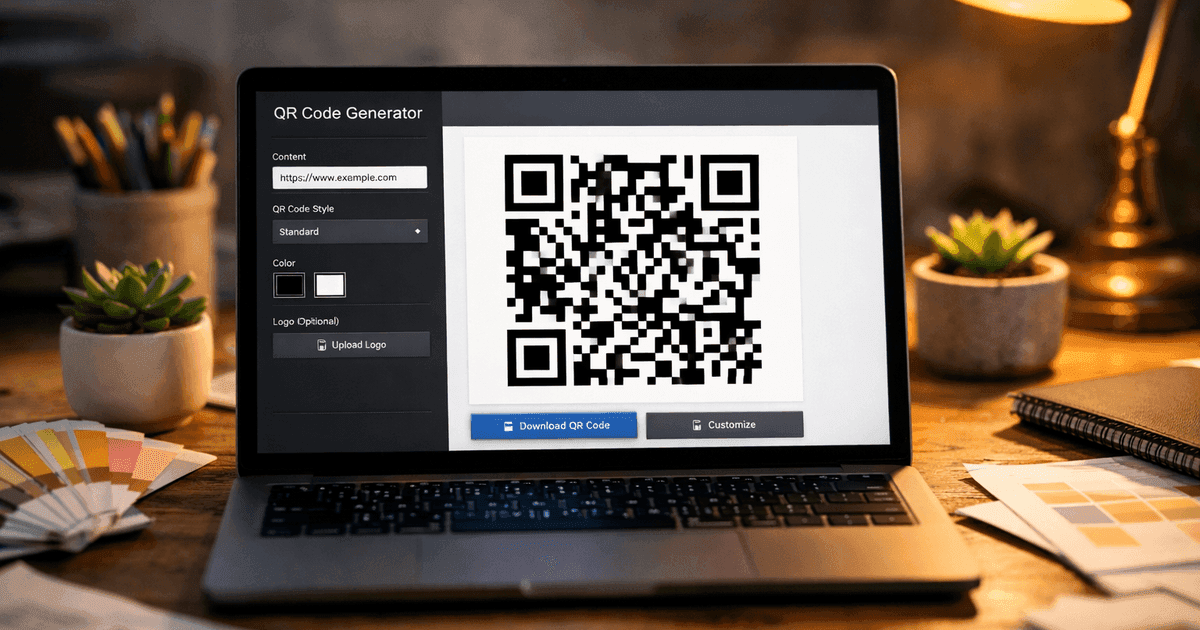
Discover how can i make a qr code with a quick, actionable guide to creating, customizing, and tracking QR codes for business results.
Making a QR code is a simple process where you use an online generator to convert information like a website URL or contact details into a scannable, two-dimensional barcode. For businesses, they are an essential tool for bridging the gap between physical marketing—like flyers, business cards, or product packaging—and the dynamic, measurable world of online content. While over 60% of consumers in the U.S. and U.K. have scanned a QR code in the last six months, according to Statista (2023), many businesses still miss opportunities by using them incorrectly.
This guide provides practical, step-by-step instructions for creating QR codes that not only look professional but also drive measurable results for your marketing campaigns.
What is a QR Code and how can it help my business?
A QR code (short for "Quick Response code") is a scannable matrix barcode designed to instantly connect the physical world to a digital destination using a smartphone camera. Think of it as a supercharged version of the traditional barcodes you see on retail products. While a standard barcode holds a small amount of data horizontally, a QR code stores vastly more information both horizontally and vertically.
This design, originally invented by Denso Wave in 1994 to track automotive parts, allows a QR code to be scanned up to 10 times faster than a traditional barcode and remain readable even if up to 30% of it is damaged. The real mainstream adoption for marketing began when Apple and Google integrated native QR code scanners into their smartphone cameras, eliminating the need for third-party apps and placing a powerful scanner in nearly every consumer's pocket.
How can QR codes drive business growth?
QR codes remove friction, making it easy for customers to engage with your brand at the exact moment their interest is highest. Instead of just telling a customer about something, a QR code lets them experience it instantly.
Consider these real-world scenarios:
- Restaurants & Cafes: A QR code on a table tent can link directly to a digital menu, a loyalty program sign-up, or your Google Reviews page. This speeds up service and helps you collect crucial customer feedback while the experience is fresh.
- Retail Stores: A QR code on product packaging can link to a video showing the product in action, pull up detailed specs, or reveal a special discount coupon.
- Event Organizers: Use QR codes on tickets for quick, contactless check-ins. You can also place them on event banners to link attendees to the day's schedule, speaker bios, or a post-event survey.
- Real Estate Agents: A QR code on a "For Sale" sign can instantly give potential buyers a virtual tour, property details, and your contact information right on their phone.
For a deeper look at the technology, see our guide on how QR codes work. The key takeaway is that by creating a direct and immediate path for your customers, you can significantly increase engagement and conversions.
How do you choose the right QR code for your campaign?
To create a QR code that delivers results, you must start with a clear goal and choose the right type of code for the specific action you want people to take. Linking to your website's homepage is often a missed opportunity; the real magic happens when a scan leads to a precise, frictionless experience.
Think of it this way: not all QR codes are built for the same job. A restaurant owner who wants more glowing reviews should use a dedicated Google Reviews QR code, not a generic link that forces customers to navigate their website to find the review form. Every extra click causes people to drop off.
Which QR code type should you use?
The most successful QR code campaigns are built on a single, clear objective. Are you trying to grow your social media following, simplify event check-ins, or share a property listing? Each of these goals has an ideal QR code type designed to make the user's journey as smooth as possible.
For example, a real estate agent gets far better engagement by putting a vCard QR code on their business card. One scan, and their contact information is saved directly to the person's phone. Compare that to a simple website link, which puts the burden on the contact to find the agent's details and manually save them.
The table below breaks down some of the most common QR code types and their ideal use cases.
| QR Code Type | Primary Use Case | Ideal Industry |
|---|---|---|
| Website URL | Direct traffic to a specific landing page, blog post, or product page. | E-commerce, Marketing, Information |
| vCard | Instantly share contact information that can be saved to a phone's address book. | Sales, Networking, Real Estate |
| WiFi | Provide instant access to a wireless network without manual password entry. | Restaurants, Cafes, Hotels, Events |
| Google Reviews | Send customers directly to your Google Business Profile review form. | Local Businesses, Restaurants, Services |
| Coupon | Offer a scannable discount code for in-store or online purchases. | Retail, E-commerce, Restaurants |
| Share a document like a menu, brochure, or technical guide directly. | Restaurants, Manufacturing, Events |
Tools like QR Code Maker are built for this, letting you generate over 20 different code types in a few seconds—from vCards and WiFi to exclusive coupons and app downloads—and then track how they all perform. Choosing the right tool for the job makes a huge difference.
Practical Insight: We've seen local service businesses increase their monthly Google reviews by over 300% just by switching from a generic website QR code to a dedicated Google Reviews code placed on invoices and at their point of service. The easier you make it for happy customers to act, the more likely they are to do so.
How do you create your first QR code?
Creating a QR code with a professional tool like QR Code Maker takes only a few moments. The process is simple: select your code type, enter your content, customize the design, and download it in the right format. The real strategy lies in the decisions you make along the way.
Here’s a step-by-step guide to making a QR code from start to finish.
Step 1: Select the most effective code type
The first thing you'll do in a QR code generator is decide what you want the code to do. This choice is critical. Are you trying to boost your Google Reviews, share a happy hour menu as a PDF, or just give guests your WiFi password?
Pick the option that gets your customer to their destination with the fewest steps. For instance, if you're a realtor at a networking event, a vCard code is your best friend. When someone scans it, their phone immediately prompts them to save your details to their contacts. It's a seamless, professional exchange.
Step 2: Enter your content and choose dynamic vs. static
With your code type selected, you'll plug in the destination content. For a website, it’s the URL. For WiFi, it's the network name (SSID) and password. Double-check everything here—a single typo can break the entire experience.
This is also the critical point where you decide between a static or dynamic code.
- Static QR Code: The destination data is permanently embedded in the code's pattern. It cannot be edited or tracked.
- Dynamic QR Code: The code points to a short redirect URL that you can change anytime. This also enables scan tracking and analytics.
Practical Insight: From my experience managing hundreds of campaigns, I can tell you the ability to edit the destination link later is a lifesaver. Finding a typo after printing 5,000 flyers is a nightmare. With a dynamic code, you can fix it in seconds and save a ton of money and frustration. For any serious marketing campaign, always choose dynamic.
Step 3: Customize the design to match your brand
A generic black-and-white QR code works, but a branded one performs better. It builds trust, looks more professional, and feels like a cohesive part of your marketing materials.
Effective customization comes down to a few key tweaks:
- Colors: Swap the black for one of your brand colors, but always keep the contrast high against the background. A dark color on a light background is a foolproof formula.
- Logo: Add your company logo to the center. Most modern generators automatically adjust the error correction to ensure the code remains perfectly scannable.
- Frame: Use a simple frame with a clear call-to-action (CTA). Something like "Scan for Menu" or "Get 20% Off" tells people exactly why they should pull out their phone.
These small touches transform a functional square into a polished piece of marketing collateral. For a more detailed walkthrough, check out our guide on how to design a QR code.
Step 4: Download in a print-ready format
The last step is downloading your QR code. The file format you pick depends entirely on where you plan to use it.
| File Format | Best For | Why It's a Good Choice |
|---|---|---|
| PNG | Digital use (websites, emails, social media) | A high-quality image format that supports transparent backgrounds, perfect for web design. |
| SVG | Professional printing (flyers, posters, packaging) | A vector file that can be scaled to any size—from a business card to a billboard—without losing quality. |
| Documents and sending to print shops | A universal format that preserves your design perfectly and is easy for anyone to open and print. |
My one piece of non-negotiable advice? Always use SVG for anything physical. This guarantees your QR code will be crisp, sharp, and scannable, no matter the size. With your file downloaded, you’re ready to get your QR code out into the world.
Why are dynamic QR codes essential for marketers?
To truly leverage QR codes for your business, you must understand the difference between static and dynamic. A static QR code's destination is permanently baked into the pattern. A dynamic QR code, on the other hand, points to a short redirect link, making it editable and trackable—a game-changer for any serious marketing campaign.
This flexibility means you’re always in control, even long after your flyers or product packaging are in the wild. If you spot a typo in the URL after printing, a dynamic code lets you fix it in seconds without reprinting. For a deeper dive, check out our guide on the differences between static vs. dynamic QR codes.
Edit your destination anytime, anywhere
The true power of a dynamic QR code is its adaptability. Since the code itself just points to a short URL managed by a platform like QR Code Maker, you can change where that link sends people without ever changing the printed code.
This unlocks strategic possibilities for marketers:
- A/B Testing: Send scanners to Landing Page A for a week, then switch it to Landing Page B. See which one converts better without printing two different codes.
- Campaign Updates: A restaurant can use the same menu QR code to show a brunch menu in the morning and a dinner menu at night.
- Error Correction: Instantly fix typos or broken links without the expensive headache of reprinting thousands of mailers.
Unlock powerful campaign analytics
Beyond being editable, dynamic QR codes provide a wealth of data. Because every scan passes through a short redirect link, you can track key performance metrics in real-time, including:
- Total number of scans
- Scans by location (city and country)
- Scans over time (by day or hour)
- Device type (iPhone vs. Android)
This transforms your QR code from a simple link into a powerful analytics tool, allowing you to measure your campaign's return on investment (ROI) with precision.
| Feature | Static QR Code | Dynamic QR Code |
|---|---|---|
| Edit Destination URL | No (Fixed forever) | Yes (Editable anytime) |
| Scan Analytics | Not available | Yes (Track scans, location, device) |
| Campaign ROI | Impossible to measure | Easy to calculate |
| Best For | Permanent info (WiFi, contact) | All marketing campaigns |
| Cost | Free | Requires a subscription plan |
While static codes have their place for permanent information like a WiFi password, nearly every marketing scenario benefits from the flexibility and data that dynamic QR codes provide.
Where should you place QR codes to get more scans?
A great QR code is useless if no one scans it. Success depends on thoughtful design and smart placement. The small, non-obvious details are what separate a simple black-and-white square from a high-performing marketing tool.
Contrarian Observation: While many articles warn against inverting colors (a light code on a dark background), we've found it can work perfectly well, provided the contrast is extremely high. The real issue isn't the inversion itself but the low-contrast combinations people choose. A crisp white code on a deep navy blue background, for instance, scans just as reliably as a black code on white.
Design and placement best practices
- High Contrast is Non-Negotiable: Ensure your code stands out from its background. Tools like QR Code Maker will warn you if a color combination is likely to cause scanning issues.
- Add a Clear Call-to-Action (CTA): Never assume people know what to do. Add a short instruction like "Scan to Win" or "Get the Menu" right next to the code.
- Respect the Quiet Zone: Leave empty space around the code's border. Scanners need this "quiet zone" to identify the code, so don't crowd it with text or graphics.
- Consider the Context: Where you put your QR code is as important as how it looks. Place it where your audience has a moment to pause and scan. Moving targets, like the side of a delivery truck, are notoriously low-performing locations.
- Size Matters: The size of the code must match its viewing distance. A code on a poster across the street needs to be massive compared to one on a business card.
Here’s a quick reference for minimum sizing based on scanning distance:
| Scanning Distance | Minimum QR Code Size | Common Use Case |
|---|---|---|
| Up to 1 foot (30 cm) | 1 x 1 inch (2.5 x 2.5 cm) | Business Card, Product Tag |
| 3-5 feet (1-1.5 m) | 3 x 3 inches (7.5 x 7.5 cm) | Restaurant Menu, Flyer |
| 10+ feet (3+ m) | 12 x 12 inches (30 x 30 cm) | Poster, Store Window |
Always test your QR code with multiple devices before a large print run. Also, avoid placing codes on highly reflective surfaces like glass windows in direct sunlight, as the glare can make scanning impossible.
How are real businesses using QR codes to grow?
Theory is one thing, but seeing QR codes in action is where the real learning happens. Let's look at how actual businesses are using them to solve everyday problems and get measurable results.
The Neighborhood Restaurant
A local Italian restaurant wanted to speed up ordering and get more positive online reviews. They placed a dynamic QR code on each table leading to a mobile-friendly page with two buttons: "View Menu" and "Leave a Review." The "Review" button takes happy diners straight to the restaurant's Google Business Profile. The result was a 40% increase in positive Google reviews in just two months, which directly boosted their local search ranking and brought in more customers.
The Savvy Real Estate Agent
A real estate agent put a unique QR code on every "For Sale" sign. When scanned, it opens a dedicated landing page for that property with a photo gallery, video tour, and a simple form to schedule a showing. This simple addition turned static signs into active lead-generation machines. The agent can now see which properties get the most scans and follow up with interested buyers while they're still in the neighborhood.
For businesses like these, a tool like QR Code Maker makes it incredibly simple to create a custom QR code in seconds and track its performance for data-driven wins. For more on the history of the QR code and its applications, there are many great resources available.
Ready to put these ideas to work for your own business? With QR Code Maker, you can create professional, branded, and trackable QR codes in minutes. It's time to start connecting with your customers in a smarter way.
Frequently Asked Questions
What is the difference between static and dynamic QR codes?
Static QR codes have a fixed destination that cannot be changed, while dynamic QR codes point to a short URL that can be edited and tracked.
How can QR codes improve customer engagement?
QR codes streamline the customer journey, allowing instant access to information or promotions at the moment of interest.
What types of QR codes are most effective for businesses?
The most effective QR codes are those tailored to specific goals, such as Google Reviews, vCards, or discount coupons.
Why is customization important for QR codes?
Customizing QR codes with brand colors and logos makes them more appealing and trustworthy, leading to higher scan rates.
What file format should I use for printing QR codes?
SVG is the best format for printing QR codes as it maintains quality at any size, ensuring scannability.
Ready to create your QR code?
Free forever for static codes. Pro features with 14-day trial, no credit card required.
Irina
·Content LeadIrina leads content strategy at QR Code Maker, helping businesses understand how to leverage QR codes for marketing, operations, and customer engagement. Her expertise spans digital marketing, user experience, and practical implementation guides.
Learn more about us →Related Articles
How to Use a QR Code Generator: The Ultimate Guide for Businesses
Discover how qr code generator qrcode generator generate qr qr code builder can simplify creating codes, tracking campaigns, and boosting engagement.
What Are Dynamic QR Codes And How Do They Work?
Discover how dynamic QR codes work, offering editable links and detailed scan tracking to elevate your marketing campaigns and save on reprinting costs.
How to Create a QR Code: The Complete Guide for Businesses
Learn how to create qr code for your business with dynamic codes, branding, and analytics to boost engagement.