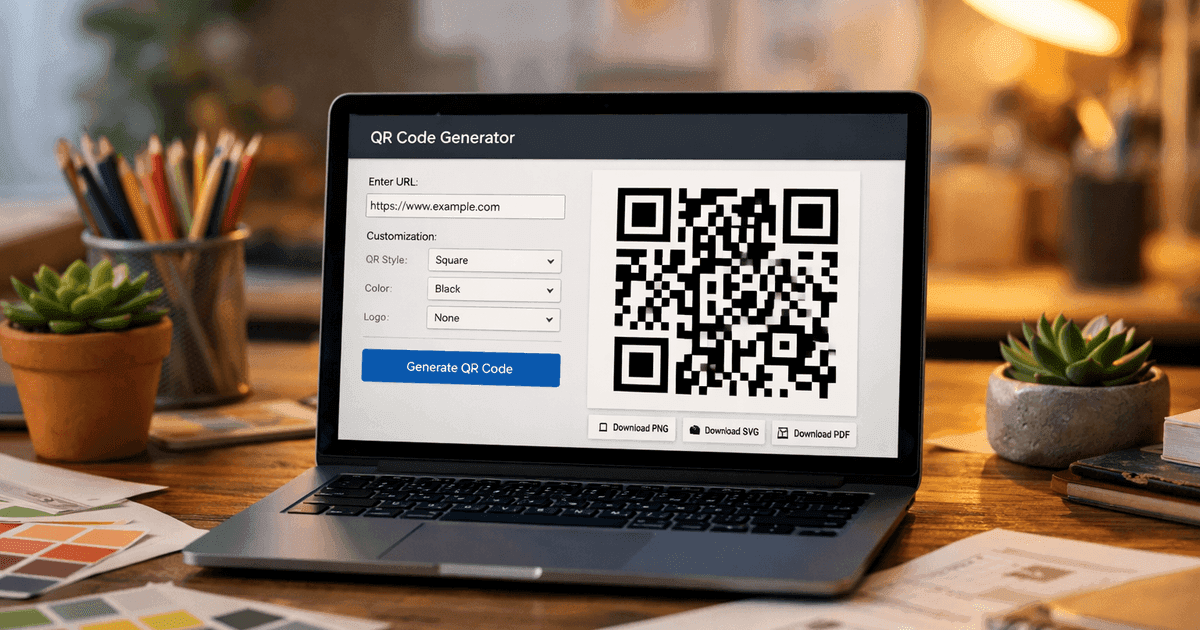
Learn how to create qr code for your business with dynamic codes, branding, and analytics to boost engagement.
Creating a QR code is straightforward: you choose a generator, select what you want the code to do (like open a website), customize the design, and download it. But for business owners, marketers, and event organizers, the key to success is creating a dynamic QR code. This powerful choice lets you track scan analytics and, most importantly, change the destination link at any time without having to reprint anything.
Why QR Codes Are a Modern Business Essential
Not long ago, QR codes were mostly found in factories, a niche tool for tracking parts. Today, they are a marketing powerhouse for any modern business. These pixelated squares have evolved from simple links into interactive gateways that connect your physical marketing materials directly to your digital world. For small business owners, marketers, and event organizers, knowing how to create effective QR codes is no longer a "nice-to-have" skill—it's essential for engaging customers.
From restaurant menus and business cards to event tickets and product packaging, QR codes seamlessly bridge the gap between your customer's offline and online experiences. Before we jump into the "how-to," it's worth taking a moment to understand what QR codes are used for across different industries today. Their versatility is their greatest strength.
The Power of Quick Response
The name "QR Code" stands for "Quick Response Code," which perfectly describes why they are so effective. Originally invented in 1994 by Masahiro Hara at Denso Wave, a Japanese automotive company, QR codes were designed to track vehicle parts during manufacturing. The final design was a game-changer, capable of storing over 200 times more data than traditional barcodes and being read more than 10 times faster.
That incredible speed and data capacity are what make QR codes so valuable for marketing. A customer can scan a code on a poster and be on your website in seconds, without the hassle of typing a long URL. This immediate, frictionless connection makes people far more likely to engage with your brand.
The real turning point for QR codes came when smartphone manufacturers built scanners directly into their native camera apps. Suddenly, no separate app was needed. This made QR technology instantly accessible to billions of people and cemented its role as a key marketing tool.
More Than Just a Link
Thinking of a QR code as just a link is like thinking of a smartphone as just a phone. A well-planned QR code strategy can drive specific, measurable business goals. While you can learn the technical details in our article on how do QR codes work, the core idea is simple: they prompt users to take a specific digital action.
Consider these common, practical use cases:
- Restaurants: A QR code on the table can link to a digital menu, a feedback form, or an easy sign-up for a loyalty program.
- Events: Organizers use them on badges for instant check-ins, networking contact sharing, or to distribute presentation slides.
- Business Cards: A vCard QR code allows a new contact to save your details directly to their phone with a single scan.
- WiFi Sharing: A WiFi QR code lets guests connect to your network instantly without needing to find the network name or type a complex password.
In every case, the QR code transforms a static object into an interactive experience. This guide will walk you through creating codes that are not only functional but are also powerful, trackable assets for your business.
Matching Your QR Code to Your Business Goal
Before you customize colors or add a logo, ask yourself: what do I want this QR code to achieve? A successful QR code strategy begins by defining a clear objective. What specific action should a customer take the moment they scan it?
Simply linking to your homepage is often a missed opportunity. Think of each QR code as a direct path to solving a customer's immediate need. The more specific your goal, the more effective your code will be. This clarity will guide your decisions and ensure you choose the right type of code for the job.
Connecting a Problem to a QR Code Solution
Every business faces unique challenges. A QR code is often the simplest bridge between a real-world problem and a fast digital solution. The mindset shouldn't be "I need a QR code," but rather, "I need an easier way for my customers to do X."
Let's look at a few real-world scenarios:
- For a busy restaurant: The challenge is constantly updating daily specials, which means costly and wasteful menu reprints. The solution is a Menu QR code. It lets you update offerings in real-time, add enticing photos, and promote high-margin items without ever calling the printer. Tools like QR Code Maker make hosting and managing these digital menus incredibly simple.
- For an event organizer: The goal is getting hundreds of attendees online without hassle. The solution is a WiFi QR code. A single scan connects a guest's device to the network, eliminating the need to search for network names or fumble with long passwords.
- For a real estate agent: The challenge is capturing leads from a yard sign when you're not there. The answer is a vCard QR code. A potential buyer scans the code, and all your contact info—name, phone, email, website—is saved directly to their phone's address book. It’s the modern, digital business card.
The key is to match the code's function directly to what a user wants to accomplish in that exact moment. When you do that, the experience feels helpful, not gimmicky, and your engagement rates will reflect it.
Deciding Between Static and Dynamic QR Codes
This is one of the most critical choices you'll make. A static QR code embeds the destination data (like a URL) directly into the black-and-white pattern. Once created and printed, it is permanent and cannot be changed. Think of it like printing in ink.
A dynamic QR code, on the other hand, is the smarter choice for nearly any business application. It encodes a short, intermediate URL that redirects to your final destination. This small difference is a game-changer because it allows you to edit the destination link anytime and track detailed scan analytics.
This flowchart breaks down the decision-making process into a simple question.
If you need flexibility or want to measure your campaign's effectiveness, a dynamic code is the only way to go.
Best Practice: Always use a dynamic QR code for marketing materials. The ability to fix a typo in a URL or redirect a flyer from an old promotion to a new one can save an entire campaign from failure—all without reprinting a single item.
The rise of QR codes accelerated in 2017 when Apple and Google built QR scanning directly into the native camera apps on iOS and Android. This move put a scanner in nearly everyone's pocket, removing the final barrier to widespread adoption. If you're curious, you can explore the history of QR codes to see just how far they've come.
Static vs Dynamic QR Codes: Which One Is Right for You?
Choosing between static and dynamic QR codes is the most important decision you'll make. It dictates whether your code is a fixed, one-time tool or a flexible, measurable marketing asset. This table breaks down the key differences to help you decide.
| Feature | Static QR Code | Dynamic QR Code |
|---|---|---|
| Editability | No. The destination is permanent. | Yes. You can change the destination URL anytime. |
| Scan Tracking | No. You cannot track scans. | Yes. Provides detailed analytics (scans, location, time). |
| Best For | WiFi access, vCards, permanent links. | Marketing campaigns, menus, product packaging. |
| Cost | Almost always free. | Typically requires a subscription. |
| Offline Use | Yes (for non-URL types like WiFi & text). | No. Requires an internet connection to redirect. |
| Dependence | None. Works independently forever. | Relies on the provider's service to function. |
For one-off personal uses like sharing your home WiFi, a static code is perfect. But for any business purpose where you might need to update content or measure performance, a dynamic QR code is the only professional choice.
Your First Steps in Generating a QR Code
Now that you have a goal in mind, it's time to create your QR code. The process is simple, but the initial choices you make will determine whether your code looks professional and delivers long-term value.
We'll use a platform like QR Code Maker for this walkthrough, as it's designed for business use. Let's start with the most common task: creating a code that sends people to your website.
The interface is designed to be intuitive. First, select the type of content you want your code to link to. For this example, we'll use a website URL.
Simply paste the full web address (e.g., https://www.yourbusiness.com/specials) into the designated field. Double-check the link for typos, as a single error will break it. This is the moment you connect a physical object to a specific digital destination.
Choosing Your Code Type
Now for the most important decision at this stage. Before generating the code, you must choose between static and dynamic. While static codes are fine for information that will never change, dynamic codes are the professional standard for any marketing or business use case.
Selecting "dynamic" unlocks the two features that matter most:
- Editability: This is a lifesaver. You can change the destination URL anytime, even after printing the QR code on thousands of flyers. This alone can save you from costly reprinting mistakes.
- Trackability: Dynamic codes provide analytics on how many people scanned your code, their approximate location, and when they scanned it.
This single choice transforms your QR code from a simple link into a smart, flexible marketing tool. It’s the difference between guessing if your campaign is working and knowing it is.
Remember, a static and a dynamic QR code look identical to the person scanning them. The magic happens behind the scenes, giving you control and data without complicating the user experience.
The Initial Generation
Once you’ve entered your URL and selected the dynamic option, the platform will instantly generate a basic, black-and-white QR code. It is now functional and ready to use. Go ahead and test it with your phone's camera to confirm it directs to the correct page.
This is your functional base. It works perfectly but lacks the branding that builds trust and encourages scans. The next step is customization, where we'll turn this generic code into a unique asset that reflects your brand.
Designing a Branded QR Code That People Trust
A standard black-and-white QR code is functional, but it isn't very inspiring. A branded code, on the other hand, gets noticed, scanned, and trusted. Customizing your QR code isn't just about aesthetics; it's a powerful signal of professionalism that reinforces your brand identity. Studies show that branded codes can significantly increase scan rates because they appear more credible than a generic, anonymous square.
Think of it this way: you have an opportunity to turn a functional tool into a compelling piece of marketing. A well-designed code integrates seamlessly into your flyers, business cards, or product packaging, looking like an intentional part of the design instead of a last-minute addition.
With a tool like QR Code Maker, you can easily transform a basic code into a branded asset in just a few minutes. Let's walk through the key elements you can customize to build trust and encourage people to scan.
Add Your Logo for Instant Recognition
Placing your logo in the center of the QR code is the single most effective branding move you can make. It immediately tells users who the code belongs to, which is crucial for building the confidence they need to scan it.
Here’s why it works so well:
- Builds Trust: A logo makes the code feel official and safe, assuring users it's not a random, potentially malicious link.
- Reinforces Brand: It keeps your brand front and center, maintaining a consistent visual identity across all your marketing materials.
Most professional QR code generators handle the technical side automatically. They leverage the QR code protocol's built-in error correction, which means the code remains perfectly scannable even with a portion of it covered by your logo.
Choose Brand Colors That Work
Swapping the default black for your brand colors is another excellent way to make the code your own. However, this requires careful consideration. The most important factor for scannability is high contrast between the dark and light elements of the code.
Crucial Tip: Always use a dark foreground color (the squares) and a light background color. Never invert this by using a light-colored code on a dark background, as many older scanning apps cannot read them. A dark navy on a white background works great; a pale yellow on white will almost certainly fail.
Before you finalize the design, consider the real-world context. A code that scans perfectly on a bright computer monitor might struggle in the dim lighting of a restaurant or on a glossy flyer that creates glare. Sticking to bold, high-contrast combinations is always your safest bet. For more detailed guidance, you can explore our guide on how to design a QR code that balances aesthetics and functionality.
Add a Frame and a Call to Action
A simple frame around your QR code serves two important purposes: it helps the code stand out visually, and it provides the perfect place to add a clear call to action (CTA). A CTA is a short, direct instruction that tells people exactly what to expect when they scan.
This small piece of text can make a huge difference. Instead of leaving users to guess, you guide their action and remove hesitation.
- For a restaurant menu: "Scan for Menu"
- For a business card: "Save My Contact"
- For a promotional flyer: "Get Your Coupon"
This clarity turns a passive square into an active invitation, directly improving your engagement rates. It’s a simple addition that provides essential context.
Best Practice: Before you finalize your design, always test it with different phones to ensure it scans reliably. A quick test can prevent a costly printing error.
Downloading and Deploying Your QR Code
You’ve designed a great-looking, branded QR code. Now it's time to get it out there where people will actually see and scan it. The best code in the world is useless if it’s printed incorrectly or placed in an obscure location. This final step is all about strategy—thinking carefully about file formats, sizing, and placement to ensure your code works perfectly in the real world.
Choosing the Right File Format
When you’re ready to download your code from a platform like QR Code Maker, you'll typically have several options. For most business needs, the choice comes down to two key formats: PNG and SVG. They are not interchangeable.
-
PNG (Portable Network Graphics): This is your go-to format for digital use. PNGs are pixel-based, making them perfect for websites, email signatures, or social media posts where the size is fixed. They are universally supported and easy to work with.
-
SVG (Scalable Vector Graphics): This is the essential format for anything that will be printed. An SVG is a vector file, meaning it's created with mathematical equations, not pixels. You can scale it to the size of a billboard or shrink it to fit on a business card, and it will never lose its sharpness.
For any professional printing, always download the SVG file and send it to your printer. Providing a PNG for a large banner is a recipe for a pixelated, unscannable disaster. The SVG guarantees your QR code remains crisp and functional, no matter the final size.
Sizing and Placement Best Practices
The physical size of your QR code matters immensely. If it's too small, phone cameras can't focus on it. If it's poorly placed, it will be ignored.
A solid rule of thumb for most close-range print materials (like flyers or menus) is a minimum size of 1 x 1 inch (or about 2.5 x 2.5 cm). This gives smartphone cameras an easy target.
However, always consider the scanning distance. A QR code on a restaurant menu can be small, but one on a poster at the back of a room needs to be much larger. Ask yourself: Where will my customer be standing when they scan this? Is the lighting good? Are they in a hurry?
Real-World Deployment Examples
Let's get practical. The placement of your code should directly relate to the action you want someone to take in that specific moment.
Here are a few ideas that work incredibly well:
- On Product Packaging: Add a QR code to your product's box that links to a how-to video, a PDF user manual, or a one-click reorder page. This adds value right when your customer is most engaged.
- On Restaurant Tables: Use a table tent to display a code that opens a feedback form, links to your Google Reviews page, or offers a discount for joining your email list.
- In Presentation Slides: End your talk with a final slide displaying a large QR code. It’s an effective way for attendees to instantly download the slides, connect with you on LinkedIn, or access other resources.
- On Business Cards: A vCard QR code is essential today. It lets a new contact scan and save all your details directly to their phone, eliminating manual entry.
- As Stickers: For a flexible and durable option, consider professional sticker printing. You can create custom QR code stickers for almost anything, from coffee cups to event swag bags.
Before you commit to a large print run, print one sample, place it where it will live, and test it with a few different phones. A five-minute test can save you from a thousand-dollar mistake.
How to Measure Your QR Code Performance
Creating a QR code is just the first step. The real value comes from understanding how people interact with it. This is where dynamic QR codes truly shine, transforming a simple scannable image into a powerful marketing analytics tool.
Without data, you're flying blind, guessing whether your flyers, posters, or business cards are generating engagement. With analytics, you know exactly what’s working, what isn't, and where to focus your efforts.
Imagine you're an event organizer who placed QR codes on posters in three different neighborhoods. Analytics can reveal that the poster in the downtown coffee shop is driving 80% of your ticket sales, while the one at the community center is getting almost no scans. That's a powerful, actionable insight that tells you exactly where to concentrate your future ad spend.
Unlocking Key Performance Metrics
When you use a platform like QR Code Maker, your dashboard becomes your mission control for campaign performance. It tracks every interaction, giving you a clear picture of how your audience engages with your codes.
Here are the essential metrics you'll have at your fingertips:
-
Total Scans: This is your top-level engagement number, showing the raw count of how many times your QR code has been scanned. A sudden spike might indicate a successful promotion, while low numbers could signal a problem with placement.
-
Unique Scans: This metric is arguably more important. It tells you how many individual people have scanned your code. If one person scans your code ten times, your total scans will be ten, but your unique scans will be one. This helps you understand the actual reach of your campaign.
-
Scan Location: See a map of where your scans are coming from by city and country. This is incredibly useful for local businesses to confirm they're reaching their target geographic area.
-
Time of Scan: Your dashboard will show you which days and times are most popular for scans. Noticing that scans for your lunch special QR code peak on Tuesdays at 11 AM can help you time social media posts for maximum impact.
-
Device and Browser: Understanding which devices (iPhones vs. Androids) and browsers (Chrome vs. Safari) people are using helps you ensure your landing page is optimized for the best possible user experience.
By analyzing these data points together, you can build a detailed picture of your campaign's effectiveness. It's the difference between guessing and knowing.
From Data to Decisions
The real value of analytics lies in using the information to make smarter business choices. If you’re a small business owner trying to create QR code campaigns that deliver a real return on investment, this data is invaluable. For those who want to go even deeper, our guide on how to track QR code scans provides a complete walkthrough.
Regularly checking your analytics allows you to be agile. You can test different calls to action, experiment with various placements, and see in near real-time what resonates with your audience, continually refining your strategy for better results.
Common Questions About Creating QR Codes
When you're getting started with QR codes, a few questions always come up. Here are clear, practical answers to the most common queries from business owners and marketers.
Can I Change the Link in My QR Code After Printing It?
Yes, you absolutely can—but only if you created a dynamic QR code. This is the single most powerful feature of modern QR codes and why we almost always recommend them for business or marketing campaigns.
Dynamic codes point to a special, short URL that you control from your dashboard. At any time, you can log into a platform like QR Code Maker and change where that short URL redirects.
The code printed on your flyer or business card stays the same, but it will now send people to a completely new destination. This is a lifesaver for fixing typos, updating promotions, or redirecting expired campaigns. With a static code, the link is permanently embedded in the pattern.
What Are the Biggest Mistakes to Avoid When Designing a Code?
Most of the time, when a QR code fails to scan, it's due to a design flaw. These are the most common culprits:
- Low Contrast: A light gray code on a white background might look subtle, but it's a nightmare for scanners. You need strong, clear contrast between the dark and light elements.
- Inverted Colors: A white code on a black background looks unique, but many older phones and some scanning apps can't read them. Stick with a dark pattern on a light background for maximum reliability.
- An Oversized Logo: Adding your logo is great for branding, but if it’s too large, it can obscure the data stored in the code. Keep it reasonably sized and centered.
- Forgetting the Quiet Zone: Every QR code needs a small margin of empty space around its border. This "quiet zone" is crucial for helping the scanner isolate the code from other visual elements on the page.
Best Practice: Before sending anything to print, do one final check. Scan your code with a few different phones (both iPhone and Android) in various lighting conditions. What works perfectly on your screen might fail on a glossy flyer in a dimly lit room.
How Do I Make Sure My QR Code Works Everywhere?
The only way to know for sure is to test, test, and test again. A code that scans instantly on your high-resolution computer monitor is in a perfect environment. The real world is much more complex.
Before you launch any campaign, run through this quick testing checklist:
- Scan it with different devices (e.g., iPhone, Android).
- Try different QR scanner apps, not just your phone's default camera.
- If it’s for print, always print a sample first and scan the physical copy.
- Test it in its final environment—on a curved bottle, in a busy storefront, or under different lighting—to ensure your customers will have a smooth experience.
What Is the Best Size for a Printed QR Code?
The right size depends on one question: how far away will someone be when they scan it?
For items people hold in their hands—like business cards, flyers, or product packaging—a minimum size of 1 x 1 inch (or 2.5 x 2.5 cm) is a reliable rule of thumb.
If the code is on a poster across the room, it needs to be much larger, at least 4 to 6 inches wide. Always put yourself in your customer's shoes. Where will they be standing? Make it large enough for them to scan easily without having to walk right up to it.
Ready to create professional, trackable QR codes that drive results for your business? With QR Code Maker, you can generate, customize, and measure your campaigns in minutes. Start your free trial today and see how easy it is to connect your physical marketing to your digital world.
Ready to create your QR code?
Free forever for static codes. Pro features with 14-day trial, no credit card required.
Irina
·Content LeadIrina leads content strategy at QR Code Maker, helping businesses understand how to leverage QR codes for marketing, operations, and customer engagement. Her expertise spans digital marketing, user experience, and practical implementation guides.
Learn more about us →Related Articles
How to Create a QR Code: A Practical Guide for Businesses
Learn how to create a QR code that drives results. This practical guide covers branded designs, dynamic tracking, and real-world uses for your business.
How to Make a Custom QR Code: A Step-by-Step Guide for Small Businesses
Learn how to make a custom QR code that boosts engagement and reflects your brand. This guide covers design, tracking, and best practices for businesses.
How to Use a QR Code Generator: The Ultimate Guide for Businesses
Discover how qr code generator qrcode generator generate qr qr code builder can simplify creating codes, tracking campaigns, and boosting engagement.