
Discover how do QR codes work, from their basic components to dynamic analytics. Learn to use them effectively for marketing, events, and business growth.
At its core, a QR code is a clever way of storing information in a scannable pattern of black and white squares. When your phone's camera sees that pattern, it instantly translates it back into useful data—a website link, a Wi-Fi password, or your contact details.
Think of it as a tiny, visual filing system. It's built for speed and efficiency, packing a ton of information into a space your phone can read in a split second. For a small business owner, marketer, or event organizer, this simple tool can bridge the gap between your physical materials and your digital world.
Understanding the Magic Behind the QR Code
So what's really happening when a customer scans your code? A QR (Quick Response) code is a type of two-dimensional barcode, which means it stores information both horizontally and vertically. This is what gives it so much more capacity than the old-school barcodes you see on grocery items.
Imagine the QR code is a tiny, super-organized library. Each little black or white square is a piece of data, and the specific arrangement of these squares is like a sophisticated catalog system. When you point your phone's camera at it, the software instantly:
- Finds its bearings: The three large squares in the corners are like landmarks, telling the scanner exactly where the code is and which way is up. This is why you can scan a QR code from almost any angle.
- Reads the pattern: The device then scans the entire grid of squares, translating the unique pattern from a visual language back into the binary data it represents.
- Takes action: Finally, your phone acts on that data. It might open a URL in your browser, connect you to a Wi-Fi network, or prompt you to save a new contact to your phone. The whole process is seamless.
A Quick Look at the Building Blocks
To get a better sense of how it all fits together, it helps to visualize the different parts of the code. Each component has a specific job that makes the whole system work so reliably.
The Core Components of a QR Code
| Component | Its Purpose in Simple Terms |
|---|---|
| Finder Patterns | The three big squares in the corners that help a scanner instantly recognize the code and its orientation. |
| Alignment Pattern | A smaller square that helps the scanner read the code even if it's distorted or at an angle. |
| Timing Pattern | An L-shaped line of alternating squares that defines the size of the grid for the scanner. |
| Quiet Zone | The essential blank white space around the entire code, which helps the scanner distinguish it from its surroundings. |
| Data Modules | The rest of the black and white squares that hold the actual information, plus the error correction data. |
These functional patterns are what make QR codes so robust—they’re designed to be read quickly and accurately, even in less-than-perfect conditions.
From Automotive Parts to Your Business Card
This technology feels modern, but it actually has a rich history rooted in manufacturing efficiency. QR codes were invented back in 1994 by Masahiro Hara at Denso Wave, a subsidiary of Toyota. The auto industry needed a better way to track parts than traditional barcodes, which were slow and held very little data.
Hara's two-dimensional code was a game-changer. It could hold up to 200 times more data than a standard barcode and could be scanned from any direction at high speed. You can get the full story on the evolution of the QR code at logmore.com.
That powerful foundation is what allows a modern business to pack a website, a menu, and a dozen social links into one small square. The principle is the same whether it's on a concert ticket or a product package—the code is a physical gateway to a digital experience. To get a feel for the encoding process itself, check out our guide on how QR codes are generated.
Practical Tip: A QR code is far more than a jumble of squares. It’s a highly efficient data container that turns a complex visual pattern into a simple, instant action on your phone, making it an incredibly powerful tool for connecting with customers.
What Happens During a QR Code Scan?
A QR code isn't just a random jumble of pixels; it's a brilliantly engineered system designed for speed, accuracy, and real-world durability. Once you see the parts, you'll appreciate why they work so well for your business.
The first thing you probably notice are the three big squares in the corners. These are the finder patterns, and they’re the code’s anchor points. They instantly tell your phone’s camera, "Hey, I'm a QR code!" and, more importantly, which way is up. This is why you can scan a code from any angle—sideways, upside down, it doesn't matter.
Built for the Real World
But the design genius doesn't stop there. QR codes are made to work on less-than-perfect surfaces, like a crumpled flyer or a curved coffee cup.
Look closer and you'll often see a smaller square somewhere near the bottom right. That's the alignment pattern. It acts as a fourth landmark, helping the scanner correct for any distortion. If the code is viewed at an angle, this pattern allows the software to digitally "flatten" the image and read the grid accurately.
Running between the big corner squares is a dotted line of alternating black and white modules. This is the timing pattern. It works like a ruler, defining the grid's size and making sure every single data module is properly counted and spaced.
This simple layout breaks down how a QR code packs so much function into a small space.
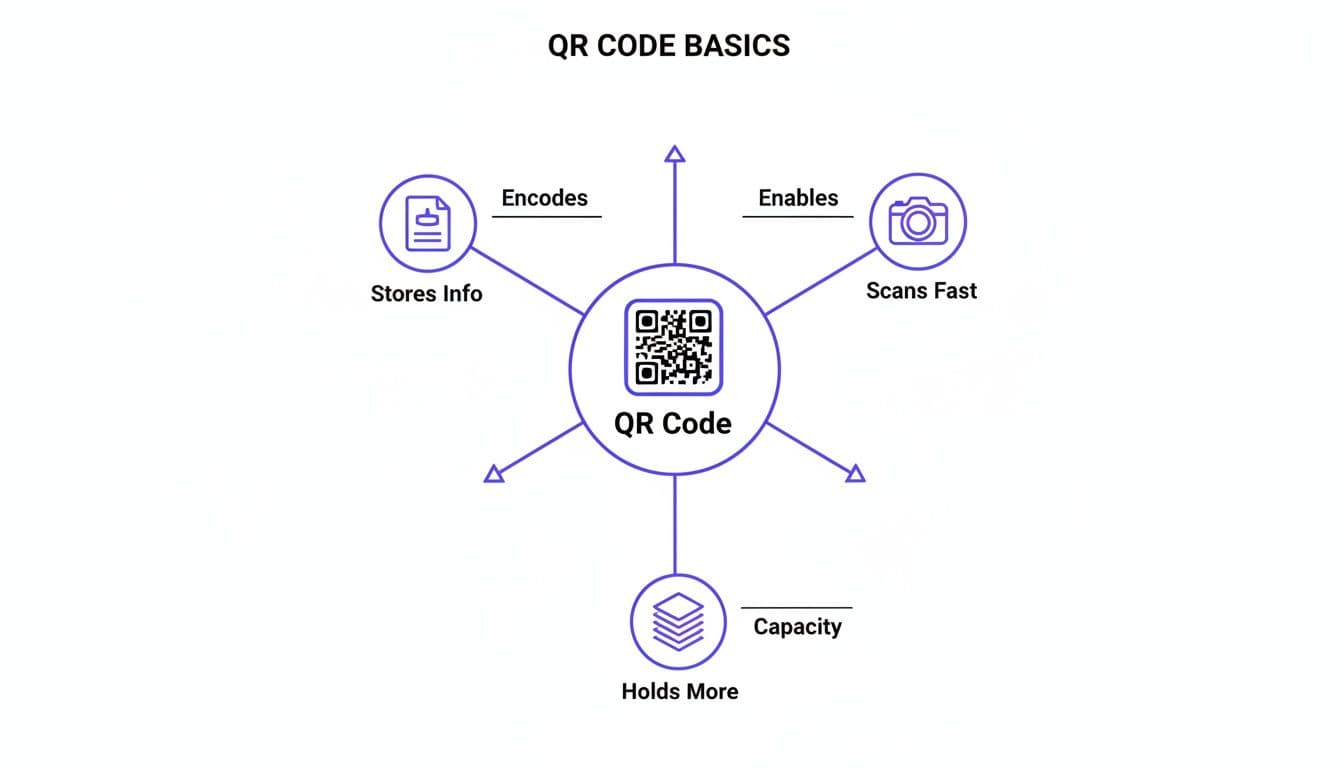
As the diagram shows, a QR code's real power is its ability to cram a ton of information into a format that any modern smartphone can read instantly. For a deeper look at what your phone is doing, check out our guide on how to scan a QR code.
The Secret to a Perfect Scan, Every Time
Perhaps the most impressive feature of a QR code is something you can't even see: error correction. This is the technology's built-in backup plan, the magic that lets a code work even if it’s dirty, scratched, or partially covered.
Think of it as a sophisticated spell-checker for the visual data. When the code is generated, redundant information is woven right into the pattern. If a part of the code gets smudged or torn, the scanner uses this extra data to rebuild the missing pieces and recover the original link or message.
This is a game-changer for businesses. You can put QR codes on product packaging or outdoor posters without worrying that a little wear and tear will make them useless. There are four levels of this protection:
- Level L (Low): Can recover up to 7% of damaged data.
- Level M (Medium): Can recover up to 15% of damaged data.
- Level Q (Quartile): Can recover up to 25% of damaged data.
- Level H (High): Can recover up to 30% of damaged data.
Best Practice: Using a higher error correction level makes the QR code pattern a bit denser, but it also makes it incredibly tough. For most business uses, like on flyers or menus, the default Level M strikes the perfect balance between scannability and resilience.
This combination of smart navigation patterns and a powerful self-repair system is what makes QR codes so dependable. It’s what turns a simple black-and-white square into a reliable gateway for connecting with your customers, frustration-free.
Choosing Between Static and Dynamic QR Codes
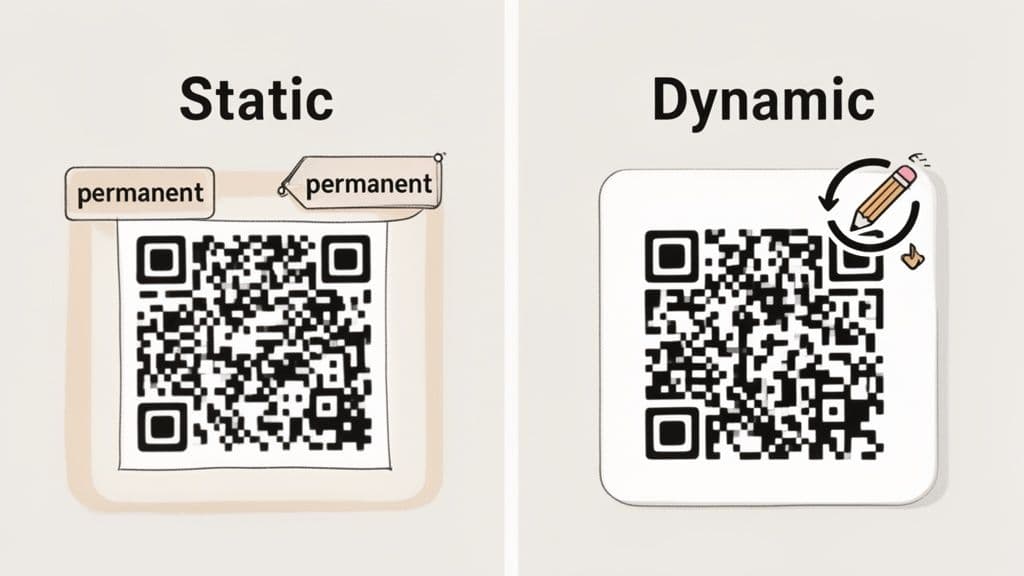
When you create a QR code, you'll face one critical choice that shapes your entire strategy: static or dynamic? Getting this right is the key to unlocking what this technology can really do for your business. Think of it as choosing between a permanent, printed sign and a smart, digital billboard.
A static QR code is the printed sign. All the information—a website URL, Wi-Fi password, or a snippet of text—is encoded directly into the black and white pattern itself. Once you generate it, that data is locked in forever.
This means if you print 1,000 flyers with a static code pointing to your website and later spot a typo in the URL, you have no choice but to scrap them all and start over. While simple and free for permanent info like a business address, their rigidity is a major handicap for almost any marketing effort.
The Power of Dynamic QR Codes
A dynamic QR code, on the other hand, is the smart billboard. Instead of holding the final destination, its pattern contains a short, unique redirect URL that points to a server. That server then directs the user’s phone to whatever final destination you’ve set, like your latest promotional landing page.
The magic here is that you can log into a platform like QR Code Maker and change that final destination at any time, without ever touching the printed code. This flexibility transforms the QR code from a simple link into a living, breathing marketing tool.
Key Takeaway: Static codes are fixed and best for permanent data. Dynamic codes are editable, trackable, and built for business, offering the flexibility to adapt your campaigns on the fly.
For example, a restaurant could use the same dynamic code on its tables to link to a breakfast menu in the morning, a lunch menu in the afternoon, and a special happy hour promotion in the evening. That level of control is simply impossible with a static code.
Why Flexibility Matters for Your Business
The ability to edit your code's destination is a total game-changer. Imagine what this unlocks for your marketing and operations:
- Fix Mistakes Instantly: Correct a typo in a URL or update a broken link long after your materials are printed and distributed.
- Run Timed Promotions: Point a QR code on your product packaging to a contest for one month, then switch it to a setup guide the next.
- A/B Test Landing Pages: Direct 50% of scans to one version of a webpage and 50% to another to see which one converts better, all using the same physical code.
- Keep Content Fresh: Update an event schedule, change a menu with seasonal specials, or swap out a video without reprinting a single flyer.
This kind of adaptability wasn't always so easy. The global boom in QR code use really took off after 2017, when Apple and Google built native scanning directly into their phone cameras. This move eliminated the friction of third-party apps, turning every smartphone into a ready-to-use scanner and making QR codes a mainstream tool for businesses everywhere. You can learn more about the history of QR codes and their widespread adoption.
Static vs. Dynamic QR Codes: A Feature Showdown
Choosing the right type of QR code really just comes down to your goal. Is the information permanent, like a Wi-Fi password? A static code works just fine. But for almost every marketing, sales, or customer engagement scenario, a dynamic code is the clear winner. This table breaks down the key differences to help you decide.
| Feature | Static QR Code | Dynamic QR Code |
|---|---|---|
| Editability | Cannot be edited after creation. | Destination URL can be changed anytime. |
| Scan Tracking | No analytics or tracking available. | Provides data on scans, location, and device. |
| Best For | Permanent info (Wi-Fi, contact info, text). | Marketing, promotions, menus, analytics. |
| Lifespan | Works forever as long as the link is live. | Requires an active subscription to a service. |
| Visuals | Denser pattern for longer URLs. | Cleaner, less complex pattern. |
Ultimately, dynamic codes give you the control, insight, and peace of mind that modern businesses need. The ability to not only update content on the fly but also track every scan makes them an indispensable asset for measuring ROI and running agile, effective campaigns.
Putting QR Codes to Work for Your Business
You understand the basics of how the black and white squares work, and you see why dynamic codes are a game-changer. Now, let's turn that knowledge into results. For small businesses, marketers, and event organizers, QR codes are incredibly practical tools that solve real problems, save time, and create a better experience for your customers.
Here are some real-world examples to show how you can use QR codes to solve specific business challenges.
Real-World Use Case: Restaurants & Hospitality
Restaurants were among the first to fully embrace QR codes, and for good reason. They create a seamless link between a physical table and a digital experience you control.
- Interactive Digital Menus: A dynamic QR code on every table lets you update specials, change prices, or mark items as sold out instantly. With a tool like QR Code Maker, you can create a mobile-friendly menu that is always up to date, eliminating reprinting costs.
- Boost Customer Reviews: Place a QR code on receipts with a simple prompt: "How did we do? Scan to leave a review." Linking directly to your Google Business Profile or a feedback form makes it effortless for happy customers to share their positive experience.
- Order and Pay at the Table: Free up staff and speed up table turnover by letting customers scan a QR code to view the menu, place their order, and pay directly from their phones. It's a faster, more convenient process for everyone.
Real-World Use Case: Events & Conferences
For event organizers, managing information flow and attendee engagement is a constant challenge. QR codes provide an elegant solution.
Practical Tip: Think of QR codes as instant information hubs for your attendees. A single scan can pull up a schedule, a map, speaker bios, or a feedback form—putting everything they need right in the palm of their hand.
Here’s how you can use them for your next conference, festival, or workshop:
- Effortless Check-Ins: Send attendees a QR code with their ticket confirmation. A quick scan at the door gets them inside in seconds, eliminating long lines and manual check-in lists.
- Instant Feedback Collection: Place a QR code on the final presentation slide or near the exit that links to a short survey. Capturing feedback in the moment leads to much higher response rates.
- Dynamic Schedules and Maps: Instead of printing programs that become outdated, use a dynamic QR code on signs and badges. If a session time or location changes, you can update the linked schedule in seconds without any confusion.
Real-World Use Case: Marketing & Networking
For marketers, QR codes bridge the gap between offline print campaigns and the measurable digital world. This leap is huge compared to the old one-dimensional barcodes.
Traditional barcodes barely held any information and needed a perfect scan, while QR codes can hold 200 times more data and be read 10 times faster. That massive performance boost is what enables the creative, flexible marketing we see today—from tracking campaign engagement to sharing rich video content. You can get the full story on this pivotal shift in the history of QR codes at QRcodechimp.com.
Here are a few ways marketers can put them to work:
- Interactive Print Ads: Add a QR code to a flyer or poster that links to an exclusive video, a sign-up page for a discount, or a direct link to download your app.
- Smart Business Cards: Upgrade your business card with a vCard QR code. When scanned, it prompts the person to save your contact details—name, email, phone, website—directly to their phone's address book.
- Instant Wi-Fi Access: If you run a café, office, or any venue with guest Wi-Fi, a QR code is a must. Customers scan it and connect to your network instantly without having to ask for the password and type it in.
Best Practices for Effective QR Code Design
Creating a QR code is easy. Getting people to actually scan it requires thoughtful design. A poorly designed code can lead to scanning errors and frustrated customers. By following a few simple best practices, you can ensure your codes are not just scannable but also inviting.
The first rule is getting the size and placement right. A tiny code tucked away in the corner of a busy poster won’t get a single scan.
As a general guideline, a QR code should never be smaller than 1 x 1 inch (2.5 x 2.5 cm) for any print materials viewed up close, like a business card or flyer. For something meant to be seen from a distance, like a poster or sign, the code needs to be much larger to be scannable.
Ensure Perfect Scannability Every Time
Beyond its size, a few technical details directly impact a scanner's ability to read your code. Getting these right is the difference between a seamless scan and a failed attempt.
High contrast is essential. The classic black code on a white background is the gold standard for a reason—it’s the easiest for any camera to read. While you can use brand colors, always ensure the foreground color is significantly darker than the background. Light colors like yellow or pastels for the code itself are a recipe for scanning failure.
Equally important is the quiet zone—the blank margin around the outside of your QR code. Think of it as a frame that separates the code from other design elements. Without a sufficient quiet zone, a scanner can get confused by nearby text or graphics. Always leave a clear border on all four sides.
Branding Without Breaking the Code
Adding your brand's personality to a QR code is a fantastic way to build trust, but it must be done carefully. Over-customization is a common mistake that can compromise scannability.
- Add Your Logo: Placing a simple version of your logo in the center is an excellent branding move. Platforms like QR Code Maker are designed to handle this by building error correction around the logo.
- Use Brand Colors: As mentioned, you can use brand colors, but you must maintain high contrast. A dark navy code on a light cream background works beautifully; a pastel pink code on a light gray background will not.
- Avoid Over-Styling: While some tools let you change the shape of the dots or add complex backgrounds, these often interfere with scanning. Simplicity almost always performs better.
Best Practice: Always test your QR code rigorously before you print anything. Scan it with multiple devices (both iPhone and Android), from different angles, and in various lighting conditions to ensure it works flawlessly in the real world. Printing 1,000 flyers only to discover your code is unscannable is a painful and costly mistake.
Finally, never forget the most crucial element: a clear call-to-action (CTA). A QR code floating on a page with no context is confusing. Tell people exactly what to do and what they’ll get. Simple instructions like "Scan to See Our Menu," "Scan for 15% Off," or "Scan to Join Our Wi-Fi" dramatically increase scan rates.
Turning QR Code Scans into Business Insights
The real magic of a QR code strategy kicks in after the scan. For business owners and marketers, this is where dynamic QR codes show their true power, turning a simple interaction into a goldmine of useful data. When you manage your codes through a platform like QR Code Maker, they become a direct window into your customer's behavior.
This isn't about collecting personal information. It’s about understanding how your campaigns are performing in the real world. Imagine knowing which product display gets the most attention or which of your print ads is actually driving website traffic. You stop guessing and start making decisions based on actual data.
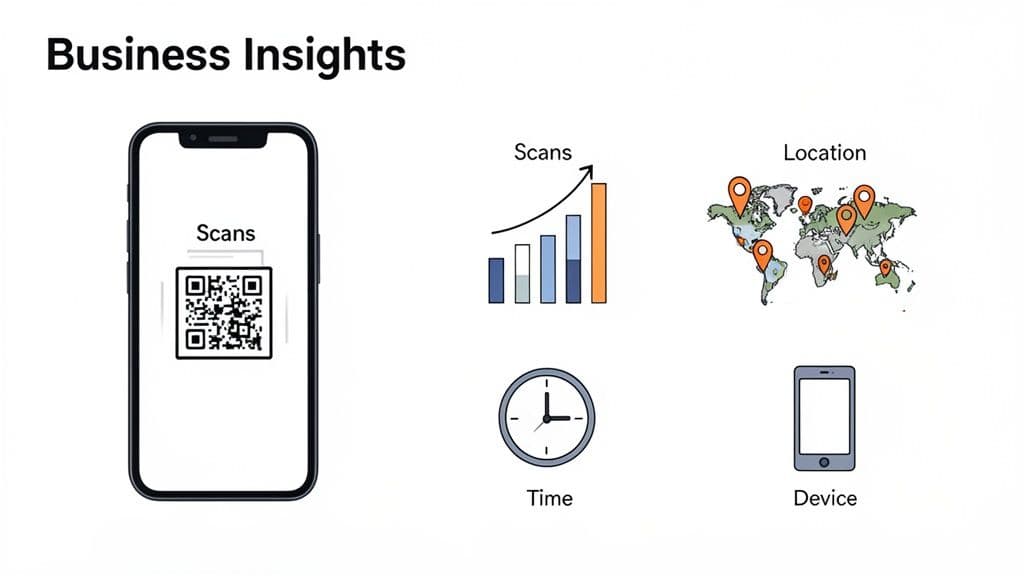
Key Metrics You Can Track
Dynamic QR codes unlock a dashboard of simple but powerful analytics. Instead of wondering if your marketing materials are working, you can see the results in real-time. This feedback loop is essential for optimizing your approach and improving your return on investment.
Here are the core metrics you can track:
- Total Scans: See exactly how many times your QR code has been scanned to measure engagement over any period.
- Location Data: Pinpoint the city and country where scans are happening, which is incredibly helpful for understanding your geographic reach.
- Time of Day: Discover when your audience is most active. A restaurant might find that scans on their table tents peak right before lunchtime, signaling the perfect time to launch a promotion.
- Device Type: Learn whether your audience is primarily using iPhones or Android devices, which can help you optimize your landing pages.
From Data to Smarter Decisions
This information is your guide for making smarter business moves. By analyzing these simple metrics, you can start answering critical questions about your customers and campaigns.
Real-World Example: A marketer running a local event could place different QR codes on posters around town versus on social media ads. By comparing scan counts, they can quickly see which channel is more effective at driving ticket sales and allocate their budget more wisely next time.
This level of insight transforms your marketing from a shot in the dark into a precise, measurable strategy. You can A/B test different calls-to-action, see which flyer placement gets the most scans, and understand customer behavior in a way that was previously impossible for offline materials.
Platforms like QR Code Maker present this data in an easy-to-digest dashboard, making it accessible even if you aren't a data analyst. For a more detailed walkthrough, you can explore our guide on how to track QR code scans and see how to put these insights into action.
Ultimately, analytics empower you to refine your campaigns, connect more effectively with your audience, and prove the value of your efforts.
Your QR Code Questions, Answered
If you're a business owner or marketer, you probably have some practical questions about using QR codes day-to-day. Getting these right is key to running a smooth campaign and avoiding common headaches. Here are the clear, straightforward answers to the questions we hear most often.
Are QR Codes Safe for My Customers to Scan?
Yes, the QR code pattern itself is completely safe—it’s just a way of storing information. The real question is about the destination. Just like any link you click online, a QR code can point to a malicious website.
This is why building customer trust is everything. A few best practices will keep them feeling secure:
- Use a Trusted Solution: Reputable platforms like QR Code Maker ensure your codes are built on secure, reliable short links.
- Be Transparent: Always include a clear call-to-action next to your code. "Scan to view our menu" tells people exactly what to expect, building the confidence they need to scan.
Will My QR Code Ever Expire?
This is a critical question, and the answer depends entirely on the type of code you create.
A static QR code is permanent. The destination URL is encoded directly into the pattern, so it will work forever—as long as the underlying link itself doesn't break.
A dynamic QR code is tied to a service. It works by pointing to a short redirect URL that stays active as long as your account with a provider like QR Code Maker is current. The tradeoff is immense flexibility and tracking, making a reliable provider essential for any long-term campaign.
Can I Fix a Mistake After My QR Code Is Printed?
Mistakes happen. Maybe you spotted a typo in the URL, or the landing page for your promotion needs an urgent update. This is where dynamic QR codes are a lifesaver.
If you use a static code, the answer is no. Once it’s printed, it’s set in stone. The only way to fix the error is to reprint all your materials.
With a dynamic QR code, the answer is yes! You just log into your dashboard, edit the destination link, and the change takes effect instantly. The printed code on your flyers, posters, or business cards remains the same, but it will now send scanners to the new, corrected destination. This makes dynamic codes the perfect, risk-free choice for any business campaign.
Ready to create QR codes that are flexible, trackable, and professional? With QR Code Maker, you can generate dynamic QR codes in seconds, customize them with your branding, and get the insights you need to grow your business. Start creating your professional QR codes today.
Ready to create your QR code?
Free forever for static codes. Pro features with 14-day trial, no credit card required.
Irina
·Content LeadIrina leads content strategy at QR Code Maker, helping businesses understand how to leverage QR codes for marketing, operations, and customer engagement. Her expertise spans digital marketing, user experience, and practical implementation guides.
Learn more about us →Related Articles
10 Creative QR Code Ideas to Boost Engagement in 2024
Unlock the power of QR codes for your business. Discover 10 creative qr code ideas, from branded designs to dynamic menus, perfect for marketers and events.
Your Guide to Creating QR Codes That Drive Results
Discover how a trackable QR code generator can transform your marketing with real-time analytics. Learn to create, manage, and measure dynamic QR codes.
How to Supercharge Your Ads with QR Codes: A Practical Guide
Discover how to leverage advertisements with qr codes to engage customers, measure results, and optimize your campaign for real-world impact.