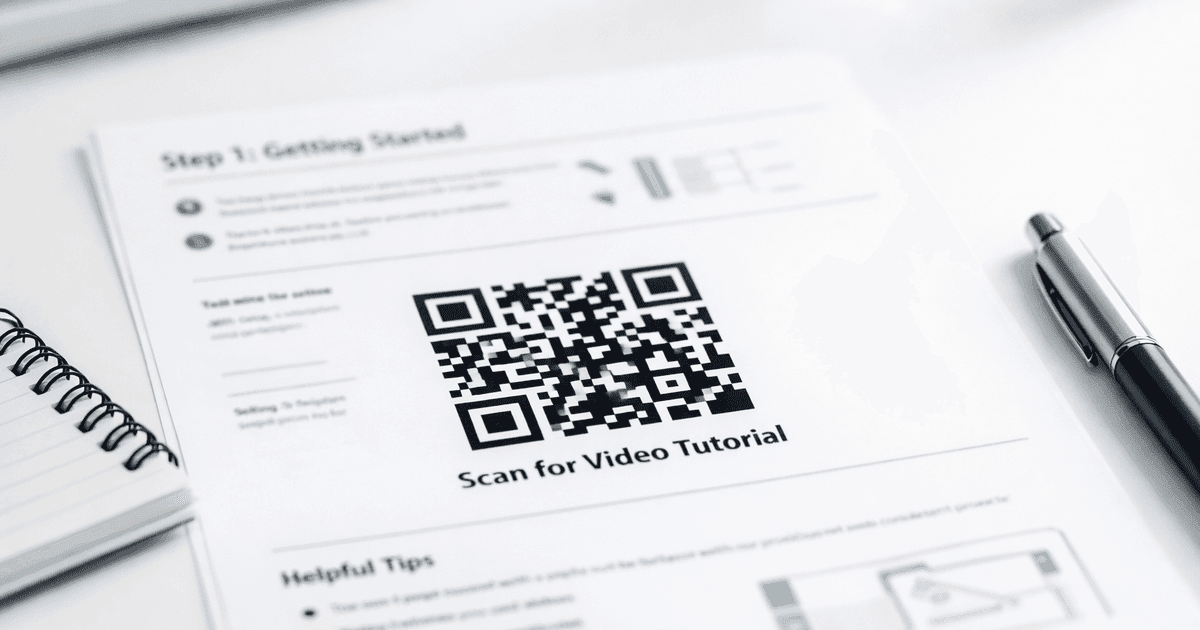

Discover how to leverage advertisements with qr codes to engage customers, measure results, and optimize your campaign for real-world impact.
Advertisements with QR codes are one of the smartest ways for small businesses and marketers to bridge the gap between a physical ad and an online action. They act as an instant gateway, turning a static flyer, billboard, or business card into an interactive experience that can drive a sale, an app download, or a new social media follower.
This guide provides actionable advice and real-world examples to help you create professional QR codes that get results.
Why QR Codes Are a Must-Have for Modern Advertising
In today's market, effective advertising is about creating a seamless path from your physical marketing materials straight to your digital world. This is where QR codes excel. They've evolved from a tech novelty into a powerful tool that your customers understand and use, opening up a direct line of communication that was impossible with traditional ads.
For any small business owner, marketer, or event organizer, this isn't just a trend—it's a practical strategy. By using QR codes, you're meeting your audience where they are (on their smartphones) and getting measurable results.
Bridging the Physical and Digital Divide
The real power of putting a QR code on an ad is how it instantly converts offline interest into online action. A potential customer sees your poster in a coffee shop, scans the code, and lands directly on your online store to buy the product they just saw. All the typical friction is removed, capturing the impulse to buy on the spot.
Consider these practical use cases:
- Restaurants: A QR code on a table tent can take diners to a Google review page, boosting local SEO. Or, it can link to a digital menu or a loyalty program sign-up.
- Events: An event organizer can print a QR code on promotional flyers. Attendees can scan it to buy tickets instantly, view the event schedule, or add it to their calendar with a single tap.
- Business Cards: A QR code on a business card can instantly save your contact details (vCard), link to your LinkedIn profile, or direct someone to your portfolio.
- WiFi Sharing: A cafe or office can display a QR code that allows guests to connect to the WiFi network automatically without typing in a complex password.
In every case, the QR code transforms a passive ad into an engaging, actionable touchpoint.
The magic of a QR code in an advertisement is its simplicity. It respects the customer's time by giving them immediate value—whether that’s a discount, more information, or an easy way to buy—all with one effortless scan.
The Undeniable Growth of QR Code Usage
This isn't just a theory; the data backs it up. QR codes are now a mainstream tool, reshaping how people interact with businesses. One report found that global QR code usage across 50 countries shot up by 57% in recent years, with marketing and advertising leading the way. Even more telling, scan rates for marketing campaigns specifically exploded by about 323% between 2021 and 2023. You can explore more QR code statistics to see just how widespread their adoption has become.
This growth is a clear signal for small businesses. If you aren't using QR codes, you're missing a major opportunity to connect with a mobile-first audience. Using a trusted solution like QR Code Maker lets you create professional, branded codes that not only look great but also provide the tracking data you need to measure success.
Here’s a quick look at how QR codes can be used across various advertising mediums to achieve specific marketing goals.
How QR Codes Enhance Different Ad Channels
| Advertising Channel | Primary Use Case with QR Code | Key Benefit |
|---|---|---|
| Print (Flyers, Magazines) | Link to a product page, special offer, or event registration. | Turns a static ad into a direct sales channel. |
| Outdoor (Billboards, Posters) | Provide a quick link to a website, map, or video trailer. | Captures interest from people on the move. |
| In-Store (Packaging, Displays) | Offer product details, how-to videos, or reorder links. | Enhances the retail experience and drives loyalty. |
| Business Cards & Networking | Share contact info (vCard), portfolio, or LinkedIn profile. | Makes networking modern and efficient. |
Simply put, adding a QR code makes your advertising smarter, more interactive, and far more measurable, no matter where you're running it.
Building Your QR Code Advertising Strategy
Creating a QR code without a clear plan is a common mistake. A successful campaign starts with a solid strategy that turns a simple scan into a meaningful customer interaction.
Before you open a QR code generator, you must define your objective. What, specifically, do you want someone to do after they scan your code? Vague goals lead to confusing user experiences and poor results.
Get specific. Are you trying to:
- Grow your email list with a newsletter sign-up form?
- Drive traffic to a brand-new product page?
- Boost social media engagement by linking to your Instagram profile?
- Collect valuable customer reviews on a platform like Google?
- Increase app downloads by sending users straight to the App Store or Google Play?
Focusing on a single, clear goal is key to creating a successful user journey.
Map the Customer Journey
Once you know your "what," it's time to figure out the "where" and "when." Put yourself in your customer's shoes. Where will they be when they see your ad?
Are they rushing past a bus stop poster? Sitting comfortably in your restaurant? Unboxing a product at home? Context is everything.
A QR code on product packaging serves a different purpose than one on a billboard. The packaging code might link to a helpful how-to video, while the billboard code needs to deliver its value in seconds. Placing your QR code at the right touchpoint ensures it feels helpful, not disruptive.
This simple flow shows how the process connects a physical ad to a digital action.
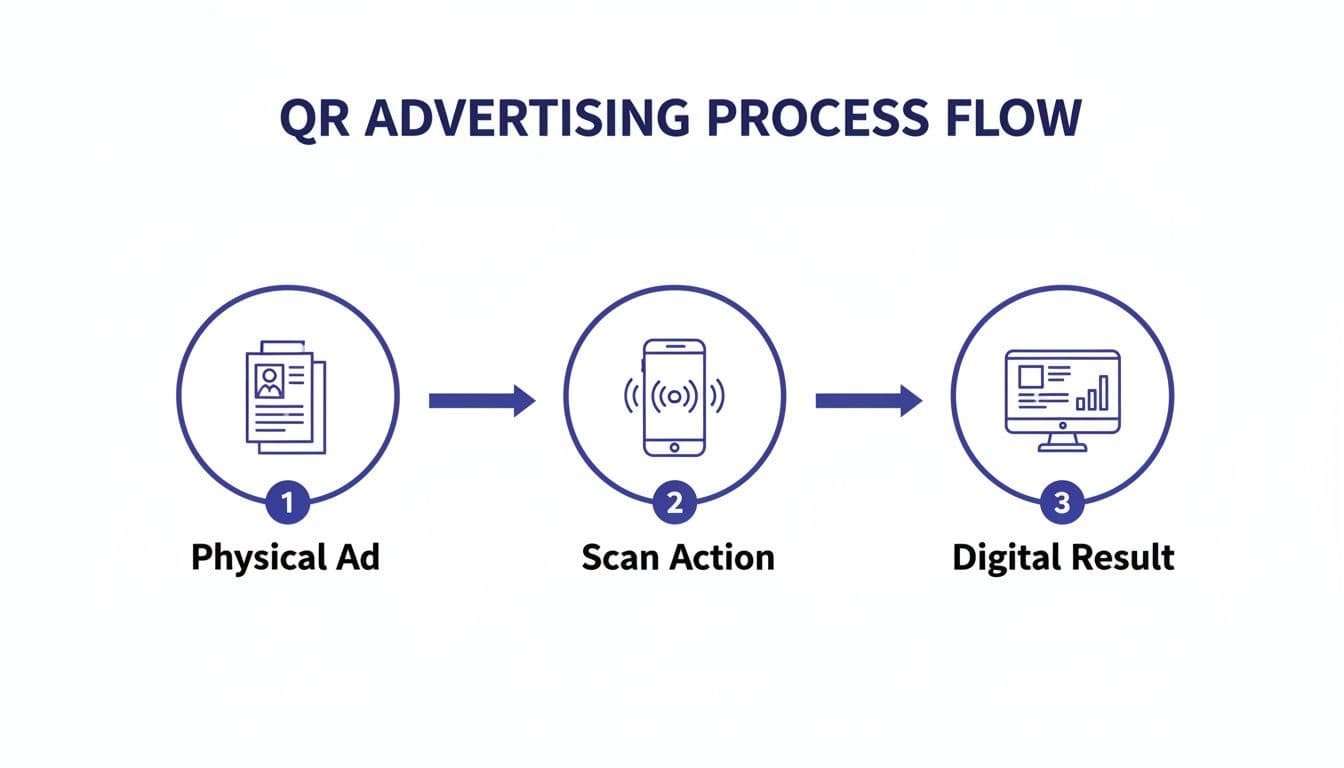
A quick scan is all it takes to bridge the gap between your physical marketing and the digital destination you want them to reach.
Choose Your Destination Wisely
The landing page is where the scan converts into action—or where it fails. A broken link or a clunky, non-mobile-friendly page will instantly kill any momentum. The experience must be seamless, fast, and directly related to the promise made in your call to action.
For example, if your flyer says, "Scan for 20% Off," that QR code must lead directly to a page where the discount is easy to claim. Don't make people search for it. The destination must be optimized for mobile, load quickly, and offer a clear next step.
Your QR code is the handshake, but the landing page is the conversation. If the conversation is slow or confusing, the customer will walk away before you've had a chance to make your point.
Static vs. Dynamic Codes: A Critical Choice
Finally, you need to decide between a static and a dynamic QR code. For marketers and business owners, this is one of the most important strategic decisions.
-
Static QR Codes: Think of these as permanent. The destination URL is encoded directly into the pattern. Once created, you can't change where it goes. They're fine for permanent information, like a Wi-Fi password, but they are a poor choice for marketing campaigns.
-
Dynamic QR Codes: These are a marketer's best friend. The code itself points to a short redirect URL that you control. This means you can change the final destination link anytime you want—even after your ads are already printed.
Using a tool like QR Code Maker to generate dynamic codes is essential for any serious advertising effort. It lets you fix a typo, update a promotion, or test different landing pages without reprinting a single flyer.
More importantly, dynamic codes provide invaluable tracking data. You can see how many people scanned your code, their general location, and when they scanned it. This data turns your advertising from guesswork into a measurable science.
Designing QR Codes That People Actually Want to Scan
A generic, black-and-white QR code is functional, but it’s also forgettable. In a visually crowded world, a well-designed code is what grabs attention and encourages scans.
The goal is to turn a simple tool into a branded asset. When your QR code looks like it belongs to your brand, it builds trust and sparks curiosity. This is how you create QR codes that genuinely perform.
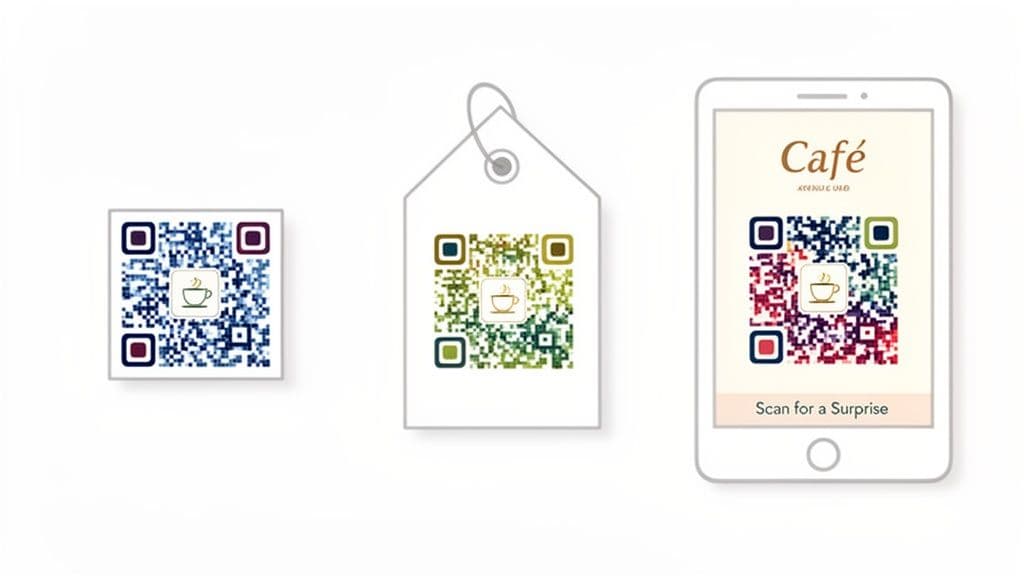
Weaving Your Brand into the Design
Infusing your brand's identity into a QR code is easier than it sounds. Modern tools are designed to handle creative customization while protecting the code's scannability.
-
Add Your Logo: This is the most powerful branding move you can make. QR codes have built-in error correction, which means up to 30% of the code can be covered without affecting the scan. This creates a perfect spot for your logo.
-
Use Your Brand Colors: Ditch the default black and white. You can easily customize the colors of the code's pattern and background to match your brand palette. The most important rule? Maintain high contrast. A light-colored code on a light background will fail to scan.
-
Experiment with Shapes: Some platforms let you change the shape of the data points inside the code. Think rounded dots or other custom shapes that feel more aligned with your brand's style than sharp squares.
Using a platform like QR Code Maker simplifies all of this. You can upload your logo, pick custom colors, and tweak the design in just a few clicks. For a deeper dive, check out our guide on how to design a QR code.
Getting the Practical Details Right
A beautiful QR code is useless if it doesn't scan. The physical context—where and how it will be seen—is crucial.
For size, a good rule of thumb is a minimum of 1x1 inch (or 2.5x2.5 cm) for anything scanned up close, like a business card or menu. But for ads viewed from a distance, like a poster or billboard, the code must be much larger. A helpful formula is to make the code's width about one-tenth of the expected scanning distance.
Placement is just as critical. The code needs to be in a clean, uncluttered part of your ad, surrounded by a "quiet zone"—a blank margin of space. This empty space is essential for phone cameras to quickly lock onto the code.
A compelling Call to Action (CTA) is the most overlooked element of QR code design. Simply placing a code on your ad isn't enough; you have to tell people why they should scan it. A great CTA clarifies the value and creates urgency in a split second.
Crafting a Call to Action That Works
Your call to action is the short text next to the QR code, and it's your one chance to convince someone to pull out their phone. A lazy "Scan Me" is a huge missed opportunity.
Instead, be specific and show them what's in it for them.
Here are a few examples that turn a passive glance into an active scan:
- For a restaurant: "Scan to see our menu!"
- For a retail shop: "Scan for a surprise 20% discount!"
- For an event: "Scan to buy your tickets."
- For a service business: "Scan to book your free consultation."
This direct, enticing language removes hesitation. By combining a strong visual design with a clear CTA, you create an invitation that's hard to ignore.
Track, Tweak, and Win with Dynamic QR Codes
If designing a branded QR code is step one, understanding its performance is where your advertising strategy truly excels. This is where dynamic QR codes become your secret weapon. They are the engine that powers measurement, letting you see exactly how your ads are performing in the real world.
Static codes are a dead end; you print them and hope for the best. Dynamic codes, on the other hand, provide the hard data you need to stop guessing and start making informed decisions that grow your business.
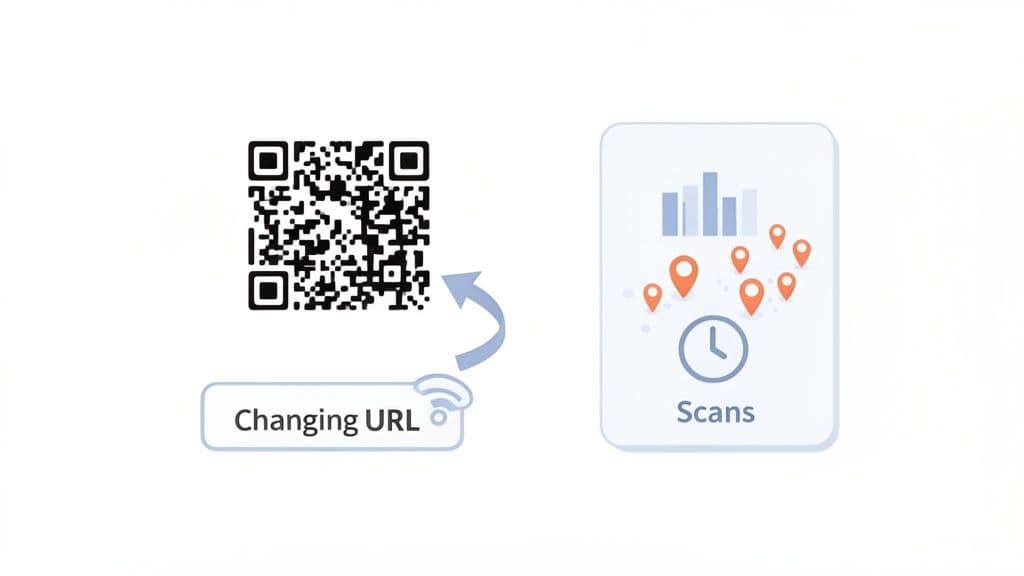
Unlocking Actionable Analytics
Imagine a local pizza shop running a flyer campaign across three different neighborhoods. Without tracking, they have no idea which area is bringing in the most customers. With dynamic QR codes, the picture becomes crystal clear.
You can finally track the metrics that matter:
- Total Scans: The raw number of engagements.
- Unique Scans: The number of individual users who scanned the code, helping you understand reach.
- Scan Location: See scans by city and country, giving you a geographical map of where your ads are most effective.
- Time of Day: Discover when your ads get the most action. That pizza shop might find flyers near the university get twice as many scans between 12 PM and 2 PM.
- Device Type: Learn whether your audience is primarily on iOS or Android.
This level of detail turns your advertising from a guessing game into a strategic advantage. Platforms like QR Code Maker provide a simple dashboard that makes this data easy to understand. You can see how our QR code generator with analytics works and get a feel for the insights you're currently missing.
The Ultimate Flexibility: Edit and Redirect Anytime
One of the biggest advantages of dynamic codes is the ability to change the destination URL at any time—even after your ads are printed. This is a game-changer for small businesses.
Spotted a typo on your landing page after printing 5,000 brochures? No problem. Is a promotion ending? Just redirect the code to your homepage or a new offer. This feature saves you from the costly and wasteful headache of reprinting, protecting your budget and keeping your campaigns agile.
Think of a dynamic QR code as a living advertisement. It gives you the power to adapt, correct, and optimize your campaigns in real-time, ensuring your marketing dollars are always working as hard as possible.
The market has already embraced this flexibility. Dynamic QR codes now make up about 65% of the overall QR code market and are growing fast. Advertisers love them because they turn a simple printed code into a flexible, data-rich asset. In fact, about 69% of marketers now update their dynamic QR codes at least once a month, proving how vital this real-time optimization has become.
A/B Testing Your Way to Better Results
Dynamic codes also allow for more advanced marketing tactics like A/B testing. It's simpler than it sounds. You can create two different landing pages for the same offer.
For example:
- Version A: A landing page with a video testimonial.
- Version B: A landing page with a powerful text-based customer review.
Point your dynamic QR code to Version A for a week, then redirect it to Version B the next. By comparing the conversion rates, you get data-driven proof of what resonates with your audience. It's a straightforward way to ensure your ads are not just being seen, but are actually getting results.
Inspiring Examples of QR Codes in Action
Theory is useful, but seeing how other businesses are winning with QR codes is where the real learning happens. Use these real-world scenarios as inspiration for your own marketing goals.
These examples show how businesses can turn a simple scan into a meaningful customer action, driving everything from reviews to immediate sales.
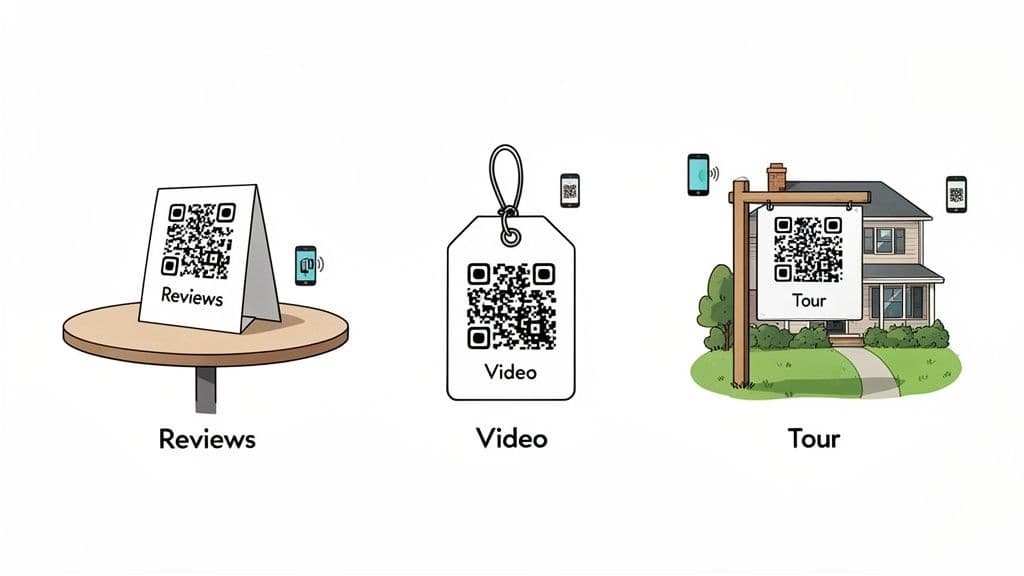
Boosting Reviews for a Local Cafe
A local coffee shop, "The Daily Grind," wanted to improve its Google rating to attract more customers.
- The Goal: Increase the number of Google reviews.
- The Strategy: They placed small, branded QR codes on their table tents and at the bottom of every receipt. The call to action was simple: "Love our coffee? Leave us a review!"
- The Execution: The code linked to a simple landing page that asked, "Did you have a great experience?" A "Yes" click went directly to the Google review page, while a "No" click opened a private feedback form. This filtered potential negative feedback internally while making it easy for happy customers to share their praise.
- The Outcome: Within a month, The Daily Grind saw a 40% increase in new Google reviews, and their overall rating climbed from 4.2 to 4.7 stars.
Enhancing the Retail Experience
A boutique clothing store, "Everly," needed a way to show the value of their unique pieces beyond a simple price tag.
- The Goal: Showcase the versatility of their clothing and drive more sales.
- The Strategy: They attached a small, elegant QR code to the tags of key seasonal items with the CTA: "Scan to See It Styled."
- The Execution: The QR code linked to a short video on a mobile-optimized landing page, featuring an influencer styling the garment in three different ways.
- The Outcome: Items with QR code-linked videos sold 25% faster than similar items without them. Customers noted that seeing the styling options gave them the confidence to purchase.
Revolutionizing Real Estate Listings
A real estate agent needed to provide instant information to potential buyers driving by her listings, especially after hours.
- The Goal: Capture leads and provide property details 24/7.
- The Strategy: She added a large, weather-resistant QR code to her "For Sale" signs. The CTA was clear: "Scan for a Virtual Tour & Details."
- The Execution: The QR code directed prospects to a virtual tour of the home, complete with a photo gallery, property specs, and a contact form. Since it was a dynamic code, she could instantly update the link to "Under Contract" or "Sold" without replacing the sign.
- The Outcome: The agent captured 30% more leads directly from her signage and found that these leads were more qualified and engaged.
These examples prove a critical point: the most successful QR code ads offer genuine, immediate value that solves a customer's problem or satisfies their curiosity in that exact moment.
Case Study: A Small Business Coupon Campaign
A new meal prep delivery service, "Freshly Prepped," wanted to run a local marketing campaign to attract its first customers on a limited budget.
They partnered with QR Code Maker to launch a digital coupon campaign using flyers distributed in nearby residential buildings and gyms.
The Campaign Breakdown:
- The Offer: "Scan for 50% Off Your First Week!"
- The QR Code: They used QR Code Maker to create a branded, dynamic QR code featuring their logo and brand colors to build trust.
- The Destination: The code linked to a dedicated landing page where new customers could enter their email to receive a unique discount code.
- The Tracking: By using a dynamic code, the team tracked scans in real-time. They quickly discovered that flyers in apartment building lobbies generated three times as many scans as those in gyms. This insight allowed them to focus their distribution efforts for maximum impact.
The campaign was a huge success, driving over 200 new sign-ups in its first two weeks and providing invaluable data that shaped their ongoing marketing strategy.
Common Questions We Get About QR Codes in Ads
When you start using QR codes in your campaigns, a few questions always come up. Here are the straight answers to the questions we hear the most from small business owners and marketers.
What's the Difference Between a Dynamic and a Static QR Code?
A static QR code is permanent. The destination URL is encoded directly into the pattern. Once printed, you can't change where it goes. It’s simple and free but completely inflexible for marketing.
A dynamic QR code is editable. It points to a special redirect link that you control. This means you can change the destination URL whenever you want, even after your ads are printed.
The real game-changer? Dynamic codes from platforms like QR Code Maker give you tracking data. You can see how many people scanned your code, their general location, and the type of phone they used. This is invaluable for measuring how well your ads are actually performing.
Where Should I Put the QR Code in My Ad?
Placement is everything. Don't treat it as an afterthought.
For print materials like flyers, put the code somewhere the eye naturally lands, with plenty of white space around it so cameras can lock on. On bigger ads like posters, make sure it’s large enough to be scanned from a distance and position it at a comfortable height—roughly eye level.
On product packaging, place it where a customer would look for more info, like the back or side panel. No matter where it goes, always pair it with a clear call-to-action that tells people why they should scan it.
How Big Does a QR Code Need to Be?
If people can't scan it, it's useless. Size is critical.
For anything viewed up close—like a business card or table tent—make the code at least 1x1 inch (or about 2.5x2.5 cm). Any smaller, and some phone cameras may struggle.
For ads viewed from farther away, like a storefront poster, the code needs to be much larger. A simple guideline is the 10:1 ratio: the code's width should be about one-tenth of the expected scanning distance. If you expect scans from 5 feet away (60 inches), the code should be at least 6 inches wide.
Before you print, always do a real-world test. Print a sample, stick it on a wall, and try scanning it from the intended distance with a few different phones.
Can I Put My Company Logo Inside a QR Code?
Absolutely—and you should. Adding your logo reinforces your brand and builds trust, which can significantly boost scan rates. People are more likely to scan a code that looks official.
Modern tools like QR Code Maker make this easy. It works because of a built-in feature called error correction, which allows a portion of the code to be covered while remaining scannable.
Just be sure your logo doesn't cover more than 25% of the code's surface. And, as always, test it thoroughly on different devices to ensure it scans quickly and reliably every time.
Ready to create QR codes that get real results? QR Code Maker has all the tools you need to design, manage, and track professional, dynamic QR codes for any ad campaign. Start creating for free today!
Frequently Asked Questions
What are the benefits of using QR codes in advertising?
QR codes enhance customer engagement by providing instant access to online content, driving sales, and improving user experience.
How can I track the performance of my QR code campaigns?
Using dynamic QR codes allows you to track scans, locations, and times, providing valuable insights into campaign effectiveness.
What is the difference between static and dynamic QR codes?
Static QR codes have a fixed destination that cannot be changed, while dynamic QR codes can redirect to different URLs even after being printed.
How do I create an effective call to action for my QR code?
An effective call to action should be specific and highlight the benefit, such as 'Scan for 20% off your next purchase!'
What design elements should I consider for my QR code?
Incorporate your logo, use brand colors, and ensure high contrast for scannability, while maintaining a clean design to attract attention.
Ready to create your QR code?
Free forever for static codes. Pro features with 14-day trial, no credit card required.

Irina Aguiar
·Content LeadIrina Aguiar leads content strategy at QR Code Maker, where she has written extensively on QR code technology, marketing, and business operations. Her work ranges from technical explainers on how QR codes are generated and how error correction works to practical guides on QR marketing, automation, and scan analytics — plus hands-on tutorials covering Python, Google Sheets, and Zapier integrations. She also publishes honest competitor comparisons and industry-specific playbooks for retail, real estate, hospitality, healthcare, and events.
More from Irina Aguiar →Related Articles
The 12 Best QR Code Monkey Alternative Tools in 2026
Searching for a QR Code Monkey alternative? Discover the 12 best QR code generators for creating dynamic, branded, and trackable codes for your business.
How to Create a QR Code: A Practical Guide for Businesses
Learn how to create a QR code that drives results. This practical guide covers branded designs, dynamic tracking, and real-world uses for your business.
How to Create a Custom QR Code With a Logo People Will Actually Scan
Learn how to create a custom QR code with logo that boosts engagement. Our guide offers actionable tips for marketers and small businesses to stand out.