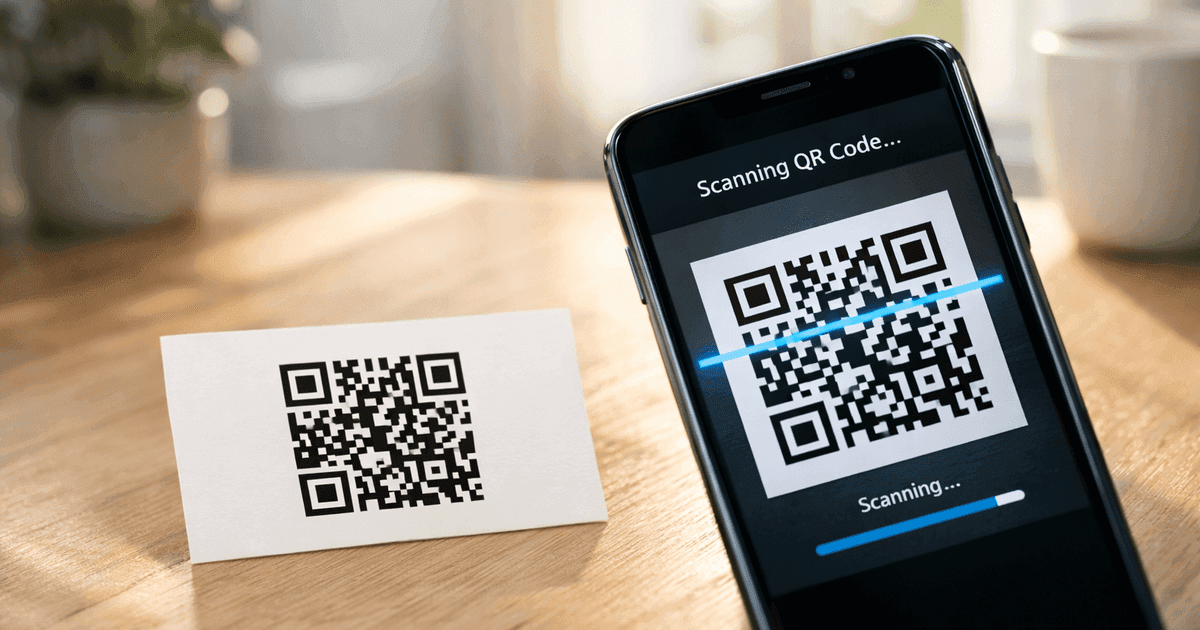

Learn how to create a custom QR code with logo that boosts engagement. Our guide offers actionable tips for marketers and small businesses to stand out.
A custom QR code with a logo does more than just look good—it transforms a simple black-and-white square into a powerful branding tool that builds trust and gets you more scans. For small business owners, marketers, and event organizers, this simple upgrade turns a functional tool into a compelling, professional marketing asset.
When you embed your brand’s identity right into the code, you make it immediately recognizable, encouraging your audience to scan with confidence.
Why Your Business Needs a Branded QR Code
Let's move beyond the basic, generic QR code. While a standard code works, it misses a huge opportunity to connect with your audience. A custom QR code with a logo does more than just point to a website; it reinforces your brand and builds immediate trust.
Think about it from your customer's perspective. When they see a generic, pixelated square on a poster, there's a moment of hesitation. What is this? Is it safe to scan? Now, imagine that same code featuring your familiar company logo. That hesitation disappears, replaced by recognition and confidence.
Turning Scans into Connections
This small visual upgrade has a significant impact on engagement. A local cafe, for example, can place a branded QR code on its coffee cups. When customers see the cafe's logo inside the code, they're far more likely to scan it to join a loyalty program or view the daily specials.
Each scan becomes a seamless digital connection, turning a routine purchase into an interactive brand experience.
This isn't just theory; the data backs it up. A 2025 QR TIGER report found that QR codes with logos and a clear call-to-action get 80% more scans than their plain counterparts. That number highlights how much value customization adds. You can explore more about QR code usage patterns to see how other businesses are benefiting.
Practical Tip: A branded QR code acts as a mini, scannable billboard for your business. It transforms a passive tool into an active engagement driver that strengthens brand recall with every single scan.
Before we go further, let's quickly compare the two.
Branded vs. Standard QR Codes: A Quick Comparison
It's easy to see why so many businesses are making the switch. A branded code isn't just about aesthetics; it's about performance and customer perception.
| Feature | Standard QR Code | Custom QR Code with Logo |
|---|---|---|
| Visual Appeal | Plain black & white squares | Visually engaging with brand colors & logo |
| Brand Recognition | Zero; completely anonymous | Instantly recognizable, reinforces brand identity |
| User Trust | Low; can seem suspicious or generic | High; feels official, safe, and professional |
| Scan Rates | Lower engagement due to lack of context | Significantly higher, often by up to 80% |
| Professionalism | Functional but basic | Polished, modern, and detail-oriented |
| Marketing Impact | A simple link | A branded touchpoint that drives engagement |
The takeaway is clear: if you're using QR codes for marketing, a branded version is essential for getting the best results.
The Clear Advantages of Branding
Integrating your brand into your QR codes offers several practical benefits that directly impact your marketing efforts and how customers perceive you.
- Boosts Brand Recognition: Your logo is your most recognizable asset. Placing it in your QR code ensures your brand is front and center wherever the code appears.
- Increases User Trust: A branded code feels more official and secure, which is crucial for encouraging people to pull out their phones and scan.
- Enhances Scan Rates: As the data shows, a visually appealing, branded code is far more enticing to scan than a generic one.
- Creates a Professional Image: Custom codes signal an attention to detail that presents your brand as modern, savvy, and customer-focused.
How to Create Your Custom QR Code With a Logo: A Step-by-Step Guide
Making a branded QR code is surprisingly straightforward with the right tool. Using a dedicated platform like QR Code Maker turns a technical task into a quick, creative process. Let's walk through how to build your first custom QR code with a logo, from choosing its function to finalizing the design.
Step 1: Choose Your QR Code's Purpose
Your first decision is the most important: what do you want the QR code to do? This choice defines the entire customer experience after they scan. Are you sending them to your website, sharing contact info, or offering Wi-Fi access? Each goal requires a different type of code.
For example, a restaurant owner would choose a "Menu" type to get diners straight to the specials. An event organizer might use a "vCard" to make networking painless for attendees. Getting the type right from the start ensures your code does its job perfectly.
Step 2: Add Your Logo for Instant Recognition
Once you’ve decided on the code's purpose, it's time for the main event—adding your logo. This is what transforms a generic square into a powerful piece of your brand.
For the best results, always start with a high-quality logo file. A PNG with a transparent background is the ideal format, as it ensures your logo sits cleanly on the code without a clunky white box around it.
This simple visual shows just how much that one change matters. A branded code isn't just prettier; it performs better.
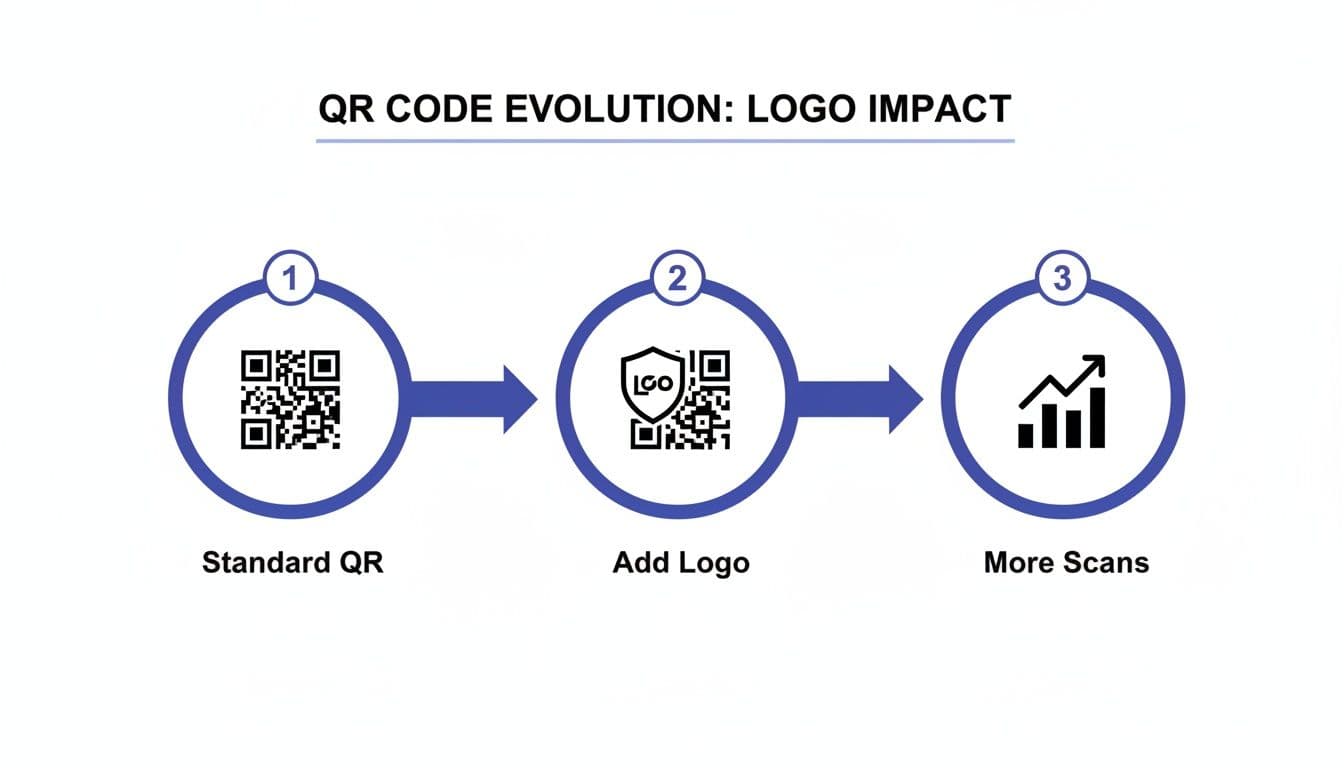
As you can see, the simple act of adding your logo directly leads to more scans and better engagement by building immediate trust.
After you upload your logo, you'll need to consider a slightly technical but crucial setting: error correction. This is what allows a QR code to scan even if part of it is damaged or, in this case, covered by your logo.
Pro Tip: Think of error correction as built-in insurance for your QR code. When you place a logo in the center, a higher error correction level (like 'H' for High) is essential. It reserves some of the code's data capacity to compensate for the space your logo occupies, guaranteeing it still scans reliably.
Most quality generators, including QR Code Maker, handle this automatically when a logo is detected. If you want to dive deeper into placement, you can explore this guide on adding logos to QR codes.
Step 3: Select the Right Code Type for Your Goal
Let’s get practical. Here are a few of the most common code types and their real-world uses for small businesses and marketers:
- Website URL: The workhorse of QR codes. Perfect for sending people to a landing page, product, or your company blog.
- vCard: A game-changer for business cards. When scanned, your contact information is automatically loaded into their phone’s address book. No typos, no hassle.
- WiFi: A lifesaver for any business with a physical location like a cafe or office. Customers scan the code to connect to your network—no more spelling out complicated passwords.
- PDF: Ideal for sharing detailed documents like restaurant menus, product catalogs, or event schedules.
Picking the right type connects your goal to the user's next action, creating a smooth experience that gets results.
Designing a QR Code That's Both Stylish and Scannable
A beautiful custom QR code with a logo that doesn't scan is just a pretty picture. The art is finding the sweet spot where great design meets flawless function. When you get this right, your marketing materials become both eye-catching and effective.
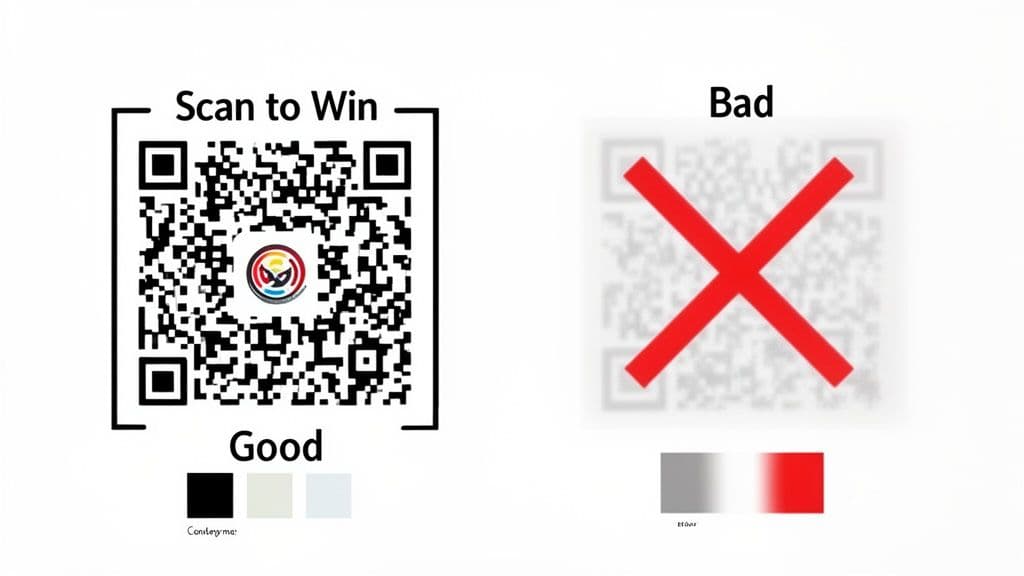
If you remember one thing, make it contrast. Smartphone cameras need a sharp difference between the dark and light squares (modules) to read the code. Using light colors on a pale background—like soft yellow on white—is a recipe for failed scans and frustrated customers. Stick with dark, bold colors for the code and a light, clean background to guarantee it works every time.
Best Practices for Design and Usability
Of course, you want the code to feel like part of your brand. But be careful with colors that are too similar. If your brand palette is mostly pastels, pick the darkest shade for the QR code and place it on a white or very light background. This keeps your branding consistent without sacrificing scannability.
A simple trick to get more people scanning is to add a frame with a clear call-to-action (CTA). Telling people what to expect removes any hesitation.
- "Scan to See Our Menu" on a restaurant table tent.
- "Scan to Win!" on product packaging for a contest.
- "Scan for WiFi" in a cafe or office waiting room.
This small addition makes a huge difference. Platforms like QR Code Maker have customizable frames that make adding a CTA quick and easy.
Best Practice: A QR code should never make someone guess. A clear CTA turns a passive square into an active invitation, telling users exactly what to do next and why they should scan.
Choosing the Right Format for Print and Digital
How you plan to use your QR code should dictate which file format you download. This choice directly impacts the code’s quality and scannability, especially for printing.
Here’s a quick breakdown of the most common formats:
| Format | Best Use Case | Why It's a Good Choice |
|---|---|---|
| PNG | Digital media (websites, emails, social media) | Great for web use. It supports transparent backgrounds and is universally supported online where file sizes matter. |
| SVG | Print media of any size (business cards, flyers, billboards) | A vector file that can be scaled infinitely without losing quality. Essential for any printed material to ensure it remains sharp. |
| Professional printing and document sharing | A versatile vector format that professional printers prefer. It locks in all design elements for flawless printing and sharing. |
For anything printed, choosing a vector format like SVG is non-negotiable. It’s what keeps your QR code sharp and scannable, whether on a tiny business card or a massive banner. A blurry, pixelated QR code is a wasted opportunity. You can learn more about the technology that makes this possible in this guide to QR code error correction.
Unlocking Insights with Dynamic QR Codes
Creating a stylish custom QR code with a logo is a great start, but the real marketing power comes from making it dynamic. A static QR code is permanent—its destination is burned in forever. A dynamic QR code, on the other hand, is a flexible, intelligent tool that can evolve with your campaigns.
This flexibility is a game-changer for marketers. Imagine you’ve printed 1,000 flyers for a promotion. With a dynamic code, you can change the destination URL anytime without reprinting. A restaurant can update its seasonal menu, a retailer can swap a sales link, and an event organizer can redirect attendees to a post-event survey, all using the exact same QR code.
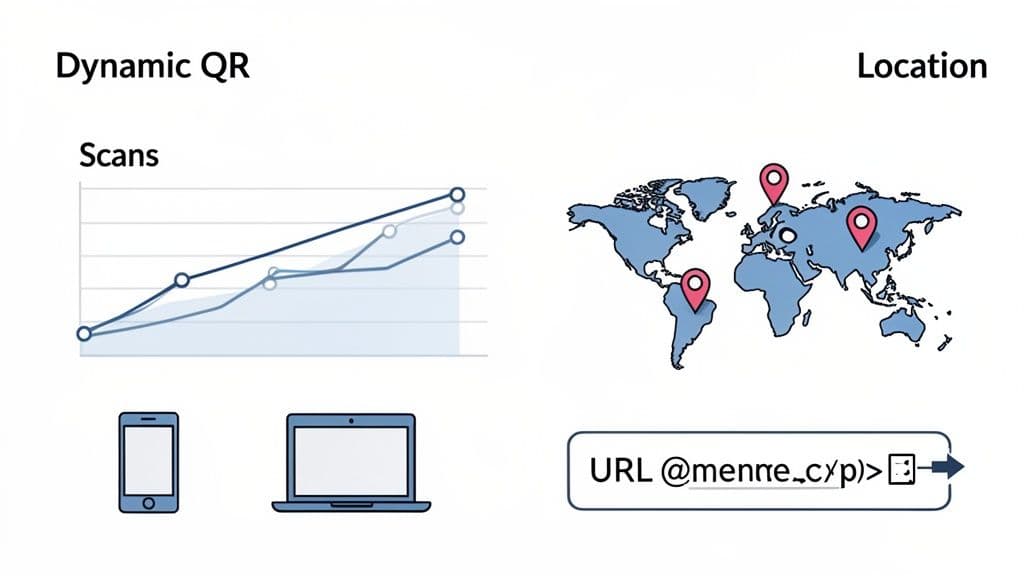
This adaptability saves time, money, and headaches, turning your printed materials into living marketing assets.
Turning Scans into Actionable Data
The biggest advantage of dynamic QR codes is the data. Every scan provides valuable insights, transforming your code from a simple link into a source of customer intelligence. You can finally track key metrics to understand your audience and measure your return on investment.
Using a platform like QR Code Maker, you can access analytics that show you:
- Total Scans: See exactly how many people are engaging with your code.
- Location Data: Discover where your customers are scanning from, right down to the city level.
- Device Information: Learn whether your audience uses iPhones or Android devices.
- Time of Scan: Identify when your campaigns are most effective throughout the day.
This data is gold for marketers. It helps you make smarter decisions, refine your strategies, and prove the value of your efforts. For a deeper dive, check out this complete guide on how to track QR code scans.
Practical Tip: Dynamic QR codes do more than just connect customers to a link; they provide the data needed to understand customer behavior, measure campaign effectiveness, and optimize future marketing efforts.
Measuring What Matters Most
This focus on measurement is central to modern marketing. According to Bitly’s 2025 trends brief, marketers are treating QR codes as measurable channels, with top metrics being unique users (54%), total scans (50%), and geographic location (48%).
However, the report notes that only 16% directly track revenue from QR campaigns. This highlights a massive opportunity for businesses that integrate QR analytics into their sales funnels. You can discover more insights about QR code marketing trends on Superagi.com.
Real-World Examples: QR Code Ideas for Your Business
Now for the fun part: seeing what a custom QR code with a logo can do in the real world. Think of this as a playbook of creative, practical ways businesses are using branded QR codes to connect with customers and streamline operations.
A real estate agent can use a dynamic code on a yard sign to link to a virtual tour, then update it later to point to an open house schedule. An event organizer can put codes on badges for instant networking or on banners to gather session feedback. These examples show how a simple scan can bridge the physical and digital worlds.
For Restaurants and Cafes
The hospitality industry runs on QR codes, but linking to a static PDF menu is just the beginning.
- Order and Pay at the Table: Place a unique QR code on each table that links to an online ordering portal. Diners can browse, order, and pay without waiting for a server, which turns tables faster.
- WiFi Access: A branded QR code offering instant Wi-Fi access is a small touch that customers love. No more asking staff for the password.
- Customer Feedback: A QR code can link directly to a short, mobile-friendly survey customers can complete in 30 seconds, providing valuable, immediate feedback.
For Events and Conferences
For event organizers, QR codes are a lifesaver for streamlining logistics and keeping attendees engaged. Placed strategically on badges, programs, and signage, they create interactive touchpoints.
- Networking: Use vCard QR codes on name badges so attendees can instantly exchange contact information with a quick scan.
- Agendas & Updates: Link to a live, up-to-date schedule. If a session changes rooms, you can update the link in real-time.
- Lead Capture: For exhibitors, a QR code at their booth can link to a sign-up form, making it easy to collect leads from interested attendees.
For Retail and Product Packaging
In retail, a custom QR code on product packaging becomes a direct line to your customer, transforming a simple box into an interactive experience.
- Product Information: A quick scan can take shoppers to a video tutorial, customer reviews, or a detailed ingredient list, helping them make an informed purchase on the spot.
- Re-Ordering: Place a QR code on consumable products that links directly to the re-order page, making it easy for loyal customers to buy again.
- Promotions: Offer an instant discount or entry into a contest to drive engagement and sales.
For Business Cards and Networking
The traditional business card gets a major upgrade with a vCard QR code. When someone scans it, your contact details—name, number, email, website—are automatically saved to their phone. It eliminates typos and makes following up effortless.
Trust is what gets someone to scan your code in the first place, and this is where branding is key. According to a Meltwater analysis from July 2025, branded codes from recognizable businesses saw significantly higher engagement. A familiar logo isn't just for looks; it's crucial for getting people to use the code. You can learn more about how branding impacts QR code trust on Meltwater.com.
Your Custom QR Code Questions Answered
As you start designing your code, a few questions often come up. This section provides quick answers to the most common queries so you can create with confidence.
Can I Put My Logo Anywhere on the QR Code?
Technically, no—the best practice is to place it in the center. Placing a logo over a QR code intentionally "damages" it. This only works because of a built-in feature called error correction.
When you set the error correction level to high, you’re telling the code that it can withstand up to 30% of its data being covered or unreadable. A good generator like QR Code Maker handles this for you automatically when you upload a logo, ensuring it’s sized and placed correctly without breaking the code's scannability.
Should I Use a Dynamic or a Static QR Code?
For any marketing, sales, or business use, the answer is almost always dynamic. A static QR code has its destination URL permanently embedded. If you print 1,000 flyers and then spot a typo in the URL, you have to reprint all 1,000.
A dynamic code points to a short redirect link that you can change anytime. This is a lifesaver for updating promotions, redirecting users, or fixing a mistake. Plus, dynamic codes provide scan analytics, so you can see if your campaigns are actually working.
What's the Best File Format for My Logo and the QR Code?
Getting the file formats right is critical for a crisp, professional code that scans properly.
- For your logo: Use a PNG file with a transparent background. This is non-negotiable. Using a JPG or a PNG with a solid background will leave an ugly white box around your logo.
- For the finished QR code: When you download, choose PNG for digital uses (websites, emails). For anything that will be printed, always choose a vector format like SVG or PDF.
Why Vectors Matter: Vector files (SVG, PDF) are made of mathematical paths, not pixels. This means you can scale them to the size of a billboard or down to the size of a postage stamp, and they will remain perfectly sharp and scannable. A PNG will become blurry when enlarged.
Why Isn't My Branded QR Code Scanning Properly?
This can happen, and it’s usually one of a few common issues. The most frequent culprit is poor contrast. A light gray code on a white background might look stylish, but most phone cameras will struggle to read it.
Here are a few other things to check:
- The logo is too big: It's covering more than 30% of the code, exceeding the error correction's ability to compensate.
- The code is too small: For most uses, don't print a QR code smaller than 1x1 inch (or about 2.5x2.5 cm).
- It’s on a glossy surface: High-gloss materials can create glare that interferes with the camera.
The golden rule? Always test your final QR code with a few different phones (iPhone and Android) in the actual environment where it will be used. Do this before you print 5,000 brochures.
Ready to create a professional, trackable, and beautifully branded QR code in minutes? With QR Code Maker, you can easily add your logo, customize colors, and get the real-time analytics you need to grow your business.
Start your free trial today at qr-code-maker.app
Frequently Asked Questions
What is the main benefit of using a custom QR code with a logo?
The main benefit is that it significantly increases user trust and engagement, leading to higher scan rates.
How can I ensure my QR code scans properly?
To ensure proper scanning, use high-contrast colors, a clear call-to-action, and a high-quality logo with appropriate error correction settings.
What types of QR codes are best for small businesses?
Common types include website URLs for landing pages, vCards for contact sharing, and WiFi codes for easy network access.
What file format should I use for printing QR codes?
For printing, use vector formats like SVG to maintain quality at any size, ensuring the QR code remains sharp and scannable.
What is a dynamic QR code and why should I use one?
A dynamic QR code allows you to change the destination URL without reprinting, making it a flexible tool for evolving marketing campaigns.
Ready to create your QR code?
Free forever for static codes. Pro features with 14-day trial, no credit card required.

Irina Aguiar
·Content LeadIrina Aguiar leads content strategy at QR Code Maker, where she has written extensively on QR code technology, marketing, and business operations. Her work ranges from technical explainers on how QR codes are generated and how error correction works to practical guides on QR marketing, automation, and scan analytics — plus hands-on tutorials covering Python, Google Sheets, and Zapier integrations. She also publishes honest competitor comparisons and industry-specific playbooks for retail, real estate, hospitality, healthcare, and events.
More from Irina Aguiar →Related Articles
The 12 Best QR Code Monkey Alternative Tools in 2026
Searching for a QR Code Monkey alternative? Discover the 12 best QR code generators for creating dynamic, branded, and trackable codes for your business.
How to Make and Use Transparent QR Codes for Professional Branding
Learn to design transparent qr codes that blend with your brand, stay scannable, and drive engagement with practical tips and real-world examples.
How to Create a QR Code: A Practical Guide for Businesses
Learn how to create a QR code that drives results. This practical guide covers branded designs, dynamic tracking, and real-world uses for your business.