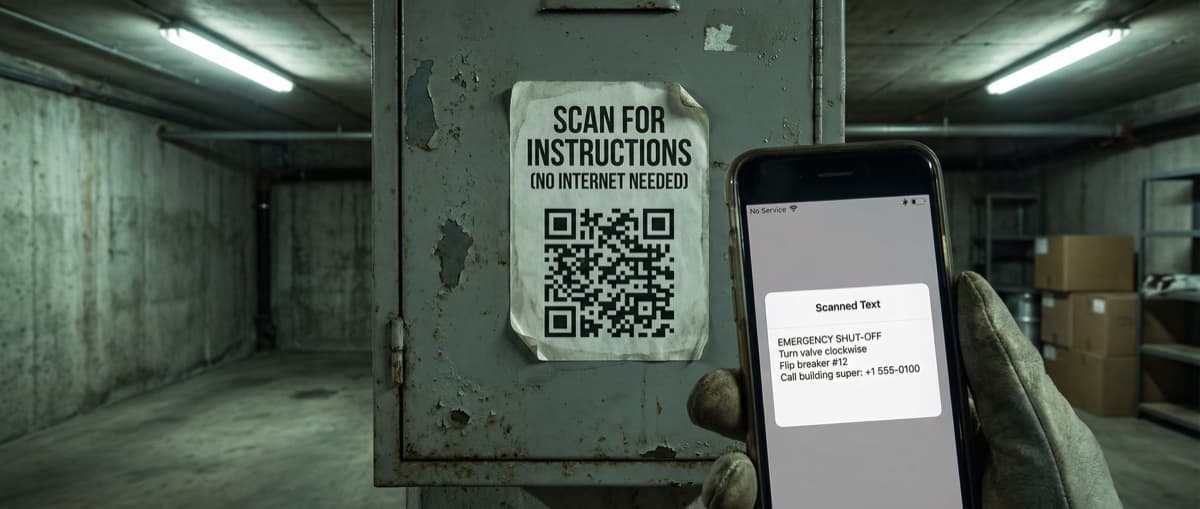

Create QR codes that display plain text when scanned—no internet required. Perfect for coupons, WiFi passwords, instructions, and offline messages.
A text QR code stores plain text directly in the code itself. Scan it, and the text appears immediately on screen—no internet connection, no website loading, no waiting.
They're the simplest type of QR code: what you encode is exactly what users see.
What Is a Text QR Code?
A text QR code encodes raw text into its pattern. When scanned, the phone's camera app displays the text directly. No server request, no URL redirect, no data connection needed.
Think of it as a physical sticky note encoded into a scannable image.
Offline by Design
Text QR codes work without any internet connection. The information is stored in the code pattern itself—it's self-contained.
Why Use Text QR Codes?
Works Offline
Underground parking garages, rural areas, airplane mode—text QR codes work everywhere. No connectivity needed.
Instant Display
No loading screens. No waiting for websites. Scan and the text appears immediately.
Never Expires
Since there's no server involved, text codes can't "expire." They work today, next year, in a decade.
Truly Free
URL QR codes that go through redirect services may have limits or costs. Text QR codes have zero ongoing requirements.
Privacy-Preserving
No tracking is possible. The text exists only in the code—there's no server logging who scans it.
Common Uses
Coupon Codes
Encode a promo code directly: "SAVE20" displays on scan. Users type it at checkout. No internet required, works in any store.
Product Instructions
Quick setup steps, ingredient lists, or care instructions encoded right on the product. Customers scan instead of hunting for manuals.
WiFi Passwords
While dedicated WiFi QR codes auto-connect devices, text codes displaying the password work universally, even on devices that don't support WiFi auto-connect.
Event Information
Encode date, time, location, and details. Attendees scan and have all the info offline—perfect for venues with poor connectivity.
Serial Numbers & IDs
Product tracking, asset management, or inventory codes that need to work in warehouses without WiFi.
Emergency Information
Medical alert bracelets or tags can encode critical health information that's always accessible.
How to Create a Text QR Code
Step 1: Write Your Text
Keep these guidelines in mind:
- Recommended: Under 2,000 characters
- Maximum: ~4,296 characters (technical limit)
- Best practice: Shorter text = denser pattern = easier scanning
Longer Text = Harder to Scan
More characters create denser QR patterns. Codes with 3,000+ characters may require larger print sizes and better cameras to scan reliably.
Step 2: Consider Formatting
QR codes store plain text without formatting (no bold, italic, or fonts). However, you can use:
- CAPITAL LETTERS for emphasis
- Line breaks for organization
- Symbols (*, -, •) for bullet points
- Spacing for visual separation
Example:
WIFI PASSWORD
Network: GuestWiFi
Password: Welcome2024!
---
Valid until: December 31, 2024
Step 3: Generate the Code
Use our Text QR Code Generator to create your code. Add colors and branding as desired.
Step 4: Test on Multiple Devices
Text display varies by phone:
- iPhones show text in the camera app
- Android may open a text viewer or notes app
- Some phones display a preview with copy option
Test on both iOS and Android to ensure the experience works for your audience.
Step 5: Download and Use
Export as PNG for digital or SVG for print. Since text codes are dense, print at least 1 inch (2.5 cm) square for short messages, larger for longer text.
Text QR Code vs URL QR Code
| Feature | Text QR Code | URL QR Code |
|---|---|---|
| Internet required | No | Yes |
| Content length | Limited (~4,000 chars) | Unlimited (website) |
| Tracking | Not possible | Possible |
| Updateable | No (must reprint) | Yes (change destination) |
| Loading time | Instant | Depends on connection |
| Expiration | Never | Depends on host |
Use text codes when: The content is short, won't change, and must work offline.
Use URL codes when: You need tracking, updatable content, or content that exceeds text limits.
Best Practices
Keep It Concise
Every character increases pattern density. Write tight, clear messages.
Instead of: "Please enter the following promotional discount code at the checkout page to receive your special offer"
Write: "Enter code SAVE20 at checkout"
Ensure Scannability
- Print larger for longer text
- Maintain high contrast
- Test in actual use conditions
Add Context
Label the code so users know what to expect: "Scan for WiFi Password" or "Scan for Instructions"
Provide Alternatives
For critical information, don't rely solely on QR codes. Include a URL or phone number for those who can't scan.
Limitations
- No formatting: Plain text only—no fonts, colors, or styling
- Size vs content: Long text needs larger print for reliable scanning
- Not updatable: Changes require reprinting the code
- No tracking: You can't measure how many people scan
- Character limit: ~4,000 characters max (practically, stay under 2,000)
Frequently Asked Questions
How much text can fit in a QR code?
Technically up to 4,296 characters, but we recommend 2,000 or less for reliable scanning across all devices and conditions.
Can I format the text (bold, colors)?
No, QR codes store plain text without formatting. Use CAPS, line breaks, and symbols for visual organization.
Is it secure for passwords?
Anyone who can see the code can scan and read it. Don't use text QR codes for truly sensitive information—consider a protected URL instead.
Why use this instead of just printing the text?
QR codes make it easy to copy text to a phone. Scanning "WiFi: GuestNetwork, Password: Welcome2024!" is faster than typing it manually.
Can I track how many people scan?
No. Text QR codes are completely self-contained—there's no server to log scans. For tracking, use a URL QR code instead.
Create Your Text QR Code
Ready to encode text that works anywhere, anytime? Our Text QR Code Generator is free, requires no account, and creates codes that work forever.
Perfect for coupons, instructions, WiFi passwords, or any message that needs to work offline.
Ready to create your QR code?
Free forever for static codes. Pro features with 14-day trial, no credit card required.

Irina Aguiar
·Content LeadIrina Aguiar leads content strategy at QR Code Maker, where she has written extensively on QR code technology, marketing, and business operations. Her work ranges from technical explainers on how QR codes are generated and how error correction works to practical guides on QR marketing, automation, and scan analytics — plus hands-on tutorials covering Python, Google Sheets, and Zapier integrations. She also publishes honest competitor comparisons and industry-specific playbooks for retail, real estate, hospitality, healthcare, and events.
More from Irina Aguiar →Related Articles
Location QR Code: Create Scannable Maps for Your Business (2026)
Create QR codes that open your exact location in Google Maps, Apple Maps, or Waze. Perfect for store locations, event venues, real estate, and navigation.
SMS QR Code: Create Scannable Codes That Send Text Messages (2026)
Create SMS QR codes that let people send you a text message with one scan. Perfect for marketing opt-ins, customer support, event RSVPs, and feedback collection.
Phone QR Code: Create One-Tap Call Codes for Business Cards (2026)
Generate QR codes that initiate phone calls instantly. Perfect for business cards, customer support, emergency contacts, and service materials.