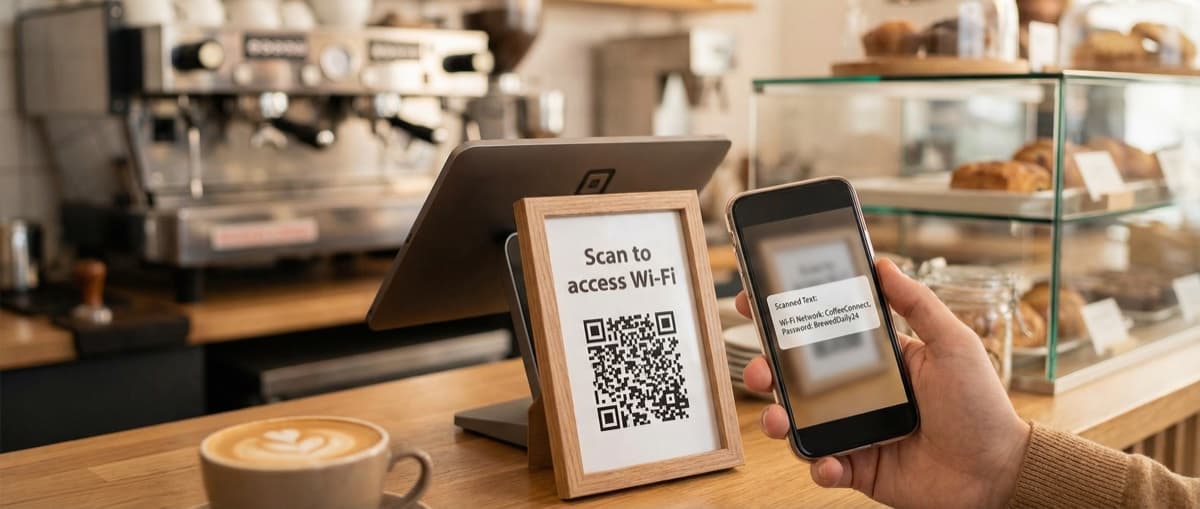

Create QR codes that open your exact location in Google Maps, Apple Maps, or Waze. Perfect for store locations, event venues, real estate, and navigation.
A location QR code opens a specific place in the user's preferred map app—Google Maps, Apple Maps, Waze, or others. One scan to get directions to your business, event venue, or meeting point.
No more typing addresses or searching for your business name. Customers scan and navigate.
What Is a Location QR Code?
A location QR code encodes GPS coordinates using the geo: URI format (RFC 5870). When scanned, the phone opens its default map application showing that exact location, ready for navigation.
Unlike sharing an address, coordinates are precise. "123 Main St" might match multiple locations. GPS coordinates (40.7128° N, 74.0060° W) are exact.
Universal Compatibility
Location QR codes work with whatever map app the user prefers. iPhone users get Apple Maps by default; Android users get Google Maps. Users with Waze installed can switch to it.
Why Use Location QR Codes?
Eliminate Address Confusion
- No misspellings
- No "which 123 Main St?"
- No confusion about entrances or building numbers
GPS coordinates are unambiguous.
One-Tap Navigation
76% of local searches result in a visit within 24 hours (Google). Make that visit happen by removing friction.
Works Everywhere
From a storefront sign to a wedding invitation, anywhere you'd write an address can benefit from a QR code alternative.
Multi-Platform
Your customers use different map apps. Location QR codes work with all of them.
Common Uses
Store Locations
Put location QR codes on:
- Storefront signage
- Business cards
- Print advertising
- Product packaging ("Find us here")
Event Venues
Wedding invitations, conference materials, and party invites can include location codes. Guests scan and get directions without searching.
Real Estate
Property listings, open house signs, and flyers can link directly to the property location. Buyers scan and drive over.
Parking Information
Direct visitors to parking structures, entrances, or designated areas. Especially useful for large venues.
Multi-Location Businesses
Create different codes for each location. Track which location materials drive the most scans.
Meeting Points
"Scan to find our picnic spot" beats typing coordinates or hoping GPS finds "the big tree in the park."
How to Create a Location QR Code
Step 1: Get Your Google Maps Link
- Open Google Maps
- Find your exact location
- Click the share button or copy the URL from the address bar
Supported formats:
https://maps.google.com/?q=40.7128,-74.0060https://www.google.com/maps/place/.../@40.7128,-74.0060,17zhttps://maps.app.goo.gl/xyz123(short links work too)
Pin the Exact Spot
Make sure the pin is exactly where you want people to arrive—the front entrance, the parking lot entrance, or the meeting point. Zoom in and verify.
Step 2: Paste in the Generator
Use our Location QR Code Generator. Paste your Google Maps link and we automatically extract the coordinates.
Step 3: Verify the Location
We show you the extracted coordinates and a preview. Confirm it's the right spot before generating.
Step 4: Customize the Design
Add your brand colors, and your logo during the free trial or on a paid plan. Location codes are static, so customization won't affect functionality.
Step 5: Test Navigation
Scan with your phone and verify:
- The correct location opens
- Navigation works properly
- The pin is where you intended
Step 6: Download and Deploy
Export as:
- PNG: Digital use, social media
- SVG: Print materials, signage
Best Practices
Pin the Entrance, Not the Building
If your business is in a large complex, pin the specific entrance or parking lot. "Building B, Suite 100" coordinates are more useful than the building center.
Include Address as Backup
Not everyone uses QR codes. Print the address alongside the code for those who prefer to search manually.
Consider Arrival Experience
Pin where someone should arrive, not where your office is. If there's a gate, a parking lot, or a specific entrance, mark that.
Size for Distance
Outdoor signage needs larger QR codes. A 6-inch code works from about 5 feet. A 12-inch code works from 10 feet.
Add a Label
"Scan for Directions" or "Navigate to Us" tells users what the code does before they scan.
Location QR Code vs Other Options
| Method | Pros | Cons |
|---|---|---|
| Location QR Code | Exact coordinates, one-tap navigation | Requires scanning |
| Printed Address | Universal, no tech needed | Requires manual search |
| Google Maps Link | Clickable on digital | Can't print a link |
| NFC Tag | Tap to navigate | Limited device support |
Location QR codes are ideal for printed materials where you want one-step navigation without relying on address search accuracy.
Technical Details
The geo: URI Format
Location QR codes use the geo: URI scheme defined in RFC 5870:
geo:40.7128,-74.0060
Some implementations add optional parameters:
geo:40.7128,-74.0060?z=17- Zoom levelgeo:40.7128,-74.0060?q=Empire+State+Building- Location label
Most phones will display nearby business information if Google Maps is installed, even though the code stores coordinates.
Coordinate Precision
GPS coordinates with 4 decimal places are accurate to about 11 meters—more than sufficient for navigation purposes.
Frequently Asked Questions
Do location QR codes work offline?
The QR code itself works offline, but the map app typically needs an internet connection to display the map and calculate navigation. Exception: users with downloaded offline maps.
Which map app will open?
The user's default maps app. iPhone users typically see Apple Maps; Android users see Google Maps. Users can change their default or select a different app.
Can I mark a specific business instead of coordinates?
The QR code stores coordinates. However, if the user has Google Maps installed, it will display nearby business information if your business is listed there.
What's the advantage over just printing the address?
Addresses require users to type and search—which can lead to wrong matches or spelling errors. Coordinates are exact and one-tap to navigate.
Do I need a Google Maps account?
No. You just need a Google Maps link to copy the coordinates from. The generator extracts the data.
Create Your Location QR Code
Ready to make it effortless for customers to find you? Our Location QR Code Generator is free with a free account, no credit card, and creates codes that work forever.
Simply paste your Google Maps link and we'll handle the rest.
Ready to create your QR code?
Free forever for static codes. Pro features with 14-day trial, no credit card required.

Irina Aguiar
·Content LeadIrina Aguiar leads content strategy at QR Code Maker, where she has written extensively on QR code technology, marketing, and business operations. Her work ranges from technical explainers on how QR codes are generated and how error correction works to practical guides on QR marketing, automation, and scan analytics — plus hands-on tutorials covering Python, Google Sheets, and Zapier integrations. She also publishes honest competitor comparisons and industry-specific playbooks for retail, real estate, hospitality, healthcare, and events.
More from Irina Aguiar →Related Articles
Text QR Code: Display Plain Text Without Internet (2026)
Create QR codes that display plain text when scanned—no internet required. Perfect for coupons, WiFi passwords, instructions, and offline messages.
SMS QR Code: Create Scannable Codes That Send Text Messages (2026)
Create SMS QR codes that let people send you a text message with one scan. Perfect for marketing opt-ins, customer support, event RSVPs, and feedback collection.
Phone QR Code: Create One-Tap Call Codes for Business Cards (2026)
Generate QR codes that initiate phone calls instantly. Perfect for business cards, customer support, emergency contacts, and service materials.