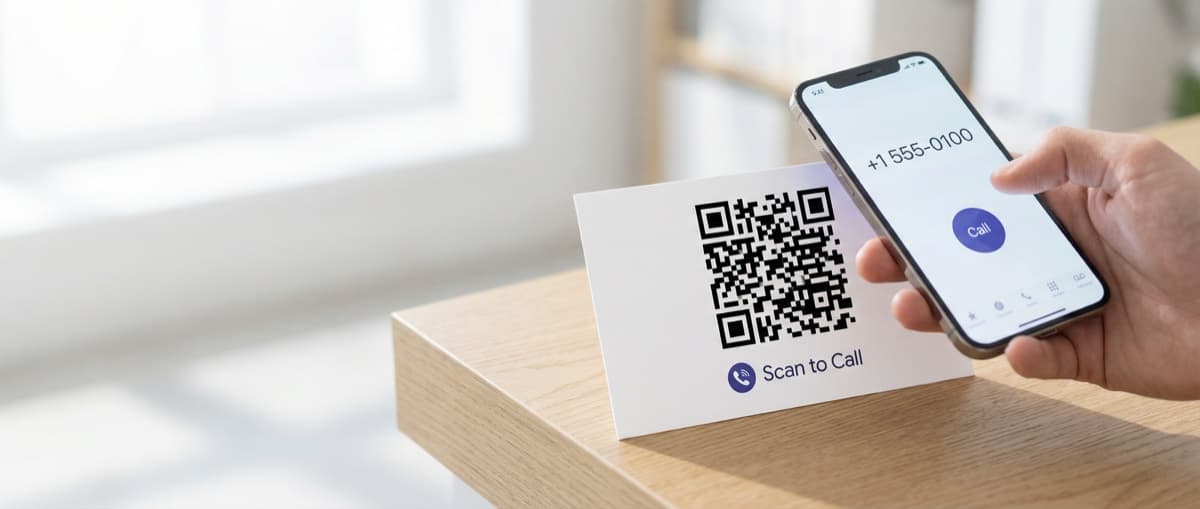

Generate QR codes that initiate phone calls instantly. Perfect for business cards, customer support, emergency contacts, and service materials.
A phone QR code is a scannable image that opens the phone dialer with a number pre-entered. One scan, one tap to call. No typing required.
Put one on your business card, and prospects can call you instantly. Add one to customer support materials, and help is one scan away.
What Is a Phone QR Code?
A phone QR code encodes a phone number using the tel: URI scheme. When scanned, the user's phone opens its dialer with your number ready to call. They tap the call button to connect.
Unlike email or contact forms, phone QR codes create an immediate connection. One scan, one tap, you're talking.
Security Feature
Phone QR codes don't dial automatically. Users must tap to confirm the call—this prevents unwanted charges and protects against malicious codes.
Why Use Phone QR Codes?
Eliminate Typing Errors
Nobody types phone numbers correctly on the first try. A QR code removes the possibility of wrong numbers entirely.
Faster Connection
65% of consumers prefer calling over filling out online forms (Google). A phone QR code makes calling the easiest option.
Professional Impression
A QR code on a business card signals tech-savviness while providing genuine utility.
Accessibility
For users who struggle with small text or have difficulty typing, QR codes make phone numbers accessible.
Common Uses
Business Cards
The most popular use case. Add a phone QR code to your business card alongside the printed number. Contacts scan to call without typing.
Customer Support
Place on product packaging, user manuals, or warranty cards. Customers scan to reach support instantly.
Emergency Contacts
Medical alert bracelets, equipment labels, or safety signage can include phone QR codes for quick access to emergency services.
Service Materials
Restaurants, hotels, and service businesses add phone codes to menus, room cards, or brochures for easy reservations.
Real Estate Signs
Property listings with phone QR codes let potential buyers call the agent without writing down numbers.
How to Create a Phone QR Code
Step 1: Enter the Phone Number
Use the full international format:
- United States: +1 555 123 4567
- United Kingdom: +44 20 1234 5678
- Germany: +49 30 123456
- Japan: +81 3 1234 5678
Always Include Country Code
A number like "555-123-4567" won't work for international scanners. Always use +[country code] format.
Step 2: Customize the Design
Use our Phone QR Code Generator to add:
- Brand colors
- Company logo
- Custom frame or border
Phone codes are static, so customization won't affect scanning reliability.
Step 3: Test the Code
Before printing: Scan with multiple phones to verify:
- The dialer opens (not a web browser)
- The correct number appears
- The full number including country code is displayed
Step 4: Download and Print
Export as:
- SVG: Best for print (scales to any size)
- PNG: Good for digital use or small print runs
For business cards, ensure the QR code is at least 0.8 inches (2 cm) square for reliable scanning.
Phone QR Code Format
The technical format is simple:
tel:+15551234567
That's it. The tel: prefix tells the phone to open the dialer, and the number follows in international format.
Some generators support additional features:
tel:+15551234567,,,1234- Pauses then dials extension 1234tel:*67+15551234567- Blocks caller ID (carrier dependent)
Best Practices
Size Matters
For reliable scanning:
- Minimum: 0.8 inches (2 cm) square
- Optimal: 1+ inches (2.5+ cm) for quick scans
- Maximum distance: Size should be 1/10th of the expected scanning distance
High Contrast
Dark codes on light backgrounds scan best. Avoid low-contrast color combinations that make scanning difficult.
Add Context
Label the QR code: "Scan to Call" or "Call Us" so users know what will happen before scanning.
Provide Alternative
Always print the phone number alongside the QR code. Not everyone uses QR scanning, and having both options maximizes reach.
Limitations
- Confirmation required: Users must tap to call—no auto-dial
- Smartphone only: Feature phones may not support
tel:links from QR scans - Call charges apply: Users pay their normal calling rates
- No tracking: The QR code itself doesn't track scans
Need to send a text instead of making a call? See our guide on SMS QR codes.
Frequently Asked Questions
Will the call start automatically?
No. For security, phones require users to confirm by tapping the call button. The QR code just opens the dialer with the number ready.
Does it work internationally?
Yes, when you include the full country code. Callers pay their carrier's international rates if calling across borders.
Can I include an extension?
Yes, using comma pauses: tel:+15551234567,,,1234 dials the number, pauses, then dials extension 1234. Support varies by phone.
Does it work on tablets?
Tablets with cellular capability can place calls. WiFi-only tablets may show the number but can't dial. Some tablets support VoIP calling.
How is this different from an SMS QR code?
A phone QR code initiates a voice call. An SMS QR code opens the messaging app for text. Use phone for immediate conversation, SMS for asynchronous messaging.
Phone vs SMS vs Contact Methods
| Method | Speed | Best For |
|---|---|---|
| Phone QR Code | Instant call | Urgent matters, sales, support |
| SMS QR Code | Quick text | Opt-ins, non-urgent questions |
| Email QR Code | Hours/days | Detailed inquiries, documentation |
| vCard QR Code | Saves contact | Networking, business cards |
Create Your Phone QR Code
Ready to make your phone number instantly callable? Our Phone QR Code Generator is free with a free account, no credit card, and creates codes that never expire.
Perfect for business cards, customer support, or anywhere a phone call is the best next step.
Ready to create your QR code?
Free forever for static codes. Pro features with 14-day trial, no credit card required.

Irina Aguiar
·Content LeadIrina Aguiar leads content strategy at QR Code Maker, where she has written extensively on QR code technology, marketing, and business operations. Her work ranges from technical explainers on how QR codes are generated and how error correction works to practical guides on QR marketing, automation, and scan analytics — plus hands-on tutorials covering Python, Google Sheets, and Zapier integrations. She also publishes honest competitor comparisons and industry-specific playbooks for retail, real estate, hospitality, healthcare, and events.
More from Irina Aguiar →Related Articles
Location QR Code: Create Scannable Maps for Your Business (2026)
Create QR codes that open your exact location in Google Maps, Apple Maps, or Waze. Perfect for store locations, event venues, real estate, and navigation.
Text QR Code: Display Plain Text Without Internet (2026)
Create QR codes that display plain text when scanned—no internet required. Perfect for coupons, WiFi passwords, instructions, and offline messages.
SMS QR Code: Create Scannable Codes That Send Text Messages (2026)
Create SMS QR codes that let people send you a text message with one scan. Perfect for marketing opt-ins, customer support, event RSVPs, and feedback collection.