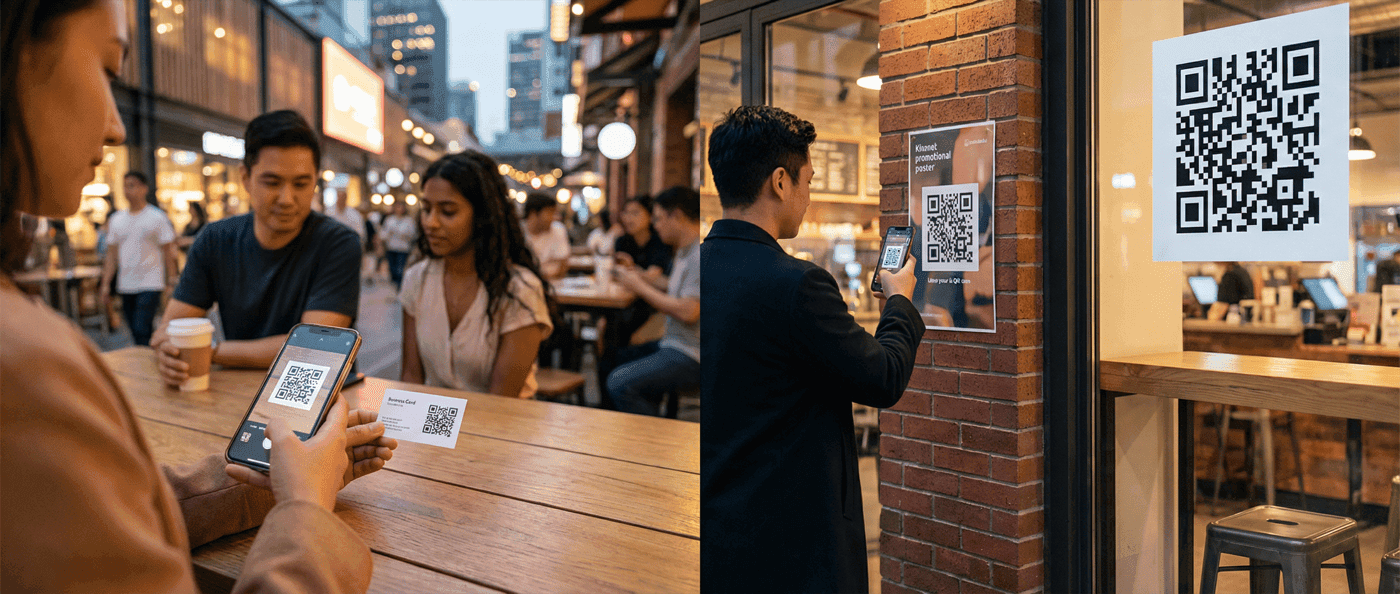

Learn the minimum QR code size for business cards, posters, billboards, and more. Includes scanning distance calculations and size recommendations by use case.
The minimum QR code size is 2 × 2 cm (0.8 × 0.8 inches) for handheld scanning, but the right size depends on your scanning distance, code complexity, and print quality. A billboard needs a much larger code than a business card. A dense code with lots of data needs more space than a simple URL.
2026 update — what changed for QR code sizing this year
Re-verified June 2026. Three things worth knowing. (1) Newer phones decode smaller codes more reliably than older devices, but the practical floor for reliable scanning across the broad consumer device base hasn't moved — the 10:1 rule still applies for any print run aimed at the general public. (2) Backlit displays (smart billboards, in-store screens, kiosks) have higher effective contrast than printed media, so codes on those surfaces can be proportionally smaller than equivalent print sizes. (3) Logo embedding is now widely supported across QR libraries (qr-code-styling, qrcode-generator, ZXing variants). The practical convention used by these libraries: keep the logo under ~25% of the code area and use error correction level H (30% recoverable). It's not a formal ISO requirement — ISO/IEC 18004 doesn't address logos — but it's the industry-default safety margin.
What is the smallest QR code that will actually scan reliably in 2026?
For phone scanning in good lighting, the practical floor is about 2 × 2 cm (0.8 × 0.8 inches) for a low-complexity URL code — that hasn't changed. Sub-2cm codes scan on flagship phones in lab conditions but fail in real-world lighting on older devices. For a vCard or any code with more than ~50 characters of data, the floor moves up to 2.5 × 2.5 cm because the denser pattern needs more pixel detail per module. Always test on a 3-year-old Android phone in indoor lighting before mass-producing anything under 2.5 cm.
This guide covers QR code sizing for every scenario, from business cards to billboards.
The 10:1 Scanning Distance Rule
The fundamental principle: your QR code should be at least 1/10th the scanning distance.
Formula:
Minimum QR Size = Scanning Distance ÷ 10
Examples:
- Scanning from 30cm (12 inches) → Minimum 3cm code
- Scanning from 1 meter (3 feet) → Minimum 10cm code
- Scanning from 10 meters (30 feet) → Minimum 100cm (1 meter) code
This is a minimum. For reliable scanning—especially in variable lighting or with dense codes—use a 6:1 or 5:1 ratio.
QR Code Size Calculator
For scanning from 1.0 m away
Tip: This is the minimum size for reliable scanning. For outdoor use or low-light conditions, consider increasing by 20-30%.
Why 10:1?
Camera resolution limits how small a detail can be captured from a given distance. At 10:1, each module (individual square) in the QR code takes up enough pixels to be reliably distinguished.
Minimum QR Code Sizes by Use Case
| Use Case | Scanning Distance | Minimum Size | Recommended Size |
|---|---|---|---|
| Business card | 15-30cm (6-12 in) | 1.5cm (0.6 in) | 2cm (0.8 in) |
| Flyer/brochure | 30cm (12 in) | 2cm (0.8 in) | 2.5cm (1 in) |
| Table tent | 45cm (18 in) | 2.5cm (1 in) | 3cm (1.2 in) |
| Product packaging | 30cm (12 in) | 2cm (0.8 in) | 2.5cm (1 in) |
| Magazine ad | 45cm (18 in) | 2.5cm (1 in) | 3cm (1.2 in) |
| Poster (A3) | 1m (3 ft) | 10cm (4 in) | 12cm (5 in) |
| Store window | 2m (6 ft) | 20cm (8 in) | 25cm (10 in) |
| Banner | 3m (10 ft) | 30cm (12 in) | 40cm (16 in) |
| Billboard | 10m (30 ft) | 100cm (3.3 ft) | 120cm (4 ft) |
Factors That Affect Scanability
1. Code Complexity (Data Density)
More data = denser pattern = harder to scan at small sizes.
| Data Type | Typical Complexity | Size Impact |
|---|---|---|
| Short URL (dynamic) | Low | Standard sizing works |
| Long URL with UTM parameters | Medium | Add 20% to size |
| vCard with all fields | High | Add 30-50% to size |
| WiFi with long password | Medium-High | Add 20-30% to size |
| Large text block | Very High | May require significant increase |
Dense Code Alert
If your QR code looks complex—many small modules packed tightly—it needs to be larger. A simple dynamic URL creates a cleaner pattern than a 200-character URL with tracking parameters.
2. Error Correction Level
QR codes use error correction to remain scannable even when damaged. Higher error correction = more redundant data = more complex pattern.
| Level | Recovery Capacity | Size Impact |
|---|---|---|
| L (Low) | 7% damage | Smallest code |
| M (Medium) | 15% damage | +10% size |
| Q (Quartile) | 25% damage | +20% size |
| H (High) | 30% damage | +30% size |
For standard use, Level M is the default and works well. Use Level H only if the code will be printed on surfaces prone to damage.
3. Print Quality
Print resolution affects minimum size:
| Print Method | Recommended Minimum | Notes |
|---|---|---|
| Laser printer (600 DPI) | 2cm | Sharp edges |
| Inkjet printer (300 DPI) | 2.5cm | Slight spread |
| Offset printing | 2cm | Professional results |
| Screen printing | 3cm | Ink spread requires larger size |
| Embroidery | 4cm+ | Low resolution |
4. Surface Material
| Material | Consideration | Size Adjustment |
|---|---|---|
| Matte paper | Ideal, no adjustment | Standard |
| Glossy paper | Glare can interfere | +20% or use matte |
| Metal/plastic | May reflect | +20%, test under lights |
| Fabric | Texture affects edges | +30-50% |
| Curved surface | Distortion | +30%, test scanning angle |
Size Calculations for Common Scenarios
Business Cards
Standard business card: 3.5 × 2 inches (89 × 51 mm)
Constraints:
- Limited space
- Handheld scanning (15-30cm)
- Need to fit with other content
Recommendation:
- Minimum: 0.6 × 0.6 inches (15 × 15 mm)
- Ideal: 0.8 × 0.8 inches (20 × 20 mm)
- Maximum: 1.2 × 1.2 inches (30 × 30 mm)
Pro tip: Use a vCard QR code with minimal fields to keep the code simple. A lean vCard scans reliably at smaller sizes.
Restaurant Table Tents
Typical table tent: 4 × 6 inches visible area
Constraints:
- Scanning from seated position (45-60cm)
- Often in low light
- Diners may not hold steady
Recommendation:
- Minimum: 2.5cm (1 inch)
- Ideal: 4-5cm (1.5-2 inches)
Pro tip: Use dynamic codes for restaurant menus so you can update without reprinting.
Event Posters (A3/Tabloid)
Poster size: 11 × 17 inches (A3)
Constraints:
- Viewed from 1-3 meters
- Needs to be scannable while walking by
- Competes with other visual elements
Recommendation:
- Minimum: 8cm (3 inches)
- Ideal: 10-15cm (4-6 inches)
Product Packaging
Constraints vary by package size:
| Package Type | Scanning Distance | Recommended QR Size |
|---|---|---|
| Small box (electronics) | 20-30cm | 2-2.5cm |
| Bottle/can | 20-30cm | 2-2.5cm |
| Food package (bag) | 30cm | 2.5-3cm |
| Large box (appliance) | 50cm | 3-4cm |
Billboards and Large Format
For large-scale outdoor advertising:
Calculation method:
- Estimate typical viewing distance
- Apply 10:1 rule
- Add 20-30% margin for outdoor conditions
- Account for driving speed (moving observers need larger codes)
| Billboard Type | Typical Distance | Recommended Size |
|---|---|---|
| Bus shelter ad | 2-3m | 25-35cm |
| Street banner | 5m | 50-60cm |
| Standard billboard | 15m | 1.5m minimum |
| Highway billboard | 30m+ | 3m or larger |
Billboard Reality Check
Highway billboards have very limited scanning opportunity. Consider if a QR code is the right choice, or if a simple short URL might work better. People shouldn't scan while driving.
The Quiet Zone Requirement
The quiet zone is the blank border around your QR code. It's not optional—without adequate quiet zone, codes may not scan.
Minimum quiet zone: 4 modules wide
"Modules" are the individual squares that make up the QR code. Four modules means the white border should be at least as wide as 4 of those small squares.
Common mistakes:
- Cropping the code to remove white space
- Placing design elements against the code edge
- Putting codes on busy backgrounds without separation
Testing Your QR Code Size
Before committing to a final design or large print run:
Test Protocol
- Print at actual size (not scaled on screen)
- Scan from expected distance (not held right up to the code)
- Test in realistic lighting (not just bright office lights)
- Use multiple devices (iPhone, Android, different models)
- Try the minimum distance (where would someone realistically scan from?)
Red Flags
- Takes multiple attempts to scan
- Only works from specific angles
- Fails on some phones but works on others
- Requires holding very steady
Pre-Print Testing
Always request a physical proof before large print runs. What looks scannable on a monitor may not scan reliably when printed. This is especially important for packaging, menus, and signage.
Quick Reference: Size by Application
| Application | Minimum | Recommended | Maximum Distance |
|---|---|---|---|
| Business card | 1.5cm | 2cm | 30cm |
| Product label | 1.5cm | 2cm | 30cm |
| Product packaging | 2cm | 2.5cm | 40cm |
| Flyer/handout | 2cm | 2.5cm | 45cm |
| Magazine page | 2.5cm | 3cm | 50cm |
| Restaurant table | 2.5cm | 4cm | 60cm |
| Counter display | 3cm | 4cm | 1m |
| Store poster | 8cm | 12cm | 2m |
| Window sign | 15cm | 20cm | 3m |
| Trade show banner | 25cm | 35cm | 5m |
| Billboard | 1m+ | 1.5m+ | 15m+ |
Frequently Asked Questions
What is the absolute minimum QR code size?
About 1cm × 1cm (0.4 inches) for low-density codes scanned at very close range (under 15cm). However, we recommend 2cm × 2cm as the practical minimum for most use cases. Smaller sizes risk scanning failures, especially with denser codes or variable lighting.
Does QR code data affect the minimum size?
Yes. More data creates a denser pattern with smaller modules. A simple short URL creates a cleaner code than a vCard with 10 fields. For the same physical size, simpler codes scan more reliably. Increase size by 20-50% for data-heavy codes.
What size should a QR code be on a flyer or A4 page?
On a handheld A4 flyer read at roughly 30 cm, make the code at least 2–3 cm (0.8–1.2 in) square. If the flyer will be pinned to a wall or noticeboard and scanned from a metre or more away, scale it up to 3–4 cm using the 10:1 distance rule. Either way, keep a clear quiet-zone margin of at least four modules around the code.
Should I use a PNG or SVG when printing a QR code?
Use SVG for anything printed professionally or at a larger size — it's a vector, so it stays sharp at any scale. A high-resolution PNG (around 1000 × 1000 px or more) is fine for small print like business cards and for on-screen use. QR Code Maker exports PNG, SVG, and PDF, and static codes never expire.
Why won't my QR code scan even though it's the right size?
Common causes beyond size: insufficient contrast (colors too similar), damaged quiet zone (white border), glare from glossy surface, code distorted by curved surface, or print quality issues causing blurred edges. Test with multiple phones and lighting conditions.
How do I calculate QR code size for a specific distance?
Use the 10:1 rule: divide scanning distance by 10 for minimum size. For a 2-meter scanning distance, minimum QR code size is 20cm. For more reliable scanning, use 7:1 or 6:1 ratio. Always test at actual distance before final production.
Should I make my QR code as large as possible?
Not necessarily. Extremely large QR codes can look awkward and may not fit the design. Size appropriately for your expected scanning distance plus a margin. A code larger than needed doesn't scan better—it just takes up more space.
Does adding a logo to a QR code mean it needs to be bigger?
Usually yes. A centre logo covers data modules, so you have to raise the error-correction level to H (about 30% recovery), which adds modules and makes the pattern denser. Budget roughly 15–25% more physical size than a plain code, and proof-scan the logo version before committing to a print run.
What size for a QR code on a curved surface like a bottle or cup?
Start at 2.5 cm × 2.5 cm rather than the usual 2 cm minimum — the curve distorts the pattern, so you need extra margin. Keep the code on the flattest panel available and test on the actual product, scanning from the angles customers will really use, before any bulk order.
Summary
QR code sizing is about matching your code to its scanning environment. The 10:1 rule gives you a starting point, but real-world factors—code complexity, print quality, lighting, and surface material—require adjustment.
Key takeaways:
- Minimum practical size: 2cm × 2cm for handheld scanning
- Use the 10:1 rule: QR size = scanning distance ÷ 10
- Add 20-30% for safety margin, dense codes, or challenging conditions
- Always test at actual size and distance before printing
Ready to create your QR code? Generate one free and test it at your intended print size before committing to production.
Ready to create your QR code?
Free forever for static codes. Pro features with 14-day trial, no credit card required.

Irina Aguiar
·Content LeadIrina Aguiar leads content strategy at QR Code Maker, where she has written extensively on QR code technology, marketing, and business operations. Her work ranges from technical explainers on how QR codes are generated and how error correction works to practical guides on QR marketing, automation, and scan analytics — plus hands-on tutorials covering Python, Google Sheets, and Zapier integrations. She also publishes honest competitor comparisons and industry-specific playbooks for retail, real estate, hospitality, healthcare, and events.
More from Irina Aguiar →Related Articles
QR Code Error Correction: How Damaged Codes Still Scan (2026)
Learn how QR code error correction works and when to use each level. Understand why damaged QR codes still scan and how to choose the right error correction for your use case.
Short URLs and QR Code Technical Best Practices
Shorter URLs create simpler QR codes. Here's the technical detail on URL length, scanning reliability, and best practices that actually matter.
QR Codes vs Barcodes: Which Should You Use? (2026 Guide)
Compare QR codes and barcodes side-by-side. Learn the key differences in data capacity, scanning, and use cases to pick the right code for your needs.