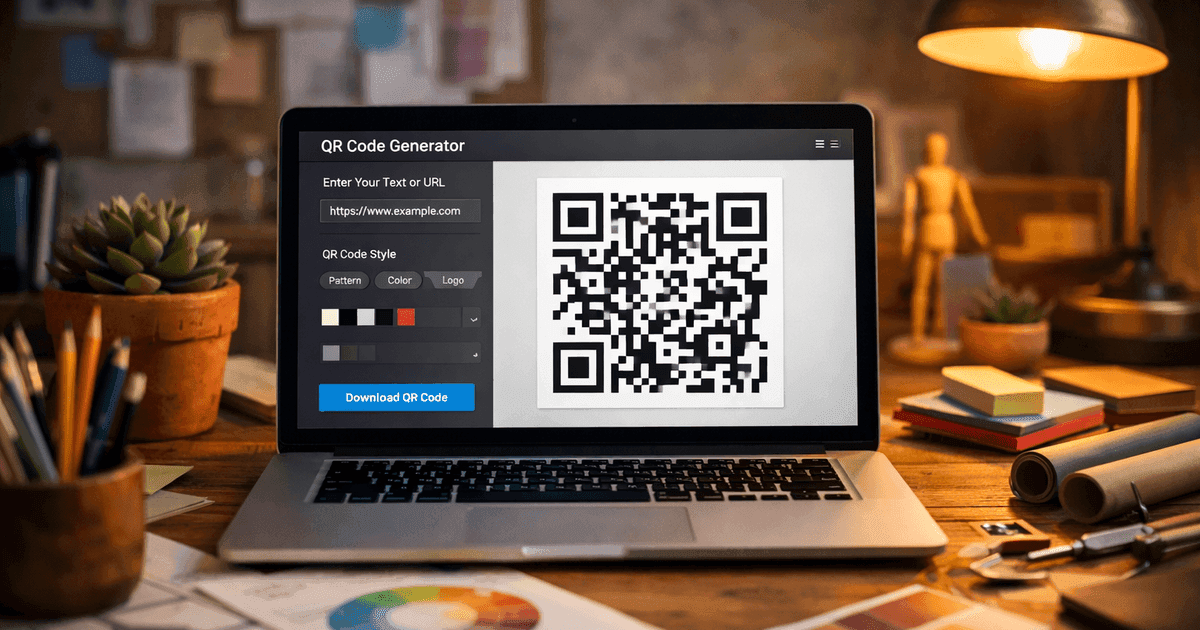

Learn how to create a QR code that drives results. This practical guide covers branded designs, dynamic tracking, and real-world uses for your business.
Creating a QR code is much simpler than you might think. For small business owners, marketers, and event organizers, these powerful little squares can bridge the physical and digital worlds in seconds. This guide provides actionable advice and clear, step-by-step instructions to help you create professional QR codes that get results.
2026 update — what changed for QR code creation this year
Re-verified June 2026. Three creation-side updates worth knowing. (1) iOS Safari and Chrome now natively show "Open Link" interstitials on opaque-domain redirects, which means dynamic codes routed through unfamiliar short-domains may prompt users before opening — branded redirect domains help. (2) Android camera apps standardized URL preview before opening, so phishing-style QR scams (sticker overlay attacks) are easier to spot. (3) Most generators added scan-loop notifications — you can now opt to get an email when your code is first scanned. QR Code Maker's "Email Sent" event covers this; check your account settings.
How do you create a QR code that won't expire?
Use a static QR code if the destination won't change — it encodes the URL/WiFi/vCard data directly in the image and works forever with no server. Use a dynamic QR code if you need to update the destination after printing, but pick a generator that doesn't kill codes on cancellation — Uniqode, QR Tiger, and Flowcode all explicitly stop resolving when you stop paying or hit the free-tier limit. QR Code Maker keeps your oldest dynamic code working on the free plan if you downgrade.
Watch: How to Create a QR Code (Video Tutorial)
Prefer watching over reading? This step-by-step video walks you through creating your first QR code with QR Code Maker, from entering your URL to customizing the design and tracking scans.
From Factory Floors to Your Fingertips
It's amazing to think that this go-to marketing tool started out tracking auto parts. Now, it's an essential way for businesses to connect with customers. That leap from industrial workhorse to digital handshake shows just how valuable QR codes have become in modern business.
Back in 1994, Denso Wave, a subsidiary of Toyota, needed a better way to track components. Traditional barcodes were slow and couldn't hold enough information, especially complex Japanese characters. Inventor Masahiro Hara, inspired by the grid-like patterns of buildings on his commute, developed the "Quick Response" code. It could hold over 200 times more data and scanned 10 times faster, even if slightly damaged.
This flowchart breaks down the basic creation process. It's as simple as it looks.
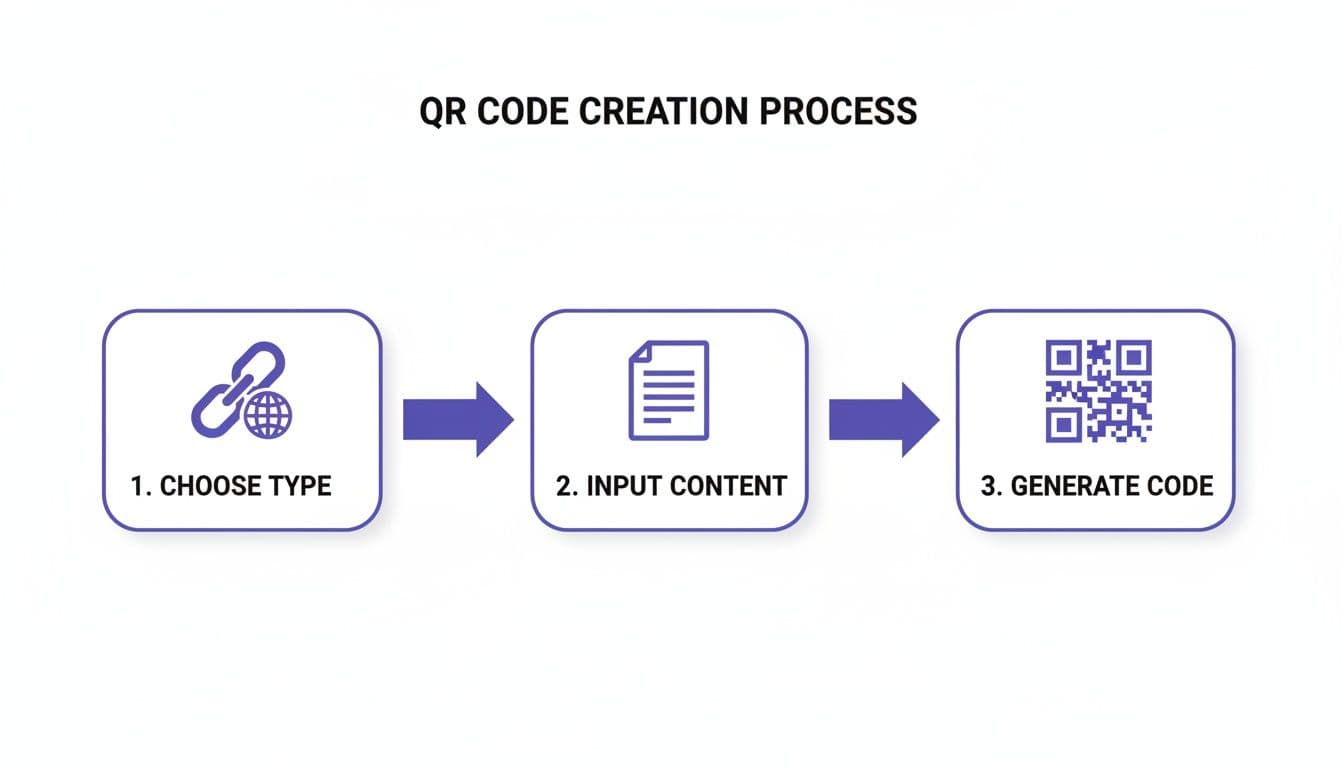
As you can see, you just decide on a purpose, input your content, and generate the code. Anyone can do it.
The Modern Way to Create a QR Code
Today, you don't need to be a developer to leverage this technology. Modern tools like QR Code Maker have made the process incredibly easy, allowing anyone to create professional, branded codes in just a few clicks. The benefits for your business are immediate:
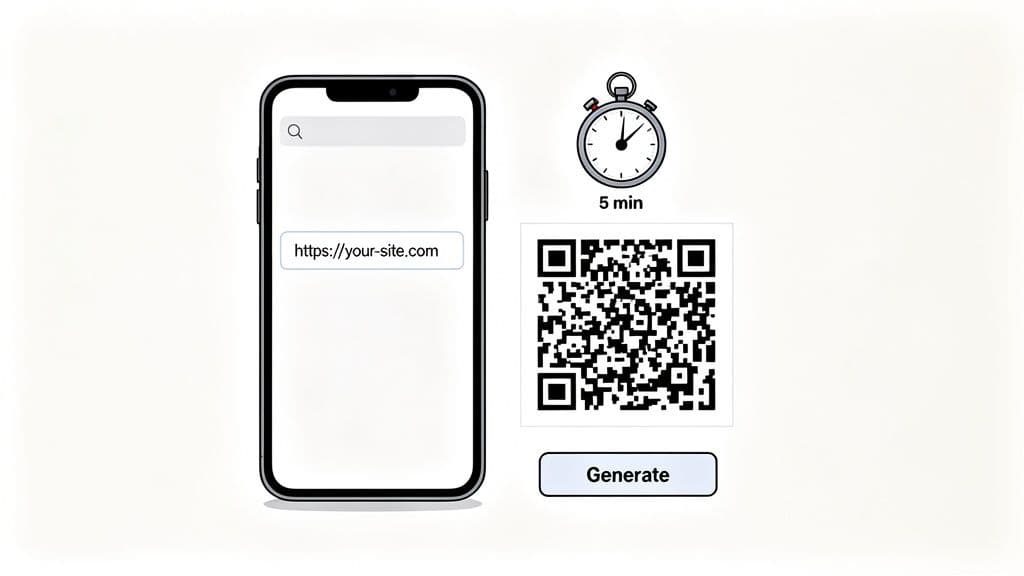
- Fast and Simple: Generate a fully functional code for your website, menu, or event in less than five minutes.
- Instant Connection: A QR code seamlessly connects your physical marketing—like a flyer or business card—to your digital presence, sending people exactly where you want them to go.
- Cost-Effective Marketing: Stop reprinting materials every time a link changes. With dynamic QR codes, you can update the destination without changing the code itself.
The best way to understand the process is to try it yourself. You can easily create a free QR code and see just how quick it is. This guide will walk you through everything else you need to know.
Choosing the Right QR Code for Your Business Goals
Before generating a QR code, ask one simple question: What do I want people to do after they scan it?
Simply linking to your homepage is a missed opportunity. The real power of QR codes is unlocked when you connect them to a clear business objective. The answer to that question will point you directly to the right type of QR code, creating a seamless path from the physical world to a specific digital action.
Matching the Code to Your Goal: Practical Use Cases
Think of each QR code type as a specialized tool. Instead of a generic link, choose a code designed for a specific purpose. This creates a better user experience and drives better results.
Here are a few real-world examples for businesses and marketers:
- Restaurants & Cafes: Use a Menu QR Code on tables. This allows diners to instantly view your digital menu, which you can update with daily specials or sold-out items without reprinting costs. For convenience, a WiFi QR Code lets guests connect to your network instantly without needing a password.
- Networking & Business Cards: Add a vCard QR Code to your business card. A quick scan saves all your contact information—name, phone, email, website—directly into a person's phone, making follow-ups effortless.
- Event Organizers: An Event QR Code is a lifesaver. Use it on badges or promotional materials to streamline check-ins, share the day's agenda, or link directly to a venue map on Google Maps.
- Marketers & Retailers: A Coupon QR Code on a product display can reveal a discount or take users to a landing page with an offer, driving immediate sales. To grow your online presence, a Social Media QR Code can link to a single page with all your profiles—Instagram, Facebook, LinkedIn, and more.
Pro Tip: Choosing the right QR code type is the difference between a scan that gets forgotten and a scan that converts. Your goal should be to make the user's next step obvious and effortless.
A Critical Choice: Static vs. Dynamic Codes
As you choose a code type, you'll face another key decision: should it be static or dynamic?
A static code's destination is embedded permanently. Once printed, you can't change where it goes. A dynamic code, on the other hand, can be updated anytime, even after it’s been printed on thousands of flyers. That flexibility is a game-changer for most business use cases.
To help you decide, here’s a quick breakdown:
Static vs Dynamic QR Codes: Which Should You Choose?
| Feature | Static QR Code | Dynamic QR Code |
|---|---|---|
| Editable After Printing | No, the destination is permanent. | Yes, you can change the link anytime. |
| Scan Tracking & Analytics | No tracking available. | Yes, provides data on scans, location, and device. |
| Best For | Permanent info like WiFi passwords or vCards. | Marketing, promotions, menus, and any campaign. |
| Dependency | Works forever, no service needed. | Requires an active subscription to function. |
For most marketing and business applications, dynamic codes are the superior choice. The ability to track performance and update content is invaluable. For a deeper dive, check out our guide on the differences between static vs. dynamic QR codes.
By tying your QR code directly to a business goal, you turn it from a simple square into a powerful tool. It becomes a measurable part of your broader small business online marketing strategies, delivering tangible results.
Designing a QR Code That Gets Noticed
A plain black-and-white QR code is functional, but it’s also a missed opportunity. To capture attention and build trust, your QR code needs to reflect your brand. Customizing your code turns it from a generic utility into a branded asset that people feel confident scanning.
Think of it this way: you wouldn't use a generic logo, so why use a generic QR code? The goal is to create something people instantly recognize as yours.
Infusing Your Brand into the Design
The first step is to move beyond the default black squares. Using a trusted solution like QR Code Maker, you get a full suite of design options to make your code stand out. This isn't just about aesthetics; a well-designed code can genuinely increase scan rates.
Start with these practical tips:
- Add Your Logo: Placing your logo in the center of the QR code is the fastest way to build recognition. It acts as a visual stamp of authenticity, telling users the code is legitimate and from a trusted source.
- Use Your Brand Colors: Swap the standard black and white for your brand’s color palette. The key is to maintain high contrast between the dark elements (the pattern) and the light elements (the background) so phone cameras can read it easily. A dark blue on a light gray will work, but a light yellow on white will likely fail.
- Customize the Pattern: You don't have to stick with squares. Experiment with different shapes for the code's pattern—like dots or rounded edges—to create a unique look that fits your brand’s personality.
Here’s a glimpse at the kind of customization options you’ll find in a professional QR code generator.
This interface shows just how simple it is to tweak colors, shapes, and add a logo to create a code that's uniquely yours.
Frame Your Code with a Call to Action
One of the most effective—and most overlooked—design elements is the frame. A simple frame provides the perfect space for a clear, concise call to action (CTA). This short phrase tells people exactly what to expect when they scan, removing any hesitation.
Best Practice: A QR code without a call to action is like a door with no sign. People don't know what's on the other side, so they’re less likely to open it.
A few simple words can make all the difference. For example:
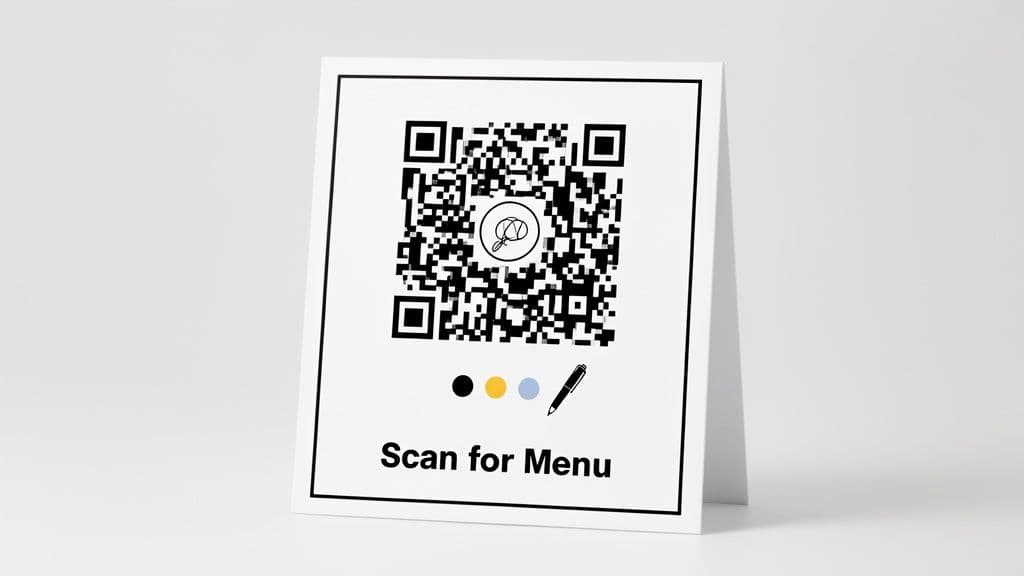
- "Scan for Menu" on a restaurant table.
- "Get 15% Off" on a retail display.
- "View Property Tour" on a real estate sign.
- "Connect to WiFi" in a café or office.
This small addition primes the user, sets expectations, and gives them a clear reason to pull out their phone. The history of QR codes shows they became mainstream when their purpose became clear and accessible, especially once Apple and Android built native scanning into their cameras.
Fast forward to today, and the US alone is projected to have 97.8 million QR code scanners by 2024, a number expected to hit 100.2 million in 2025. This massive adoption proves one thing: when QR codes are easy to use and their value is obvious, people will scan them.
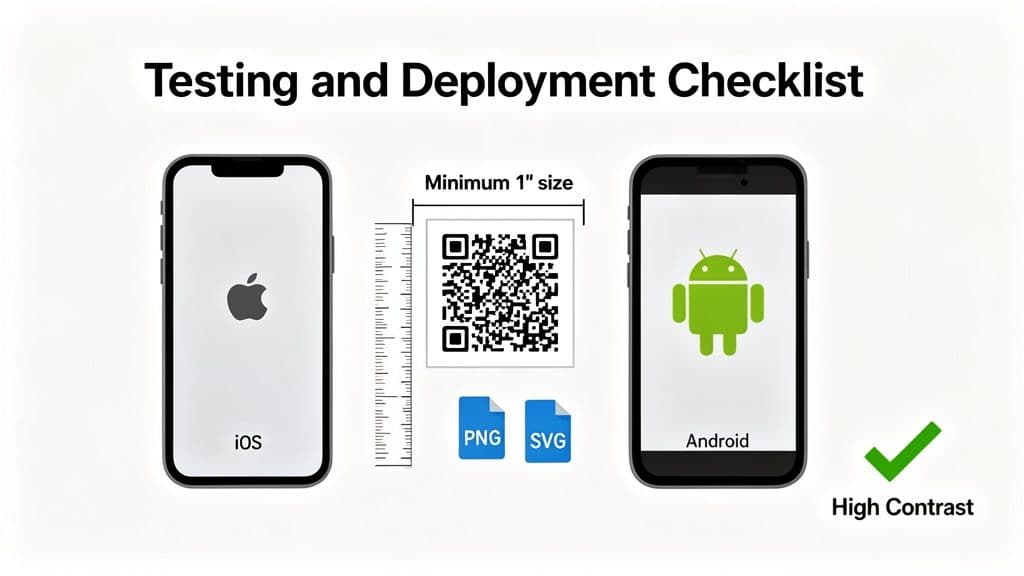
Get It Right Before You Go Live: Testing and Deployment
You’ve designed a professional, on-brand QR code. Now, before you spend money on printing, you need to test it thoroughly. A code that looks perfect on your screen is useless if it doesn't scan reliably in the real world.
The most critical step is to test it on multiple devices. A code that works flawlessly on a new iPhone might fail on an older Android device. Ask a colleague or friend to scan it with their phone. Does it work? Is it fast? This simple check can save you from printing thousands of unusable codes.
Nail the Sizing and Placement
Where you place your QR code and how big you make it are just as important as its design. One of the most common mistakes is a tiny, impossible-to-scan code tucked away in the corner of a large poster.
A good rule of thumb is the 10:1 distance-to-size ratio. If you expect someone to scan your code from 10 inches away, the code itself needs to be at least one inch wide.
Here are a few practical sizing guidelines:
- Business Cards: For items held in hand, aim for at least 1 x 1 inch.
- Restaurant Menus: On a table tent, a 1.5 x 1.5 inch code is large enough to scan comfortably from a seated position.
- Posters & Banners: If a poster is meant to be seen from 10 feet away, the code needs to be at least 12 x 12 inches to be scannable from that distance.
Best Practice: The goal is effortless scanning. Your customer shouldn't have to awkwardly zoom their camera or get uncomfortably close to a sign. Always test from the actual distance your audience will be.
Choose the Right Format for Print and Web
Finally, exporting your QR code in the right file format is crucial. The wrong choice can turn your sharp, scannable code into a blurry, unusable mess.
Here’s what you need to know:
- PNG (Portable Network Graphics): Your go-to for all digital uses. Use PNG files for your website, email signatures, or social media posts. They are universally supported online and look great at smaller sizes.
- SVG (Scalable Vector Graphics): The undisputed champion for print. Because SVGs are vector-based, you can scale them to any size—from a business card to a billboard—with zero loss in quality. Your printer will thank you.
By rigorously testing your code, getting the size and placement right, and exporting the correct file type, you ensure your QR code campaign works as intended.
Tracking Performance to Understand Your Audience
Creating a QR code is just the beginning; understanding its real-world impact is where you'll find the most value. This is why dynamic QR codes are so essential for businesses. Instead of launching a campaign and hoping for the best, you can measure exactly how people interact with your code, turning guesswork into actionable insights.
This data is more than just numbers on a screen. It's a direct line into your customers' behavior, telling you what’s working and what isn’t. By tracking performance, you can refine your strategy on the fly and demonstrate the ROI of your marketing efforts.
Unlocking Key Metrics with Analytics
With a platform like QR Code Maker, the analytics dashboard becomes your command center, breaking down user engagement into clear, understandable metrics.
Here are the essential data points you can track:
- Total Scans: The big-picture number showing overall engagement with your code. It's the perfect metric for gauging the initial success and reach of your campaign.
- Unique Scans: This tells you how many individual people scanned your code, helping you understand your true audience size.
- Scans by Location: See exactly where your scans are coming from by city and country. This is incredibly useful for local businesses or marketers running geographically targeted campaigns.
- Scans by Device: Find out if your audience is primarily using iPhone or Android. This can help you optimize the destination landing page for the dominant mobile OS.
- Scans Over Time: Track engagement on a daily, weekly, or monthly basis to identify peak activity times and measure the longevity of your campaign.
Pro Tip: The real power isn't just seeing the data; it's in asking why. A spike in scans on a Saturday might be tied to a weekend promotion, while consistent after-hours scans could reveal a customer behavior you never knew about.
Turning Data into Actionable Strategy
This information is only valuable if you use it to improve your approach. Your QR code analytics can uncover hidden opportunities and help you allocate resources more effectively.
Imagine you're a retailer who places a dynamic QR code in your storefront window. After a week, you check the analytics and discover that 70% of the scans are happening between 7 PM and 10 PM, long after you’ve closed. This is a goldmine of information.
This insight tells you people are interested in your products even when you're not open. To capitalize on this, you could change the QR code's destination to an exclusive "after-hours" online discount, capturing sales that would have otherwise been lost. That's how you make a QR code work for you 24/7.
For a deeper look into monitoring your campaigns, check out our guide on how to track QR code scans. By leveraging these insights, you can continuously optimize your campaigns, justify your marketing spend, and build a stronger connection with your audience.
Common Questions About Creating QR Codes
Even with the best plan, questions can arise. Getting the small details right is what separates a successful QR code campaign from one that falls flat. Here are answers to some of the most common questions from business owners and marketers.
These quick answers should clear up any lingering confusion and reinforce the key best practices we've covered.
Can I Change a QR Code After Printing It?
This is one of the most important questions, and the answer depends on whether you created a dynamic or static code.
If you chose a dynamic QR code, then yes, absolutely. You can change the destination link or update its content at any time without altering the printed code. This is why dynamic codes are the standard for marketing campaigns, restaurant menus, and event schedules.
However, if you used a static QR code, the answer is no. The destination is permanently encoded in the pattern. To change where it points, you must generate a new QR code and reprint all your materials.
What Is the Best Size to Print a QR Code?
Size and scanning distance are directly related. A code that's too small for its placement is effectively invisible to a phone's camera.
A solid rule of thumb is the 10:1 distance-to-size ratio. In simple terms, for every 10 inches of scanning distance, the QR code should be at least 1 inch wide.
Best Practice: For anything scanned up close—like business cards, product packaging, or table tents—a minimum size of 1x1 inch (about 2.5x2.5 cm) is the safest bet. Always test your printed code from its intended viewing distance before committing to a large print run.
Do QR Codes Expire?
This is a common point of confusion. Here is the straightforward answer:
- Static QR codes never expire. They are self-contained and will work forever, as long as the website or content they link to remains online.
- Dynamic QR codes depend on the service you used to create them. With a reputable platform like QR Code Maker, your dynamic codes remain active as long as you have an active account—including our free plan. A trusted solution will not hold your links hostage.
Are QR Codes Safe for My Business and Customers?
Security and trust are paramount. When created through a professional, secure platform, QR codes are completely safe. A good generator builds in security features like data encryption to protect the information you are linking to.
For your audience, a professional-looking, branded QR code immediately signals that it's legitimate. Adding your logo and brand colors builds instant confidence, telling customers that the link is from you and is safe to scan. This small detail protects your brand's reputation and ensures a positive user experience.
Ready to create a professional QR code that gets results? With QR Code Maker, you can design, manage, and track beautiful, branded QR codes in minutes. Start creating your QR code today!
Frequently Asked Questions
What are the main benefits of using QR codes for my business?
QR codes provide fast and simple connections between physical marketing materials and digital content, enhancing customer engagement and reducing printing costs.
How do I decide between a static and dynamic QR code?
Choose a static QR code for permanent information and a dynamic QR code for marketing campaigns that require updates and tracking.
Can I customize the design of my QR code?
Yes, you can customize your QR code by adding logos, changing colors, and altering patterns to match your brand identity.
What is the best size for a QR code on a business card?
A QR code on a business card should be at least 1 x 1 inch to ensure it is easily scannable.
How can I test if my QR code works properly?
Test your QR code on multiple devices to ensure it scans correctly and quickly before printing it on materials.
Ready to create your QR code?
Free forever for static codes. Pro features with 14-day trial, no credit card required.

Irina Aguiar
·Content LeadIrina Aguiar leads content strategy at QR Code Maker, where she has written extensively on QR code technology, marketing, and business operations. Her work ranges from technical explainers on how QR codes are generated and how error correction works to practical guides on QR marketing, automation, and scan analytics — plus hands-on tutorials covering Python, Google Sheets, and Zapier integrations. She also publishes honest competitor comparisons and industry-specific playbooks for retail, real estate, hospitality, healthcare, and events.
More from Irina Aguiar →Related Articles
The 12 Best QR Code Monkey Alternative Tools in 2026
Searching for a QR Code Monkey alternative? Discover the 12 best QR code generators for creating dynamic, branded, and trackable codes for your business.
How to Create a Custom QR Code With a Logo People Will Actually Scan
Learn how to create a custom QR code with logo that boosts engagement. Our guide offers actionable tips for marketers and small businesses to stand out.
Survey QR Code: Your Guide to Gathering Feedback Instantly
Learn how to create a dynamic survey QR code to collect valuable customer feedback instantly. Our guide covers everything from creation to analysis.