
How to Increase Google Reviews: Learn proven strategies to boost ratings with templates, QR codes, and feedback management for local search results.
Getting more Google reviews isn't just about chasing a high star rating; it's about building a powerful digital reputation that actively brings new customers through your door. For small businesses, marketers, and event organizers, the secret is simple: deliver amazing service, then make it ridiculously easy for happy customers to share their experience. This is where QR codes become your most powerful tool.
Why Google Reviews Fuel Local Business Growth
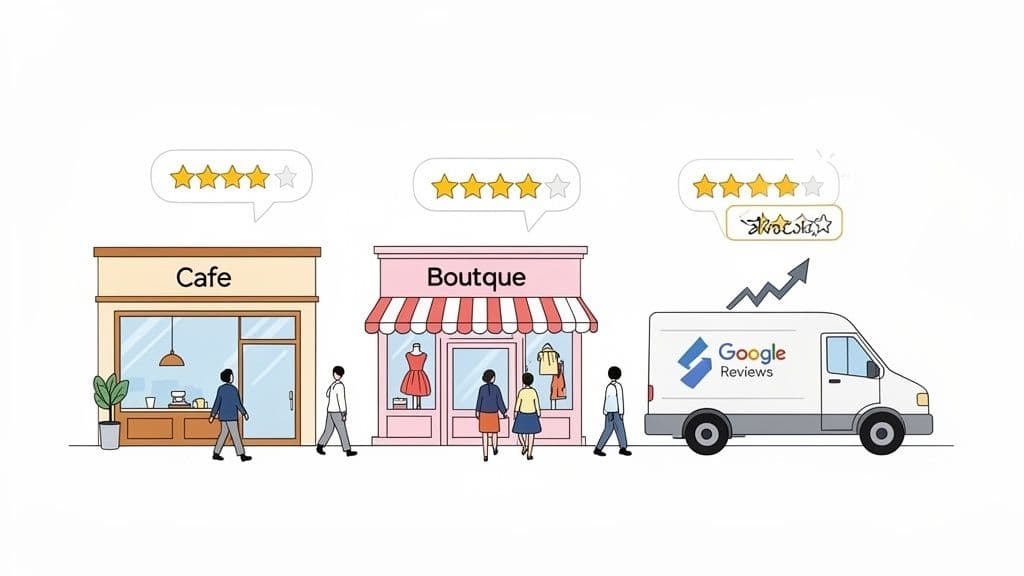
Before we get into the "how," let's talk about the "why." Google reviews are modern-day word-of-mouth. They are a core piece of local marketing that directly impacts your visibility, credibility, and ultimately, your bottom line.
Think about it from a customer's perspective. Choosing a local business often feels like a gamble. Your Google Business Profile is their first interaction with you, and the reviews are the most trusted part of that introduction. They offer the social proof people need to feel confident in their choice.
The Undeniable Power of Social Proof
Picture the typical customer journey. Someone needs a plumber, is hunting for a new cafe, or wants to find a unique local shop. What's the first thing they do? A Google search.
When Google shows them the local map pack, which listing do they click? Almost always, it's the one with a healthy stream of recent, positive feedback.
In a world where 83% of consumers read Google reviews before choosing a local business, your profile can make or break a sale. According to BrightLocal's 2025 Local Consumer Review survey, Google is still the undisputed king of review platforms. This powerful social proof tells potential customers that your business is active, trusted, and valued by the community. To dig deeper, check out these proven tactics to boost your Google reviews and build that essential trust.
Real-World Scenarios for Local Businesses
Let's move beyond theory and see how this plays out every day.
-
For a Cafe: A tourist searches "best coffee near me" and sees two options. One has 15 reviews and a 4.2-star average, with the last review from six months ago. The other has 150 reviews, a 4.8-star rating, and fresh comments from last week praising the friendly staff. The choice is a no-brainer.
-
For an Event Organizer: After a successful conference, attendees receive a follow-up email. A QR code in the email makes it simple for them to leave feedback about the venue, speakers, and overall experience while it's still fresh in their minds.
-
For a Retail Store: Someone is looking for a unique gift shop. They spot a boutique with reviews that highlight its curated selection and helpful owner. Suddenly, that shop isn't just a dot on the map; it’s a destination.
In every case, the reviews did more than provide a rating. They told a story that built confidence and drove a specific action—a visit, a call, or a purchase.
Direct Impact on Local SEO Rankings
Your reviews are one of the heaviest-hitting factors in Google's local search algorithm. Google’s whole mission is to serve up the best, most relevant results. A business with a high volume of positive reviews sends a massive signal of authority and relevance.
A steady flow of fresh reviews tells Google that your business is active, credible, and consistently delivering value. This translates directly into higher visibility in local search and Google Maps.
The data backs this up. Take a look at the clear correlation between review count and search position.
| How Google Reviews Directly Impact Local SEO Rankings | | :--- | :--- | | Google Search Position | Average Number of Reviews | | Top 3 Positions | 240 | | Positions 4–10 | 170 | | Source: Localo analysis of over 2 million profiles |
As you can see, businesses ranking in the top three spots have significantly more reviews. It’s not a coincidence.
This creates a powerful feedback loop: more reviews lead to better rankings, which drives more visibility, which in turn brings in more customers who can leave even more reviews.
Make It Dead Simple for Customers to Leave a Review
The single biggest roadblock between you and a flood of new Google reviews is friction. Even your happiest, most loyal customers probably won't leave feedback if the process is a pain. If it’s confusing, takes too long, or involves a bunch of clicks, they'll just give up. Your job is to tear down every single one of those barriers.
The journey from happy customer to five-star reviewer should take seconds, not minutes. This means giving them a direct line to your review page, skipping all the extra steps of searching for you on Google Maps.
Create and Share Your Direct Review Link
First things first, you need to grab your unique Google review link. You can find this right inside your Google Business Profile dashboard. But let's be honest, that long, messy URL Google gives you isn't something you can easily share on printed materials or tell someone verbally.
This is where a QR code comes in. It takes that long link and turns it into a scannable image, making it perfect for physical marketing materials.
The Power of a Simple Scan
While a short link is great for emails and texts, the absolute best way to get reviews from in-person customers is a QR code. A quick scan with a smartphone camera is the lowest-effort action you can ask someone to take. Seriously, it's almost effortless.
This simple little square bridges the gap between their physical experience with you and the digital world of reviews. It lets you ask for feedback at the exact moment they're feeling great about your service. You're not asking them to remember to do it later—you're empowering them to do it right now.
For a professional look that aligns with your brand, use a trusted tool like QR Code Maker to create a QR code for Google reviews that features your own logo and brand colors. This reinforces your identity and builds trust with customers.
The screenshot below shows just how easy it is to customize a code.
As you can see, modern tools let you do more than just generate a black-and-white box. You can bake your branding right into the design, making the whole experience feel more integrated and trustworthy for your customers.
Practical QR Code Examples for Any Business
Putting QR codes into your customer's path is a total game-changer for getting more Google reviews. The trick is to place them at natural touchpoints where satisfaction is likely to be at its peak.
Here are a few actionable ideas that just plain work:
- Restaurants and Cafes: Pop a small, classy QR code on table tents or right at the bottom of the bill. A simple prompt like, "Enjoyed your meal? Share your experience on Google!" is all it takes. You can even create a QR code for your WiFi that also prompts for a review after they connect.
- Retail Stores: Print the QR code directly on receipts or on small cards you can slip into their shopping bags. This gives them a physical reminder to leave feedback when they get home and unbox their new purchase.
- Service-Based Businesses: For plumbers, electricians, or consultants, including the review QR code on the final invoice is a brilliant move. Right after a job well done is the perfect time to capture that positive glow.
- Events and Venues: Event organizers can display QR codes on signs near the exit or include them in "thank you for coming" emails. This grabs feedback while the awesome experience is still fresh in their minds.
- Business Cards: A dynamic QR code on your business card is a fantastic networking tool for marketers and small business owners. It can send new contacts to your website, your portfolio, or directly to your Google reviews page to showcase your reputation.
By making the review process a one-scan action, you capture feedback at the peak of customer satisfaction. This dramatically increases the odds they'll actually follow through.
This immediate, low-friction approach shows you respect your customer’s time while maximizing your chances of getting the valuable social proof your business needs. For those looking to take it a step further, you can even explore how a dedicated Maps Reviews loyalty feature can be used to reward customers for their feedback.
Ultimately, making it effortless is the core of any successful strategy to get more Google reviews.
Mastering the Art of the Ask: When and How to Request Reviews
Making it easy for customers to leave feedback with a QR code is a great start, but knowing when and how to ask for a review is the real key to boosting your Google review count.
It all comes down to timing. The goal is to connect with your customers during their moment of peak satisfaction—that perfect window when their positive experience is fresh in their mind and they’re most willing to share it.
This moment looks different for every business. It’s a specific touchpoint in the customer journey where you've delivered maximum value and the customer feels great about their decision to choose you. Nailing this is how you turn happy customers into your best advocates.
Pinpointing the Perfect Moment to Ask
Think about your business from the customer's perspective. When are they happiest? Your review request should feel like a natural extension of great service, not an annoying chore you’re adding to their to-do list.
Here are a few actionable examples of when to make the ask:
- For a Salon or Spa: The perfect time is right after the "big reveal"—when a client sees their new hairstyle in the mirror for the first time or feels completely blissed out after a massage. As they're checking out, a simple verbal prompt paired with a QR code at the counter is incredibly effective.
- For an Online Store: Whatever you do, don't ask for a review on the order confirmation page. They haven't even received the product yet! Instead, wait 3-5 days after the delivery confirmation. This gives them time to unbox, use, and fall in love with their purchase. An automated follow-up email at this point works wonders.
- For a Mechanic or Repair Service: The best moment is when you hand the keys back. Their car is fixed, their problem is solved, and they feel a huge sense of relief and gratitude. A QR code on the final invoice or a follow-up text a day later can capture this positive wave.
This flowchart maps out a simple in-person workflow for capturing feedback, ensuring you're prepared for any customer response.
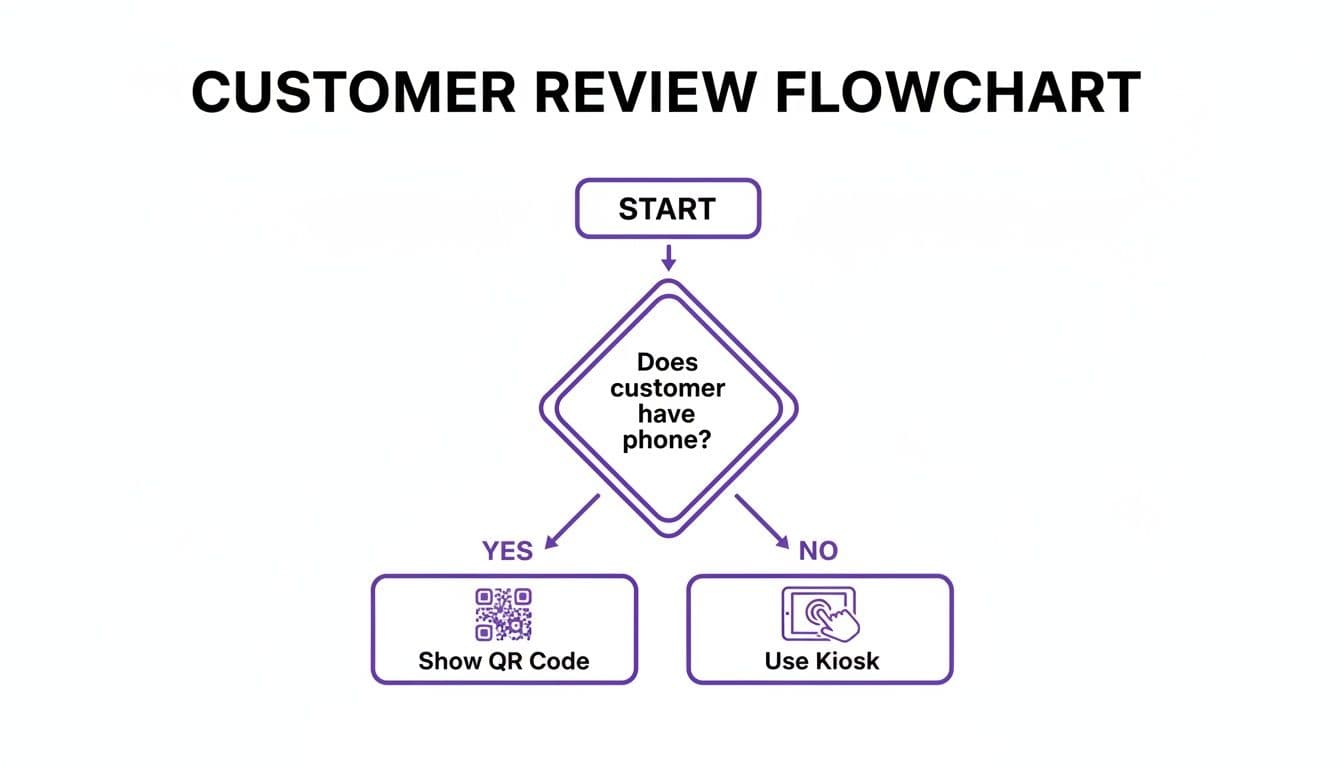
The key takeaway here is to have a primary method (like a QR code) and a backup plan ready. This way, you never miss a chance to gather valuable feedback on the spot.
Crafting a Winning Request
How you phrase your request matters just as much as when you send it. Ditch the generic, pushy language. Frame your ask as a request for feedback that helps both your business improve and future customers make better choices. People are way more likely to respond when they feel their opinion is genuinely valued.
Here are a few simple, effective scripts you can adapt:
In-Person Script for Your Team:
"We're so glad you enjoyed your [meal/service/experience] today! If you have a moment, we'd be so grateful for your feedback on Google. It really helps other people find us."
Email Request Template: Subject: How did we do, [Customer Name]?
"Hi [Customer Name],
Thanks again for choosing us! We hope you're loving your new [Product Name].
Would you be willing to share your experience on Google? Your feedback helps us improve and guides other customers. It only takes a minute!
[Link to Your Google Review Page]"
SMS Request Template:
"Hi [Customer Name]! Thanks for visiting [Your Business Name]. We'd love to hear your thoughts on your experience. Leave a quick review here: [Shortened Review Link]"
Notice a pattern? Each request is personal, brief, and explains the "why" behind the ask.
Using Smart QR Codes to Filter Feedback
Let's be real: not every customer experience is perfect. A smart approach to review collection not only encourages positive reviews but also helps you manage negative feedback privately before it hits your public profile. This is where a specialized QR code becomes a total game-changer.
Using a trusted solution like QR Code Maker, you can create a single QR code that intelligently routes customers based on how they feel. You can learn more about setting up a powerful review flow using QR codes to protect your online reputation.
Here’s how it works:
- The Initial Scan: The customer scans a QR code that asks a simple question, like "How was your experience today?" with "Great" and "Could be better" options.
- Positive Feedback Route: If they click "Great," they are immediately sent to your Google Reviews page to share their positive experience publicly. Easy.
- Constructive Feedback Route: If they click "Could be better," they are routed to a private feedback form. This lets them voice their concerns directly to you, giving you a chance to resolve the issue offline.
This strategy nails two critical goals at once: it makes it seamless for happy customers to leave glowing reviews while giving dissatisfied customers a direct channel to be heard. You gain valuable insights to improve your business and protect your public rating at the same time.
Your Strategy for Responding to Every Review
Getting a customer to leave a review is a huge win, but your job isn’t done yet. What you do next—your public response—sends a powerful signal to the original reviewer and every single potential customer who reads it.
Responding shows you’re engaged, you care about what people think, and you’re a professional business that values its customers. Failing to reply, especially to negative comments, just looks like you don’t care. On the other hand, a thoughtful response can turn an angry customer into a loyal one and make happy customers feel like VIPs.
Acknowledging Your Fans The Right Way
Let’s start with the easy one: positive reviews. Responding to happy customers is one of the simplest ways to build loyalty. It validates their great experience and makes them feel genuinely appreciated. A simple "thank you" is good, but a personalized response is so much better.
The key is to avoid sounding like a robot. Don't just copy-paste the same generic reply over and over. Instead, mention something specific from their review. This proves you actually read what they wrote and aren't just going through the motions.
Here are a few simple frameworks you can adapt:
- For a specific compliment: "Thanks so much for the kind words, [Customer Name]! We're so glad you enjoyed the [Specific Dish/Product Mentioned]. Our team works really hard on that, and it’s awesome to hear it’s appreciated!"
- For a general positive experience: "We really appreciate you taking the time to share your experience, [Customer Name]! It was a pleasure having you, and we hope to see you again soon."
- For a repeat customer: "It’s always great to see you, [Customer Name]! Thanks for being such a loyal customer. We can’t wait for your next visit!"
Responding to positive reviews isn't just about being polite; it's a marketing move. It encourages that reviewer to come back and shows potential customers the high level of service they can expect.
A Framework for Handling Negative Feedback
No business gets it right 100% of the time. A negative review is going to happen, so you need a plan. How you handle it in public can literally define your reputation.
Your goal here isn't to win an argument. It's to show everyone that you're a professional who takes feedback seriously and works to solve problems. This tells other potential customers that even if something goes wrong, you’ll be there to make it right.
Stick to this three-step process:
- Thank Them and Acknowledge Their Issue: Kick things off by thanking them for the feedback. Name the specific problem they mentioned so they know you’ve actually read their complaint. Something as simple as, "Thank you for bringing this to our attention," is a solid start.
- Apologize Sincerely: Offer a real apology for their bad experience. This is not the time for excuses. A phrase like, "We're very sorry to hear that your experience didn't meet expectations," works well.
- Offer a Solution and Take It Offline: This is critical. Don't get dragged into a public back-and-forth debate. Provide a direct way for them to contact you privately—an email address or a phone number—to resolve the issue. For example: "We'd like the opportunity to make this right. Could you please contact our manager, [Name], at [email/phone] when you have a moment?"
This approach almost always de-escalates the tension and moves the conversation to a more productive, private setting.
Identifying and Flagging Fake Reviews
Unfortunately, not every bad review is from a real customer. You might get hit by a competitor, a disgruntled ex-employee, or someone who has never even set foot in your business. These fake reviews are not just unfair; they violate Google's policies.
If you have a strong reason to believe a review is fake, you have every right to flag it for removal. Here’s what to look for:
- The reviewer has zero other reviews or a history of leaving only 1-star bombs for other businesses.
- The comment is incredibly vague, with no specific details about their "experience."
- The review mentions competitors by name or includes links.
- The name on the review doesn't match anyone in your customer records.
To flag a review, just navigate to it in your Google Business Profile, click the three-dot menu, and choose "Report review." You'll need to explain why you think it violates Google's policies. While removal isn't guaranteed, it’s a necessary step to protect your profile from bogus attacks.
Turning Your Best Reviews into Marketing Assets
Your glowing Google reviews are far too valuable to just sit on your Business Profile. Think of each five-star rating as a powerful piece of marketing content just waiting to be unleashed. When you strategically showcase this social proof, you transform passive feedback into an active engine for attracting new customers.
This isn't just about patting yourself on the back. It's about building trust at every single touchpoint. When a potential customer sees real people praising your business, it gives them the confidence they need to pull the trigger. In a way, this strategy turns your happiest customers into your most effective sales team.
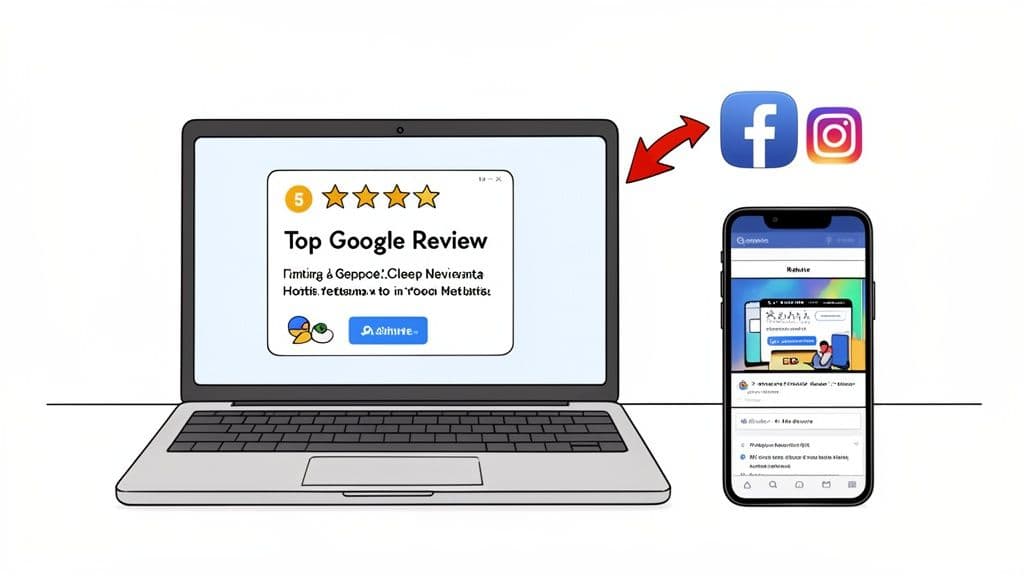
Embed a Live Review Feed on Your Website
Your website is your digital storefront, and it's the perfect place to put your best foot forward. Instead of manually copying and pasting reviews (which can look a bit dated), you can use a widget or plugin to embed a live feed of your Google reviews directly onto key pages.
We've seen this work wonders. Try placing the feed on your homepage, service pages, or even your contact page. It provides instant credibility to visitors, showing them up-to-the-minute proof that you consistently deliver great experiences. Honestly, it tells a more powerful story than any marketing copy ever could.
Create Compelling Social Media Content
Your social media channels are ideal for amplifying your best feedback. But please, don't just share a clunky screenshot of a review. Turn it into a genuinely engaging piece of content.
- Design a Simple Graphic: Hop into a tool like Canva and drop the text of a fantastic review onto a branded template. Add your logo, maybe a customer photo (with permission!), and you’ve got an eye-catching post.
- Tell the Story Behind the Review: This is where you can really connect. In your caption, briefly share the context of that customer's experience. It adds a human element that makes the testimonial so much more relatable.
- Tag the Customer: If it feels right, tag the reviewer in your post. This shows you genuinely appreciate them and can help the post reach their network, too.
This simple approach keeps your feed fresh with authentic content that builds trust with your followers. It's a low-effort, high-impact way to let others do the selling for you.
A single, well-designed testimonial post can be more persuasive than a dozen promotional ads. It’s authentic, trustworthy, and speaks directly to what potential customers actually care about.
Integrate Review Snippets into Email Marketing
Your email list is a direct line to your most engaged audience, so don't forget to sprinkle in some social proof here as well. Weaving review snippets into your newsletters and automated campaigns can give them a real boost.
For example, when promoting a specific service, why not include a short, punchy quote from a review that praises that exact offering? This adds a layer of proof right at the moment a subscriber is considering a purchase. You could also feature a "Review of the Month" in your newsletter to consistently remind your audience of the great work you're doing.
These small additions reinforce your value and can tip the scales for someone on the fence. The goal is to make social proof an integral part of your communication, not just an afterthought. When you are asking for action, you can learn more about crafting effective prompts by reviewing these QR code call-to-action examples, as many of the same principles apply. By turning praise into marketing, you complete the cycle—using great feedback to attract the next wave of happy customers.
Common Questions About Getting More Google Reviews
As you start putting these strategies into action, a few questions always seem to pop up. Navigating Google's rules and figuring out the best approach can feel a bit tricky, so let's clear up some of the most common uncertainties. Getting this right is key to building a review engine that’s strong, ethical, and actually lasts.
Can I Offer Discounts for Google Reviews?
Let's get this one out of the way first: The answer is a hard no.
Offering any kind of incentive—discounts, gift cards, freebies—in exchange for a review is a direct violation of Google's policies. This is sometimes called "review gating," and it can land you in hot water. We're talking about having your reviews removed or even your whole business profile penalized.
Google’s entire system is built on providing authentic, unbiased feedback. Incentives completely undermine that trust.
The only sustainable strategy is to deliver an exceptional experience and then make it ridiculously easy for genuinely happy customers to share their thoughts. This is where QR codes shine—they simplify the process without breaking any rules.
How Many Reviews Do I Need to See a Difference?
There isn't a magic number, but here’s what really matters: consistency.
Data shows that top-ranking local businesses almost always have more reviews than their competition. But more importantly, they have a steady stream of new ones coming in. Instead of fixating on a specific target, focus on generating a few new, positive reviews every single month.
This consistent activity signals to Google that your business is active, relevant, and keeping customers happy right now. A great starting point? Aim to surpass your direct local competitors, then just keep the momentum going from there.
What Is the Best Way to Ask Without Being Pushy?
The secret is to weave the "ask" into your normal customer interactions so it feels natural, not like a demand. You're not asking for a favor; you're inviting them to share feedback that helps both your business improve and future customers make better decisions. The tone should always be appreciative and low-pressure.
Here are a few practical tips to nail the delivery:
- In Person: A simple, friendly mention at the end of a great interaction is incredibly effective. Something like, "We loved having you today! If you have a moment, we'd be so grateful for your feedback on Google."
- Via Email or SMS: Keep it short and sweet. Explain why their review matters and—most importantly—give them a direct link or QR code so they don't have to do any work.
- On Printed Materials: A QR code on a receipt, business card, or table tent with a simple prompt like "Share Your Experience" is a fantastic passive approach that works around the clock.
I Have No Reviews. Where Do I Start?
Starting from zero can feel intimidating, but think of it as a clean slate. Your very first move should be to personally reach out to a handful of your most recent, happiest customers. I’m not talking about a mass email blast. Pick up the phone or send a personal note to a few loyal clients you have a great relationship with and ask if they'd be willing to share their experience.
Make it foolproof for them by sending a direct link straight to your Google review page.
At the same time, you need to set up a system for all future customers. This is where you can put the strategies in this guide to work immediately. A branded QR code from a trusted solution like QR Code Maker placed at your checkout counter, on invoices, or on table tents is the single best way to start building that foundation of authentic reviews from day one.
Ready to make it effortless for your customers to leave five-star reviews? With QR Code Maker, you can create a branded, trackable QR code that sends happy customers directly to your Google review page. Start building your online reputation today by visiting https://qr-code-maker.app.
Frequently Asked Questions
How do QR codes help increase Google reviews?
QR codes provide a quick and easy way for customers to access your Google review page, reducing friction in the feedback process.
What is the best time to ask for a review?
The best time to ask for a review is during moments of peak customer satisfaction, such as right after a service or purchase.
Can I customize my QR code for reviews?
Yes, you can customize your QR code with your logo and brand colors using tools like QR Code Maker, which enhances brand recognition.
Where should I place QR codes to get more reviews?
Place QR codes at natural touchpoints, such as on receipts, table tents, or follow-up emails, where customers are likely to feel satisfied.
Is it effective to ask for reviews via email?
Yes, sending a follow-up email with a QR code a few days after a purchase can effectively capture feedback while the experience is still fresh.
Ready to create your QR code?
Free forever for static codes. Pro features with 14-day trial, no credit card required.

Irina Aguiar
·Content LeadIrina Aguiar leads content strategy at QR Code Maker, where she has written extensively on QR code technology, marketing, and business operations. Her work ranges from technical explainers on how QR codes are generated and how error correction works to practical guides on QR marketing, automation, and scan analytics — plus hands-on tutorials covering Python, Google Sheets, and Zapier integrations. She also publishes honest competitor comparisons and industry-specific playbooks for retail, real estate, hospitality, healthcare, and events.
More from Irina Aguiar →Related Articles
Survey QR Code: Your Guide to Gathering Feedback Instantly
Learn how to create a dynamic survey QR code to collect valuable customer feedback instantly. Our guide covers everything from creation to analysis.
The 12 Best QR Code Monkey Alternative Tools in 2026
Searching for a QR Code Monkey alternative? Discover the 12 best QR code generators for creating dynamic, branded, and trackable codes for your business.
A Guide to Using a QR Code for Inventory Management
Learn how to use a QR code for inventory to boost accuracy, streamline operations, and reduce errors. Your practical guide for small businesses.