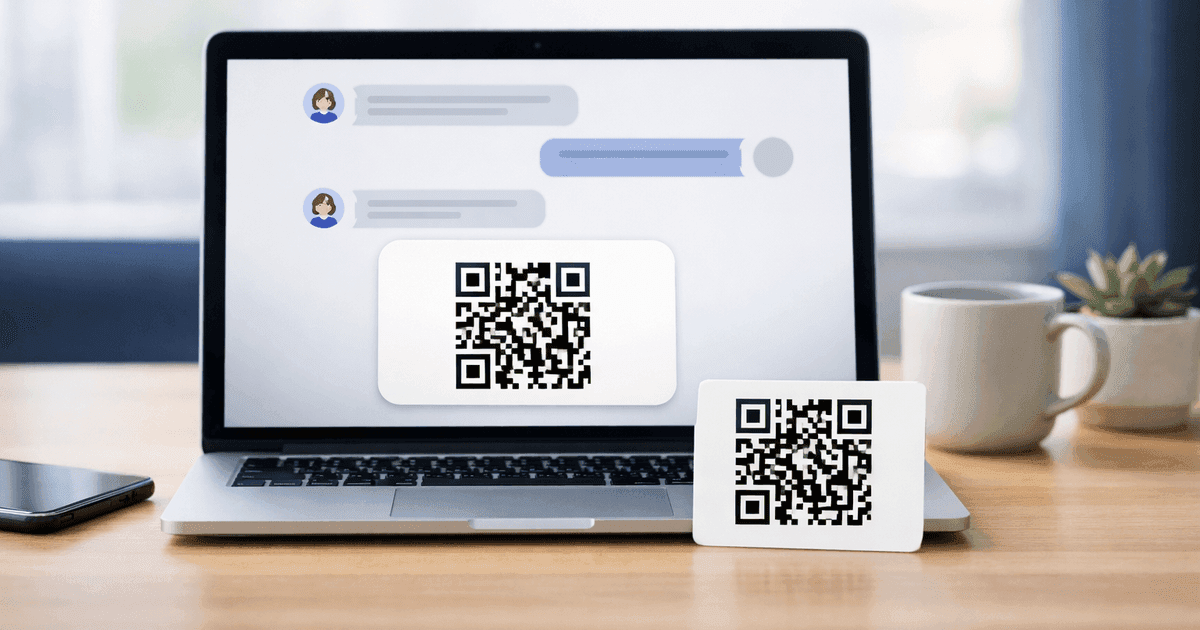

Generate customizable QR codes directly inside ChatGPT. Supports URLs, WiFi, vCards, calendar events, email, phone, and plain text — with an interactive styling widget and PNG/SVG export.
QR Code Maker is now a native app inside ChatGPT. Ask ChatGPT to make a QR code, and the interactive builder appears in the conversation — full styling controls, live preview, and high-quality PNG or SVG export without leaving the chat.
The listing is live on OpenAI's app directory: QRCM on ChatGPT.
How it works
Open any ChatGPT conversation and type a natural request, for example:
Help me make a QR code to calendly.com/demo
ChatGPT calls the QRCM app, which responds with an interactive widget pinned to the message. You can:
- Switch between nine quick-style presets (Classic, Ocean, Forest, Sunset, Purple, Gold, Midnight, Dark Ocean, Neon)
- Set custom foreground and background hex colors
- Upload a logo to embed in the center
- Pick one of six dot styles (Square, Rounded, Dots, Classy, Classy Rounded, Extra Rounded)
- Configure corner styles (outer/inner) and add an optional frame with a text label
- Download the result as PNG or SVG
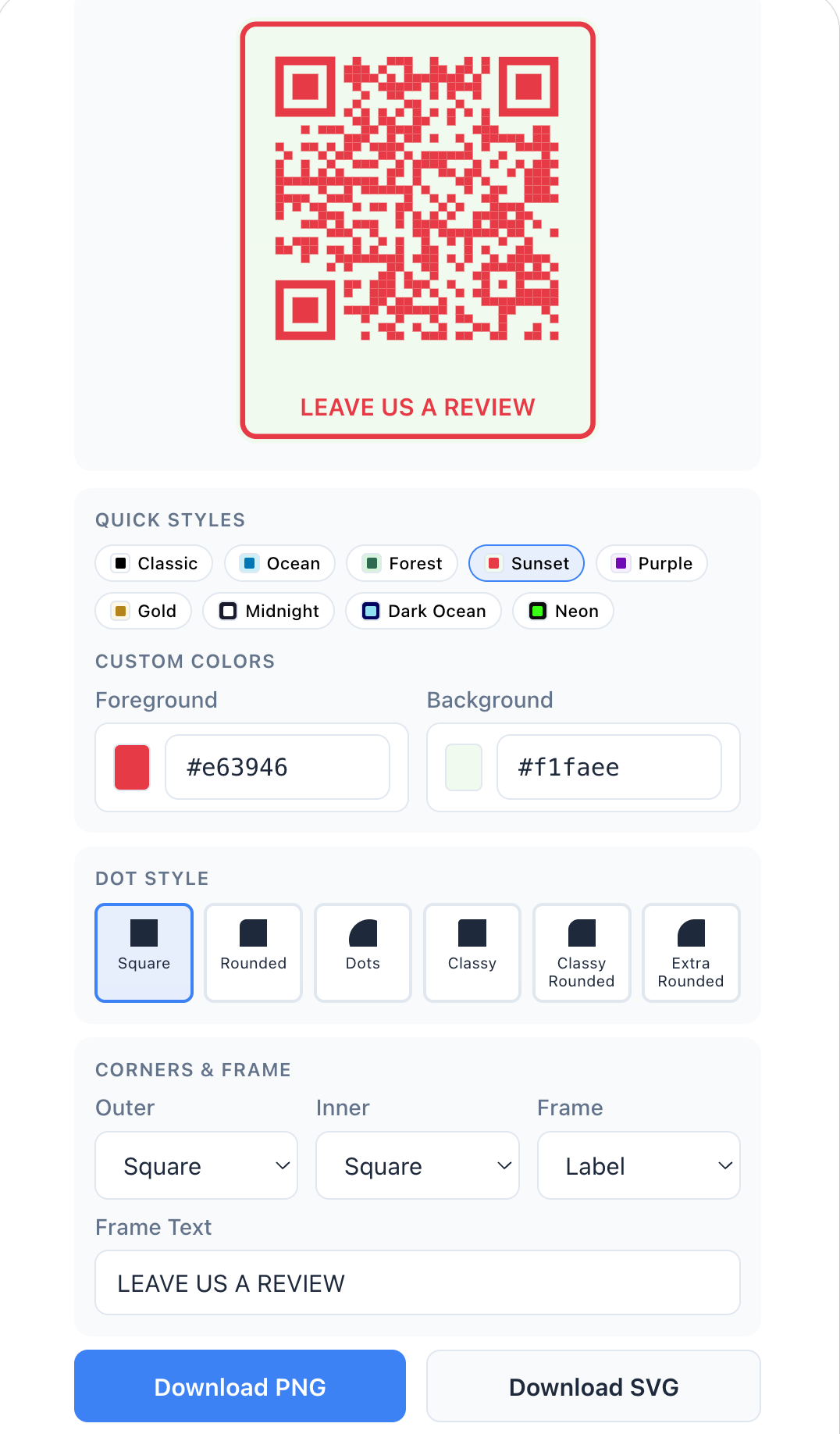
All controls live directly inside the chat widget — preview, palette, colors, dot style, frame, and export.
Everything happens in-chat. No redirect, no signup prompt for basic use.
Supported content types
The widget recognizes seven QR content formats, matching the tools available on qr-code-maker.app/tools:
| Type | Example prompt |
|---|---|
| URL | "Make a QR code for my Calendly link" |
| WiFi | "Create a WiFi QR for network 'HomeWiFi', password 'letmein', WPA2" |
| vCard | "QR code with my contact card: Alberto Horihuela, founder, qr-code-maker.app" |
| Calendar event | "QR for a meeting on May 1 at 2pm called 'Product sync'" |
| "QR that opens email to support@qr-code-maker.app" | |
| Phone | "QR that dials +1 415 555 0100" |
| Plain text | "QR containing the text 'Hello from the conference'" |
ChatGPT parses your natural-language request and fills the widget fields. You can override anything by editing the widget directly.
Why we shipped it
Short version: people already ask ChatGPT to make QR codes, and ChatGPT's answer until now has been to describe the steps or dump a block of code. That's a bad experience when the user just wants the image.
Putting a real builder inside ChatGPT closes that gap. The widget is the same rendering engine that powers qr-code-maker.app — same output quality, same format support, same free-to-use policy for static codes.
Privacy and data
The app runs the QR generation request against our service the same way the website does. We don't see your ChatGPT conversation history — only the specific content you're encoding into the QR code (the URL, WiFi credentials, text, etc.) is sent to our server, and only at the moment you generate or download.
Static QR codes — the kind you get from this app — contain the destination data directly in the pattern. They don't route through our servers when scanned. The image you download works forever, regardless of whether QR Code Maker or ChatGPT is online.
For the full privacy policy, see qr-code-maker.app/privacy.
When to use the ChatGPT app vs. the web app
Use QRCM in ChatGPT when:
- You're already in ChatGPT and want the QR code without context-switching
- You're experimenting with content (e.g., testing which URL to encode) and want a fast generate–review–regenerate loop
- You need a single code for a one-off purpose (a meeting invite, a WiFi code for guests, a contact card)
Use qr-code-maker.app when:
- You want a dynamic code that's editable after printing, with scan analytics
- You're creating codes at scale or want to save and organize them in a dashboard
- You need bulk generation, the API, or team collaboration
- You want your logo or the premium frames on the code (both come with the free trial and every paid plan, starting with Starter)
Dynamic QR codes — the ones that let you change the destination or monitor scans — require a QR Code Maker account. The ChatGPT app is currently static-only, which is deliberate: it's optimized for the fast, one-shot use case where the code and the content are ready at the moment of request.
Install
- Open the QRCM listing in ChatGPT.
- Click Connect.
- Start a new conversation and ask for a QR code.
That's the whole setup.
What's next
We're tracking two follow-ups for this integration:
- Dynamic QR support in-chat. Once our authenticated public API ships, we'll extend the ChatGPT app to let logged-in QR Code Maker users generate dynamic, trackable codes directly from the conversation.
- More content types. Restaurant menus, Google Review shortcuts, and link-in-bio codes are supported on the web app (tools) but not yet in the ChatGPT widget. Expect those in a follow-up version.
If you hit an edge case or want a feature in the ChatGPT app, reply to this post or get in touch.
Frequently Asked Questions
Is QRCM the same as QR Code Maker?
Yes. QRCM is the short name OpenAI's app directory uses for QR Code Maker. The app is built and maintained by the QR Code Maker team — same rendering engine, same output quality, same company behind qr-code-maker.app.
Does the ChatGPT QR code app cost money?
No. Generating and downloading static QR codes in ChatGPT is free. You don't need a QR Code Maker account to use the in-chat widget. Dynamic codes and scan analytics require a paid plan on the web app, but those aren't yet part of the ChatGPT integration.
How do I install the QRCM app in ChatGPT?
Open the QRCM listing and click Connect. That's the entire install. After that, any ChatGPT conversation can invoke the app — just ask for a QR code. You don't need to enable the app per-conversation.
Can I make dynamic (editable) QR codes in ChatGPT?
Not yet. The ChatGPT app currently generates static QR codes only — the destination is encoded directly into the image. If you need dynamic codes (editable destination, scan tracking, expiration control), use the web app on a Pro plan. We're planning to add dynamic support to the ChatGPT app once our authenticated public API ships.
What data does the QRCM app collect?
Only the content you're encoding into the QR code — the URL, WiFi credentials, vCard fields, or text — and only at the moment you generate or download. The app doesn't see your ChatGPT conversation history or any messages other than the explicit QR request. Static codes don't route scans through our servers, so scan data isn't collected for codes made in the ChatGPT app.
Does the ChatGPT app work on mobile?
Yes. If you have the ChatGPT mobile app installed and the QRCM app connected in your account, the widget works in mobile conversations. Export to your camera roll directly from the chat.
Will my QR codes still work if I uninstall the QRCM app or stop using ChatGPT?
Yes. Static QR codes encode the destination in the pattern itself. Once you've downloaded the image, it works forever, on any device, independent of QR Code Maker, ChatGPT, or any server. You can uninstall the app, close your ChatGPT account, and scan the printed code ten years later — it still works.
How is this different from asking ChatGPT to make a QR code without the app?
Before the QRCM app, asking ChatGPT for a QR code got you a block of Python code, an ASCII diagram, or a link to a third-party generator. Now you get an interactive, production-quality image with styling options, inline, in one turn. No code to run, no third party to visit, no second step.
Can I use a custom logo or brand colors in the ChatGPT widget?
Yes. The widget includes a Logo (optional) upload field and custom hex color pickers for foreground and background. You can also choose from 9 quick-style presets including Ocean, Forest, Sunset, Neon, and Dark Ocean, plus 6 dot styles and configurable frame labels.
Try the ChatGPT app now: QRCM on ChatGPT. Or skip the chat and start a free QR on the web — unlimited static codes, no credit card, no expiration.
Ready to create your QR code?
Free forever for static codes. Pro features with 14-day trial, no credit card required.

Irina Aguiar
·Content LeadIrina Aguiar leads content strategy at QR Code Maker, where she has written extensively on QR code technology, marketing, and business operations. Her work ranges from technical explainers on how QR codes are generated and how error correction works to practical guides on QR marketing, automation, and scan analytics — plus hands-on tutorials covering Python, Google Sheets, and Zapier integrations. She also publishes honest competitor comparisons and industry-specific playbooks for retail, real estate, hospitality, healthcare, and events.
More from Irina Aguiar →Related Articles
Automate Your QR Code Workflows with Zapier
QR Code Maker now integrates with Zapier, connecting your QR codes to 8,000+ apps. Get real-time scan notifications, milestone triggers, and analytics in your workflows.
QRCG by Bitly Alternative: What Changed After the April 2026 Rebrand
qr-code-generator.com rebranded to QRCG by Bitly on April 20, 2026. Here's what changed for existing customers, what didn't, and how QR Code Maker compares.
Beaconstac Alternative: What to Know After the Uniqode Rebrand (2026)
Beaconstac rebranded to Uniqode in January 2024. Here's what changed for existing customers, what didn't, and how QR Code Maker compares on billing and cancellation policies.