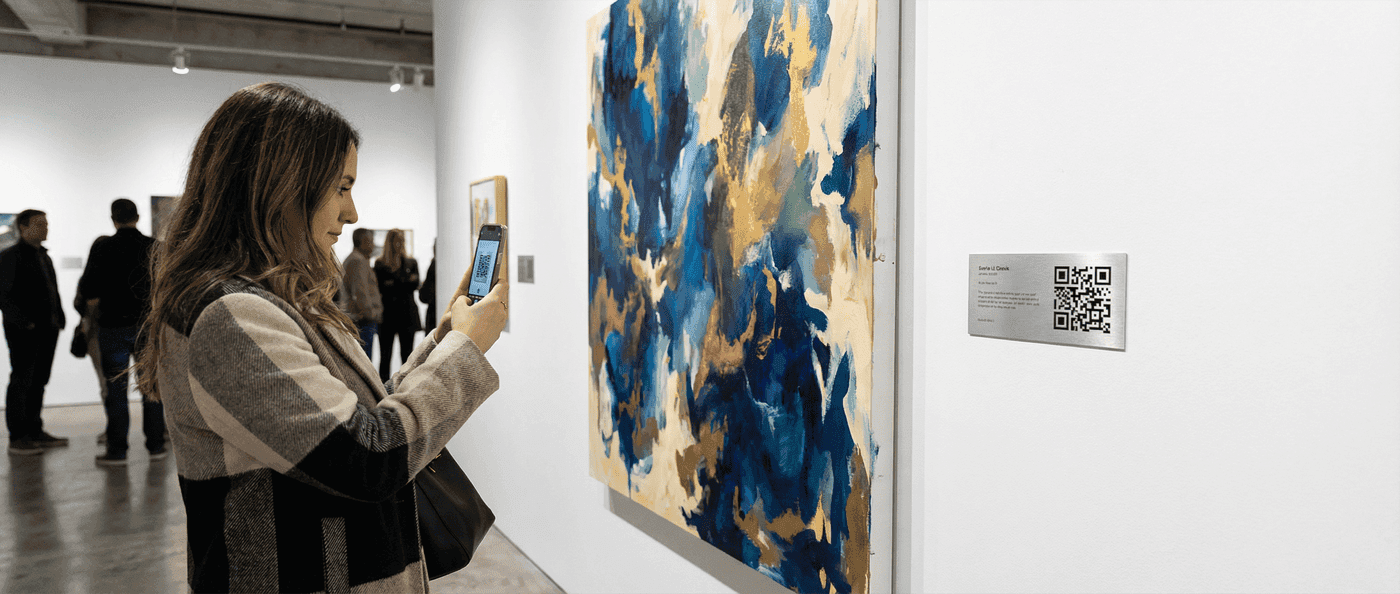

How to use QR codes for event tickets, check-in, schedules, networking and lead capture, with sizes and a door-day checklist for conferences and trade shows.
QR codes do four jobs at an event: they're the ticket, they're the check-in, they're the program that's never out of date, and they're how two people swap contact details without a business card. Each job wants a different kind of code, and the ticket one in particular is easy to get wrong. This guide goes through the event in order, before, during and after, with the code type and the size for each.
Why Use QR Codes for Events
Every paper artefact at an event is a place things go wrong: tickets get lost, programs go stale the moment a speaker cancels, business cards go in a pocket. A code replaces each of them with something that lives on the attendee's phone and can be counted.
| Paper problem | What the code does |
|---|---|
| Lost tickets | The ticket is an email |
| Slow manual check-in | One scan per person |
| Printed program out of date by 10am | The code opens the live schedule |
| Business card exchange | Scan the badge, contact saved |
| No idea what people attended | Scan counts per session and booth |
| Lead sheets typed up a week later | Leads captured at the booth, in the CRM by evening |
When it starts to matter
Fifty people, a clipboard is fine. Five hundred, the queue at the door is the first thing attendees remember about your event. A scan takes a second or two; finding a name on a list takes twenty.
Event QR Code Use Cases
1. Event Registration and Ticketing
The ticket is a QR code in the confirmation email.
How it works
- The attendee registers and pays
- Your system generates a unique code per ticket
- The code goes out by email, or into the event app
- The attendee shows it at the door
- Staff scan it; the system marks it used
Why it beats paper: nothing to lose, a ticket transfers by forwarding an email, every code is unique and single-scan so a copy is refused once the original is used, and you have the attendance list the moment the doors close.
If your platform doesn't do this, the bulk QR code generator turns a registration spreadsheet into one code per row.
2. Fast Check-In and Entry Management
| Method | Cost | Throughput | Fits |
|---|---|---|---|
| Staff phone + the platform's check-in app | Low | Good | Up to a few hundred |
| Handheld scanners | Medium | Best | Conferences, multi-lane entry |
| Self-service kiosks with badge printing | Highest | Good | High-volume, badge-heavy events |
A scan records arrival time, who arrived, and ticket type (general, VIP, speaker), and can trigger badge printing.
3. Session and Schedule Information
Print the code once; point it at the live schedule.
A static code to a web page works if the page is what changes. A dynamic code is better: you can re-point it if the schedule moves to a new URL or the app changes, and you get scan counts per sign.
The 8am room change
A speaker cancels, a room swaps. With a printed program you're taping notices to doors. With a code on the program cover, you edit one page and every copy is current.
4. Networking and Contact Exchange
A vCard QR code on the badge, or on an attendee's phone screen, saves a contact in one scan.
Attendees: a vCard on the badge means anyone can save your details without asking for a card.
Speakers: put a vCard or a link code on the last slide. Nobody has to photograph an email address.
5. Lead Capture at Trade Shows
Exhibitors scan the visitor's badge instead of collecting cards.
- Every badge carries a unique code
- The exhibitor scans it at the booth
- The contact lands in their lead list
- They add a note while the conversation is fresh
- Follow-up goes out after the show
No typing, no illegible cards, and the leads are in the CRM before the exhibitor's flight home.
6. Feedback and Surveys
Ask while the session is still in their head.
- A code on the exit sign for the post-session survey
- A code on the badge for the end-of-day one
- A code in the follow-up email for the full survey
Point it at a short form (three to five questions), and offer something for completing it. Here's how to make a QR code for a Google Form.
7. Wayfinding and Venue Navigation
A location QR code opens the venue or the car park in Google Maps, Apple Maps or Waze. Beyond that: codes on room signs that open that room's schedule, and one at the entrance that opens the floor plan.
Creating Event QR Codes
Ticket QR Codes
Requirements
- Every ticket gets a unique identifier
- The code encodes the ID, nothing else
- Scanning checks the ID against your database
- The first scan marks it used
Ways to do it: an event platform (Eventbrite, Cvent and the others below all generate ticket codes), a custom build on a QR generation API, or an integration with the ticketing system you already have.
What not to put in the code
Never encode a name, email or anything personal in the pattern. Anyone with a camera can read it off the badge. Encode a reference ID and let your backend look it up.
Informational QR Codes
For schedules, maps and content:
- Make the destination (page, PDF, app link)
- Generate a code pointing at it
- Make it dynamic if there's any chance the content moves
- Print a test at the real size and scan it from the real distance
Networking QR Codes
- Individual: each attendee makes their own vCard code
- On the badge: the event prints a unique code per badge that opens the attendee's profile
- In the app: the event app generates a code from the profile
QR Code Placement at Events
On Badges
The code is always with the attendee and scanned from close range, so 2 cm works and 2.5 cm is comfortable. A badge can carry two codes: one for check-in and session tracking, one for networking.
On Signage
| Sign | Code size | Scanned from |
|---|---|---|
| Table tent | 3 to 4 cm | 0.5 m |
| Room sign | 5 to 8 cm | 1 to 2 m |
| Banner | 15 to 20 cm | 3 to 5 m |
| Stage backdrop | 30 cm and up | 10 m and more |
The QR code size guide has the working for other distances.
On Printed Materials
Program cover to the live schedule. Session handouts to the slides. The printed map to the interactive one. Badges to the networking profile.
On Screens
Speaker slides for contact or resources, digital signage for the schedule and sponsors, kiosks for self check-in.
Codes on screens
Leave the code up for at least ten seconds, dark code on a light background, big enough for the back of the room. Check it under the venue's actual lighting; projectors wash out contrast.
Event QR Code Analytics
What to Track
| Metric | What it tells you |
|---|---|
| Check-in timestamps | When people actually arrive |
| Session scans | Which content pulled a crowd |
| Networking scans | Who connected most |
| Sponsor and booth scans | Which booths got traffic, and when |
| Survey completions | Whether anyone answered |
Using the Data
During: open an overflow room when a session's scans pass capacity; compare registered against checked-in to size the catering; move staff to the booth that's busy.
After: program next year from session popularity, show sponsors their scan counts, and find the people who scanned everything for the speaker and ambassador list.
Integration with Event Platforms
Most platforms already generate the ticket and badge codes:
| Platform | QR features |
|---|---|
| Eventbrite | Ticket codes, check-in app |
| Cvent | Badge codes, lead capture |
| Whova | Networking codes, session tracking |
| Bizzabo | Check-in, engagement tracking |
| Splash | Custom codes, data capture |
Use the platform's codes for tickets and check-in, where the data has to match the registration list. Use your own dynamic codes for signage, marketing materials and anything you want to count separately.
Best Practices
Before
- Print every code at its real size and scan it
- Check every link on an iPhone and an Android
- Train the door staff, and rehearse the failure case
- Have a manual check-in fallback (name lookup) ready
- Send ticket codes days ahead, not the morning of
During
- Staff at the door with charged devices and a spare battery
- Light at the check-in point; a dim lobby is where scanning fails
- Signs that say which lane is QR check-in
- Someone watching scan data for a station that's stopped scanning
- Feedback codes up while sessions are fresh
After
- Export the scan data
- Join it to the registration list for no-show rates
- Hand exhibitors their leads the same week
- Note what to change next time while it's still annoying
Frequently Asked Questions
Can attendees share their ticket QR codes?
They can screenshot it, yes. Defences: make the code single-scan so the second person is refused at the door, check photo ID for high-value tickets, or tie the ticket to the registrant's email or phone. Single-scan is enough for most events.
What's the difference between a registration QR code and a ticket QR code?
A registration code is one shared link, on posters, emails and screens, that anyone can scan to reach the sign-up form. A ticket code is generated per attendee after registering, encodes a unique ID, and is single-use. Most events need both.
How does an organizer scan QR code tickets at the door — do I need a special scanner?
A phone is enough, running the check-in app from your ticketing platform; most offer one free. Bluetooth handheld scanners and tablet kiosks are faster at scale. Live validation needs internet, so download the attendee list beforehand so check-in survives a dropped connection.
What if an attendee's phone dies at check-in?
Look them up by name or email, accept a ticket saved to Apple or Google Wallet (which works with the phone off the network, though not off entirely), or accept the confirmation number from the email. Never make the code the only way in.
How do I track which sessions attendees actually attend?
A unique code at each session door, scanned on the way in. That gives you attendance per session rather than per event. Make it optional for most sessions and required where continuing-education credit depends on it.
Should I use the same QR code for multiple events?
No, and never for tickets. Reusing ticket codes across events is a security hole and makes the data unreadable. A dynamic signage code can be re-pointed to next year's schedule, but tickets are unique per event.
How large should QR codes be on event badges?
At least 2 × 2 cm (0.8 in) for handheld scanning. If exhibitors will scan from a little further away at a booth, 2.5 to 3 cm. Test with the real badge stock and the real scanners.
Can QR codes work offline at events with poor WiFi?
The scan itself is offline; validation usually isn't. Cache the attendee list on the scanning devices before doors open, put the scanning stations on their own connection, and use a check-in app that queues scans and syncs when the connection returns. Assume the venue WiFi will fail at the worst moment.
Summary
Unique codes for tickets, dynamic codes for anything that might change, vCards on badges, and a manual fallback at the door. Do those four and a 10,000-person conference checks in like a 100-person workshop, and you leave with data on what people actually attended. For the rest of the planning, see event management best practices.
Ready to make the codes? Start with the free generator for signage and program codes, or sign up for dynamic codes with tracking. The Pro trial is 14 days, no card required.
Ready to create your QR code?
Free forever for static codes. Pro features with 14-day trial, no credit card required.

Irina Aguiar
·Content LeadIrina Aguiar leads content strategy at QR Code Maker, where she has written extensively on QR code technology, marketing, and business operations. Her work ranges from technical explainers on how QR codes are generated and how error correction works to practical guides on QR marketing, automation, and scan analytics — plus hands-on tutorials covering Python, Google Sheets, and Zapier integrations. She also publishes honest competitor comparisons and industry-specific playbooks for retail, real estate, hospitality, healthcare, and events.
More from Irina Aguiar →Related Articles
QR Codes for Gift Registries: Simplifying Wedding and Event Gifting
Share your wedding, baby shower, or celebration registry with a simple scan. Here's how to create and share registry QR codes effectively.
QR Codes in Healthcare: Practical Applications and Privacy Considerations
From patient check-in to medication information, QR codes are transforming healthcare workflows. Here's what works, what doesn't, and what to watch out for.
QR Codes on Product Packaging: Complete Guide (2026)
Learn how to use QR codes on product packaging for manuals, authenticity verification, reviews, and more. Includes design tips, regulatory considerations, and tracking strategies.