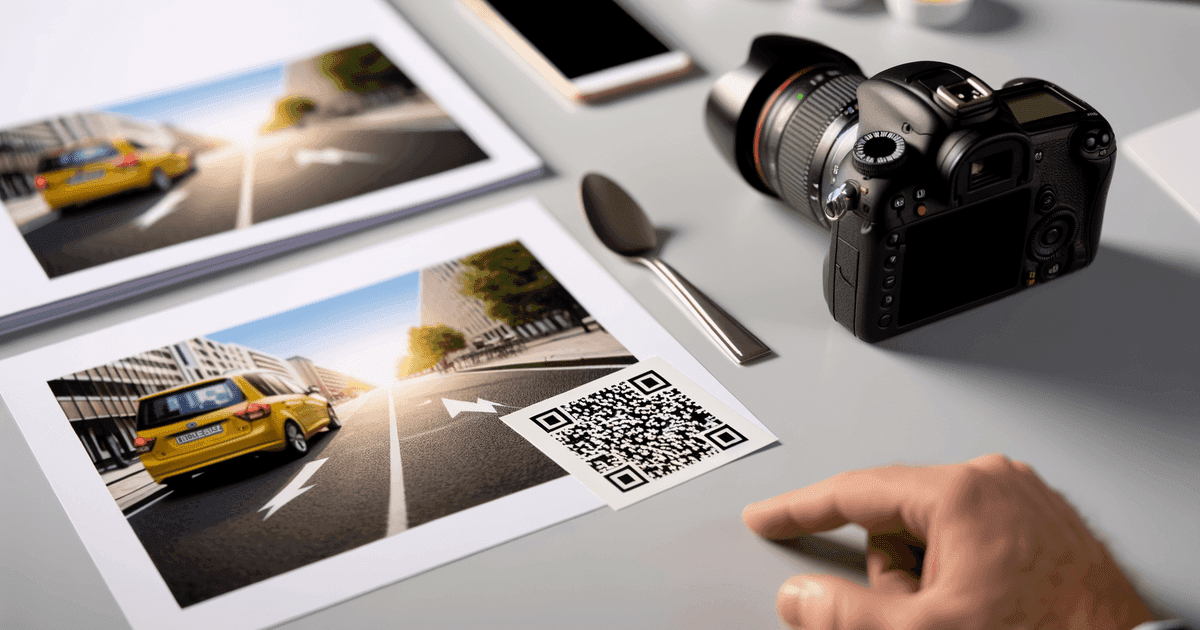
Discover the coolest QR code designs from branded logos to AR. Learn how to create professional QR codes for your business with actionable tips and examples.
Forget the clunky, pixelated squares of the past. Today's QR codes have evolved into powerful marketing tools that merge seamless functionality with stunning visual design. For small business owners, marketers, and event organizers, mastering these creative designs is no longer a novelty; it's a strategic necessity for capturing attention, engaging customers, and driving measurable results. A well-designed QR code does more than just direct a user to a link; it reinforces brand identity and elevates the user experience from a simple scan to a memorable interaction.
This guide moves beyond basic theory to provide a practical showcase of the coolest QR code examples in action. We will dissect the strategy behind eight innovative styles, from logo-embedded designs to interactive, conditional codes that adapt to user input. Each entry provides real-world use cases and, most importantly, actionable, step-by-step instructions to recreate these professional QR codes using tools like QR Code Maker. You will learn not just what makes a QR code cool, but how to build one that achieves specific business goals. Get ready to transform a simple functional tool into a cornerstone of your marketing and customer engagement strategy.
1. Logo-Embedded QR Codes (The Brand Standard)
Integrating a brand's logo directly into the center of a QR code is more than just a design choice; it’s a strategic move that has become the gold standard for professional marketing. This technique transforms a functional matrix into a powerful branding tool, instantly associating the code with your business and increasing user trust. It’s one of the coolest QR code applications because it masterfully blends form with function.

This method works by leveraging the QR code’s built-in error correction capabilities. A QR code can remain fully scannable even when up to 30% of its data is obscured or damaged. By placing a logo in the center, you are essentially using this redundant space for branding without compromising the code's integrity. This is perfect for business cards, product packaging, and restaurant menus where reinforcing your brand identity with every scan is crucial.
Practical Steps for Your Business
The primary benefit is brand recognition. A generic QR code is anonymous, but one with your logo is immediately identifiable, which can significantly boost scan rates as customers recognize a trusted source.
Best Practice: A logo-embedded QR code acts as a visual "stamp of approval," reducing the hesitation users often feel when scanning an unknown code from a marketing asset.
To create one for your business:
- Choose a High-Contrast Logo: Use a simple, clear version of your logo. Complex designs with fine details can interfere with scannability. A PNG with a transparent background works best.
- Set Error Correction to High: When using a tool like QR Code Maker, select the highest error correction level (H). This reserves the maximum amount of data for redundancy, safely accommodating your logo.
- Test Rigorously: Before launching your campaign, test the code with multiple devices and scanning apps (iOS Camera, Android Lens) to ensure flawless performance.
Ready to add your brand's mark? Learn how to easily create your own custom QR code with a logo and start building brand trust with every scan.
2. Colorized and Gradient QR Codes
Moving beyond the standard black-and-white format, colorized and gradient QR codes infuse brand personality directly into the design. This technique swaps monochromatic squares for custom brand colors, gradients, and visually engaging themes, transforming a purely functional tool into an eye-catching piece of art. It’s one of the coolest QR code applications because it proves that utility and aesthetics can coexist beautifully.

Like logo integration, this method relies on the QR code’s error correction to maintain scannability. Modern generators allow for significant color customization without compromising performance, provided a few key rules are followed. This is ideal for event flyers, social media posts, or any marketing material where visual appeal is key to capturing attention.
Practical Steps for Your Business
The primary benefit is enhanced visual appeal and brand alignment. A colorized QR code is more likely to capture attention and feels like a deliberate, integrated part of your marketing material rather than an afterthought.
Best Practice: Using brand colors makes the QR code an extension of your visual identity, creating a cohesive and professional experience that encourages user engagement and reinforces brand memory.
To create one for your business:
- Prioritize Contrast: Ensure a high contrast between the foreground (the dark squares) and background colors. A light background with dark foreground elements is the safest bet. Avoid light-on-light or dark-on-dark combinations, as this is the most common cause of scanning failure.
- Use Your Brand's Hex Codes: To maintain brand consistency, use the precise hex codes from your style guide. This ensures the QR code perfectly matches your other marketing materials.
- Test Extensively: Before a full print run, test your colored or gradient code with various scanning apps and devices under different lighting conditions to confirm its reliability.
Ready to create a QR code that pops? Discover the best practices to design a stunning and scannable QR code and make your campaigns more visually appealing.
3. QR Codes with a Frame and Call-to-Action (CTA)
Beyond embedding a logo, one of the most effective ways to make a QR code stand out is by wrapping it in a custom frame. This technique adds a decorative border that can include compelling call-to-action (CTA) text, brand colors, and other design elements. It transforms the QR code from a simple scannable box into an interactive prompt, telling users exactly what to expect when they scan. This is one of the coolest QR code strategies because it provides instant context and boosts engagement.

A frame is a separate design layer that sits outside the scannable area, meaning it doesn't interfere with the code's data. This approach has been widely adopted by restaurants with "Scan for Menu" frames, event organizers using "Scan to Register," and businesses sharing their Wi-Fi with a "Scan for Wi-Fi" prompt. The frame provides crucial instructions, making the user's action feel purposeful and secure.
Practical Steps for Your Business
The main benefit is clarity and an increased scan-through rate. A well-designed frame eliminates guesswork for the user, clearly stating the value proposition of scanning the code.
Best Practice: A QR code with a frame and a clear CTA acts as a mini-advertisement, guiding user behavior and turning a passive visual element into an active engagement tool.
To create one for your business:
- Write a Direct, Action-Oriented CTA: Use short, clear phrases like "Scan to Pay," "View Menu," "Get Discount," or "Join Our Wi-Fi." Keep the text to 3-5 words for maximum impact.
- Ensure Readability: Use high-contrast colors for your frame and text so they stand out against the background where the QR code will be placed.
- Maintain a Quiet Zone: Make sure the frame does not touch the QR code itself. There should be a small empty space (the "quiet zone") around the code to ensure it scans correctly.
Ready to guide your users? Create a QR code with a custom frame using a tool like QR Code Maker to add a professional and instructive touch to your marketing assets.
4. Augmented Reality (AR) Integrated QR Codes
Moving beyond simple links, Augmented Reality (AR) integrated QR codes bridge the gap between the physical and digital worlds. These codes don't just send users to a webpage; they launch immersive experiences directly through a smartphone's camera, overlaying interactive digital content onto the user's real-world environment. This is easily one of the coolest QR code applications, turning a static scan into a memorable, hands-on brand interaction.
This powerful technology works by linking the QR code to a WebAR experience, which runs directly in a mobile browser without requiring a separate app. When scanned, the code can trigger 3D product visualizations, virtual "try-on" filters for retail, or interactive games for events. This technology allows customers to preview furniture in their homes or see a virtual product in their hands, dramatically enhancing the pre-purchase experience.
Practical Steps for Your Business
The primary benefit is immersive engagement. Unlike a passive website visit, an AR experience actively involves the user, creating a deeper and more lasting impression of your product or brand.
Best Practice: AR-enabled QR codes provide a "try before you buy" experience in a user's own space, which can significantly reduce purchase hesitation and increase conversion rates for products like furniture, art, or electronics.
To create one for your business:
- Choose an Accessible AR Platform: Use WebAR platforms to create experiences that don't require an app download, removing a major barrier for users.
- Optimize the Experience for Speed: Ensure your AR experience loads quickly on a mobile connection. Long load times will cause users to abandon the interaction before it even begins.
- Use a Clear Call-to-Action: Add a prompt near the QR code, such as "Scan to see it in your room" or "Scan to try it on," to set expectations and guide the user.
While creating the AR experience requires specialized platforms, you can link to it using a standard dynamic QR code from a platform like QR Code Maker, allowing you to update the AR link later without reprinting the code.
5. Animated and GIF QR Codes (The Digital Eye-Catcher)
In the dynamic world of digital advertising, static images can easily get lost in the noise. Animated and GIF QR codes cut through this clutter by introducing motion, transforming a simple scannable matrix into an engaging and visually captivating call to action. This is one of the coolest QR code innovations because it leverages digital displays to grab attention in a way print never could.
This technique works by creating a sequence of QR code images (frames) that are displayed as a short video or GIF. While the underlying scannable data remains the same in each frame, the visual elements like colors or background images can change. This creates an impossible-to-ignore effect perfect for digital billboards at events, social media stories, and in-store displays, prompting viewers to scan out of sheer curiosity.
Practical Steps for Your Business
The core advantage here is attention capture. Motion is a powerful tool for drawing the human eye, and an animated QR code can dramatically increase visibility and interaction rates in crowded digital environments.
Best Practice: An animated QR code turns a passive scanning opportunity into an active point of interest, leveraging motion to boost engagement on digital screens where user attention is fleeting.
To create one for your business:
- Prioritize Scannability: Ensure each frame of the animation is displayed long enough for a camera to focus and scan the code successfully. A duration of 1.5-2 seconds per frame is a good starting point.
- Keep Animations Subtle: Use gentle color transitions or pulsing effects. Avoid jarring or fast-paced changes that could frustrate the user and hinder scannability.
- Test on the Target Screen: Before launching, test your animated code on the actual digital display (e.g., a TV screen or digital billboard). Screen brightness, refresh rates, and ambient lighting can all affect performance.
Ready to bring your digital campaigns to life? Consider using a specialized tool to design a sequence of custom codes, then combine them using a simple GIF creator to build your animated QR code.
6. Photo/Image-Based QR Codes (Half-Tone Integration)
Moving beyond simple logos, photo-based QR codes represent a leap in creative integration, embedding entire images directly into the code’s data pattern. This advanced technique uses half-tone effects or intricate blending to merge a photograph with the scannable matrix, creating a hybrid piece of art that is both visually stunning and fully functional. It's one of the coolest QR code applications because it transforms the code from a mere utility into a captivating visual hook.
Like logo integration, this method relies on a high level of error correction. The QR code standard allows for a significant portion of the data to be missing or altered, and this redundancy is exploited to its maximum potential. Instead of just a central logo, parts of the QR code's pattern are artistically replaced with elements of a photo. This is perfect for high-end marketing, such as real estate brochures embedding property images or restaurants showcasing their signature dishes right within the menu's QR code.
Practical Steps for Your Business
The primary advantage is visual storytelling. An image-based code immediately communicates context before the user even scans it. A QR code featuring a beautiful plate of food is instantly recognizable as a link to a menu, just as one with a house sets the expectation of a property listing.
Best Practice: Embedding a relevant photo provides an instant preview of the linked content, dramatically increasing user curiosity and engagement by answering the question "What am I scanning?" visually.
To create one for your business:
- Choose High-Contrast Images: Select photos with a clear subject and strong contrast between the foreground and background. This ensures the key elements remain distinguishable within the code's pattern.
- Maximize Error Correction: You must set your QR code's error correction level to the highest setting (H). This provides the necessary data resilience to make the image integration possible without sacrificing scannability.
- Test Extensively: This complex style demands rigorous testing. Scan the code from different distances, angles, and under various lighting conditions using multiple smartphone cameras to guarantee it works for all users.
For these intricate designs, working with a specialized QR code generator or designer is often the best approach to ensure a perfect balance between artistic flair and flawless function.
7. Dynamic QR Codes with Real-Time Updates
A dynamic QR code is one of the most powerful and coolest QR code applications for any modern business. Unlike a static code where the destination is permanent, a dynamic code can be edited at any time. This means the physical QR code remains the same, but you can change the landing page, video, or information it points to as often as you need, offering unparalleled flexibility.
This functionality works by using a short redirect URL embedded in the code. When a user scans it, they are first sent to this short URL, which then instantly redirects them to the final destination you've set in your dashboard. Because you only ever need to edit the final destination link, the QR code itself never needs to be reprinted. This is a game-changer for restaurants updating menus, event organizers changing schedules, or marketers A/B testing different landing pages.
Practical Steps for Your Business
The primary benefit is long-term campaign flexibility. A single dynamic QR code on a restaurant table can link to a breakfast menu in the morning, a lunch menu in the afternoon, and a special event promotion in the evening, all without changing the printed code.
Best Practice: Dynamic QR codes transform your marketing materials from static assets into living, updatable channels, allowing you to adapt your strategy in real-time based on performance or changing business needs.
To create one for your business:
- Choose a Dynamic QR Code Generator: Select a platform like QR Code Maker that offers dynamic codes and an easy-to-use dashboard for managing your links.
- Use on All Long-Term Materials: Apply dynamic codes to any marketing material that might need updates, such as business cards, brochures, product packaging, or signage.
- Leverage the Analytics: Dynamic codes provide valuable scan data. Monitor metrics like location, time of day, and device type to understand customer engagement and optimize your campaigns.
Ready to see how this adaptable technology can revolutionize your marketing? Discover the full potential and learn more about the differences between static and dynamic QR codes.
8. Interactive and Smart QR Codes (Conditional Routing)
Beyond static links, some of the coolest QR code applications involve dynamic, intelligent routing. These "smart" QR codes can serve different content based on the user's context, such as their device type, location, time of day, or language. This transforms a single QR code into a multi-faceted marketing automation tool that delivers a personalized user experience.
This advanced functionality is powered by the server-side logic tied to the QR code's short URL. When a user scans the code, the system detects their device OS (iOS or Android), their geographic location, or the current time and redirects them to the most relevant destination. A common example is an app download campaign where one code sends iPhone users to the App Store and Android users to the Google Play Store, eliminating friction and streamlining the user journey.
Practical Steps for Your Business
The primary benefit of this approach is contextual relevance. By delivering a tailored experience, you significantly increase conversion rates and user satisfaction. A customer is far more likely to engage with content that is specifically relevant to their device, location, or immediate needs.
Best Practice: Conditional routing turns a one-size-fits-all QR code into a personalized marketing channel, allowing a single printed code to serve multiple, highly targeted purposes automatically.
To create one for your business:
- Define Your User Scenarios: Before creating the code, map out your desired user flows. For example, "If a user scans with an iPhone, send them to the App Store. If they scan with an Android, send them to the Google Play Store."
- Set a Default Destination: Always include a fallback URL for users who don't meet any specific criteria. This ensures no scan ever leads to a dead end.
- Test Every Scenario: Rigorously test the code using different devices (iOS/Android) and locations (using a VPN if necessary) to confirm all routing rules work as intended.
This powerful feature is often available in professional QR code platforms. You can create a dynamic QR code and explore advanced routing options to build sophisticated, context-aware campaigns.
Coolest QR Codes: 8-Item Comparison
| Design / Type | Implementation Complexity | Resource Requirements | Expected Outcomes | Ideal Use Cases | Key Advantages |
|---|---|---|---|---|---|
| Logo-Embedded QR Codes (Central Logo Design) | Low | Logo files (PNG/SVG), logo-capable generator | Branded appearance, higher scan rates | Business cards, packaging, menus, brand marketing | Strong brand recognition, professional look, easy for customers to trust |
| Colorized and Gradient QR Codes | Low | Brand color hex codes, gradient-capable generator | Visually striking codes, higher engagement | Social media, flyers, digital campaigns | Exact brand color matching, increased memorability |
| Frame and Border Design QR Codes | Low | A clear CTA text, design templates | Clear user instructions, improved scan intent | Restaurant menus, real estate signs, event tickets, WiFi sharing | Communicates purpose, boosts scan rates, simple to implement |
| Augmented Reality (AR) Integrated QR Codes | High | 3D assets, AR platform (WebAR), developer support | Immersive experiences, longer engagement, higher conversions | Product visualization, virtual try-ons, interactive event experiences | Highly immersive, shareable, reduces purchase uncertainty |
| Animated and GIF QR Codes | Moderate | Animation tools, digital displays (not for print) | Increased attention and click-through rates on screens | Digital billboards, social media posts, presentations | Attention-grabbing, supports rotating CTAs, dynamic messaging |
| Photo/Image-Based QR Codes (Half-Tone Integration) | High | High-res images, specialized generator, design expertise | Distinctive, memorable codes with artistic appeal | Luxury branding, real estate listings, personalized campaigns | Visually rich, communicates product imagery, unique brand identity |
| Dynamic QR Codes with Real-Time Updates | Low | Dynamic QR code platform/subscription | Content can be updated without reprinting, access to analytics | Rotating menus, seasonal promotions, event schedules | Avoids reprints, cost-effective long-term, flexible campaign control |
| Interactive and Smart QR Codes (Conditional Routing) | Moderate | Dynamic platform with routing rules, clear user scenarios | Context-aware content delivery, higher relevance and conversions | App downloads, multi-location retail, time/location-based offers | Device/location-aware routing, reduces friction, personalized experience |
Your Next Step: Create Your Own Standout QR Code
Throughout this guide, we've explored the incredible fusion of creativity and strategy that transforms a simple matrix of squares into a powerful business tool. The journey from a standard black-and-white code to an interactive, branded experience is no longer a complex technical feat. Instead, it’s an accessible opportunity for any small business owner, marketer, or event organizer to stand out. The examples we’ve analyzed prove that the coolest QR code is more than just visually appealing; it’s a strategic asset designed with a specific goal and a clear user journey in mind.
We've seen how integrating a logo builds immediate brand recognition, how custom colors and frames make a code an extension of your campaign's aesthetic, and how dynamic functionality turns a static link into an evolving marketing channel. From the futuristic appeal of augmented reality to the practical brilliance of interactive, conditional codes, the underlying principle remains the same: a well-designed QR code removes friction and adds value.
Key Strategic Takeaways
As you move from inspiration to implementation, remember these core principles that separate a good QR code from a great one:
- Brand Integration is Non-Negotiable: Your QR code should never look like an afterthought. Incorporating your logo, brand colors, and a clear call-to-action in a custom frame instantly builds trust and increases engagement.
- Dynamic is a Must-Have for Most Use Cases: The flexibility to update the destination URL without reprinting your code is a game-changer. It protects your investment in printed materials and allows you to adapt your campaigns in real time, whether you're A/B testing landing pages or updating a restaurant menu.
- Scannability is Paramount: While creativity is encouraged, function must always come first. Maintain high contrast, respect the quiet zone (the empty border), and always test your code across multiple devices and scanning apps before launching. The most beautiful code is useless if it doesn't scan reliably.
- Track, Analyze, and Iterate: The coolest QR code campaigns are data-driven. Use tracking and analytics from dynamic codes to understand how, when, and where your audience is engaging. These insights are invaluable for refining future marketing efforts and proving ROI.
The power to create your own standout QR code is now firmly in your hands. You have the strategic framework and the practical examples to guide you. The next step is to apply these lessons to your own unique business needs, turning a simple scan into a memorable and effective customer interaction.
Ready to build the coolest QR code for your brand? QR Code Maker offers a full suite of tools, from advanced design customization with logos and frames to powerful dynamic code management and detailed analytics. Start creating professional, trackable QR codes that capture attention and drive results by visiting QR Code Maker today.
Ready to create your QR code?
Free forever for static codes. Pro features with 14-day trial, no credit card required.
Irina
·Content LeadIrina leads content strategy at QR Code Maker, helping businesses understand how to leverage QR codes for marketing, operations, and customer engagement. Her expertise spans digital marketing, user experience, and practical implementation guides.
Learn more about us →Related Articles
A Practical Guide to Custom QR Code Shapes That Boost Engagement
Discover how to use custom QR code shapes to elevate your brand and increase scans. This guide offers actionable design tips and real-world examples.
A Practical Guide to Generating QR Codes with Python
Learn how to python generate QR code with this practical guide. Create custom QR codes for URLs, WiFi, vCards, and marketing campaigns with real-world examples.
How to Create a Custom QR Code With a Logo People Will Actually Scan
Learn how to create a custom QR code with logo that boosts engagement. Our guide offers actionable tips for marketers and small businesses to stand out.
