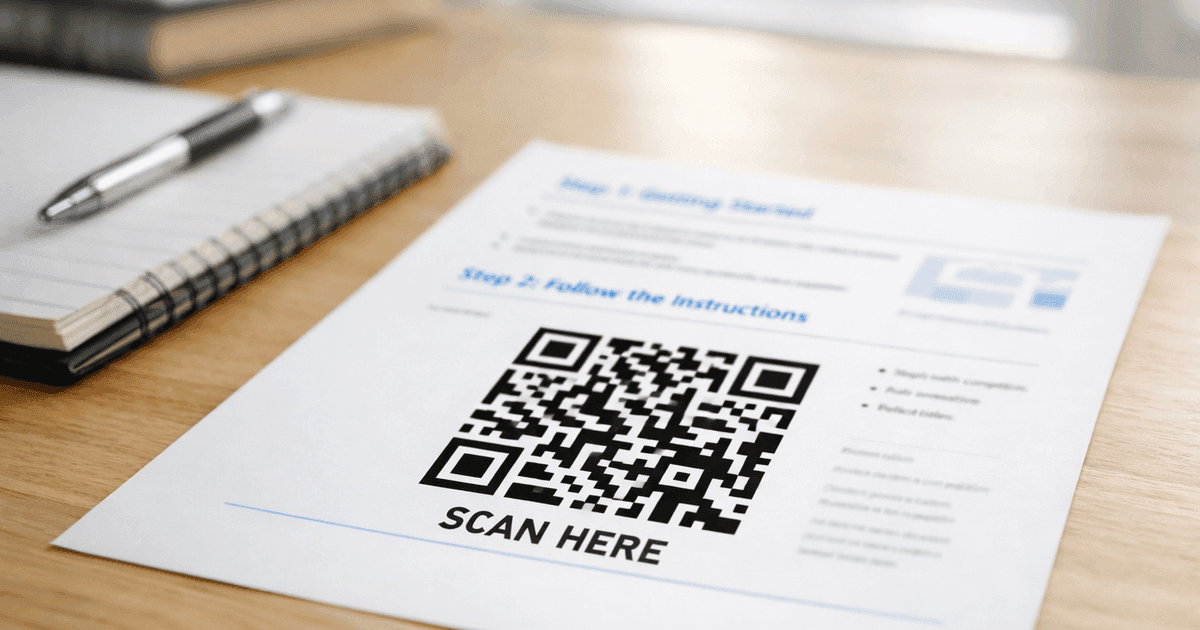

Discover how to use custom QR code shapes to elevate your brand and increase scans. This guide offers actionable design tips and real-world examples.
Custom QR code shapes do more than just look interesting—they turn a functional tool into a powerful piece of your brand. Think of it as upgrading from a generic black-and-white square to an engaging piece of marketing. By matching the code's design to your brand's visual identity—using a circle, soft corners, or even a custom frame—you grab more attention and create a more professional customer experience. This small design choice is a smart, strategic advantage for any business, marketer, or event organizer looking to stand out.
Beyond the Square: How Custom Shapes Boost Brand Identity
For years, QR codes were purely functional. They were the clunky, black-and-white squares you scanned, but they rarely added to a brand's look and feel. That's completely changed. Treating your QR code as a core design element is no longer a novelty; it's a strategic move that shows you care about the details.
Let's look at the psychology. A circle often suggests community and harmony, making it a natural fit for a coffee shop’s loyalty program or a wellness brand. A square with soft, rounded corners can give off a modern, friendly, and approachable vibe—perfect for a tech startup or a customer-first service. When you choose a shape that mirrors your brand’s personality, you’re not just making a scannable link. You’re extending your visual identity.
Driving Engagement Through Design
The visual appeal of custom QR code shapes does more than just look good; it directly influences customer action. A generic QR code is easy to ignore, blending into the background of a poster, menu, or business card. A uniquely shaped code, however, sparks curiosity. It makes people pause and wonder, "What's that for?" That initial engagement is what turns a passive glance into an active scan.
This isn't just a hunch; the data backs it up. Industry reports show that customized QR codes—especially those with unique shapes, brand colors, and logos—are far more effective than standard ones. Why? Because a branded design builds instant credibility and trust, which leads to higher scan rates. You can dive deeper into these QR code market trends to see the full impact.
A well-designed QR code is like a visual handshake. It’s your first chance to connect with a customer, and making it visually appealing ensures that connection is a positive one. It tells your audience that you care about their entire experience, down to the smallest detail.
Before we dive deeper, let's quickly compare the old-school square with a custom-shaped code.
Standard vs. Custom Shaped QR Codes at a Glance
This table breaks down the key differences, showing why upgrading from a generic square to a custom-shaped code is a smart move for your brand.
| Feature | Standard QR Code | Custom Shaped QR Code |
|---|---|---|
| Visual Appeal | Low (functional, generic) | High (eye-catching, branded) |
| Brand Identity | None (no brand integration) | Strong (reflects brand's style) |
| Scan Rates | Baseline performance | Often higher due to curiosity |
| Customer Engagement | Purely transactional | Sparks interaction and interest |
| Memorability | Low (forgettable) | High (reinforces brand recall) |
| Perceived Value | Utilitarian | Professional and intentional |
As you can see, the benefits go far beyond simple aesthetics. A custom shape transforms the QR code from a utility into a strategic marketing asset.
Practical Benefits for Your Business
Adopting custom shapes offers real, tangible advantages. For small business owners, marketers, and event organizers, these benefits translate directly into measurable results.
Here are a few of the biggest wins:
- Increased Scan Rates: A visually interesting QR code is simply more likely to get scanned. A unique shape breaks up the monotony of traditional marketing materials and piques interest, encouraging people to pull out their phones.
- Enhanced Brand Recall: When your QR code echoes your brand’s logo or style, it becomes instantly recognizable. This consistency reinforces your brand identity, helping customers remember you long after they've scanned the code.
- Improved Customer Experience: A custom-shaped QR code feels intentional and polished. It shows you’ve thought through every touchpoint of the customer journey, creating a seamless and professional experience from the very first scan.
By integrating these design elements, you're not just providing a link. You're creating a branded gateway that strengthens your marketing and sets you apart from the competition.
How to Design Custom QR codes That Actually Scan
This is where the fun begins. Designing a custom QR code is a blend of brand creativity and technical know-how. It's about more than just sticking your logo on a square—you're making intentional choices that look great without compromising the code's main job: scanning instantly, every time.
The goal is to create something that feels like a natural part of your brand, not a clunky, technical add-on.
Using a professional tool is essential here. A platform like QR Code Maker provides the controls to adjust shapes, colors, and logos while giving you live feedback on scannability. This ensures your final design will work flawlessly in the real world.
Step 1: Choose a Shape That Fits Your Brand
Your first move away from a generic QR code is ditching the standard square. The shape you pick is a powerful visual cue that can instantly connect the code to your brand's personality.
Think about what these popular shapes communicate:
- Circles: A circular shape feels modern, friendly, and organic. It's a perfect match for wellness brands, coffee shops, or any business that already uses a circle in its logo.
- Diamonds: This shape gives off a sharp, dynamic vibe that can feel both elegant and innovative. It’s a great fit for tech companies, luxury brands, or campaigns aiming for a cutting-edge feel.
- Rounded Squares: If you want something softer and more approachable than a hard-edged square, rounded corners are the sweet spot. They suggest reliability and modernity, making them a versatile choice for almost anyone, from financial services to retail.
While you're getting creative, remember the core data modules inside the shape must remain intact. The best QR code generators, like QR Code Maker, are built to handle this—they construct your chosen shape around a scannable square core, so it's guaranteed to work.
Step 2: Integrate Your Logo for Brand Recognition
Adding your logo is the single most powerful way to brand your QR code, but it's a delicate balance. A logo builds instant trust and recognition. Done wrong, it makes the code unscannable.
The magic behind this is a built-in feature called error correction. It allows up to 30% of the QR code's data to be covered or damaged. This is the safety net that lets you place a logo right in the middle without breaking the code.
Best Practices for Adding a Logo:
- Keep it Centered and Proportional: Your logo should never cover more than 25-30% of the QR code's total area. Placing it in the center is the safest bet, as this part of the code is less critical for a scanner to read.
- Use a Simple Version: A highly detailed logo won't look good, especially when the QR code is printed small. Opt for a simplified version or a clean icon that people recognize at a glance.
- Ensure High Contrast: Your logo needs to stand out against the QR code pattern behind it. If it’s getting lost, add a thin border or a solid "frame" of color behind the logo to separate it from the data squares.
For a deeper look, check out our complete guide on creating a custom QR code with a logo.
This infographic shows just how far QR codes have come, evolving from a purely functional tool to a branded asset.
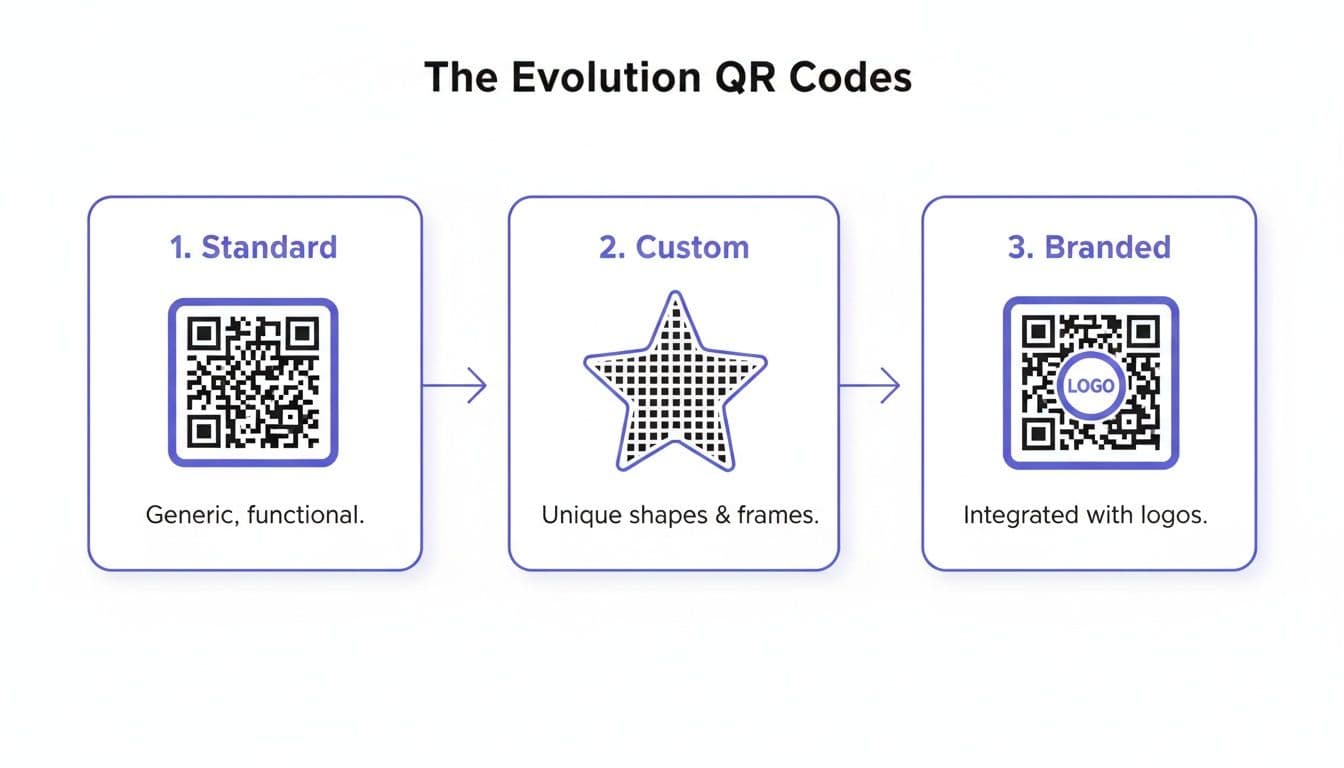
You can see how simple tweaks—like changing the shape and adding a logo—transform the code into a polished, professional touchpoint.
Step 3: Add a Call-to-Action Frame
A final touch that makes a huge difference is a frame with a clear call-to-action (CTA). A QR code floating by itself doesn't tell people what to do or why they should scan it. A frame provides that crucial context.
Instead of making people guess, be direct and helpful. Try CTAs like:
- Scan for Menu
- Get Your Coupon
- Join Our WiFi
- Watch Video
This simple text removes the guesswork and tells users exactly what they'll get for their scan, which almost always leads to higher scan rates. Good QR code generators, like QR Code Maker, have built-in frame options you can easily customize with your own text and brand colors, giving your design a professional finish.
Mastering Scannability and Performance
A beautiful, custom-shaped QR code is a great branding tool, but it's useless if it doesn't scan. Getting the technical details right is the difference between a successful campaign and a pile of expensive, un-scannable flyers.
This is where creative design meets technical reliability. A few key principles will ensure your custom QR code works perfectly, whether it's on a tiny business card or a massive event banner.
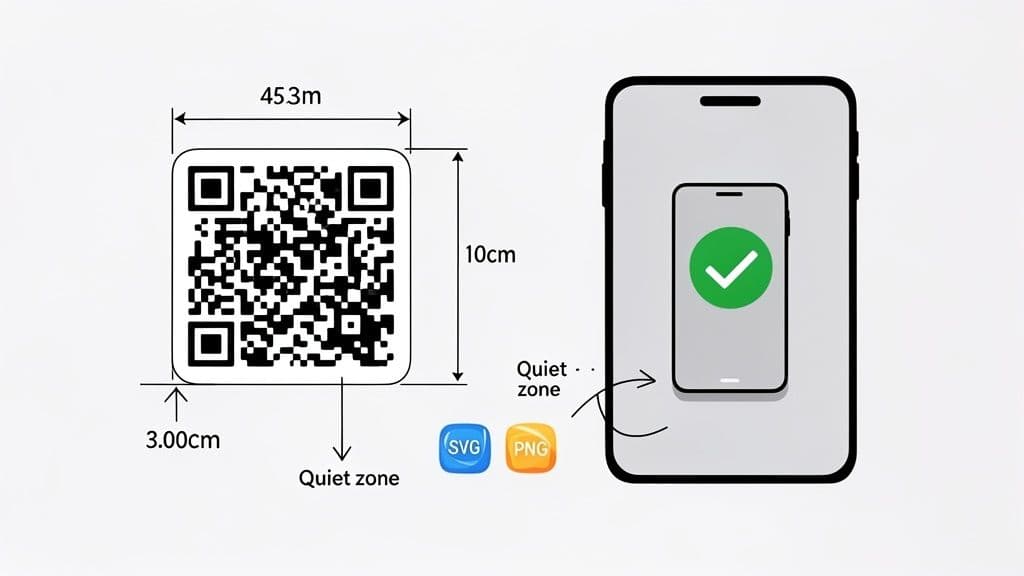
Respect the Quiet Zone
Think of the quiet zone as a non-negotiable buffer of empty space around your entire QR code. This margin isn't just for looks; it’s essential for scanner apps to distinguish the code from its background. When other graphics or text get too close, the app can get confused and fail.
Practical Tip: A good rule of thumb is to maintain a quiet zone at least four times the width of a single data module (one of the tiny squares). Fortunately, a professional tool like QR Code Maker automatically adds a sufficient quiet zone, so you don't have to guess.
Getting the Size and Scale Right
The right print size for your QR code depends entirely on how far away people will be when they scan it. A common mistake is printing a code too small for its environment, making it impossible to scan from a practical distance.
A solid ratio to remember is 10:1. This means if you expect someone to scan your code from 10 feet away (like on a large poster), the code itself should be at least 1 foot wide.
Here are some real-world size recommendations:
- Business Cards & Flyers: The absolute minimum scannable size is 2 x 2 cm (about 0.8 x 0.8 inches). Anything smaller is asking for trouble.
- Restaurant Menus & Table Tents: Aim for at least 3 x 3 cm (1.2 x 1.2 inches). This lets customers scan it easily from across a small table.
- Posters & Event Signage: This is where the 10:1 ratio is critical. A poster viewed from 5 feet away needs a code that's at least 6 inches wide.
Best Practice: When in doubt, go a little bigger. A code that’s slightly too large will always scan, but one that’s too small is a wasted opportunity.
Choosing the Right File Format for the Job
How you export your QR code is just as important as how you design it. Using the wrong file format leads to blurry, pixelated codes that are impossible to scan, especially when printed.
Stick to these two file types:
- SVG (Scalable Vector Graphics): This is the gold standard for print. SVGs are vector-based, so they can be scaled to any size—from a tiny product label to a massive billboard—without ever losing quality. Always provide your printer with an SVG file.
- PNG (Portable Network Graphics): This format is perfect for digital use on your website, in emails, or on social media. PNGs stay sharp at screen resolutions and support transparent backgrounds, making them easy to layer over other images.
Using a platform like QR Code Maker ensures you can download your custom QR code shapes in both high-resolution PNG and infinitely scalable SVG formats.
Of course, size and file format are only part of the puzzle. Color and contrast also play a huge role. For more guidance, learn all about choosing the right QR code colors and contrast to guarantee scannability.
The final, most critical step? Test, test, and test again. Before you send anything to print or publish online, scan your code with multiple devices (both iPhone and Android) from various distances and angles to make sure it works flawlessly.
Real-World Examples of Custom Shapes in Action
Theory is one thing, but seeing custom qr code shapes in the wild is where their value becomes clear. Ditching the generic square isn't just a design choice; it's a strategic move that turns a functional tool into part of your brand's story. When you get it right, the shape itself does half the talking.
Let’s look at how different industries use creative shapes to boost marketing, streamline operations, and create a better customer experience.
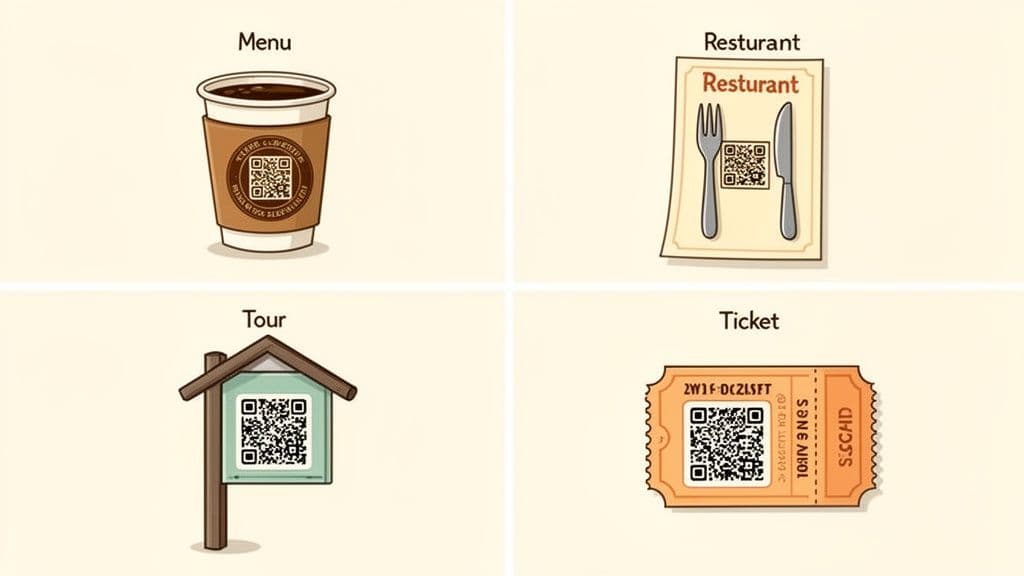
Use Case 1: Restaurants and Cafes
The hospitality industry embraced QR codes for contactless menus, but smart owners are taking it a step further. Instead of a clinical-looking square on the table, they’re using shapes that fit the vibe.
- Actionable Idea: A rustic Italian restaurant can use a QR code with a wine-bottle-shaped frame on each table. It instantly communicates "Scan for our wine list" and adds a touch of class. A modern coffee shop might use a circular QR code on its cups that links to a loyalty program, mirroring its logo and keeping the branding consistent.
- Other Examples: A steakhouse could frame its code with a fork and knife; a bakery could use a cupcake outline for a "Daily Specials" code. These details show customers that every part of their visit was considered.
Use Case 2: Business Cards and Networking
For professionals, a business card is a key first impression. A custom QR code turns it into an interactive tool.
- Actionable Idea: Instead of just printing contact info, add a QR code with rounded corners that links directly to your LinkedIn profile or online portfolio. The softer shape feels more modern and approachable than a standard square. Add a simple "Connect with Me" frame to guide them. This small touch makes you more memorable and makes it effortless for new contacts to connect digitally.
Use Case 3: Event Organizers
Events are all about creating an experience, and every touchpoint matters. Custom QR codes can handle everything from check-in to sharing schedules and gathering feedback.
- Actionable Idea: Use a QR code with a ticket-shaped frame on event badges or email confirmations. The design tells attendees exactly what to do: "Scan this ticket to check in." It reduces confusion at the entrance and speeds up the line.
- Other Examples: A music festival could use a guitar-shaped frame for codes that link to the performance schedule. A corporate conference might use a star-shaped code for attendees to vote for their favorite speaker. The shape adds context and engagement that a standard square can't.
Use Case 4: WiFi Sharing for Businesses
Making it easy for customers to join your WiFi network is a small but significant part of a great customer experience.
- Actionable Idea: Create a WiFi QR code and place it inside a frame shaped like a WiFi symbol. Add the text "Join Our WiFi" to the frame. When customers scan it, their phone will automatically connect to the network without them needing to find the network name or type a password. It's a frictionless experience that customers at cafes, hotels, and co-working spaces will appreciate.
Measuring Success with Dynamic QR Codes
A stunning custom-shaped QR code is fantastic for grabbing attention, but its real power comes from knowing if it's actually working. This is where dynamic QR codes become a marketer’s secret weapon. Unlike static codes with a fixed destination, you can edit a dynamic code’s link at any time—even after you've printed it on a thousand flyers.
That flexibility is a game-changer. For a restaurant, it means updating the menu link for a seasonal special without reprinting table tents. For an event organizer, it means correcting a typo in a schedule link after the badges have been printed. It saves money and keeps your marketing agile.
Turning Scans into Strategy
The real magic of dynamic codes, though, is the data. Platforms like QR Code Maker provide a powerful analytics dashboard that turns every scan into marketing intelligence. You can finally stop guessing about your campaign's performance and start making decisions based on what people are actually doing.
This data helps you understand how people interact with your brand. By digging into the metrics, you can refine your campaigns, prove your return on investment, and connect your creative designs to measurable business outcomes. The QR code stops being just a link and becomes a critical data-gathering tool.
Key Metrics to Track for Your Custom QR Codes
Once your campaign is live, monitor these essential data points in your dashboard:
- Total Scans: The most straightforward metric, showing overall engagement. A high number of scans tells you your design and placement are effective.
- Scans by Location: Find out where your audience is physically located when they scan your code. A business owner might discover a poster in a nearby community center drives more traffic than the one in their own window.
- Device Type: Knowing whether your audience uses mostly iPhones or Android devices helps you optimize the landing pages they're sent to.
- Peak Scan Times: See when your QR code gets the most action. An event organizer might notice a surge in scans for the schedule right before the keynote, prompting them to send a push notification at that time next year.
For a deeper dive, our guide explains more about how to track QR code scans and turn that raw data into action.
Combining great aesthetics with solid analytics is a powerful mix. With global QR code usage continuing to rise, as detailed in the booming QR codes market, dynamic codes are essential for any serious marketing campaign.
By tracking performance, you move from "I hope this works" to "I know this works, and here's why." The data from your dynamic QR code is the proof you need to justify marketing spend and fine-tune future campaigns for even better results.
Common Questions About Custom QR Code Shapes
Once you start exploring custom shapes, a few practical questions always come up. Business owners and marketers want to get creative, but not at the expense of scannability. Let's clear up some of the most common concerns so you can design with confidence.
Can Any Shape Be Turned into a QR Code?
While the creative possibilities feel endless, you can't just turn any random shape into a QR code. At its heart, a QR code is a grid of data modules, and that core structure has to stay intact for scanners to read it.
Most generators offer a curated library of shapes—like circles, stars, or rounded squares—that are pre-optimized to work around this data grid. Trying to force an overly complex or irregular shape would likely interfere with the data modules and lead to scan failures. Using a trusted tool like QR Code Maker is key, as it only offers pre-tested shapes guaranteed to scan while still looking sharp.
Do Custom Shaped QR Codes Work on All Phones?
Yes, a well-designed custom QR code will work on any modern smartphone, whether it’s an iPhone or an Android. The scanning software in today's phone cameras is smart enough to find the fundamental data patterns of a QR code, regardless of the decorative frame around it.
What really matters for universal compatibility isn't the outer shape, but the technical fundamentals:
- Keeping a clean quiet zone (the blank margin around the code).
- Using high-contrast colors that make the pattern easy to read.
- Ensuring the final print quality is crisp, not blurry.
Get those three things right, and your custom shape will scan perfectly everywhere.
Does Changing the Shape Affect QR Code Performance?
When done correctly, changing the shape can actually improve performance. A unique, eye-catching code is more likely to be scanned than a standard black-and-white square.
This is possible thanks to a built-in feature called error correction. It allows up to 30% of the code's data to be covered or altered by a logo or custom shape without losing any information.
But there's a limit. If your logo is too big or the shape obstructs too many critical data points, you'll cross a threshold where scanning starts to fail. That’s why the final step is always the most important: test your finished design thoroughly. Scan it with multiple phones, from different distances, and in various lighting conditions before you send it to print.
Ready to design a QR code that gets noticed? With QR Code Maker, you can create, customize, and track beautiful custom-shaped QR codes in seconds. Choose from dozens of shapes, add your logo, and download high-quality files for print or web. Start creating for free today at https://qr-code-maker.app.
Frequently Asked Questions
What are the benefits of using custom QR code shapes?
Custom QR code shapes enhance brand identity, increase scan rates, and improve customer engagement by making the codes visually appealing.
How can I ensure my custom QR code is scannable?
To ensure scannability, maintain a proper quiet zone around the code and adhere to size recommendations based on the expected scanning distance.
What file formats should I use for my QR code?
For optimal quality, use SVG (Scalable Vector Graphics) for print, as it maintains clarity at any size.
How much of my logo can I place on the QR code?
You can cover up to 25-30% of the QR code with your logo, ensuring it remains centered and proportional for optimal scanning.
What is a quiet zone in QR codes?
A quiet zone is a buffer of empty space around the QR code that helps scanners distinguish it from surrounding graphics, essential for successful scanning.
Ready to create your QR code?
Free forever for static codes. Pro features with 14-day trial, no credit card required.

Irina Aguiar
·Content LeadIrina Aguiar leads content strategy at QR Code Maker, where she has written extensively on QR code technology, marketing, and business operations. Her work ranges from technical explainers on how QR codes are generated and how error correction works to practical guides on QR marketing, automation, and scan analytics — plus hands-on tutorials covering Python, Google Sheets, and Zapier integrations. She also publishes honest competitor comparisons and industry-specific playbooks for retail, real estate, hospitality, healthcare, and events.
More from Irina Aguiar →Related Articles
How to Make and Use Transparent QR Codes for Professional Branding
Learn to design transparent qr codes that blend with your brand, stay scannable, and drive engagement with practical tips and real-world examples.
How to Create a Custom QR Code With a Logo People Will Actually Scan
Learn how to create a custom QR code with logo that boosts engagement. Our guide offers actionable tips for marketers and small businesses to stand out.
The 12 Best QR Code Monkey Alternative Tools in 2026
Searching for a QR Code Monkey alternative? Discover the 12 best QR code generators for creating dynamic, branded, and trackable codes for your business.