Social Media QR Codes
Create a social media QR code for Instagram, TikTok, Facebook, or LinkedIn. Print it on cards, packaging, or signage so people scan to follow you instantly.
Social Media QR codes link directly to your profiles on platforms like Instagram and Facebook. One scan takes visitors straight to your profile where they can follow, like, or engage with your content.
What They Do
When someone scans, they're taken directly to your social media profile page. On Instagram, they see your profile with a Follow button. On Facebook, they see your page with a Like button. No searching, no typing—instant access to your profile.
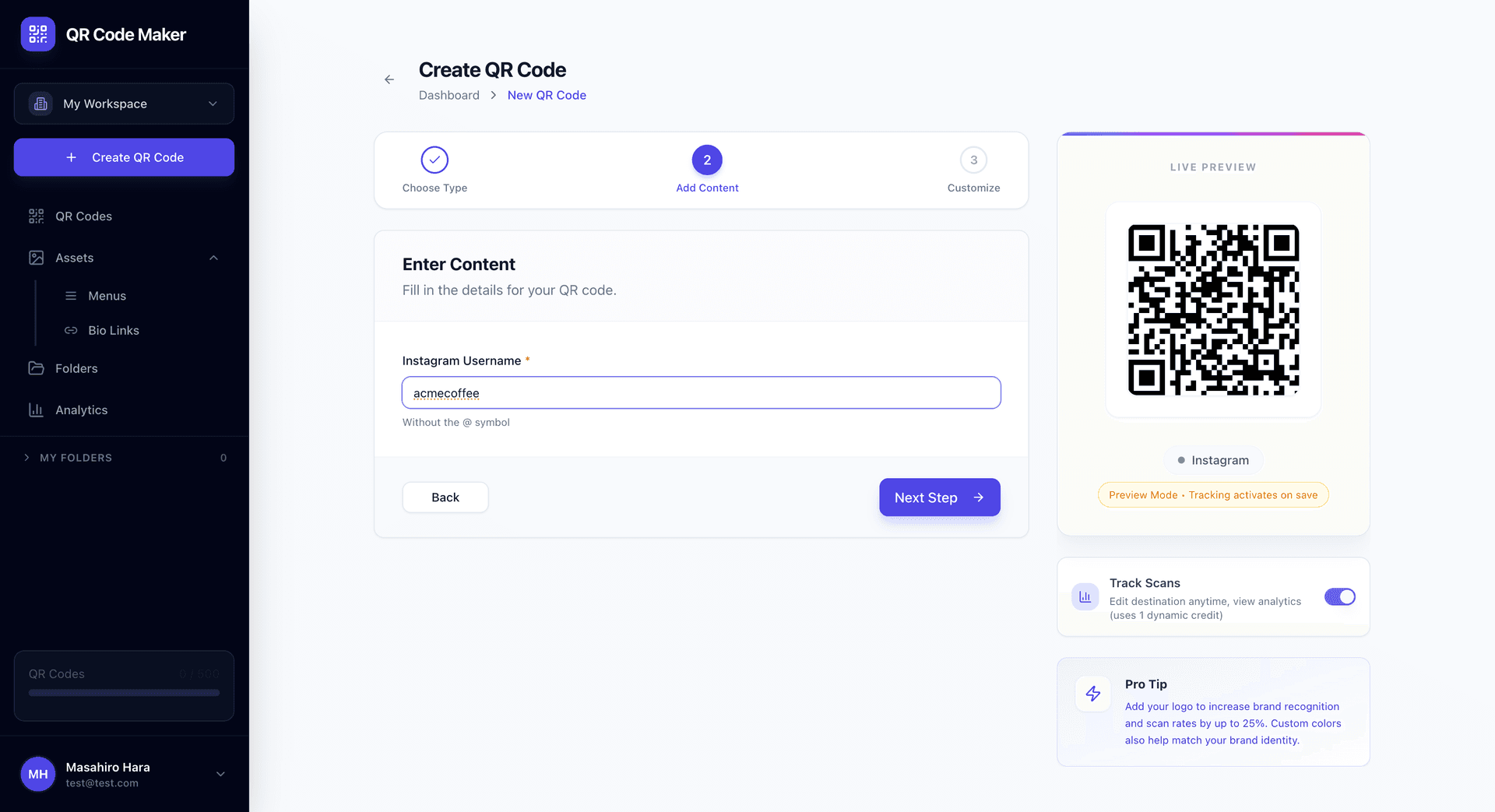
Instagram QR Codes
Enter your Instagram username (without the @), and we create a QR code that opens your profile directly in the Instagram app (or browser if they don't have the app).
Where to use them:
- Business cards
- Product packaging
- Store displays
- Printed marketing materials
- Event signage
- Restaurant table tents
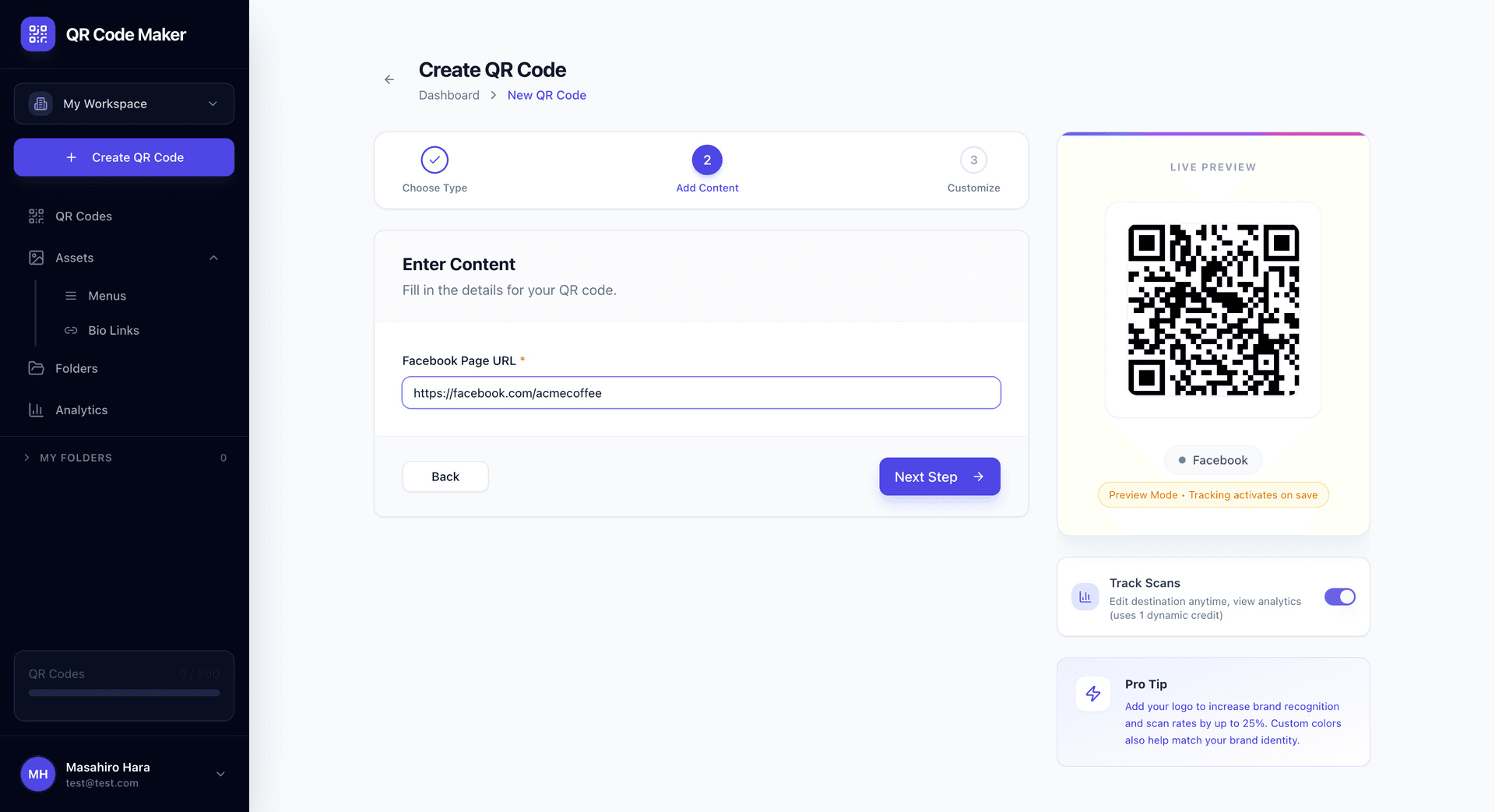
Facebook QR Codes
Enter your Facebook page URL, and we create a QR code that opens your page. Works for business pages, personal profiles, groups, or events.
Where to use them:
- Business signage
- Print advertisements
- Direct mail pieces
- Trade show displays
- Product inserts
Creating Social Media QR Codes
For Instagram:
- Click + Create QR Code and select Instagram
- Enter your username (without @)
- Customize your QR code design
- Download
For Facebook:
- Click + Create QR Code and select Facebook
- Enter your full Facebook page URL
- Customize your QR code design
- Download
Dynamic and Trackable
Social Media QR codes are dynamic, which means:
- Update the destination if you change usernames or pages
- Track scans to measure engagement
- See analytics on when and where people scan
- Replace without reprinting if your social strategy changes
Use Cases
Growing your following: Print on materials where your audience is—packaging, receipts, signage.
Event promotion: Conference badges, event programs, sponsor materials.
Retail integration: "Follow us for deals" at checkout counters.
Product packaging: "See it in action" cards pointing to your social presence.
Business cards: More engaging than just printing @username in text.
Influencer marketing: Sponsored content with easy follow access.
Instagram vs Website QR for Social
| Approach | Instagram QR | Website QR to Instagram |
|---|---|---|
| User experience | Opens Instagram directly | Browser → Instagram |
| Tracking | Built-in analytics | Requires URL shortener |
| App behavior | Opens in Instagram app | May open in browser |
| Setup | Just username | Full URL needed |
Instagram QR codes provide a smoother experience because they're optimized for the platform.
The User Experience
With Instagram app installed:
- Scan QR code
- Instagram app opens to your profile
- Tap Follow
Without Instagram app:
- Scan QR code
- Browser opens Instagram profile
- Prompted to open in app or continue in browser
Either way, they get to your profile quickly.
Tips
Test the redirect. Scan your code and verify it goes to the right profile.
Use your brand colors. Match your QR code colors to your social brand.
Add a call to action. "Follow us" or "Check out our page" near the QR code.
Consider your audience. Instagram skews younger; Facebook has broader demographics.
Track performance. Which placements drive the most scans? Invest more in what works.
Social Media QR vs Bio Link
| Need | Best Option |
|---|---|
| Single platform | Social Media QR |
| Multiple platforms | Bio Link |
| Just your Instagram | Instagram QR |
| Instagram + TikTok + YouTube | Bio Link |
If you want people to follow you on one specific platform, use that platform's QR code. If you have multiple platforms, use a Bio Link to let visitors choose.
Common Questions
What if I change my username? Edit the QR code in your dashboard. Since it's dynamic, existing printed codes will redirect to your new username.
Can I tell if scans convert to followers? You can see scan counts, but follower conversion happens on the social platform. Compare scan timing with your follower growth to estimate.
Why not just print my @username? You can! But a QR code is faster—no typing required. People are more likely to follow when it's one tap vs. searching and typing.
Do visitors need the app installed? No. Without the app, the profile opens in their browser. But the in-app experience is smoother.
Can I make one QR for multiple platforms? That's what Bio Link is for—one page with all your social profiles.
Will this work if my account is private? Yes, but visitors will see a private account message and need to request to follow.