Bio Link QR Codes
Create a free bio link QR code with your photo, social media links, and custom buttons. We host the page — no website needed. Perfect for creators and brands.
Bio Link QR codes create a customizable landing page that showcases your profile, social media links, and custom buttons. Think of it as your own link-in-bio page, but scannable.
What It Does
When someone scans, they see a beautiful profile page with your name, photo, bio, and links to all your social profiles and important destinations. We host it for you at a short URL like qrc.gs/b/yourname.
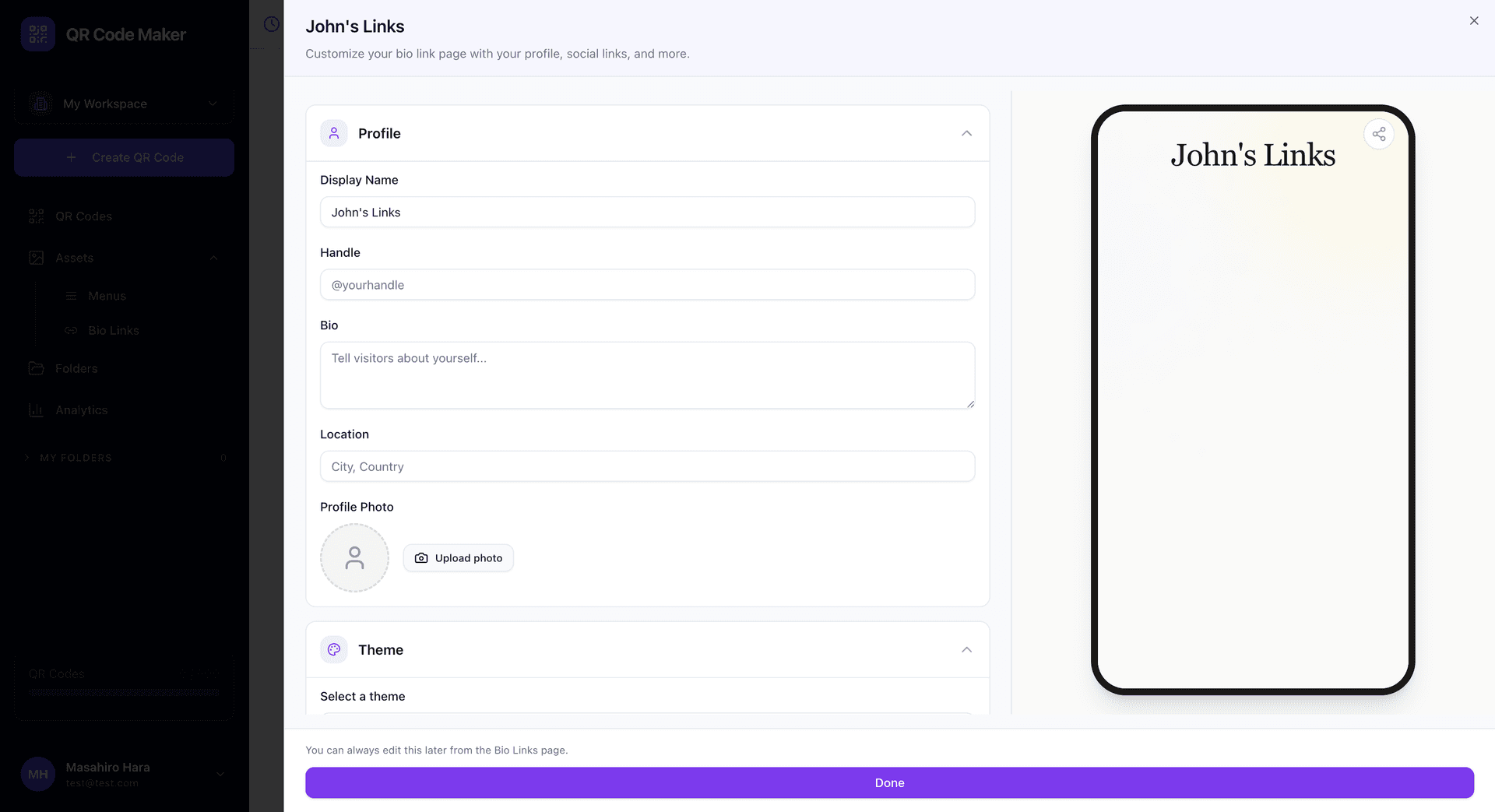
What You Can Include
Profile section: Your name, a short bio, and profile photo. This appears at the top of your page.
Hero link: An optional prominent link that appears right under your profile—perfect for your most important destination.
Social media links: Add links to all your social profiles. We automatically display the correct icon for each platform (Instagram, TikTok, YouTube, Twitter/X, LinkedIn, and more).
Custom link buttons: Add as many custom links as you need with your own button text. Link to your website, store, latest project, or anything else.
Contact info: Optionally include phone, email, and physical address.
All Your Links in One Place
Bio Link solves the "one link" problem. Instead of constantly changing your Instagram bio link, point it to your Bio Link page and update that whenever you want.
Creating a Bio Link QR Code
Step 1: Go to Assets → Bio Links and create your Bio Link page first. Fill in your profile, add social links, customize the theme, and save.
Step 2: Click + Create QR Code, select Bio Link, and choose the Bio Link you created.
Step 3: Customize your QR code design and download.
Create the Asset First
Bio Links are standalone assets that can be reused across multiple QR codes. Create your Bio Link page first in the Assets section, then link it to a QR code.
Themes
Choose from several professionally designed themes to match your style:
- Coastal: Clean, light blue tones
- Midnight: Dark mode with subtle accents
- Sunset: Warm orange and pink gradients
- Forest: Natural green tones
- Minimal: Simple black and white
You can change themes anytime, and all your QR codes pointing to that Bio Link will show the new design.
Who Uses These
Content creators: YouTubers, podcasters, TikTokers, bloggers linking to all their platforms.
Musicians and artists: Spotify, Apple Music, merch store, tour dates—all in one place.
Small business owners: Link to your shop, booking page, reviews, and social accounts.
Professionals: LinkedIn, portfolio, contact info, and booking links for consultants and freelancers.
Event speakers: Conference speakers sharing slides, social links, and contact info.
Analytics
Track visits to your Bio Link page, see which links get clicked most, and understand your audience. This helps you prioritize which links to feature prominently.
Bio Link vs Business Page
| Feature | Bio Link | Business Page |
|---|---|---|
| Focus | Personal profile | Business info |
| Content | Links and social profiles | Hours, location, services |
| Style | Modern, influencer-style | Professional business card |
| Best for | Creators, individuals | Local businesses |
Use Bio Link for personal branding and link sharing. Use Business Page for traditional business information with hours and location.
Tips
Put your most important link first. The hero link position or top of your list gets the most clicks.
Use recognizable profile photos. Help people confirm they've found the right person.
Keep link text short. "Watch my latest video" beats "Click here to watch my newest YouTube video that I uploaded yesterday."
Update regularly. Stale links to finished projects or old content make your page look abandoned.
Common Questions
Can I change my links after creating the QR code? Yes! Edit your Bio Link anytime and changes appear immediately. The QR code stays the same.
How many links can I add? As many as you need. Though for user experience, we recommend keeping it focused—8-12 links is usually the sweet spot.
Can I see who clicked which link? Yes, analytics show you click counts for each link so you know what resonates with your audience.
What's the difference between this and Linktree? Similar concept, but integrated into your QR code workflow. Your Bio Link and QR codes are managed together, and you get unified analytics.
Can I use my own domain? Currently Bio Links are hosted on our short domain (qrc.gs/b/). Custom domains may be available in the future.