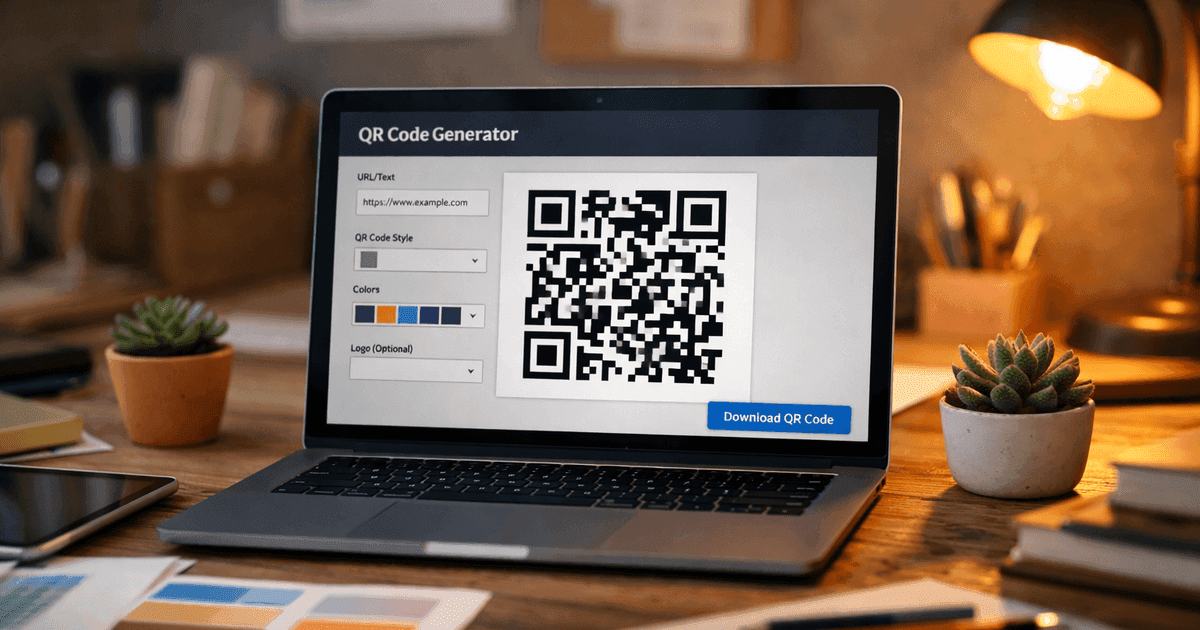

Transform your open house sign in sheet from a guestbook into a powerful lead magnet. Learn how to use QR codes and smart design to capture better leads.
An open house sign-in sheet is a classic tool real estate agents use to capture contact info from visitors. But in today's fast-paced market, a modern approach can make all the difference. By replacing the traditional clipboard with a QR code, you can streamline the process, eliminate manual data entry, and create a professional, tech-savvy first impression. This guide will walk you through a clear, step-by-step process to create a QR code sign-in sheet that visitors will actually use.
Why Use a QR Code for Your Open House Sign In?
Let’s be honest, that standard clipboard by the door often feels like a chore for visitors and can become a dead-end for agents trying to decipher messy handwriting. A QR code solves these problems, making the sign-in process a valuable lead capture tool instead of just a guestbook.
A smooth, digital sign-in experience builds instant trust and professionalism. Visitors simply scan the code with their smartphone, fill out a quick form, and you instantly receive their accurate contact information.
This simple shift is a powerful part of your real estate lead generation strategies. It helps you turn foot traffic into actionable business opportunities efficiently.
The Benefits of a Digital QR Code Sign-In Sheet
A QR code system offers significant advantages over traditional paper forms, helping you work smarter, not harder. The best agents treat their sign-in process as a qualification tool first and a guestbook second. This is especially critical for safety; in major markets, 22% of NAR-surveyed realtors report safety concerns, making a clear, digital log of who comes and goes non-negotiable.
Here are the key benefits:
- Accuracy: No more illegible handwriting. Contact information is captured correctly the first time.
- Efficiency: Leads are automatically organized in a digital spreadsheet, saving you hours of manual data entry.
- Speed: Visitors can sign in quickly using their own devices, preventing a bottleneck at the entrance.
- Professionalism: A QR code sign-in demonstrates that you are a modern, tech-forward agent.
- Immediate Follow-Up: You can access new leads in real-time and start your follow-up process before the open house even ends.
Paper Forms vs. Digital QR Codes
How you collect information can make a huge difference. While some agents still find success with paper, a digital QR code offers a more efficient and data-rich alternative. Here’s a quick comparison to help you choose the best method for your open house.
| Feature | Paper Sign-In Sheet | Digital QR Code Sign-In Sheet |
|---|---|---|
| Data Entry | Manual transcription is a must. Prone to errors and illegible handwriting. | Automated and instant. Data is clean and accurate from the start. |
| Lead Follow-Up | Slow. Requires manually typing everything into your CRM or a spreadsheet. | Immediate. Can trigger automated follow-up emails or texts instantly. |
| Visitor Experience | Familiar and low-tech, but can easily create a bottleneck at the entrance. | Contactless, fast, and feels modern. Visitors use their own phones. |
| Analytics | None. You only know who signed in, not when or how quickly. | Provides valuable data like scan times, locations, and device types. |
| Customization | Limited to what you print. Changes mean reprinting the whole stack. | Dynamic forms can be updated anytime without ever changing the QR code. |
| Cost | Low initial cost for paper and printing. | Low to no cost using free tools like QR Code Maker and Google Forms. |
Ultimately, the best method fits your workflow. But as you can see, a quick QR code setup can save you a ton of administrative headache and get you in touch with hot leads much faster.
Step 1: Create Your Digital Sign-In Form
Before you can create a QR code, you need a digital form for it to link to. The goal is to make the form quick and painless for your guests while still gathering enough data to be useful. Free tools like Google Forms are perfect for this.
What to Include in Your Form
To create a form that works, you have to ask the right questions—enough to qualify leads, but not so many that people get annoyed. Simplicity is your best friend.
Here are the must-have fields for maximum insight with minimum friction:
- Full Name: The absolute basic. You need this to personalize any follow-up.
- Phone Number & Email Address: These are your primary lines of communication. It’s smart to ask for both.
- Are you working with an agent?: This is a critical qualifying question. A simple "Yes/No" checkbox instantly tells you if a visitor is a potential client.
- What is your buying timeline?: This helps you prioritize. Use a dropdown with options like “Immediately,” “1-3 Months,” or “Just Looking” to segment hot leads from those who need long-term nurturing.
Pro Tip: Always add a brief, friendly privacy statement at the bottom of your form. Something as simple as, "We'll only use your information to share property details and follow up. We respect your privacy," can build the trust needed to get a submission.
Once your form is ready in Google Forms, click Publish (visitors can't open an unpublished form), then use Copy responder link. That link is the URL you will use to create your QR code. To collect your leads in a spreadsheet, open the Responses tab, click More, choose Select destination for responses, and create a new spreadsheet. Every submission then adds a row, giving you an organized list of new leads as they arrive.
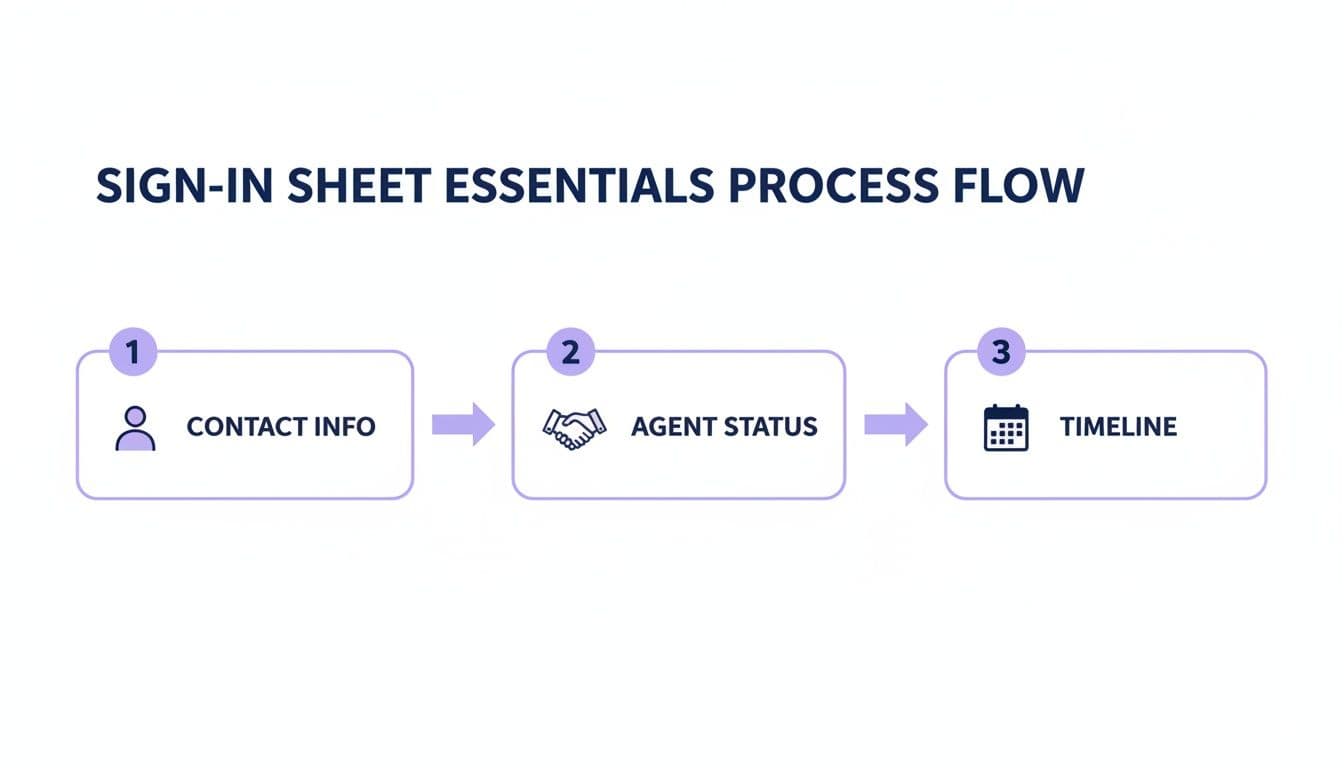
This flow shows how each piece of information builds on the last, giving you a complete snapshot of every potential client.
Step 2: Generate a Dynamic QR Code for Your Form
With your form link ready, it’s time to create the QR code. For business use, it's highly recommended to use a tool like QR Code Maker that creates dynamic QR codes. This offers a huge advantage for any busy agent or event organizer.
A dynamic code allows you to change the destination URL—the link to your form—at any time without having to print a new QR code.
Imagine you want to add a new question to your form or use the same sign-in display for a different property. With a dynamic QR code, you just log into your QR Code Maker dashboard and update the link. The physical, printed code on your sign-in table stays exactly the same. We have a full guide that shows you exactly how to create a QR code for a Google Form.
This flexibility is a game-changer. It means one professional-looking sign can be reused for dozens of open houses, saving you time and printing costs while ensuring your lead capture is always on point.
Step 3: Design and Display Your QR Code Sign-In Sheet
How you present your QR code matters. A simple, clear display will encourage more visitors to sign in.
Best Practices for Displaying Your QR Code:
- Use a Clear Call-to-Action: Don't just display the code. Use clear, inviting text like, "Welcome! Please Scan to Sign In" or "Scan Here for Property Details & to Sign In."
- Make it Visible: Place the QR code in a prominent location right at the entrance, such as on a welcome table or a standalone sign.
- Provide Instructions: For guests who may not be familiar with QR codes, include a simple instruction: "Open your phone's camera and point it at the code."
- Offer a Reason to Scan: Motivate visitors by offering an incentive. For example: "Scan to sign in and instantly receive the digital property brochure." This provides immediate value and increases scan rates.
- Brand Your Code: Use a tool like QR Code Maker to add your logo and brand colors to the QR code. This reinforces your brand identity and makes the sign-in experience feel more professional.
By creating a professional display, you make the sign-in process feel like a natural part of the welcome rather than a mandatory hurdle.
Step 4: Turn Open House Visitors Into Actual Clients
A name on a sign-in sheet is just data. A nurtured lead is a future client. The bridge between the two is your follow-up, and with a digital system, you can act fast.
A landmark real estate study found that 78% of consumers work with the company that responds to their inquiry first. Since your leads are already in a digital format, you can begin your outreach immediately.
Personalize Your First Message
That first outreach email or text sets the tone. It needs to be personal and helpful, not pushy. Ditch the generic "Thanks for coming!" and offer something of value.
Here’s a simple, effective email script:
Subject: A few more details on [Property Address]
Hi [Visitor Name],
Great meeting you at the open house for 123 Main Street today. I wanted to send over that digital property brochure I mentioned, which has a few extra photos and some info about the neighborhood.
Based on what you said about [mention something from your conversation, e.g., "wanting a bigger backyard"], I also thought you might like this other property I have coming up: [link to a similar property or a blog post about the local market].
No pressure at all, but if you have any questions or want to see 123 Main again, just let me know.
Best, [Your Name]
This works because it's genuinely helpful and proves you were listening.
Segment Leads for Smarter Follow-Up
The data you collected on your sign-in form is your roadmap. Segment your new contacts based on their answers to send hyper-relevant information. Understanding the basics of lead generation marketing for live events is key to getting the most out of every open house.
Here's a simple way to segment:
- Hot Leads (Ready to buy now, no agent): These people get a personal call or text within a few hours. Your goal is to book a buyer consultation or a private showing.
- Warm Leads (Buying in 1-3 months): Add them to a targeted email drip campaign with relevant market updates and new listings that fit their criteria.
- Long-Term Nurture (Just looking): These folks go into your general newsletter. Send them market trends and community news to stay top-of-mind.
By organizing your leads this way, you're building an efficient, long-term pipeline. For a deeper look at the technology that can help, check out our guide on lead generation tools for real estate agents.
Step 5: Use Sign-In Data to Sharpen Your Strategy
Your digital sign-in sheet is also a powerful business intelligence tool. When you use a dynamic QR code for sign-ins, you elevate your open house from a simple showing to a data-driven marketing event.
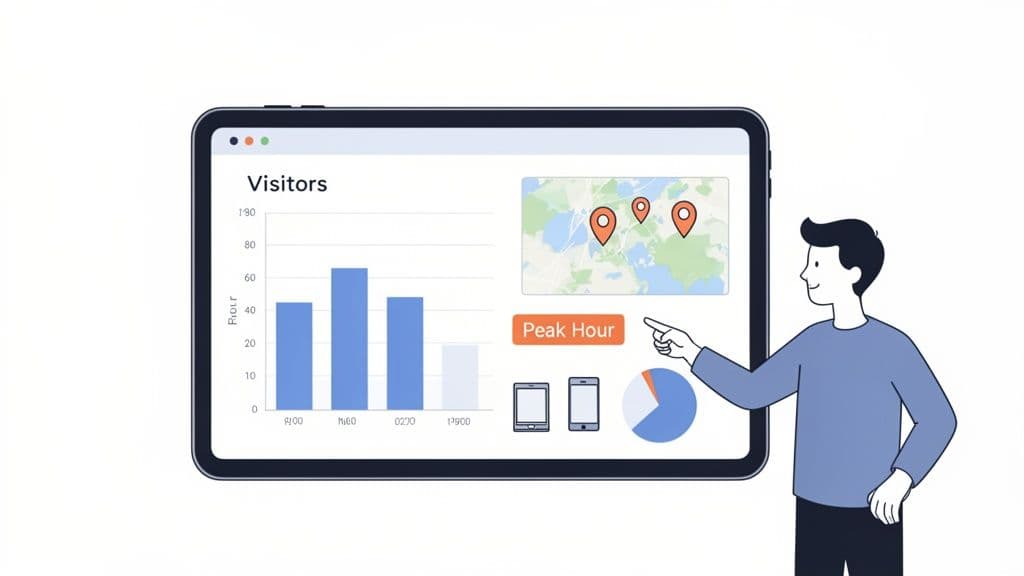
This approach transforms a guest list into an analytics dashboard. Instead of just seeing names, you start seeing patterns that help you optimize everything from staffing levels to your marketing spend.
Uncovering Insights from Your Scan Data
With a tool like QR Code Maker, every scan gives you a piece of the puzzle. The analytics dashboard reveals key metrics that can shape your future open house strategy. You can see precisely when visitors are scanning your code, giving you a clear picture of peak traffic hours.
Imagine discovering that most of your serious buyers consistently show up within the first 30 minutes. You could adjust your schedule to ensure you're fully staffed during that crucial window. To learn more, see our guide on how to track QR code scans and make this data work for you.
By tracking scan data, you stop running your open houses on intuition alone. You start making strategic decisions based on real visitor behavior, which can significantly improve your lead quality and conversion rates.
Best Practices for Your Open House QR Code
Your QR code doesn’t have to be a one-trick pony. The same code that captures lead information can also act as a multi-channel marketing touchpoint.
Here are a few advanced tactics:
- Link to a Virtual Tour: After a guest signs in, redirect them to an immersive virtual tour of the home to keep the property fresh in their minds.
- Share Your Digital Business Card: Set up your QR code to link to your vCard. A quick scan allows visitors to save all your contact information directly to their phone's address book.
- Provide a Property Landing Page: Link your code to a simple landing page that hosts the sign-in form alongside a photo gallery, property documents, and links to your social media profiles.
By layering these functions, you transform a simple sign-in process into a memorable, interactive experience that signals you're a forward-thinking agent.
Common Questions About Open House QR Code Sign-Ins
Even with a streamlined digital process, questions can arise. Here are answers to common queries about using QR codes for open house sign-ins.
What’s the Best Format for a Digital Sign-In Form?
The ideal format is simple, fast, and only asks for essential information. A mobile-friendly form created with a tool like Google Forms is tough to beat. Stick to four or five key fields: Name, Phone, Email, "Are you working with an agent?," and an optional "Buying timeline?" The key is to avoid a cluttered design that feels like homework. Using a trusted solution like QR Code Maker to generate a code for your form is the perfect middle ground—effortless for visitors, powerful for your lead pipeline.
How Can I Get More Visitors to Use the QR Code?
It's all about making the sign-in feel like a natural part of the welcome, not a mandatory hurdle.
- Create a Welcoming Station: Set up your QR code display right at the entrance. Greet everyone with a warm welcome before you mention signing in.
- Give Them a Reason: People are more willing to scan if they get something in return. Frame your QR code with a clear call-to-action, like "Scan to Sign In & Instantly Receive the Digital Property Brochure."
- Build Instant Trust: A quick privacy note can lower their guard. A simple sentence assuring visitors their information is safe goes a long way.
Are Digital QR Code Sign-Ins Really Better Than Paper?
For any agent serious about efficiency and speedy follow-up, the answer is a firm yes. While some visitors might appreciate pen and paper, the practical advantages of a digital system are too big to ignore.
QR code sign-ins eliminate illegible handwriting, automate manual data entry into your CRM, and provide analytics on visitor traffic. They are, quite simply, a more efficient tool for managing leads in the modern era.
Plus, a dynamic QR code allows you to update the linked form anytime without reprinting the code. For a busy agent juggling multiple listings, that flexibility is a game-changer.
What Legal and Privacy Rules Should I Know?
Transparency is key when collecting contact information. Be upfront about why you're asking for their details. You should include a short, clear disclaimer on your digital form. Something simple works best: "By providing your contact information, you agree to receive follow-up communication from [Your Name/Brokerage]. We respect your privacy and will not share your information." This simple sentence builds trust and keeps you operating ethically. Always follow local regulations on data privacy and be ready to honor any requests from visitors who want to be removed from your list.
Ready to create a professional, trackable QR code for your next open house? QR Code Maker gives you the tools to build a seamless digital sign-in experience, complete with custom branding and real-time analytics. https://qr-code-maker.app
Frequently Asked Questions
What tools can I use to create a digital sign-in form?
Free tools like Google Forms are ideal for creating digital sign-in forms that can be linked to QR codes.
How do I ensure visitors know how to use the QR code?
Include clear instructions near the QR code, such as 'Open your phone's camera and point it at the code' to guide visitors.
What information should I collect in my sign-in form?
Collect essential details like full name, phone number, email address, agent status, and buying timeline to qualify leads effectively.
Can I change the URL linked to my QR code after it's created?
Yes, using a dynamic QR code allows you to change the destination URL without needing to print a new code.
How can I follow up with leads effectively after the open house?
Segment your leads based on their responses and personalize your follow-up messages to provide relevant information and build rapport.
Ready to create your QR code?
Free forever for static codes. Pro features with 14-day trial, no credit card required.

Irina Aguiar
·Content LeadIrina Aguiar leads content strategy at QR Code Maker, where she has written extensively on QR code technology, marketing, and business operations. Her work ranges from technical explainers on how QR codes are generated and how error correction works to practical guides on QR marketing, automation, and scan analytics — plus hands-on tutorials covering Python, Google Sheets, and Zapier integrations. She also publishes honest competitor comparisons and industry-specific playbooks for retail, real estate, hospitality, healthcare, and events.
More from Irina Aguiar →Related Articles
Survey QR Code: Your Guide to Gathering Feedback Instantly
Learn how to create a dynamic survey QR code to collect valuable customer feedback instantly. Our guide covers everything from creation to analysis.
The 12 Best QR Code Monkey Alternative Tools in 2026
Searching for a QR Code Monkey alternative? Discover the 12 best QR code generators for creating dynamic, branded, and trackable codes for your business.
A Guide to Using a QR Code for Inventory Management
Learn how to use a QR code for inventory to boost accuracy, streamline operations, and reduce errors. Your practical guide for small businesses.