
Create a digital business card for realtors that captures more leads. This guide covers QR codes, design tips, distribution, and analytics.
A digital business card is your modern, interactive profile that lets you instantly share contact info, property listings, virtual tours, and social media links. It’s all done through a QR code or a simple URL, replacing that stack of paper cards for good. For real estate agents, it's a game-changer for capturing leads and meeting the expectations of today's clients.
Why a Digital Business Card Is Essential for Realtors
In real estate, first impressions are everything, and speed is your secret weapon. The traditional paper business card? It's quickly becoming a relic. While it had a good run, it just can't keep up with how clients interact today. Tech-savvy buyers and sellers expect instant access to information on their phones, and a static piece of paper simply falls flat.
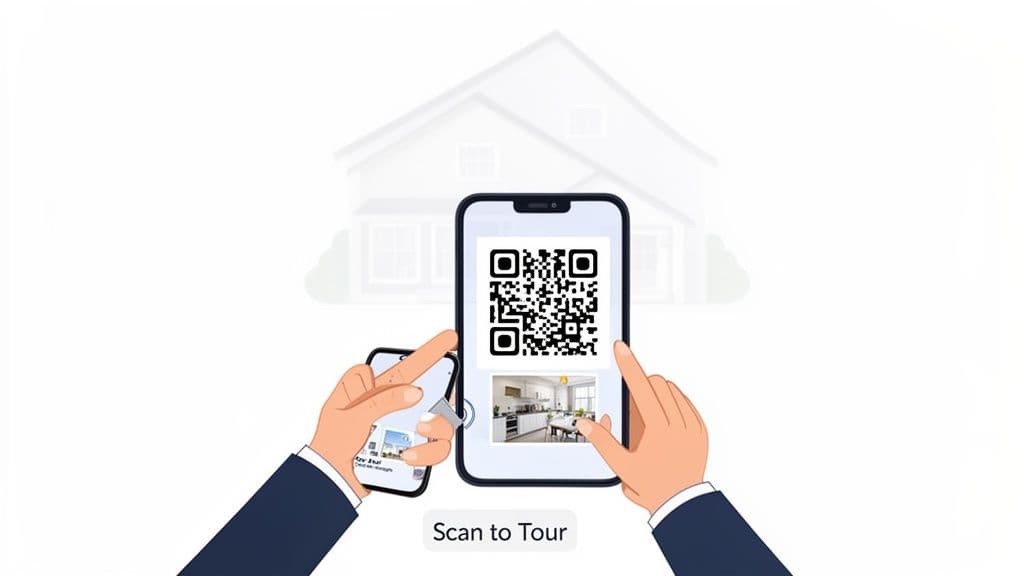
Imagine this: you're at a packed open house. Instead of digging for a paper card that will probably end up in a junk drawer, you just show a QR code on your phone.
A potential client scans it and immediately gets:
- Your complete contact info, saved directly to their phone’s address book.
- A video walkthrough of the very home they're standing in.
- Links to your other active listings and social media profiles.
- A button to schedule a private showing on the spot.
That immediate, interactive experience sets you apart. You've just turned a simple contact exchange into a powerful marketing moment, closing the gap between meeting someone and them becoming a hot lead.
Gaining a Competitive Advantage
This isn't just a passing trend—it's a fundamental shift in how professionals network. The growth in the digital business card market proves it. The U.S. market alone is projected to rocket from $44.5 billion in 2025 to $118.12 billion by 2035. That explosive growth signals that agents who adopt this technology now are setting themselves up for long-term success. You can read the full market research about digital business cards to see just how big this is.
To put it in perspective, here’s a quick rundown of how the old way stacks up against the new.
Traditional vs Digital Business Card for Realtors
This table breaks down the key advantages of making the switch. It's not just about convenience; it's about getting better results from every single interaction.
| Feature | Traditional Paper Card | Digital Business Card |
|---|---|---|
| Contact Sharing | Manual entry, prone to errors | Instant save to contacts (vCard) |
| Content | Static: name, phone, email | Dynamic: listings, videos, social links |
| Updates | Requires reprinting for any change | Instantly editable online |
| Lead Capture | None | Built-in contact forms |
| Analytics | Zero tracking | Tracks views, clicks, and engagement |
| Cost | Ongoing printing expenses | Often a low monthly/annual fee |
| Environmental Impact | Paper waste | Eco-friendly and sustainable |
| Convenience | Easily lost or damaged | Always accessible on a smartphone |
The difference is stark. One is a passive piece of paper, while the other is an active, lead-generating tool.
Practical Tip: A digital business card isn't just a contact card; it's a dynamic, pocket-sized marketing hub. It allows you to showcase properties, capture leads, and follow up in minutes, turning every interaction into a potential deal.
Ultimately, a digital business card for realtors is about more than just looking modern. It’s a strategic tool that connects your in-person networking directly to your online presence. It ensures that when a great lead is ready to make a move, all your information is right there at their fingertips, ready to convert.
Designing Your High-Impact Realtor Profile
A great digital business card is more than just a fancy way to share your phone number. Think of it as your personal landing page, a tiny marketing machine that works for you 24/7. Your goal is to transform it from a simple contact file into a compelling, high-impact profile that actually generates leads.
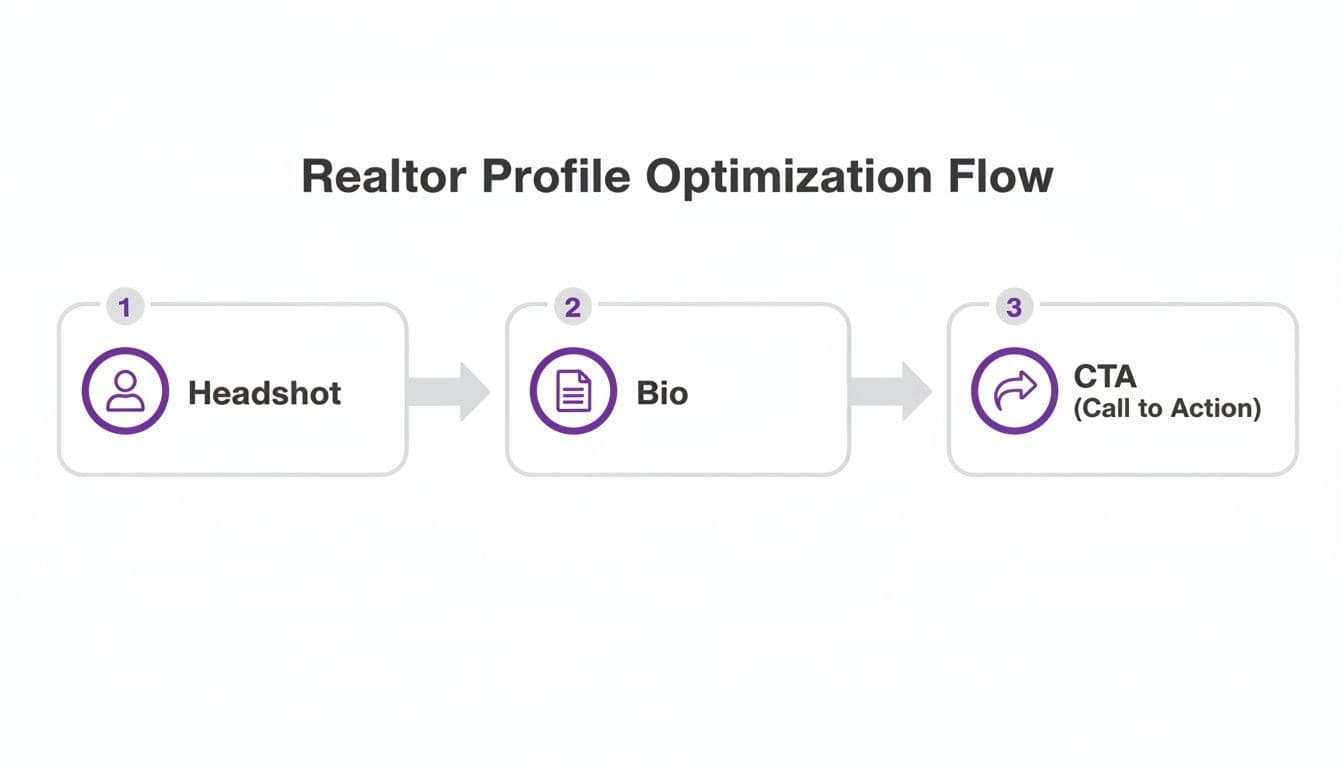
It all starts with the visuals. Your headshot is the first thing a potential client connects with, so it has to build instant trust. This is not the place for a casual selfie or a photo from ten years ago. Invest in a professional shot that makes you look friendly, confident, and approachable—exactly the kind of expert someone wants guiding them through one of life's biggest transactions.
Crafting a Compelling Bio and Call to Action
With a strong visual in place, it’s time for your bio. Keep it short and powerful. Prospects are busy, so skip the long life story and get straight to what matters to them.
In just a few sentences, highlight your specialty (first-time homebuyers, luxury condos, a specific neighborhood), explain what makes you different, and maybe add a touch of what drives you as an agent. The goal is to connect on both a professional and personal level, quickly.
After your bio comes the most critical part: telling them what to do next with a clear call-to-action (CTA). This is how you turn a passive viewer into an active lead. Don't just leave them hanging with your contact info; give them a specific, easy next step.
Effective CTAs for realtors look like this:
- Schedule a Showing: A direct link to your calendar using a tool like Calendly makes booking effortless.
- View My Current Listings: This takes them straight to your active properties, keeping them engaged and on your site.
- Get a Free Home Valuation: This is a classic lead magnet for attracting potential sellers.
- Download My Buyer's Guide: Offer a genuinely useful resource in exchange for their contact information.
Best Practice: Your CTA is the engine of your digital business card. Choose one that aligns directly with your main business goal, whether that’s getting more buyer consultations or attracting seller leads.
Integrating Multimedia for Maximum Impact
This is where a digital card blows its paper predecessor out of the water. You have the space to bring your brand and your listings to life with rich media. Static information is fine, but interactive content is what grabs attention and gets people to act.
Consider incorporating elements like:
- Property Videos: Embed a high-quality walkthrough of a featured listing.
- Virtual Tours: Link out to those immersive 3D tours that let prospects explore a home from their couch.
- Client Testimonials: A short video clip or a series of written reviews builds social proof and credibility in seconds.
- Community Guides: Share a PDF or a video about the neighborhoods you serve to position yourself as the local expert.
By combining a professional headshot, a persuasive bio, a strategic CTA, and engaging multimedia, you're not just sharing info—you're creating a powerful digital profile.
For those ready to start putting these pieces together, a dedicated digital business card designer can provide the structure and tools to organize these elements effectively. Your card will become an indispensable tool that does more than share your contact details; it will actively work to grow your business.
Creating Your QR Code for Maximum Engagement
Once you’ve polished your digital profile, it’s time to connect it to the real world. This is where the QR code becomes your most valuable player. A well-designed QR code is the instant gateway to your digital business card, capable of turning a curious glance at a "For Sale" sign into a saved contact on a prospect's phone.
For a realtor, the choice between a static and a dynamic QR code is a no-brainer: always choose dynamic. A static QR code permanently embeds your information. If you change your phone number or update a listing, you have to generate a brand-new code and reprint every single flyer, sign, and mailer. It's a logistical nightmare.
A dynamic QR code, on the other hand, points to a URL that you can change anytime. This means the QR code on your yard sign can link to your general profile today, a specific virtual tour tomorrow, and a "Just Sold" update next week—all without reprinting a single thing. That kind of flexibility is essential in the fast-paced real estate market.
Make Your QR Code Scannable and On-Brand
A generic black-and-white QR code gets the job done, but a branded one actually gets scanned. Customizing your QR code isn't just about looking good; it's about building trust and boosting scan rates. In fact, branded QR codes can see up to 40% more scans than their plain counterparts.
Here's a quick look at the core profile elements your QR code will ultimately lead to, reinforcing why that destination needs to be polished before you start printing codes.
When you're creating your code with a trusted solution like QR Code Maker, stick to these best practices:
- Add Your Logo: Place your headshot or agency logo right in the center. It immediately tells people who the code belongs to and that it’s safe to scan.
- Use Brand Colors: Ditch the standard black and use your agency’s primary color instead. This keeps your branding consistent across all your marketing materials.
- Include a Frame with a CTA: Wrap a simple frame around the code with text like "Scan for Tour" or "Save My Contact." A clear prompt removes any guesswork and tells people exactly what to do.
You can get into the finer details by checking out this guide on how to design a QR code for more advanced tips.
Setting Up a vCard QR Code
One of the most powerful tools in your arsenal is the vCard QR code. Instead of just linking to a webpage, a vCard QR code directly prompts the user to save your complete contact details into their phone’s address book. This completely eliminates fumbling with manual entry and ensures your info is stored correctly, every single time.
Practical Tip: A vCard QR code is the digital equivalent of a perfect handshake. It's fast, professional, and ensures you make it into a prospect's contacts with a single scan, significantly increasing your chances of a follow-up.
This feature is a game-changer for networking and open houses, turning a fleeting interaction into a permanent contact.
Smart Ways to Get Your Digital Business Card Out There
You’ve got a killer new digital business card. Now it's time to get it in front of clients. The real magic happens when you make it incredibly easy for people to find and save your details at every turn, blending your physical and digital marketing into one seamless experience.
Think bigger than just texting a link. Your QR code should be everywhere.
For instance, picture a potential buyer doing a slow drive-by of one of your listings. A simple, branded QR code on your "For Sale" sign rider is a game-changer. They can scan it right from their car to pull up a virtual tour, see the listing details, and get your contact info. Just like that, a passive looker becomes an active lead.
Bridge the Physical and Digital Divide
The smartest sharing strategies connect what people see in the real world with what they can do online. Your QR code is the perfect tool for this job, acting as a direct bridge from a yard sign to your entire digital presence.
Here are a few practical, actionable ways to put this into practice:
- Open House Materials: Don't just have a sign-in sheet. Put your QR code on it. Add it to property flyers and brochures, too. A visitor can scan it to instantly save your contact info or pull up a video tour while they're walking through the home.
- Direct Mailers: Sending postcards to a target neighborhood? Slap a QR code on there with a strong call to action like, "Scan to See Your Home's Value." It’s a simple way to drive serious engagement from a classic marketing tactic.
- Sticker on Your Phone: This one sounds almost too simple, but it works. A small sticker with your QR code on the back of your phone means you're always ready. At a coffee shop, a networking event, or even in line at the grocery store—it’s a fast, easy way to share your details.
The numbers don't lie. Agents who’ve switched to digital business cards are seeing a 35-50% bump in post-event follow-up success compared to those still handing out paper. And with 76% of home buyers using their phones for their property search, you have to meet them where they are. You can discover more insights about digital cards for realtors to see the full impact.
Maximize Your Digital Footprint
Your sharing strategy can't stop at physical materials. Weaving your digital business card into your online world is crucial for catching leads from every possible channel. It also creates a consistent, professional brand image no matter where a client finds you.
Make your card a central part of how you communicate online:
- Email Signature: This is non-negotiable. Add your QR code and a direct link to your digital card in your email signature. Every single email you send out is now a networking tool.
- Social Media Profiles: Your bio is prime real estate. Put the link to your card in your Instagram, Facebook, and LinkedIn bios. This gives your followers one central hub for all your listings, links, and contact information.
- Property Listing Sites: Wherever the platform allows, include a link or an image of your QR code in your Zillow, Trulia, or Realtor.com listings. It’s a great way to drive traffic back to your personal profile and away from competitor ads.
Best Practice: By making your digital card easy to find, you create an effortless path for clients to connect. Whether they see your sign on a lawn or a post on Instagram, your complete professional profile is always just one scan away.
With a traditional card, you hand it over and hope for the best. You have no idea if it was glanced at, saved, or immediately tossed in the nearest bin. A dynamic digital business card for realtors, on the other hand, transforms your networking from a guessing game into a measurable, data-driven strategy.
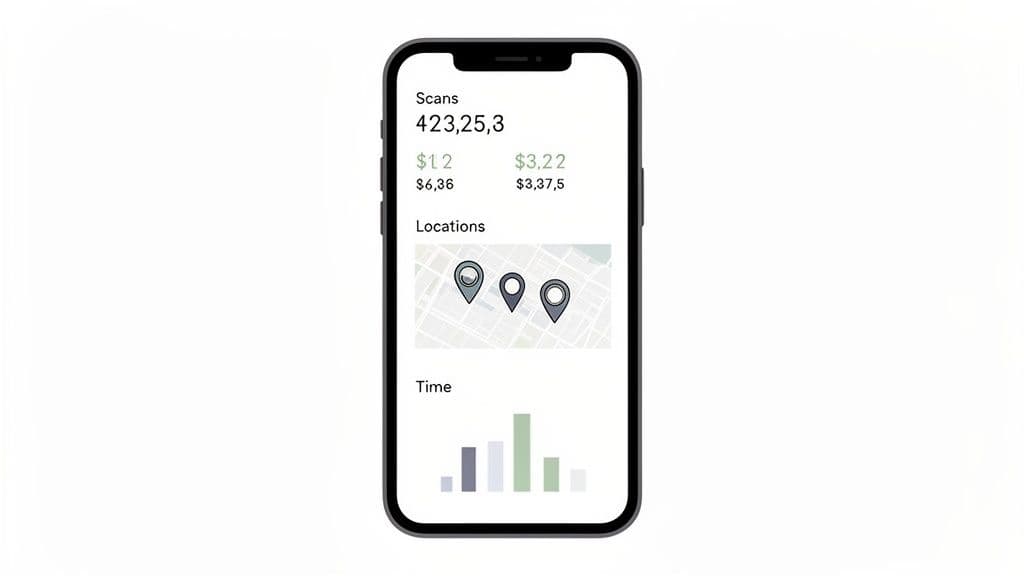
When you use a trusted solution like QR Code Maker, you’re not just creating a card; you’re unlocking a dashboard of powerful analytics. Instead of wondering which of your marketing efforts are actually paying off, you can see the results in real time. This isn’t about vanity metrics—it's about gathering actionable intelligence to fine-tune your approach and zero in on what generates the best leads.
Key Metrics to Monitor
To really get a handle on your card's effectiveness, you need to be tracking the right data points. These metrics paint a clear picture of how, when, and where potential clients are engaging with your profile.
- Total Scans: This is your baseline. It shows you exactly how many times your QR code has been scanned. A sudden spike could tell you that your latest open house was a hit or a new ad placement is working.
- Scans by Location: This is an absolute game-changer for realtors. By tracking scans geographically, you can finally see which "For Sale" sign, flyer drop, or neighborhood mailer is getting the most traction.
- Scans over Time: Are you getting more scans during weekday lunch hours or on Sunday afternoons? This data helps you time your social media posts and digital ads for maximum impact.
- Device Type: Knowing whether most of your audience uses iPhones or Android devices can help you optimize the user experience on your linked pages and website.
You can learn more about how to track QR code scans to get a deeper understanding of all the analytics available to you.
Practical Tip: By analyzing scan data, you stop spending money on marketing channels that don't perform and double down on the ones that do. It’s the difference between hoping for leads and actively engineering them.
Turning Data into Deals
The real value of these analytics lies in how you use them to make smarter decisions. For example, imagine the QR code on your Zillow listing gets 500 scans in a week, but only a handful of people click the "Schedule a Showing" link on your card.
That’s a crucial insight.
It tells you the listing is attracting plenty of interest, but the call-to-action on your card might not be compelling enough to get them to the next step.
Based on that data, you could immediately:
- Make the "Schedule a Showing" button bigger, brighter, or more prominent.
- Add a short, engaging video tour right on your card to give them a taste of the property.
- Update your bio to feature a recent five-star review that builds trust instantly.
This feedback loop—tracking, analyzing, and optimizing—is what turns your digital business card from a simple contact tool into a lead-generating machine.
Got Questions About Digital Business Cards? We’ve Got Answers.
Switching from paper to digital always brings up a few questions. When business owners and marketers start exploring digital business cards, we hear the same handful of concerns about how they work in the real world. Let's clear them up.
Can I Create Unique Cards for Different Properties?
Absolutely, and you really should. This is one of the biggest wins of going digital. You can have your main card for everyday networking, then spin up custom cards for each of your key listings.
Imagine a card just for 123 Main Street. It could feature a walkthrough video, a direct link to the listing page, and a clear "Schedule a Viewing" button. And if you're using a platform with dynamic QR codes, you can put one QR code on a sign rider and simply update where it points as you sell one property and list another. No reprinting necessary.
What's the Difference Between a Static and a Dynamic QR Code?
This is probably the most important thing to understand. A static QR code is permanent. The information—like your phone number or a URL—is baked directly into the code itself. If anything changes, you have to generate a brand new QR code and reprint everything. It's a one-and-done deal.
A dynamic QR code, on the other hand, is a real estate agent's best friend. It points to a short URL that you can change anytime.
Best Practice: The QR code on your signs, mailers, and flyers will always work, even if you update your contact info or link it to a completely new property listing. This flexibility is non-negotiable, and dynamic codes are the only way you can see how many people are actually scanning them.
Do Clients Need a Special App to Scan My Card?
Nope, and that's the beauty of it. Almost every modern smartphone has a QR scanner built right into the camera. There's nothing for your potential client to download.
They just open their camera, point it at your code, and a notification pops up. From there, they can either open the link to your digital card or, if you've set it up that way, save your contact details (your vCard) directly to their phone. It's a seamless, zero-friction experience that works perfectly for busy open houses or quick encounters.
Ready to create a professional, trackable digital business card that actually captures more leads? QR Code Maker offers a trusted solution with all the tools you need to design, share, and see what’s working. Get started today.
Frequently Asked Questions
What are the main benefits of using a digital business card as a realtor?
Digital business cards allow for instant sharing of contact information, property listings, and multimedia content, enhancing lead generation and client engagement.
How can I create a dynamic QR code for my digital business card?
You can create a dynamic QR code using a trusted QR code generator, which allows you to link to a URL that can be updated without needing to print a new code.
What should I include in my digital business card?
Include a professional headshot, a concise bio, clear calls-to-action, and multimedia elements like videos or testimonials to engage potential clients.
How do I ensure my QR code is effective?
Customize your QR code with your branding, include a clear call-to-action, and ensure it links to a polished digital profile to increase scan rates.
Is a vCard QR code different from a regular QR code?
Yes, a vCard QR code directly prompts users to save your contact details to their phone, making it easier for them to connect with you.
Ready to create your QR code?
Free forever for static codes. Pro features with 14-day trial, no credit card required.

Irina Aguiar
·Content LeadIrina Aguiar leads content strategy at QR Code Maker, where she has written extensively on QR code technology, marketing, and business operations. Her work ranges from technical explainers on how QR codes are generated and how error correction works to practical guides on QR marketing, automation, and scan analytics — plus hands-on tutorials covering Python, Google Sheets, and Zapier integrations. She also publishes honest competitor comparisons and industry-specific playbooks for retail, real estate, hospitality, healthcare, and events.
More from Irina Aguiar →Related Articles
The 12 Best Real Estate Marketing Tools for Agents in 2026
Discover the 12 best real estate marketing tools for 2026. Our guide covers CRMs, QR codes, and lead gen platforms to help you close more deals.
Survey QR Code: Your Guide to Gathering Feedback Instantly
Learn how to create a dynamic survey QR code to collect valuable customer feedback instantly. Our guide covers everything from creation to analysis.
The 12 Best QR Code Monkey Alternative Tools in 2026
Searching for a QR Code Monkey alternative? Discover the 12 best QR code generators for creating dynamic, branded, and trackable codes for your business.