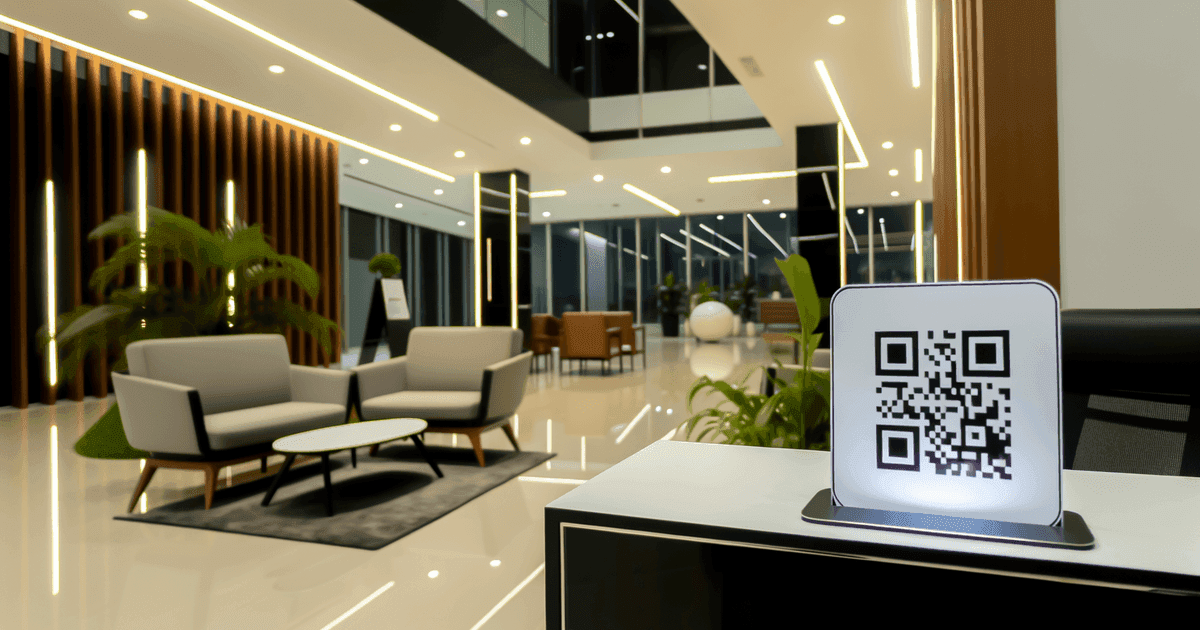

Streamline client arrival with QR code check-in. Here's how to implement it across healthcare, salons, and professional services—and when simpler solutions work better.
Appointment-based businesses face the same friction: clients arrive, wait to be acknowledged, provide information staff already has, then wait again. QR code check-in can eliminate steps in this process—when implemented thoughtfully.
This guide covers how QR codes fit into appointment workflows, which businesses benefit most, and how to implement without creating more problems than you solve.
Two Distinct Use Cases
"QR codes for appointments" actually covers two different workflows. Understanding which you need (or both) clarifies implementation.
Use Case 1: Appointment Booking
What it does: QR code links to your scheduling system. Clients scan, see availability, book a time.
Where to place codes:
- Business cards
- Marketing materials
- Window signage
- Website (for mobile users)
- Social media profiles
What clients experience:
- Scan code
- View available times
- Select preferred slot
- Enter contact information
- Receive confirmation
Backend requirement: Online scheduling system (Calendly, Acuity, Setmore, your practice management software's booking module).
Use Case 2: Arrival Check-In
What it does: QR code at your location lets clients announce their arrival and complete pre-appointment tasks.
Where to place codes:
- Reception desk
- Waiting room signage
- Entry door
- Table tents at seating areas
What clients experience:
- Scan code upon arrival
- Confirm identity and appointment
- Complete any required forms
- Receive instructions (where to wait, estimated time)
Backend requirement: Check-in system integrated with your scheduling, or standalone check-in platform.
You Don't Need Both
Some businesses benefit from both booking and check-in codes. Others only need one. A salon might use QR booking heavily but find verbal check-in faster than scanning. A medical office might have phone-based booking but want contactless check-in. Evaluate each workflow separately.
Where QR Check-In Makes Sense
Medical and Dental Offices
Why it works:
- Patients often arrive 15+ minutes early for paperwork
- Forms are repetitive (insurance, medical history updates)
- Waiting rooms are shared spaces where minimizing interaction helps
- Staff are pulled from clinical duties to handle arrivals
Implementation:
- Code in waiting area links to patient portal
- Patient confirms identity, updates info, signs consents
- Staff sees check-in notification, prepares for appointment
- Patient waits until called (or receives text)
Considerations:
- Must use HIPAA-compliant systems
- Some patients (especially older) struggle with technology
- Always have staff alternative available
Hair Salons and Spas
Why it works:
- Busy times create arrival congestion
- Stylists want to know when clients arrive
- Walk-ins can join waitlist via scan
Implementation:
- Reception code for scheduled appointments
- Separate code for walk-in waitlist
- Staff sees queue and estimated times
Considerations:
- Personal service means human greeting still matters
- Technology shouldn't replace relationship building
Professional Services (Law, Accounting, Consulting)
Why it works:
- Clients often fill out intake forms on arrival
- Privacy matters—discreet check-in preferred
- Office staff handles multiple responsibilities
Implementation:
- Client scans in lobby
- Confirms appointment, completes any pre-meeting forms
- Staff receives notification, prepares meeting space
Considerations:
- Usually lower volume than medical/salon
- May be overkill for practices with 5-10 appointments daily
Fitness and Wellness
Why it works:
- Classes have capacity limits
- Quick check-in keeps classes on schedule
- Tracks attendance for membership management
Implementation:
- Code at entrance or class room
- Member scans, confirms class registration
- System tracks attendance, handles waitlist
Considerations:
- Must be fast—people arriving for class don't want delays
of customers cite convenience as key factor in purchase decisions
average early arrival time for medical appointments
of consumers prefer businesses limiting in-person interactions
When QR Check-In Is Overkill
Not every business needs digital check-in. Consider alternatives when:
Volume Is Low
Scenario: 5-10 appointments daily, one person handles reception.
Reality: Greeting someone verbally takes 10 seconds. Setting up QR systems, handling tech issues, and assisting confused clients may take more time than you save.
Better approach: Simple sign-in sheet or verbal check-in.
Clientele Struggles with Technology
Scenario: Services targeting elderly clients or populations with limited smartphone access.
Reality: Forcing technology creates frustration and exclusion. You'll need staff assistance anyway.
Better approach: Traditional check-in with QR as optional alternative.
Relationship Is the Product
Scenario: High-touch services where personal greeting is part of the experience.
Reality: "Scan this code" feels impersonal when clients expect to be recognized and welcomed by name.
Better approach: Staff-driven check-in with technology supporting rather than replacing human interaction.
Setup Complexity Exceeds Benefit
Scenario: Your current system works fine, and clients aren't complaining about check-in.
Reality: Implementing new technology has costs—setup time, staff training, troubleshooting, edge cases.
Better approach: Keep what works. Optimize when there's an actual problem to solve.
Implementation Components
Component 1: Scheduling/Check-In Platform
The QR code links somewhere. Options:
All-in-one practice management:
- Most modern practice management systems include booking and check-in
- Examples: Jane App (healthcare), Vagaro (salons), Clio (law)
- Advantage: Already integrated with your workflow
Standalone scheduling:
- Calendly, Acuity, Setmore, Square Appointments
- Works for booking; check-in features vary
- May need integration with your main system
Custom check-in kiosks:
- iPad-based check-in (Clearwave, Phreesia for healthcare)
- Often more feature-rich but more expensive
- QR can complement or replace kiosk hardware
Component 2: The QR Codes
Once you have a system, create codes linking to it:
For booking: Link to your scheduling page URL
For check-in: Link to check-in page or patient portal
Static vs. Dynamic:
- Static works if your URLs are permanent
- Dynamic lets you change destinations without reprinting
Customization:
- Add logo for brand recognition
- Include brief instructions ("Scan to check in")
- Ensure adequate size and contrast for easy scanning
Component 3: Physical Placement
Reception area:
- Eye-level signage with code
- Table tents on check-in counter
- Clear instructions beside code
Waiting room:
- Secondary codes for those who missed reception
- Codes on chairs or tables for easy access
Entry:
- For contactless check-in before entering (healthcare)
- Works with automatic door or buzzer systems
Component 4: Staff Training
Staff need to understand:
- How the system works (so they can assist)
- When to offer alternatives (struggling users)
- How to handle system failures
- What information they'll see when clients check in
Healthcare-Specific Considerations
Medical practices have additional requirements:
HIPAA Compliance
Required:
- Check-in system must be HIPAA-compliant
- Business Associate Agreements with all vendors
- Data encryption in transit and at rest
- Access controls and audit trails
The QR code itself isn't the issue—the system it links to must meet requirements.
Patient Population
Consider your specific patient demographics:
- Elderly patients may need assistance
- Some conditions affect ability to use phones
- Language barriers require multilingual options
Integration with EHR
Ideally, check-in data flows into your Electronic Health Record:
- Updates patient information automatically
- Triggers clinical prep workflows
- Creates arrival documentation
Standalone systems that require manual data transfer create extra work.
Verify Vendor Compliance
Not all scheduling tools meet healthcare requirements. Before implementing, confirm your vendor is HIPAA-compliant and will sign a Business Associate Agreement. Using non-compliant tools for patient check-in creates liability.
Setup Process
Step 1: Define Your Workflow
Map exactly what should happen:
- What does the client see when they scan?
- What information do they need to provide?
- What happens on your end when they check in?
- What are the failure modes and fallbacks?
Step 2: Choose/Configure Your Platform
Either use your existing system's capabilities or select a new tool:
- Does it do what you need?
- Does it integrate with your other systems?
- What's the cost?
- Is it compliant with your industry requirements?
Step 3: Create and Test QR Codes
- Generate codes linking to correct URLs
- Test on multiple devices (iOS and Android)
- Test in actual lighting conditions of your space
- Verify the complete workflow end-to-end
Step 4: Design Signage
- Include the code at scannable size (minimum 2.5cm × 2.5cm)
- Add clear instructions ("Scan with your phone camera to check in")
- Consider including written URL for those who prefer typing
- Make signage visible and accessible
Step 5: Train Staff and Soft Launch
- Train all front-desk staff on the system
- Start with a subset of appointments
- Gather feedback and fix issues
- Expand once workflow is smooth
Step 6: Maintain and Iterate
- Monitor for issues (codes not scanning, confused clients)
- Update URLs if platforms change
- Replace damaged signage
- Collect feedback for improvements
Frequently Asked Questions
Do I need separate QR codes for booking vs. check-in?
Usually yes, because they link to different systems or pages. Booking codes link to your scheduling system. Check-in codes link to your arrival workflow. You might have multiple check-in codes for different services or locations.
What if my clients don't have smartphones?
Always maintain a manual alternative. Staff should be able to check in clients verbally or via computer. QR check-in is an option that helps most clients, not a requirement that excludes some.
How do I handle QR check-in for clients with multiple appointments?
Your check-in system should display all scheduled appointments for that client when they scan. They can confirm which appointment they're arriving for. This is a system design question, not a QR code question.
Can clients check in from the parking lot before entering?
Yes, if your system supports it. Some practices prefer this to minimize waiting room crowding. The check-in page can provide instructions ("Please wait in your car; we'll text when ready").
What's the cost to implement QR check-in?
The QR codes themselves are low-cost. The real expense is the underlying system. If you already have scheduling/practice management software with check-in features, enabling QR is often free. If you need new software, costs range from $20-200+/month depending on features and industry.
Getting Started
For appointment booking and check-in QR codes, you need a system first, then codes to link to it.
If you already have a scheduling system: Check if it has a booking page URL and/or check-in features. Most modern systems do.
Create codes linking to your system:
- URL QR codes - Link to any booking page
- vCard QR codes - Share your booking contact info
For codes you may need to update: View our pricing for dynamic codes that let you change destinations without reprinting signage.
The QR code is the simple part. The value comes from the workflow it connects to—choose and configure your scheduling system first, then add QR codes as the access point.
Ready to create your QR code?
Free forever for static codes. Pro features with 14-day trial, no credit card required.

Irina Aguiar
·Content LeadIrina Aguiar leads content strategy at QR Code Maker, where she has written extensively on QR code technology, marketing, and business operations. Her work ranges from technical explainers on how QR codes are generated and how error correction works to practical guides on QR marketing, automation, and scan analytics — plus hands-on tutorials covering Python, Google Sheets, and Zapier integrations. She also publishes honest competitor comparisons and industry-specific playbooks for retail, real estate, hospitality, healthcare, and events.
More from Irina Aguiar →Related Articles
QR Codes in Healthcare: Practical Applications and Privacy Considerations
From patient check-in to medication information, QR codes are transforming healthcare workflows. Here's what works, what doesn't, and what to watch out for.
QR Codes for Gift Registries: Simplifying Wedding and Event Gifting
Share your wedding, baby shower, or celebration registry with a simple scan. Here's how to create and share registry QR codes effectively.
QR Code Gift Cards: Personal Gifting and Business Implementation
QR codes can add a personal touch to digital gift-giving or streamline your business's gift card program. Here's how to use them effectively in both contexts.