Unlock the power of QR codes and social media. Learn how to create and track QR codes to boost engagement and connect with your audience on any platform.
Using QR codes for social media is a remarkably simple and effective way to connect your physical marketing efforts to your online presence. Think of a QR code as a bridge. A customer at your small business, an attendee at your event, or a new contact scans it on your menu, flyer, or business card, and instantly, they’re on your Instagram profile, watching your latest TikTok, or joining your Facebook event. This seamless jump is the key to growing your online community and boosting engagement.
This guide provides actionable advice and clear, step-by-step instructions to help you create professional QR codes that get real results.
Why QR Codes Are Your Social Media Superpower
In a fast-paced world, QR codes are the ultimate shortcut to your brand's digital world. They eliminate the friction that can stop a potential follower in their tracks. Instead of asking someone to open an app, type in your handle (and possibly misspell it), and then search for your profile, a QR code does all the work in a single scan. It turns a moment of interest into an immediate connection.
This isn't just about convenience; it's smart marketing. For small business owners, marketers, and event organizers, using QR codes and social media together provides a direct, measurable path to growth.
- Effortless Follower Growth: Place a "Follow Us" QR code on your storefront window, product packaging, or receipts to convert physical customers into digital followers.
- Boosted Engagement: Link a QR code on a concert poster to a Facebook Event page to drive RSVPs, or connect a code on a product tag to an Instagram campaign where customers share photos.
- Simplified Networking: A QR code on a business card can lead straight to your LinkedIn profile, making professional connections instant and error-free.
- Enhanced Content Discovery: Guide people from a print ad directly to a promotional YouTube video or an exclusive behind-the-scenes look on TikTok.
The Surge in QR Code Adoption
People understand and trust QR codes. Their massive adoption isn't just a trend; it’s a fundamental shift in how consumers interact with their physical surroundings. The data is clear: worldwide QR code usage jumped an incredible 323% between 2021 and 2024, with a huge portion of that growth coming from marketing.
Why? Because scanning has become a normal, trusted action. Today, 44.6% of global internet users scan at least one QR code every month. In the U.S. alone, the number of people scanning codes is projected to surpass 100 million by 2025. This makes them the perfect gateway to your social media. To see just how significant this shift is, explore these QR code statistics.
A QR code isn't just a link; it's an invitation. It tells your audience, "We want to connect with you right now, on your favorite platform, without any hassle."
To help you pair QR codes with the right platform, here's a quick reference guide.
Top Social Media Platforms and Their Best QR Code Use Cases
This table breaks down which QR code strategies work best for major social media platforms, helping you match your call to action to the right audience.
| Social Media Platform | Primary Audience | Best QR Code Use Case |
|---|---|---|
| Millennials & Gen Z, visually-driven | Link to your profile, a specific Reel, or a contest landing page. Perfect for packaging and in-store displays. | |
| TikTok | Gen Z & young millennials, short-form video | Drive scans to a trending video, a branded challenge, or an exclusive behind-the-scenes clip. Use on event flyers. |
| Gen X & Baby Boomers, community-focused | Link directly to a Facebook Group, an event page for RSVPs, or your business page for reviews and updates. | |
| Professionals, B2B connections | Put it on your business card to link directly to your profile for instant connections at networking events. | |
| WiFi Access | On-site customers | Offer free WiFi access. A scan connects them automatically, improving customer experience at cafes, hotels, or events. |
| Business Cards | All professionals | Use a vCard QR code to instantly save your contact details, including social links, to a person's phone. |
As you can see, the goal is to meet your audience where they already are and make it incredibly easy for them to take the next step.
Tools like QR Code Maker provide a trusted solution for creating these connections. The platform lets you generate a QR code that links to all your social profiles in just a few clicks.
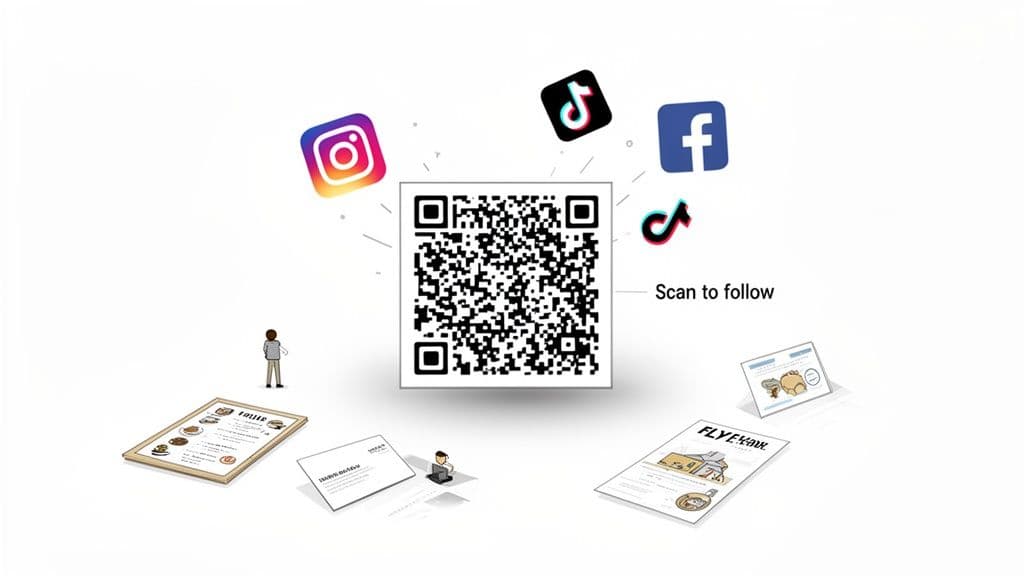
By turning your physical marketing materials into interactive touchpoints, you're not just getting clicks—you're building a stronger, more engaged online community.
Choosing the Right QR Code for Your Social Media Goals
Not all QR codes are created equal. Choosing the right type is the first step toward a successful social media campaign. The most important decision you'll make is between static vs. dynamic QR codes. Understanding this difference is critical for anyone who wants to see real, measurable results from their efforts.
Think of a static QR code as permanent. Once you generate it, the destination link—for example, your Instagram profile—is locked in forever. You can't change it, and you can't track who scans it. While simple, its usefulness for professional marketing is very limited.
A dynamic QR code, on the other hand, is flexible and intelligent. It points users to a short URL that you can change anytime, even long after your flyers or business cards have been printed. This flexibility is a marketer's most valuable asset.
Why Dynamic QR Codes Are a Must for Social Media
For any serious social media strategy, dynamic QR codes are the only way to go. Here’s why:
Their ability to be edited on the fly means your marketing materials never become obsolete. Imagine a restaurant prints a QR code on its menus to promote a summer Instagram contest. Once the contest is over, they can instantly redirect that exact same code to their new TikTok channel without reprinting a single menu.
Even more importantly, dynamic codes provide data. You get the feedback you need to improve your campaigns. You can track:
- Total number of scans: See exactly how many people are engaging with your code.
- Location of scans: Find out which cities or countries your audience is in.
- Time of day: Learn when people are most likely to scan your codes.
- Device type: See if your audience is primarily using iPhone or Android.
This information is invaluable. It tells you what’s working and what isn’t, allowing you to fine-tune your campaigns for the biggest impact and measure your return on investment.
A static QR code is a one-way street. A dynamic QR code is an interactive, data-rich conversation with your audience. For social media growth, the choice is clear.
Matching the Code Type to Your Goal
Beyond static vs. dynamic, different types of QR codes are built for specific tasks. Using a trusted solution like QR Code Maker gives you a full suite of options to choose from.
Here are the best types for social media:
- Social Media QR Code: This is your all-in-one solution. When someone scans it, they land on a clean, mobile-friendly page with links to all your social profiles—Instagram, TikTok, Facebook, LinkedIn, and more. It’s perfect for business cards or storefront signs, letting customers connect with you on their preferred platform.
- URL QR Code: This is your go-to for focused campaigns. Use it to send people to a single destination, like a Facebook event page, a new YouTube video, or a specific Instagram post you want to boost.
- vCard Plus QR Code: This is a game-changer for networking. One scan saves your contact details directly to a person's phone, complete with links to your social profiles like LinkedIn. It makes connecting seamless and professional.
By aligning the code with your goal—whether it's growing your overall follower count or driving traffic to a single campaign—you create a much smoother and more effective experience for your users. To learn more, check out the Social Media QR Code type and how to set it up.
Unlocking Platform-Specific Strategies for Maximum Impact
A generic, one-size-fits-all approach to QR codes will only get you so far. To achieve the best results, you need to tailor your strategy to each social media platform, understanding its unique culture and user expectations. What works on a professional network like LinkedIn will fall flat on the fast-paced, creative environment of TikTok.
The key is to think like a user on that specific app. What are they looking for? What kind of content makes them stop scrolling? When you align your QR code’s purpose with the platform’s vibe, you create a seamless experience that feels natural and valuable.
Let's break down practical strategies for the biggest social networks.
Instagram: Spark User-Generated Content Campaigns
Instagram is a visual platform that thrives on aesthetics, storytelling, and shared experiences. A simple "Follow Us" QR code is good, but you can achieve more by using QR codes to inspire user-generated content (UGC).
Real-World Example: A local coffee shop puts a QR code on its coffee cup sleeves with a fun call-to-action: "Scan to share your #BrewtifulMoment & get featured!" This code could link directly to their Instagram profile or a specific post announcing the campaign.
- Why It Works: This taps directly into Instagram's culture of sharing. It gives customers a clear reason to engage, makes them feel part of your brand’s community, and generates authentic marketing content for your business.
- Actionable Tip: Always use a dynamic QR code for this. Once the campaign ends, you can redirect that same code to your new seasonal menu or a holiday promotion without reprinting a single cup sleeve.
QR codes bridge the physical world to social platforms. With 5.22 billion global social media users today, platforms like Instagram are prime marketing ground. A QR code can funnel customers straight to an Instagram Reel, which boasts a 35% higher click-through rate than other video formats on Facebook. You can find more insights in these social media marketing statistics.
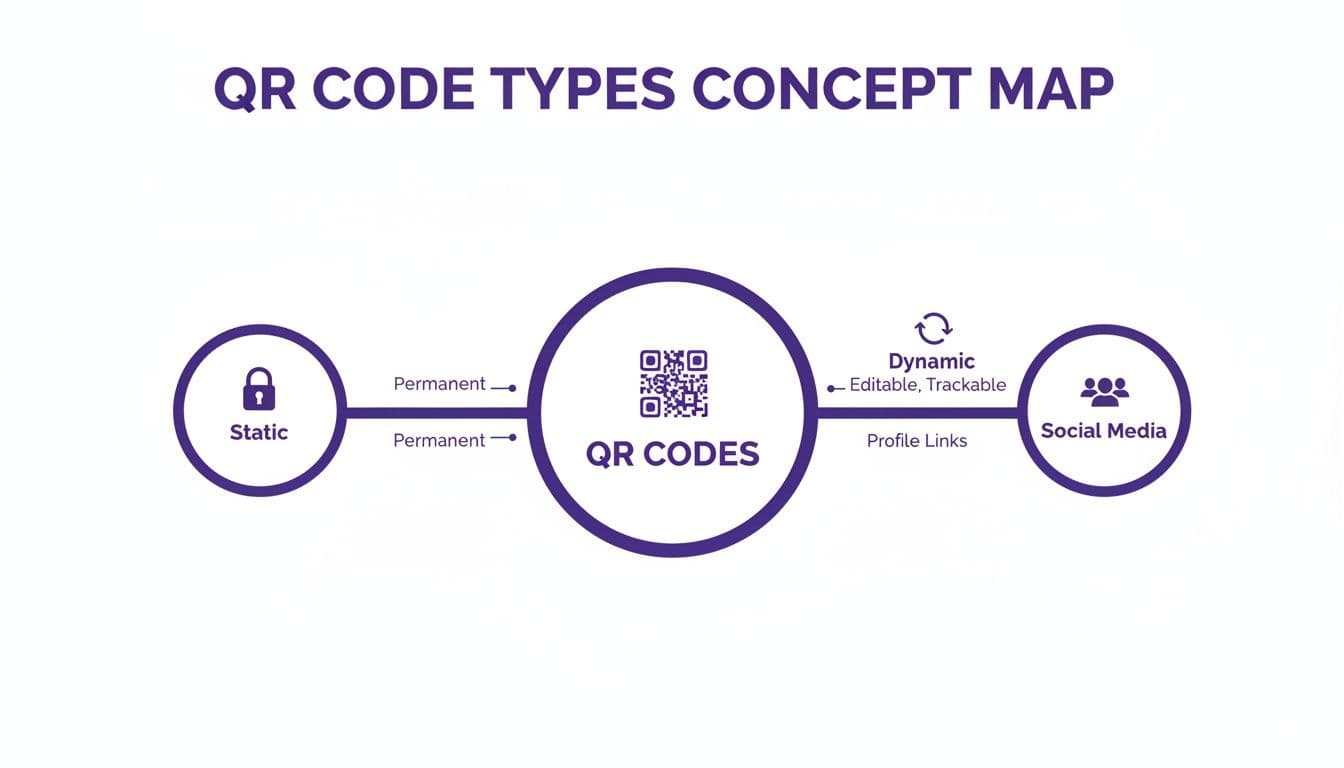
This map shows how a single QR code can branch out to serve multiple functions, from simple static links to dynamic, multi-profile social media hubs.
TikTok: Unlock Exclusive Content and Drive Challenges
TikTok is all about spontaneity, entertainment, and the feeling of being an insider. QR codes are the perfect tool to create this exclusive experience in the real world.
Real-World Example: An event organizer for a music festival scatters QR codes around the venue. Scanning them might reveal exclusive behind-the-scenes footage, a special message from an artist, or an entry form for a TikTok dance challenge themed around the event.
A QR code on TikTok should never lead to a boring destination. It must be a portal to something fun, exclusive, or interactive that rewards the user's curiosity.
This approach turns a physical space into an interactive playground, encouraging exploration and driving online buzz as attendees share their discoveries.
Facebook: Build Communities and Streamline Events
Facebook’s core strength lies in community building and event organization. Your QR code strategy should leverage these features.
Real-World Example: A local bookstore places a QR code on its receipts that links directly to its private Facebook Group for book club members. This makes it incredibly easy for new customers to join the community. For an upcoming author signing, a QR code on a promotional flyer can link straight to the Facebook Event page, streamlining RSVPs and sending attendees event reminders.
LinkedIn: Make Networking Effortless
On LinkedIn, efficiency and professionalism are paramount. Fumbling with business cards or misspelling a name is a common networking frustration. A QR code solves this elegantly.
By generating a vCard Plus QR code with a tool like QR Code Maker, you can add a scannable code to your business card or event name badge. When someone scans it, your contact info—name, title, company, and a direct link to your LinkedIn profile—is instantly saved to their phone. This modern handshake removes friction and ensures valuable connections are solidified online.
How to Create and Customize Your Social Media QR Code
Ready to create your first social media QR code? The process is simple, especially with a trusted solution like QR Code Maker. You don’t need any technical skills to create a professional, high-performing code that matches your brand and encourages people to connect with you online.
This step-by-step guide will walk you through creating a code that not only looks great but also drives results.
Your Step-by-Step Creation Guide
Creating a basic code takes just a few clicks. The real impact comes from customization, where you transform a generic QR code into a branded invitation.
-
Choose Your QR Code Type: First, select the "Social Media" QR code type. This option creates a single landing page where you can list all your social profiles—a one-stop shop for your audience.
-
Enter Your Social Media URLs: Next, copy and paste the links to your profiles for Instagram, TikTok, Facebook, LinkedIn, or any other platform. The generator will organize them onto a clean, mobile-friendly page.
-
Generate Your Dynamic QR Code: With your links in place, generate your code. Always choose a dynamic QR code. This is non-negotiable for any professional use. It allows you to track scans and update the links later without reprinting anything.
This initial setup gives you a functional code. Now, let's focus on the branding and design that will make people want to scan it.
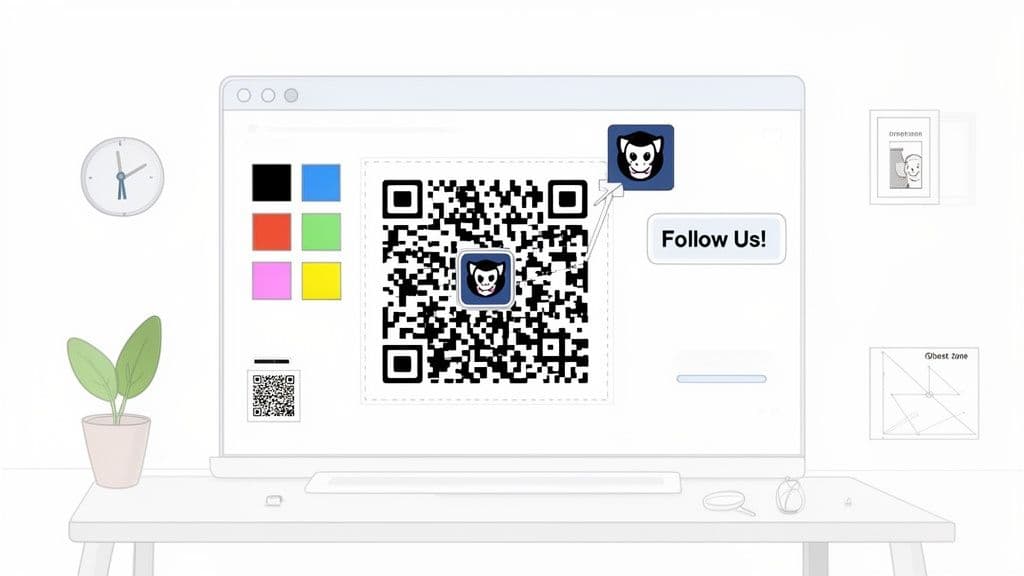
This visual customization builds trust and encourages your audience to pull out their phones.
Customization Best Practices for Higher Scan Rates
A generic black-and-white QR code works, but a branded one performs significantly better. Customization signals that you're a professional, legitimate business, which reassures people that the code is safe to scan.
Here are the key elements to customize for best results:
- Add Your Logo: This is the most important step. Placing your logo in the center of the QR code instantly connects it to your brand. For more guidance, learn how to create a custom QR code with a logo.
- Use Brand Colors: Ditch the standard black and use your primary brand color. Just ensure there is high contrast between the code's pattern and its background. A dark color on a light background is essential for scannability.
- Choose a Compelling Frame: Many generators offer frames that wrap around the code. Pick one and add a clear, action-oriented call-to-action (CTA) like "Follow Us!" or "Scan to Connect."
Your QR code's design is its first impression. A well-branded code with a clear CTA isn't just a link; it's a direct invitation that tells people exactly what to do and why they should do it.
Follow this checklist to ensure your final design is both attractive and functional.
QR Code Design Best Practices Checklist
This table summarizes the essential rules for creating an effective, scannable QR code that perfectly represents your brand.
| Design Element | Best Practice | Why It Matters |
|---|---|---|
| Contrast | Use a dark pattern on a light background. Avoid inverted colors (light pattern on dark). | High contrast is critical for phone cameras to read the code quickly and accurately. Poor contrast leads to scan failures. |
| Quiet Zone | Leave a clear margin of empty space around the entire QR code. | This "quiet zone" prevents nearby text or images from interfering with the scanner. The code needs breathing room to work reliably. |
| Size & Placement | Make sure the code is at least 1x1 inch (2.5x2.5 cm) in print. Place it at eye level where it's easy to scan. | If a code is too small or placed in an awkward spot, people won't bother trying to scan it. |
| Call-to-Action | Always include a short, clear instruction like "Scan for Updates" or "Join Our Group." | A CTA eliminates guesswork. It tells users what they’ll get for their scan, which significantly increases engagement rates. |
By following these practical steps, you can create a professional, customized QR code in just a few minutes—one that will drive traffic to your social channels and enhance your brand's image.
Tracking Your Success and Measuring Real ROI
Creating a beautiful, branded QR code is only the first step. How do you know if your efforts are actually working? This is where dynamic QR codes prove their value, turning simple links into powerful data-gathering tools.
Without tracking, you’re just guessing. You might see an increase in Instagram followers after a trade show, but was it from the QR code on your banner or just conversations you had? Analytics remove the guesswork, giving you clear, actionable insights into how people interact with your brand in the real world. This data is essential for proving the value of your marketing spend and measuring the return on investment (ROI) of your campaigns.
Key Metrics That Actually Matter
When you use a dynamic QR code from a platform like QR Code Maker, you unlock a dashboard full of valuable analytics. These are the data points that help you make smarter marketing decisions.
Here’s what you should be tracking:
- Total Scans: Your baseline metric. It tells you exactly how many times people scanned your code, providing a raw measure of engagement.
- Unique Scans: This shows how many different people scanned your code.
- Scan Location (City/Country): Incredibly useful for businesses with a physical footprint. A restaurant in New York seeing scans from Boston has just learned where its tourists are coming from.
- Time of Day: Knowing when people scan helps you understand their behavior. An event organizer might see a spike in scans during a keynote, confirming the QR code on the main screen was effective.
- Device Type (iOS/Android): This data helps you optimize the user experience. If 90% of your scans are from iPhones, ensure your landing page is perfectly optimized for Safari.
For a deeper dive, check out this complete guide on how to track QR code scans and get the most out of your analytics.
Connecting QR Code Data to Social Media Goals
The real value emerges when you connect these QR code metrics to your social media goals. The data tells a story—your job is to interpret it.
Analytics transform your QR code from a passive tool into an active feedback loop. Each scan is a piece of data telling you what your audience wants and how they behave.
Let’s walk through a real-world example. Imagine you’re a marketer at a trade show with the goal of growing your LinkedIn network with high-value leads.
- The Setup: You place a large, dynamic QR code on your booth banner with a clear CTA: "Scan to Connect on LinkedIn." The code links directly to your LinkedIn profile.
- The Data: Over the three-day event, your analytics dashboard shows 250 total scans, with peaks between 11 AM and 1 PM each day.
- The Correlation: You check your LinkedIn account and see you’ve gained 150 new connections during the event. By comparing the scan data with your new followers, you can confidently attribute that growth to your QR code.
- The ROI: You not only grew your network but also gathered crucial intelligence. You now know that for next year’s event, you need more staff at the booth during that 11 AM to 1 PM rush.
That’s how you measure real ROI. You use the data not just to prove the QR code worked, but to gather insights that make your next campaign even more successful.
Creative QR Code Campaigns for Your Industry
Theory is one thing, but seeing QR codes and social media in action is what sparks real ideas. The most effective campaigns are tailored to a specific business and its customers.
Here are a few practical, real-world examples you can adapt for your small business, event, or marketing initiative. These are simple to set up but deliver powerful results, turning everyday customer touchpoints into social media growth engines.
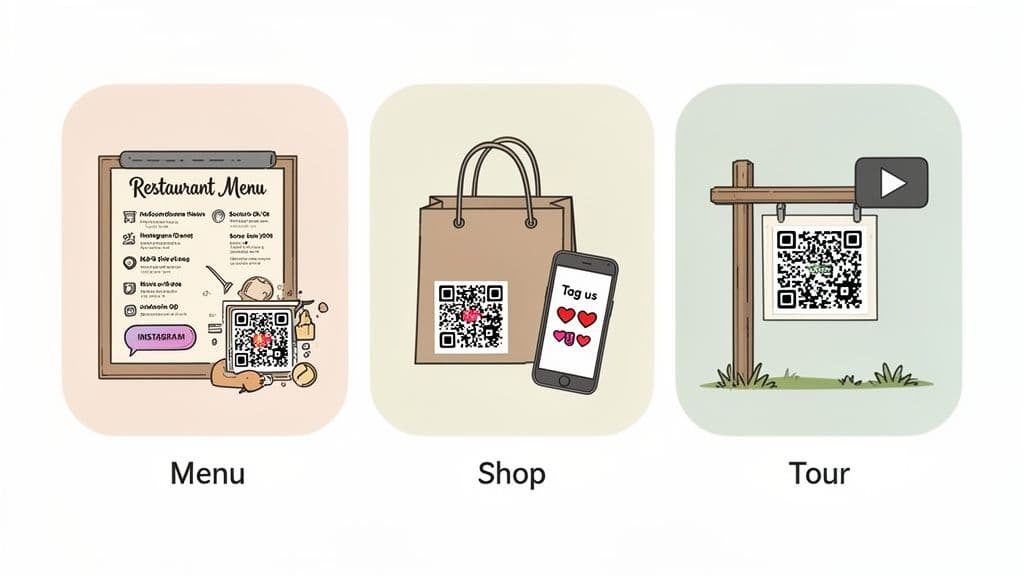
For Restaurants and Cafes
The restaurant world thrives on visuals and word-of-mouth. A simple QR code on your menu or a table tent is the perfect way to generate both.
- Campaign Idea: Create a QR code that links directly to your restaurant's "Daily Specials" Story Highlight on Instagram. Add a clear call-to-action: "Scan to See Today's Specials!"
- Why It Works: It gives diners an immediate, visual preview of your best dishes, encouraging them to try something new. It also makes following your account a natural next step, keeping them engaged long after they've left. You can create this in minutes with a dynamic URL QR code from a trusted solution like QR Code Maker.
For Retail Businesses
For retailers, the goal is to extend the customer relationship beyond the sale and build a loyal community. Your shopping bags and receipts are marketing opportunities.
Your packaging is a mobile billboard. A QR code transforms it from a simple carrier into an interactive brand advocate that generates authentic social proof.
- Campaign Idea: Print a QR code on your shopping bags with the CTA, "Tag Us to Be Featured!" The code should link directly to your brand's Instagram or TikTok profile.
- Why It Works: This gamifies the post-purchase experience, encouraging customers to create user-generated content (UGC). When you feature their photos, you gain powerful social proof and make your customers feel valued—a huge win for loyalty.
For Event Organizers
Networking is a primary goal of most professional events. QR codes can eliminate the friction of exchanging contact information.
- Campaign Idea: On each attendee's name badge, print a unique vCard Plus QR code that links to their LinkedIn profile. Add a simple instruction: "Scan to Connect."
- Why It Works: This is a modern solution to the clumsy business card shuffle. A quick scan allows people to connect instantly, ensuring that valuable new contacts are secured online before the event ends.
For Real Estate Agents
In real estate, capturing a buyer's interest requires immersive, instant information. The "For Sale" sign is your first and best opportunity.
- Campaign Idea: Place a large, weather-resistant QR code on your "For Sale" sign with the text, "Scan for a Video Tour." This code should link directly to a YouTube or Instagram Reel walkthrough of the property.
- Why It Works: It immediately engages passersby, offering a rich, compelling experience on their phone. It provides far more value than a static flyer and helps you build a social following of interested local buyers.
Your QR Code and Social Media Questions Answered
Integrating QR codes into your social media strategy is a practical step, but it's natural to have questions. Here are answers to some of the most common queries from small business owners, marketers, and event organizers.
Can I Link a Single QR Code to All My Social Media Profiles?
Yes, absolutely. This is one of the most efficient ways to use QR codes.
With a "Social Media QR Code" from a trusted solution like QR Code Maker, you create one code that sends people to a clean, mobile-friendly landing page. This page lists all your profiles—Instagram, Facebook, TikTok, LinkedIn, and more—letting visitors choose their preferred platform to follow you on. It's the best way to cross-promote all your channels at once.
How Do I Get People to Actually Scan My QR Code?
The key is to give them a clear reason. A QR code by itself is just a pattern; you must provide an incentive and a clear call-to-action (CTA).
Instead of just placing a code on your flyer, frame it with a compelling offer:
- "Scan for 10% Off Your Next Purchase"
- "Follow Us for Exclusive Updates"
- "Watch the Behind-the-Scenes Tutorial"
Customizing your QR code with your brand's logo and colors does more than just look professional—it builds trust and makes the code feel like an official part of your brand, not a random link. Also, ensure it's placed in a well-lit, convenient location where scanning is easy.
What Is the Difference Between a Static and a Dynamic QR Code?
Understanding this distinction is crucial. It's the most important decision you'll make when creating a QR code for professional use.
A static QR code is the basic version. The destination link is permanently embedded in the pattern. Once you generate and print it, that link can never be changed. Think of it like printing a URL directly on a poster—it's fixed forever.
A dynamic QR code, on the other hand, is the marketer's choice. It points to a short redirect URL that you can change anytime, even after the code has been printed. This means you can update the destination on the fly without reprinting your materials. Most importantly, dynamic codes are the only way to access scan analytics, letting you track how many people are scanning your code, where, and when.
Ready to create professional, trackable QR codes that grow your social media following? QR Code Maker provides all the tools you need to design, manage, and analyze your campaigns in just a few clicks. Start your free trial and build your first QR code today.
Ready to create your QR code?
Free forever for static codes. Pro features with 14-day trial, no credit card required.
Irina
·Content LeadIrina leads content strategy at QR Code Maker, helping businesses understand how to leverage QR codes for marketing, operations, and customer engagement. Her expertise spans digital marketing, user experience, and practical implementation guides.
Learn more about us →Related Articles
How to Generate a QR Code for Instagram That Actually Works
Learn how to generate a QR code for Instagram with this guide. Discover the best tools, custom designs, and strategies to grow your followers.
How to Create a QR Code for Google Reviews: A Simple Guide
Learn how to create qr code for google reviews and boost customer feedback, local SEO, and your business—fast and easy.
A Practical Guide to Generating QR Codes with Python
Learn how to python generate QR code with this practical guide. Create custom QR codes for URLs, WiFi, vCards, and marketing campaigns with real-world examples.