
Discover how a QR code menu for restaurants can cut costs and improve service. Our guide offers actionable tips on creation, design, and analytics.
A QR code menu is a digital version of your restaurant's menu that guests access by scanning a code with their smartphone. It’s an instant, contactless, and incredibly easy-to-update alternative to traditional paper menus. Think of it as your secret weapon for changing daily specials, marking an item as sold out, or adjusting prices on the fly—all without the cost and hassle of reprinting.
For any modern small business owner, this technology is more than just a convenience; it's a practical tool for running a more efficient and profitable restaurant.
Why QR Code Menus Are a Smart Business Move
Let’s be clear: QR code menus aren’t just a leftover trend from the pandemic. For savvy restaurant owners, they're a powerful tool for running a tighter ship, making customers happier, and boosting the bottom line. This isn't just about going digital; it's about giving yourself the flexibility to adapt in ways paper menus could never allow.
Operational Agility and Cost Savings
Picture this: It's a slammed Friday night, and your supplier just called—the main ingredient for your best-selling special is out. With a printed menu, your staff spends the rest of the night awkwardly breaking the bad news to table after table. With a QR code menu? You just tap a button to mark the item as "sold out." Done. Disappointment is avoided before it even starts.
That same agility makes a huge difference day-to-day:
- Instant Updates: Food costs are all over the place. Adjust your pricing in seconds without waiting for a costly reprint.
- Daily Specials: Add that amazing seasonal dish or a new happy hour deal the moment you decide on it.
- Waste Reduction: Stop throwing money and paper in the trash every time you make a small change to the menu.
The financial side of this is a game-changer. Real data from over 10,000 independent restaurants between 2020-2025 shows staggering results. On average, restaurants saved $3,600 to $3,847 per year just by dropping printed menus. For a mid-sized establishment, printing bills can easily top $5,000 a year. QR codes virtually eliminate that cost. You can dig into more of the numbers on QR code menu adoption statistics to see the full impact.
Before we move on, let's quickly stack up the two options. It really puts the operational differences in perspective.
Printed Menus vs QR Code Menus: A Quick Comparison
This table highlights the key operational differences and benefits of switching from traditional printed menus to a dynamic QR code system.
| Feature | Printed Menus | QR Code Menus |
|---|---|---|
| Updates | Requires a full reprint; slow and costly. | Instant; can be done from any device in seconds. |
| Cost | High ongoing printing and design costs. | Low subscription fee; eliminates printing costs. |
| Menu Changes | Inflexible; can't easily 86 items. | Highly flexible; mark items as "sold out" in real-time. |
| Specials/Promos | Limited to what's printed. | Add daily specials or happy hour deals on the fly. |
| Customer Insights | No data on what customers view. | Track popular items and menu viewing habits. |
| Hygiene | Difficult to clean; shared among guests. | Contactless and hygienic; guests use their own device. |
The takeaway here is pretty clear. While printed menus have a certain nostalgic feel, QR code menus offer an undeniable advantage in agility, cost-efficiency, and modern customer experience.
Driving Revenue and Improving the Guest Experience
But this is about more than just saving money. A well-executed digital menu is a sales machine in disguise. It creates genuine opportunities to bump up your average check size and turn tables faster.
By making the ordering process faster and more visually appealing, QR code menus directly contribute to faster table turnover. Quicker decisions and ordering mean guests finish their meals sooner, freeing up tables for the next party during a busy service.
A digital menu also lets you merchandise your food. You can showcase a mouth-watering photo of that chocolate lava cake right next to the entrees, planting the seed for an impulse dessert order. Good luck getting that same effect from a text-heavy paper menu. It's a simple, effective way to guide what your customers order and get more out of every table.
Ultimately, this isn't just about efficiency for you; it's about meeting your customers where they are. People today value the control of browsing at their own pace, getting detailed allergen info with a tap, and sometimes even ordering and paying right from their phone. It all adds up to a smoother, more satisfying visit that brings people back and gets them talking. A QR code menu for restaurants is no longer just an alternative—it's a core part of a modern, successful restaurant.
Step-by-Step: Building Your Digital Menu and QR Code
Once you're convinced that QR code menus are the way to go, it's time to roll up our sleeves and actually build the thing. Switching from paper to digital really comes down to two key parts: first, creating a digital menu that’s a breeze for customers to use, and second, generating a smart, branded QR code that reliably gets them there.
This foundational work sets you up for a smoother, more profitable operation down the line.
Crafting a Mobile-First Digital Menu
Think of your digital menu as your best salesperson, not just a list of items. A static paper menu is just… well, static. But a digital version can use great photos and smart layouts to guide your guests' choices and bump up those check sizes. The trick is to design it for a phone screen, not an 8.5x11 inch piece of paper.
Here are the non-negotiables for a digital menu that actually performs:
- High-Quality Food Photography: We all eat with our eyes first. It's a cliché because it's true. A professional, mouth-watering photo next to a dish can boost its sales by up to 30%. You don't need a massive photoshoot for every single item—just focus on your signature dishes, high-margin items, and any specials you're running.
- Compelling Dish Descriptions: Don't just list the ingredients. Sell the experience. Use descriptive words that make people imagine the flavors and textures. For example, instead of "Cheeseburger," try something like, "Juicy, grass-fed beef patty with melted aged cheddar, crisp lettuce, and our signature tangy sauce on a toasted brioche bun." See the difference?
- Intuitive Categories: Make it easy for people. Nobody wants to scroll forever to find the drinks. Organize your menu into clear, logical sections like "Appetizers," "Salads," "Mains," "Desserts," and "Drinks." If you have a huge menu, break it down even further with sub-categories like "Seafood," "Pasta," or "From the Grill."
A well-organized menu page means even a first-time guest can find what they want without getting frustrated. It’s a simple touch that massively improves the dining experience before the first plate even hits the table.
Generating Your Branded QR Code
Once your digital menu is looking sharp, the next step is creating the QR code that acts as the front door. This is not the place to cut corners with a generic, free generator you found on Google. For a restaurant, you really need a professional tool that offers branding, reliability, and—this is the most important part—dynamic capabilities.
Using a platform like QR Code Maker makes this whole process straightforward, especially with features built specifically for restaurants. The goal is to create a code that not only works every time but also feels like a part of your brand.
Pro Tip: Whatever you do, never use a static QR code for your menu. A static code permanently embeds one single URL. If you need to change your menu link—even by one character—you have to reprint every single QR code in your restaurant. It completely defeats the cost-saving purpose of going digital in the first place.
A dynamic QR code, on the other hand, is the only real choice for any serious business. It lets you update the destination URL anytime you want without ever changing the physical QR code itself. This is an absolute lifesaver for updating seasonal specials, tweaking prices, or fixing a typo on your menu page.
This flowchart really spells it out. By adopting dynamic QR codes, you break the wasteful cycle of reprinting menus, which directly helps your bottom line.

The visual makes it crystal clear: moving to a digital system you can update on the fly breaks that expensive print-and-replace loop for good.
Customizing Your Code for Trust and Scans
Sure, a plain black-and-white QR code works. But a branded one works better. Customizing your code builds brand recognition and, more importantly, signals to customers that the code is legitimate and safe to scan. It’s a small detail that quietly builds trust.
Focus on these three simple branding elements:
- Embed Your Logo: This is the easiest win. Placing your restaurant’s logo in the center of the QR code instantly makes it yours. Most professional QR code generators have a feature that adds the logo without messing up the code's scannability.
- Use Your Brand Colors: Swap out the standard black for your primary brand color. Just make sure you maintain high contrast between the code and the background (e.g., a dark color on a light background). This ensures every phone camera can read it without any issues.
- Add a Clear Call-to-Action (CTA): Don’t make your customers guess. Frame the QR code with a simple, direct instruction. A CTA like "Scan for Menu" or "View Our Menu" removes all doubt and encourages people to scan it right away.
These small customizations turn your QR code from a generic utility into a polished, professional touchpoint that reflects the quality of your restaurant. When you're happy with the design, download the code in a high-resolution format like SVG or PNG. This ensures it looks crisp and scans perfectly, whether it's on a small table tent or a large poster.
Designing a Diner-Friendly Experience
A branded, high-quality QR code is the perfect gateway to your digital menu, but the real test begins after the scan. A poorly designed menu page will frustrate guests, leading to abandoned orders and a sour first impression. The goal isn't just to put your menu online; it's to create an experience that feels effortless, intuitive, and even more helpful than paper.
This means you have to stop thinking about just uploading a PDF. Your customers are on their phones, and your menu needs to be built for thumbs and small screens, not for a full-sized document. A clunky, hard-to-read menu is a surefire way to lose a customer's goodwill before they've even ordered a drink.
Prioritize Readability and Simple Navigation
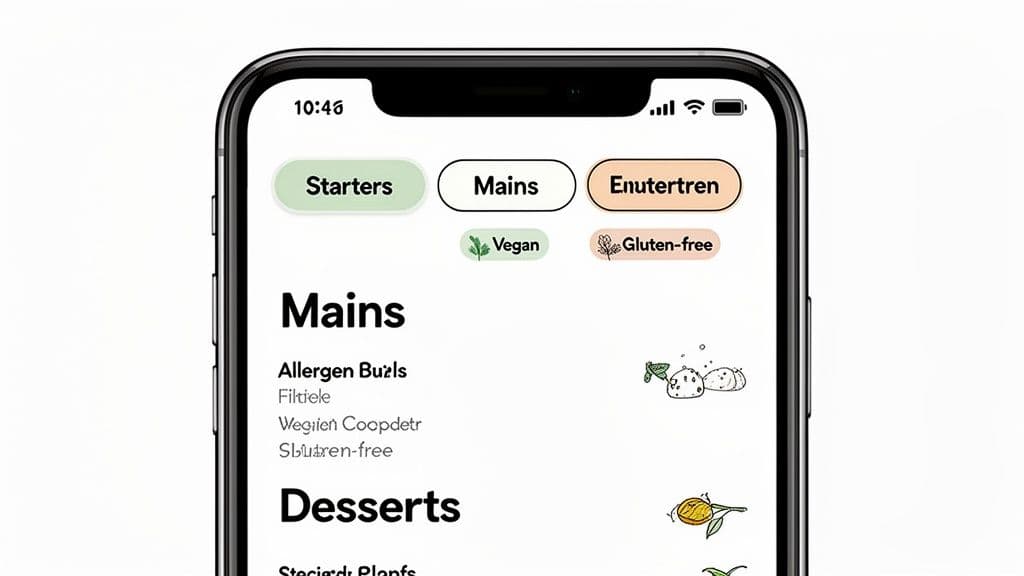
When a guest scans your code, they shouldn't have to pinch, zoom, or squint to read anything. Mobile-first design is completely non-negotiable.
- Font Size and Style: Use a clean, sans-serif font that is at least 16px for body text. Headings should be noticeably larger and bolder to create a clear visual hierarchy. Anything smaller forces people to zoom in, creating a clumsy, annoying experience.
- Color Contrast: Don't sacrifice readability for the sake of aesthetics. Stick to dark text on a light background. There are plenty of free tools online to check your contrast ratios, ensuring your menu is accessible to everyone, including guests with visual impairments.
- Smart Navigation: For longer menus, "sticky" category links are a lifesaver. These are the links that stay fixed at the top of the screen as a user scrolls, allowing them to jump from "Appetizers" to "Desserts" without endless swiping.
A diner-friendly experience is built on small, thoughtful details. The less a customer has to think about how to use the menu, the more time they can spend getting excited about what to order.
These foundational design choices are what make browsing your offerings feel smooth and professional. For a deeper dive into the visual elements of the code itself, you can learn more about how to design a QR code that aligns with your brand.
Make Information Accessible and Empowering
One of the biggest wins of a digital menu is the ability to provide far more information than a printed version ever could. This is your chance to cater to every guest's needs, making them feel seen and understood.
Including details about dietary restrictions isn't just a courtesy anymore; it's a critical feature for a huge number of diners. In fact, nearly one-third of consumers now actively seek out menus with clear dietary information.
Essential Features for a Modern Digital Menu
To create a truly superior experience, you need to integrate features that empower your guests to order with absolute confidence.
- Clear Allergen Labeling: Use simple icons or text labels (e.g., "Contains Nuts," "Dairy-Free") directly next to each relevant menu item. This removes all the guesswork and builds a ton of trust.
- Dietary Filters: Let users filter the entire menu to show only "Vegan," "Gluten-Free," or "Vegetarian" options. This simple tool is incredibly valuable and saves guests from having to scan every single item.
- High-Quality Photos: Like we've said, visuals sell. Use appetizing photos for your signature dishes, specials, and high-margin items to entice orders and show people what they're getting.
- Click-to-Expand Descriptions: Keep the main menu clean with brief descriptions, but allow users to tap an item to see a more detailed list of ingredients or even a little story about the dish.
By designing a digital menu that is easy to read, navigate, and filter, you transform a simple QR code into a powerful hospitality tool. You're not just showing customers what's available; you're actively helping them make the best choices, which leads directly to a better dining experience and higher satisfaction.
Best Practices: Placing Your QR Codes for Maximum Visibility
So you’ve got a slick digital menu and a perfectly branded QR code. Great. Now for the most important part: putting that code where people will actually see and use it. A brilliant online menu is completely useless if your guests can't find the QR code, or worse, can't scan it easily.
Strategic placement isn’t just about sticking a code on the table. It’s about weaving it into the natural flow of the dining experience, making the jump from the physical table to the digital menu feel effortless and intuitive.
Choosing the Right Materials and Size
Before you even think about where the codes go, you need to decide what they'll be printed on. The material and size you choose have a huge impact on scannability and how long they'll last in a busy restaurant.
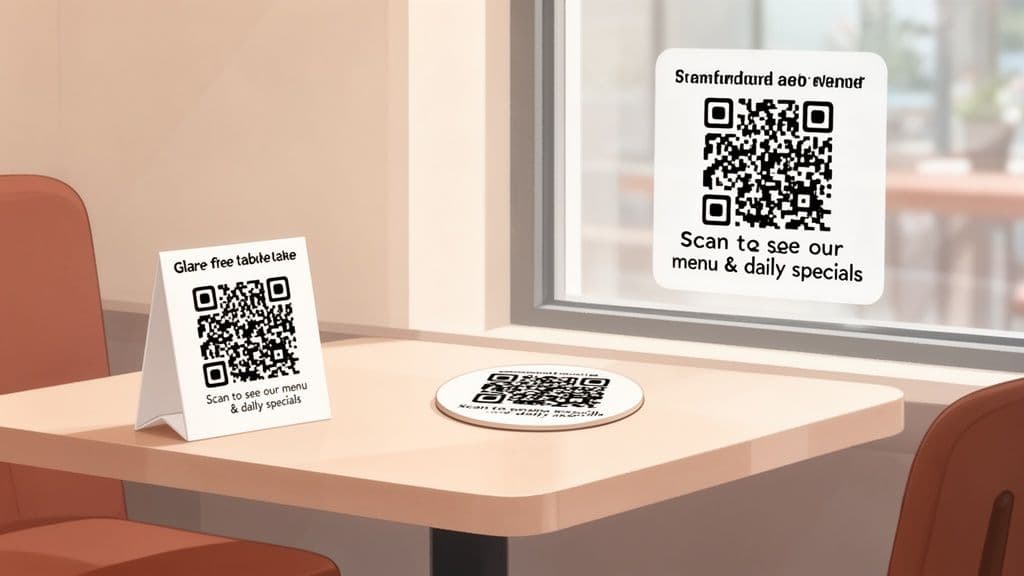
- Durable Materials: Forget standard paper—it will be ruined by the first spill. You need something tougher. Think laminated table tents, sturdy acrylic blocks, durable coasters, or vinyl stickers that can be wiped down hundreds of times.
- Glare-Free Finish: Glossy finishes are a nightmare under restaurant lighting. They create reflections that make scanning a pain. Always, always choose a matte or non-glare finish so your codes scan perfectly every time.
- Optimal Sizing: If a customer has to squint or hold their phone at a weird angle, you've failed. Your QR code should be at least 1.5 x 1.5 inches (about 4 x 4 cm). Before you print a big batch, test it yourself from a normal seating distance.
Your QR code's physical presentation is a direct reflection of your brand's attention to detail. Investing in high-quality, well-designed materials shows customers that you care about their entire dining experience, both digital and physical.
Getting these details right from the start prevents a lot of headaches down the road.
High-Impact Placement Locations
To get the most scans, your QR codes need to be in multiple, high-traffic spots. Think about your guest's entire journey, from the moment they walk through the door to the minute they're ready to order.
A Checklist for Strategic QR Code Placement
- On Every Table: This is non-negotiable. It's the most critical spot. Guests should see the code the moment they sit down. Table tents, small acrylic stands, or adhesive decals applied directly to the tabletop are your best bets here.
- At the Host Stand: Put a larger code right at the entrance. This lets guests browse the menu while they wait, which can speed up ordering once they’re seated.
- On the Bar Top: For anyone grabbing a drink while they wait or having a meal at the bar, a code directly in front of them is a must.
- Window Decals: A big QR code on your front window is a fantastic marketing tool. It can tempt passersby to check out your menu, turning a curious glance into a new customer.
- In Waiting Areas: If you have a designated spot for people to wait, give them something to do. A QR code there lets them plan their meal before they even get to the table.
QR codes aren't a novelty anymore; they're standard practice. The pandemic fast-tracked their adoption, and today, using a qr code menu for restaurants is second nature for most diners. A June 2023 survey found that 45% of US adults had scanned one in the past year, and it's now estimated that 75% of restaurants globally use them. If you want to dive deeper, you can explore more QR code statistics that show just how mainstream this technology has become.
Add Context with a Clear Call to Action
Finally, never assume people know what the code is for. Sure, most do, but a little bit of clear, friendly instruction removes all doubt and encourages more people to scan.
Frame your code with a simple, direct call to action (CTA). It’s a tiny detail that makes a huge difference.
- "Scan to View Our Menu"
- "Menu & Daily Specials"
- "Scan Here for Drinks & Food"
This turns a black-and-white square into a helpful invitation. It’s the final touch that makes sure your digital menu gets the attention it deserves.
Using Analytics to Refine Your Menu Strategy
A static QR code is just a digital signpost. A dynamic one, on the other hand, is one of the smartest business tools you can have. This is where investing in a professional platform like QR Code Maker really starts to pay dividends. Instead of just showing your menu, dynamic codes gather anonymous data that tells you exactly how customers are interacting with it.
This isn't about becoming a data scientist overnight. It’s about getting clear, simple answers to questions that directly impact your bottom line. Forget guessing which dishes are most popular; now you can see what people are actually looking at. This data lets you move past assumptions and make decisions based on real customer behavior.
Unlocking Actionable Customer Insights
When you're using a dynamic qr code menu for restaurants, your dashboard essentially becomes a window into your diners' thought processes. You get access to straightforward analytics that can immediately shape how you run your restaurant and market your offerings.
Here’s a quick rundown of what you can typically track:
- Total Scan Counts: See precisely how many people are viewing your menu daily, weekly, or monthly. If you see a sudden drop, it might be a sign that a code is damaged or in a bad spot.
- Peak Scan Times: Pinpoint the exact moments your customers are browsing. Is it at 6:30 PM as the dinner rush builds, or during that quiet mid-afternoon period?
- Geographic Location: Get a sense of where your scans are coming from. This is fantastic for understanding your local customer base or seeing if that tourist-focused promotion is actually hitting its mark.
- Device Types: Know whether your diners are mostly on iPhones or Androids. This little detail helps ensure your digital menu looks great on the screens people are actually using.
By analyzing scan data, a simple QR code transforms from a passive tool into an active feedback loop. It tells you what’s working, what isn’t, and where your biggest opportunities lie for improving both the customer experience and your bottom line.
This information is gold. For example, if you notice a huge spike in menu scans just before your main dinner service, you can adjust your staffing to make sure you’re ready for the wave. For a deeper look at what’s possible, check out this complete guide on how to track QR code scans and the specific metrics available.
Translating Data into Smarter Decisions
The real magic happens when you start applying these insights. Raw numbers are interesting, but turning them into strategies is what actually grows your business.
Let’s say your data shows that the "Appetizers" section of your menu is getting the most clicks, yet appetizer sales are flat. That’s a huge clue. It could mean your descriptions aren't tempting enough or the photos don't look as good as the food tastes. It’s a clear signal to give that part of your menu a refresh.
Another powerful tactic is A/B testing your promotions. You can create different QR codes for different offers and track their performance side-by-side.
Example Scenario: Happy Hour vs. Dinner Menu
- Create Two Menus: First, design two separate pages on your website: a dedicated "Happy Hour Menu" and your standard "Dinner Menu."
- Generate Separate QR Codes: Next, use a tool like QR Code Maker to create two distinct dynamic QR codes, one linking to each menu.
- Strategic Placement: Now, place the "Happy Hour" code on the bar tables from 4-6 PM and put the "Dinner" code on the tables in the main dining room.
- Analyze and Compare: After a week, hop into your analytics dashboard. You’ll see exactly how many scans each menu got, revealing the true engagement for your happy hour specials versus your regular dinner items.
This approach takes all the guesswork out of the equation. You’ll know with certainty which promotions are grabbing your customers' attention, allowing you to focus on what works and rethink what doesn't. This data-driven strategy turns your menu into one of your most effective marketing tools.
Advanced QR Code Strategies Beyond the Menu
Once you have your menu QR code set up, don't stop there. Think of that little square as more than just a digital doorway to your food and drinks—it's a powerful tool for engaging customers and making your whole operation run smoother.
By thinking beyond the menu, you can use QR codes to build real relationships with your guests, get honest feedback, and even simplify things for your team. These strategies turn a simple scan into a meaningful interaction.
Drive Engagement and Build Your Brand
A QR code on a receipt or table tent is an open invitation for customers to connect with you on a deeper level. It’s your chance to turn a one-time diner into a loyal regular.
Consider these powerful use cases:
- Instant Wi-Fi Access: A dedicated "Wi-Fi QR Code" is a small touch that goes a long way. Guests can connect to your network instantly without having to ask for a password or fumble with typos. It’s a simple convenience they’ll definitely appreciate.
- Social Media Growth: Pop a QR code on your table tents that links directly to your Instagram or Facebook page. A simple call to action like, "Follow Us for Daily Specials," can seriously boost your online community.
- Loyalty Program Sign-Ups: Make joining your rewards program completely frictionless. A quick scan can take diners straight to a sign-up form, capturing their info so you can keep them in the loop.
By weaving QR codes into different touchpoints, you're not just serving a meal; you're building a direct line of communication with your most valuable customers. This is a core idea in modern QR code marketing strategies.
Simplify Payments and Feedback
Beyond building your brand, QR codes can tackle two of the most critical parts of the dining experience: paying the bill and leaving a review. And customers are ready for it. In 2023, a whopping 78% of diners worldwide said they preferred using QR codes for ordering or paying.
The shift to digital convenience is massive. For instance, a Denver bistro saw a 20% boost in daily transactions just by using image-rich digital menus that also streamlined payments and tipping. You can find more details on how restaurants are leveraging this technology on Restroworks.
One of the smartest plays here is a dual-purpose feedback system. Using a tool like QR Code Maker, you can create a single QR code that asks customers about their experience. If they had a great time, they’re sent to your Google review page. But if their experience was less than perfect, their feedback is captured in a private form. This gives you a chance to fix things before a negative review goes public—a simple strategy that protects your online reputation while giving you priceless operational insights.
Common Questions About QR Code Menus
Even after seeing all the upsides, it’s natural to have a few practical questions before swapping out your printed menus. Let’s walk through the most common concerns business owners have to get you ready for a smooth transition.
What If a Customer Prefers a Physical Menu?
This is a totally fair question, and the answer is simple: keep a few on hand. The goal is to add a convenient option for the majority, not to alienate anyone.
A best practice is to keep a small stack of clean, laminated physical menus ready for guests who ask. Train your team to spot anyone who seems hesitant or is struggling with the code and graciously offer them a traditional menu. It’s all about hospitality—this hybrid approach makes sure everyone feels comfortable.
How Hard Is It to Update My Menu?
This is where you'll really see the magic of a dynamic QR code. Instead of calling your printer in a panic, you just log into a platform like QR Code Maker, pull up your menu, and make your changes.
Update a price, mark an item as sold out, or add the daily special.
The best part? Your changes go live the second you hit save. You never have to touch the QR codes on your tables, which saves a surprising amount of time and money over a year.
Can't I Just Use a Free QR Code Generator?
You could, but it's a classic case of "you get what you pay for." Most free online generators create static codes. This means the menu link is permanently baked into the code itself. If you need to change anything—even just a typo—you have to generate and print a brand new QR code. This completely defeats the purpose.
Worse, they offer zero branding options and, crucially, no analytics. A professional platform gives you dynamic codes that can be updated infinitely, custom designs that match your brand, and the tracking data you need to see what your customers are actually looking at. Think of a professional qr code menu for restaurants not as a cost, but as an investment in efficiency and customer insight.
Ready to create a seamless, dynamic menu experience for your restaurant? Start building your branded, trackable menu today with QR Code Maker. Visit qr-code-maker.app to get started.
Ready to create your QR code?
Free forever for static codes. Pro features with 14-day trial, no credit card required.
Irina
·Content LeadIrina leads content strategy at QR Code Maker, helping businesses understand how to leverage QR codes for marketing, operations, and customer engagement. Her expertise spans digital marketing, user experience, and practical implementation guides.
Learn more about us →Related Articles
A Practical Guide to Creating a Restaurant Menu QR Code
Create a branded, dynamic restaurant menu QR code that enhances the dining experience, boosts efficiency, and provides valuable guest insights. Learn how.
How a QR Code Generator With Analytics Can Transform Your Marketing
Discover how a QR code generator with analytics can track scans, measure campaign ROI, and provide actionable data to optimize your marketing strategy.
A Practical Guide to Custom QR Code Shapes That Boost Engagement
Discover how to use custom QR code shapes to elevate your brand and increase scans. This guide offers actionable design tips and real-world examples.