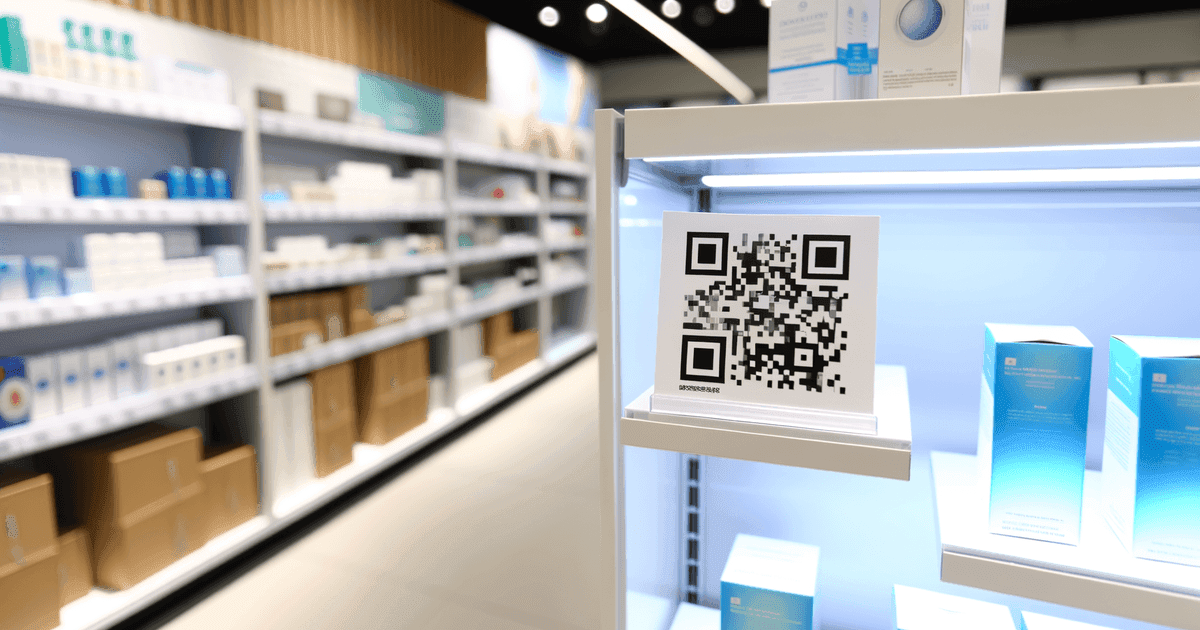

Everything you need to know about QR code labels—sizing, materials, printing methods, and whether static or dynamic codes make sense for your use case.
QR code labels bridge physical objects and digital information. Stick a label on an asset, product, or storage box, and anyone with a smartphone can access relevant details, instructions, or tracking data.
But labels come with unique constraints that digital displays don't: size limitations, printing considerations, environmental durability, and the need to work reliably over time. This guide covers what you need to know to create labels that actually work.
What Makes Labels Different
When you create a QR code for a digital display, you control the viewing conditions. Screen brightness, contrast, and viewing distance are predictable.
Labels face real-world chaos:
- Variable lighting conditions
- Scanning from different angles and distances
- Physical wear, dirt, and fading
- Small print sizes to fit available space
- Curved or textured surfaces
Every label design decision should account for these challenges.
YoY growth in 'qr code labels' searches
minimum recommended QR code size for labels
error correction capacity at Level H
Sizing Requirements
The most common label failure: QR codes printed too small. Here are practical guidelines:
Minimum Sizes by Use Case
| Application | Minimum Size | Recommended | Notes |
|---|---|---|---|
| Product labels (close scanning) | 1.5cm × 1.5cm | 2cm × 2cm | Clean environment, intentional scanning |
| Shipping labels | 2cm × 2cm | 3cm × 3cm | Multiple scanning environments |
| Asset tags | 2cm × 2cm | 2.5cm × 2.5cm | Industrial scanners more tolerant |
| Shelf labels | 2cm × 2cm | 3cm × 3cm | Distance varies by aisle width |
| Outdoor signage | 5cm × 5cm | 10cm+ | Weather, distance, angle considerations |
The Scanning Distance Rule
QR codes should be readable from a distance of about 10 times the code width. A 2cm code scans reliably from about 20cm away. A 5cm code works from 50cm.
This means:
- Codes on products people hold can be smaller
- Codes on shelf edges need to be larger
- Codes on walls or displays need to be much larger
Data Density Affects Size
More data = more modules = smaller individual modules at the same overall size. A code with a 200-character URL has much smaller modules than one with a 30-character URL.
For labels, shorter is better. If your URL is long, consider:
- Using a URL shortener
- Dynamic codes (which use short redirect URLs)
- Simplifying your URL structure
Test at Actual Print Size
QR codes that scan perfectly on screen may fail when printed small. Always print a test label at your intended size and scan with multiple phones before ordering in bulk.
Static vs. Dynamic for Labels
This decision matters more for labels than most other applications because labels are physical—reprinting thousands of them is expensive.
When Static Codes Work
Permanent destinations:
- Company website URLs that won't change
- WiFi network credentials
- Contact information (vCard)
- Fixed product pages
One-time use:
- Event tickets
- Personal project labels
- Gift tags
Cost-sensitive applications:
- Millions of product labels where subscription fees would be substantial
- Budget-constrained organizations
Offline environments:
- Labels that must work without redirect servers
- High-security environments where external dependencies are unacceptable
When Dynamic Codes Are Worth It
Information that changes:
- Inventory with evolving details
- Assets with maintenance history
- Seasonal promotions on product packaging
Tracking requirements:
- Knowing which labels get scanned
- Understanding scan patterns by location
- Campaign performance measurement
Error tolerance:
- Ability to fix URL mistakes after printing
- Redirect if page structure changes
- Update destinations during A/B testing
Long-term labels:
- Permanent asset tags where information needs updating
- Building signage
- Equipment labels spanning product lifecycle
The Reprint Cost Calculation
Compare: cost to reprint all labels if something changes vs. cost of dynamic code subscription for expected label lifetime. For 10,000 labels at $0.05 each, reprinting costs $500. A year of dynamic code service might cost $100-300. For permanent installations, dynamic often pays for itself.
Printing Methods and Materials
Home/Office Printing
Standard inkjet/laser printers:
- Good for small quantities and testing
- Use matte paper to reduce glare
- Allow adequate drying time before handling (inkjet)
- Suitable for indoor, short-term applications
Label printers (Dymo, Brother, etc.):
- Excellent for on-demand labels
- Thermal printing avoids ink smearing
- Check resolution—300 DPI minimum for reliable codes
Professional Printing
Commercial digital printing:
- Best for medium quantities (100-10,000)
- High resolution and consistent quality
- Various material options
Offset printing:
- Cost-effective for large quantities (10,000+)
- Excellent quality but longer setup time
- Usually requires longer lead times
Specialty printing:
- Metal labels for asset tags
- Weatherproof materials for outdoor use
- UV-resistant inks for sun exposure
Label Materials
| Material | Best For | Durability | Cost |
|---|---|---|---|
| Standard paper | Indoor, short-term | Low | $ |
| Matte coated | Indoor, medium-term | Medium | $ |
| Vinyl | Outdoor, water exposure | High | $$ |
| Polyester | Industrial, chemical exposure | Very high | $$$ |
| Metal (aluminum) | Permanent asset tags | Extreme | $$$$ |
Printing Checklist
Before ordering bulk labels:
- Test scan the digital file - Verify the code works before any printing
- Print a small batch - Test on the actual material you'll use
- Scan tests - Try multiple phones, angles, and lighting conditions
- Durability test - For outdoor labels, simulate expected conditions
- Approve proof - For professional printing, check the proof carefully
Business Applications
Inventory and Warehouse Management
QR labels on inventory items enable:
- Quick identification without typing SKUs
- Instant access to stock levels and location
- Receiving and shipping verification
- Batch tracking for recalls or audits
Implementation approach:
- Generate codes linking to your inventory system
- Use dynamic codes if item details change frequently
- Choose durable labels for warehouse conditions
- Consider integration with existing barcode systems
Use our Bulk QR Code Generator to create labels for your entire inventory from a CSV export.
Asset Tracking
Every piece of equipment can carry a QR label linking to:
- Purchase information and warranty status
- Maintenance history and schedules
- Assignment/location tracking
- Manuals and troubleshooting guides
Why dynamic codes excel here: Asset information changes over time. With static codes, you'd need to host static pages you update. With dynamic codes, you can point directly to your asset management system.
Product Labels
Consumer products benefit from QR codes linking to:
- Detailed product information
- Usage instructions and tutorials
- Registration and warranty
- Support and contact options
- Authenticity verification
Consideration: For mass-produced products, static codes pointing to stable URLs often make sense economically.
Shipping and Logistics
QR labels on packages enable:
- Tracking information access
- Delivery confirmation
- Return processing
- Proof of delivery
Personal and Home Use
Home Organization
Label storage boxes with QR codes linking to contents lists. When you need to find something, scan instead of opening every box.
Tip: A simple text QR code with a contents list works perfectly—no need for external links.
WiFi Sharing
Create a WiFi QR code label for your router or a visible spot in your home. Guests scan to connect without asking for the password.
Plant Care
Small labels on plant pots linking to care instructions. Static codes pointing to plant care websites work indefinitely.
Pet Tags
QR code pet tags linking to owner contact information. If your pet is lost, anyone who finds them can scan and reach you immediately.
Use a vCard QR code with your contact details—no external service needed.
Product Manuals
Attach small labels to appliances linking to their digital manuals. No more hunting for paperwork when something needs troubleshooting.
Design Best Practices for Labels
Contrast
Maximum contrast ensures reliable scanning:
- Black modules on white background is ideal
- Dark colors on light backgrounds work
- Avoid low-contrast combinations
Quiet Zone
Every QR code needs a clear border (quiet zone) around it:
- Minimum 4 modules wide
- Don't let label edges intrude
- Don't place codes in corners where trim might cut into them
No Distortion
Labels that wrap around curved surfaces distort the code:
- Position codes on flat areas when possible
- For curved surfaces, use smaller codes that stay relatively flat
- Flexible labels conform better than rigid materials
Call to Action
Labels scan better when people know what they'll get:
- "Scan for product info"
- "Scan for WiFi"
- "Scan for care instructions"
A short text prompt increases scan rates significantly.
Common Mistakes
Printing too small - Test at actual size before bulk production.
Using dynamic codes when static works - Don't pay ongoing fees for codes that link to permanent URLs.
Ignoring environmental conditions - Indoor labels fail outdoors. Choose appropriate materials.
Complex URLs creating dense codes - Simplify URLs or use dynamic codes for better scannability.
No testing before bulk orders - One failed label costs cents. Reprinting thousands costs hundreds or thousands.
Placing codes in bad locations - Avoid areas with frequent wear, exposure to liquids, or difficult scanning angles.
Frequently Asked Questions
What size should QR code labels be?
Minimum 2cm × 2cm for close-range scanning in good conditions. Larger (3cm+) for variable conditions, distance scanning, or busy environments. Always test at your intended size before bulk printing.
How long do QR code labels last?
The code itself doesn't expire—it's just printed data. Label durability depends on material and conditions. Paper labels last months indoors; vinyl or polyester labels can last years outdoors. The bigger question is whether your destination URL will still work when the label is scanned.
Can I print QR codes on any printer?
Any printer with 300 DPI or higher resolution works. Standard office printers are fine for indoor labels. For durability, use appropriate label materials and consider commercial printing for outdoor or industrial use.
Should I use static or dynamic codes for product labels?
For mass-produced products with permanent URLs, static codes avoid subscription costs. For smaller batches where you might need to update destinations, dynamic codes provide flexibility. Calculate the cost of potential reprinting vs. subscription fees for your situation.
What happens if a label is partially damaged?
QR codes include error correction that allows scanning even with some damage. At Level H, up to 30% of the code can be damaged. For labels in harsh environments, use higher error correction levels and consider printing slightly larger than minimum.
Create QR Code Labels
Ready to create labels for your application?
Free static codes for permanent labels:
- URL QR codes - Link to any webpage
- WiFi QR codes - Network credentials
- vCard QR codes - Contact information
- Text QR codes - Plain text content
Generate, download, and print—no account needed.
Dynamic codes for labels that need updating: View our pricing - Update destinations anytime without reprinting labels.
Ready to create your QR code?
Free forever for static codes. Pro features with 14-day trial, no credit card required.

Irina Aguiar
·Content LeadIrina Aguiar leads content strategy at QR Code Maker, where she has written extensively on QR code technology, marketing, and business operations. Her work ranges from technical explainers on how QR codes are generated and how error correction works to practical guides on QR marketing, automation, and scan analytics — plus hands-on tutorials covering Python, Google Sheets, and Zapier integrations. She also publishes honest competitor comparisons and industry-specific playbooks for retail, real estate, hospitality, healthcare, and events.
More from Irina Aguiar →Related Articles
LinkedIn QR Code: Share Your Profile Instantly (2026 Guide)
Create a LinkedIn QR code to share your profile, company page, or post with one scan. Step-by-step guide with design tips, placement ideas, and tracking.
YouTube QR Code: Link Videos to the Physical World (2026 Guide)
Create a YouTube QR code that links to a video, channel, or playlist. Step-by-step guide with use cases for packaging, events, education, and marketing.
QR Code A/B Testing: How to Test What Actually Works
Most guides say print two QR codes and compare. Here's what they don't tell you about costs, statistical significance, and why one-code testing changes everything.