
Learn how to use QR codes to connect with customers. This guide covers creating, designing, and tracking QR codes with real-world marketing examples.
Using QR codes is about more than just slapping a black-and-white square on your marketing materials. It’s about creating a seamless bridge between your physical business and your digital world, giving your customers instant access to what they need, right when they need it.
For any small business owner, marketer, or event organizer, learning how to use QR codes effectively opens up a powerful new channel for engagement. This guide provides actionable advice, real-world examples, and clear step-by-step instructions to help you create professional QR codes that get results.
Why QR Codes Are a Smart Move for Your Business
If it feels like you're seeing QR codes everywhere—from restaurant menus to event tickets—you're right. This isn't just a fleeting trend; it’s a practical, measurable way to connect with your audience. Their recent explosion in popularity was fueled by the need for contactless options, but their sheer convenience is what has made them a permanent marketing tool.
The numbers back this up. It's projected that by 2025, over 2.9 billion people worldwide will be using QR codes. Scan rates jumped by a massive +433% between 2020 and 2023, which tells us customers aren't just familiar with them—they're actively using them for everything from making payments to getting information. You can dig into more of these QR code statistics to see the full picture.
Understanding the Two Types of QR Codes
Before you jump into making your first code, you need to understand the two main types: static and dynamic. This choice is critical because it determines the flexibility and trackability of your campaigns.
A static QR code is permanent. The destination URL or information is embedded directly into the code's pattern. Once it's created and printed, you can't change it. They're suitable for information that will never change, like a direct link to your website's contact page or a permanent Wi-Fi password.
A dynamic QR code, on the other hand, is editable and trackable. It points to a short URL that you can redirect to any destination you want, even long after the code has been printed. This flexibility is a game-changer for marketing campaigns.
Practical Tip: With a dynamic QR code, you can update a restaurant menu for seasonal specials or change a promotion link after a sale ends without reprinting anything. This saves time, money, and keeps your marketing agile.
This comparison highlights the core difference between the locked-in static codes and the adaptable dynamic ones.
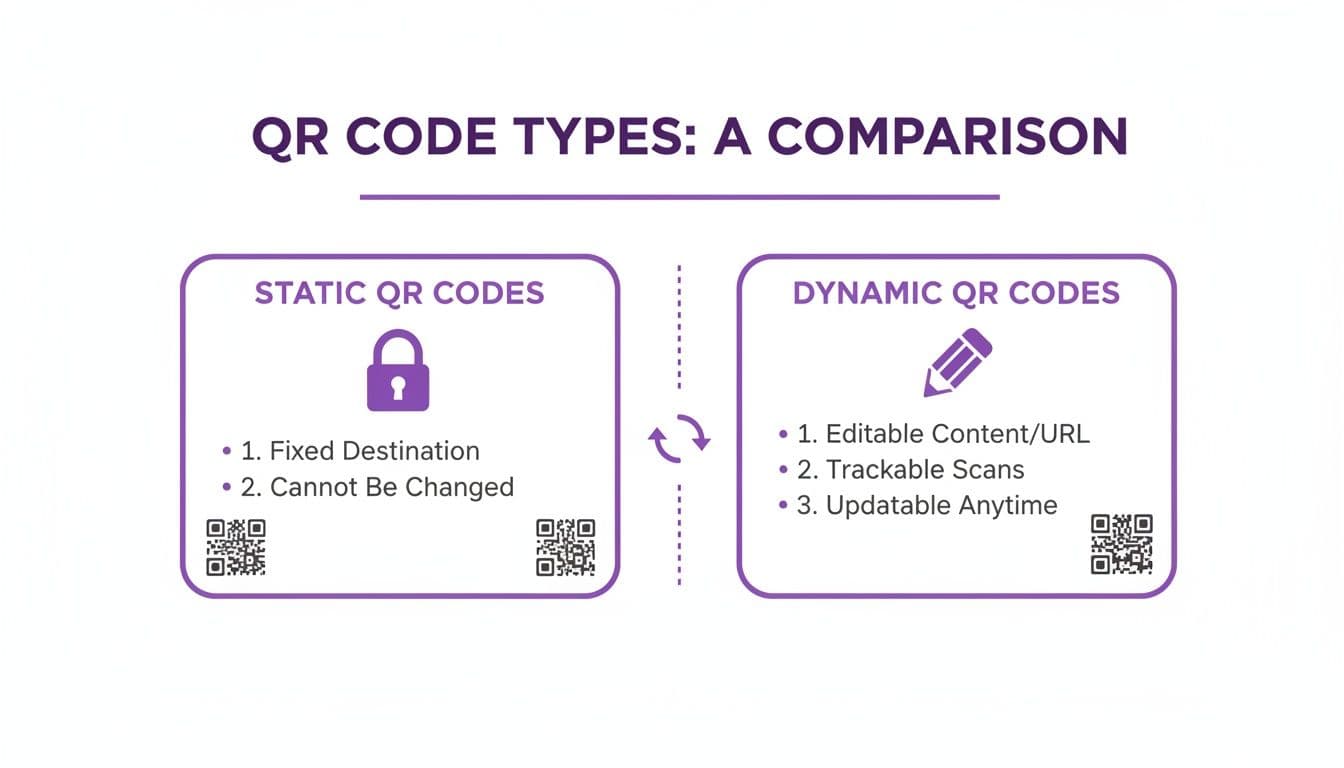
Here's a quick breakdown to make the choice even clearer.
Static vs. Dynamic QR Codes at a Glance
This table offers a quick comparison to help you choose the right type of QR code for your business needs, highlighting the key differences in flexibility, trackability, and ideal use cases.
| Feature | Static QR Code | Dynamic QR Code |
|---|---|---|
| Editable Content | No, the data is permanent. | Yes, change the destination anytime. |
| Scan Tracking | No analytics available. | Yes, track scans, location, and device. |
| Ideal For | Wi-Fi access, vCards, permanent links. | Marketing campaigns, menus, promotions. |
| Internet Required | No (for text, vCard, Wi-Fi). | Yes, it needs to redirect. |
| Cost | Typically free. | Usually requires a subscription. |
For nearly any business goal, a dynamic code is the superior choice. Platforms like QR Code Maker not only allow you to edit the destination but also provide detailed analytics. You can see how many people scanned your code, their general location, and the time of day they scanned it. This data helps you understand customer behavior and measure the real return on your marketing efforts.
How to Create a Professional QR Code: A Step-by-Step Guide
Creating a QR code that looks professional and gets scanned is easier than you might think. This hands-on guide will walk you through designing a code that not only works perfectly but also aligns with your brand identity. The first step is to define your goal: what do you want someone to do after they scan your code?
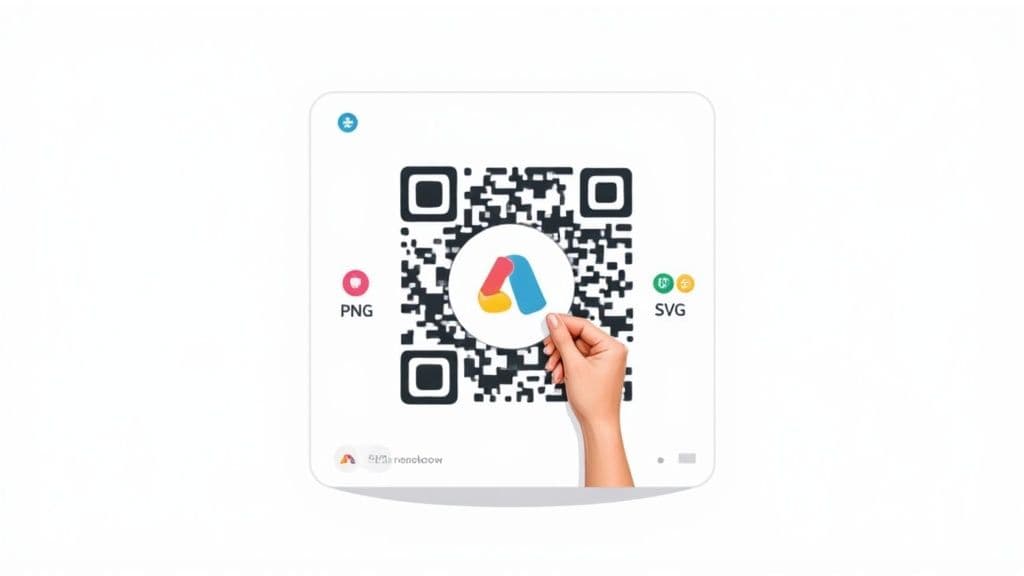
Step 1: Choose the Right QR Code Type
Every effective QR code starts with a specific job. You wouldn't use the same code to share your Wi-Fi password as you would to promote a weekend sale. Selecting the right type from the start ensures a seamless user experience.
Using a tool like QR Code Maker simplifies this by presenting clear options. Here are a few of the most common types for businesses:
- Website URL: The classic choice for sending people to any webpage—your homepage, a product page, or a special campaign landing page.
- vCard: A digital business card. One scan saves your contact info (name, number, email, company) directly to their phone's address book.
- PDF: Perfect for sharing detailed documents like menus, price lists, or event schedules without hosting them on a public webpage.
- Wi-Fi: A game-changer for cafes, waiting rooms, or event venues. It lets customers join your network instantly without typing in passwords.
- Social Media: Links directly to your business profile on platforms like Instagram, Facebook, or LinkedIn, making it an easy way to grow your following.
Once you’ve selected the right type, simply input the necessary information, such as the URL or your contact details.
Step 2: Customize Your Code with Brand Elements
A generic black-and-white square works, but a branded QR code performs much better. Customization builds trust and reinforces your brand identity, making people more likely to scan it. In fact, some studies show branded QR codes can boost scans by up to 200%.
Start by incorporating your brand's color palette. Instead of the default black, you can change the pattern's color. Just be sure to maintain high contrast between the pattern and the background—a dark pattern on a light background is always the safest bet for scannability.
Adding your logo is the next step. Placing it in the center instantly communicates who the code belongs to. Modern generators automatically handle the error correction needed to keep it scannable. For a deeper dive, check out this guide on adding logos to your QR codes.
Pro Tip: Don't stop at colors and logos. Many tools, including QR Code Maker, let you change the shape of the pattern's "eyes" and modules to better match your brand's aesthetic. It’s a subtle touch that can make your code stand out.
Step 3: Download in the Correct Format
You've designed the perfect branded code. The final step is downloading it in the right file format—a crucial detail for ensuring quality and scannability.
There are two main file types you need to know:
- PNG (Portable Network Graphics): This is a raster file (made of pixels), ideal for digital use on websites, in emails, or on social media. It offers high quality and supports transparent backgrounds.
- SVG (Scalable Vector Graphics): This is a vector file (based on mathematical equations), which can be scaled to any size without losing quality. Always choose SVG for anything you plan to print, from a small business card to a massive billboard.
Picking the right format ensures your code looks crisp, professional, and scans reliably every single time.
Real-World QR Code Ideas for Your Business
You've created a sharp, branded QR code. Now for the fun part: putting it to work. A QR code is only as powerful as the strategy behind it. Knowing where and how to place it is what drives real customer engagement and measurable results.
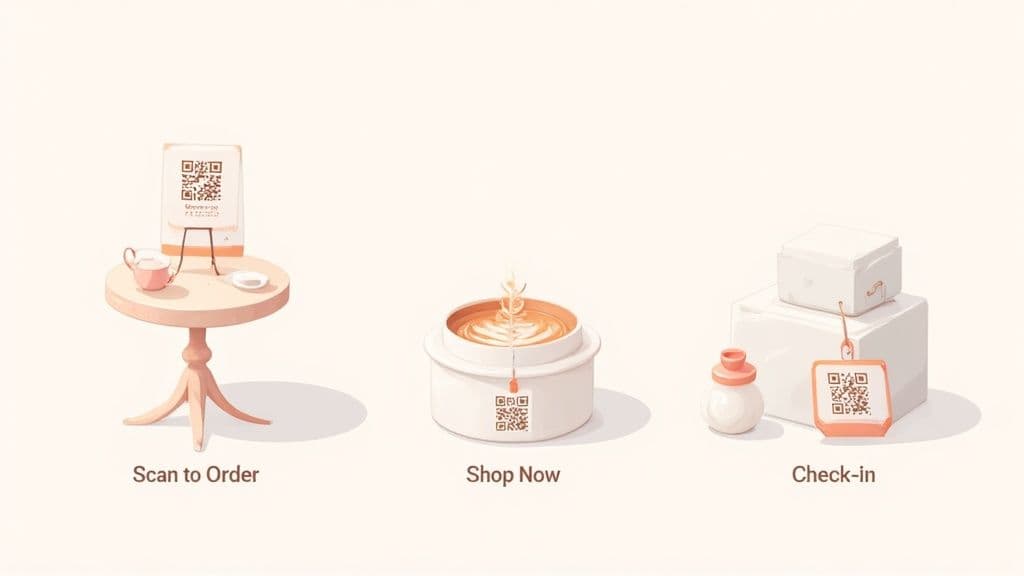
Let's explore some practical, real-world use cases that turn that simple square into a powerhouse for your business.
For Restaurants and Cafes
QR codes have become a staple in hospitality, but their potential goes far beyond a static PDF menu. A well-placed QR code on every table can link to a mobile-friendly ordering system, allowing customers to order and pay from their phones. This speeds up service and frees up your staff to focus on the customer experience.
Consider these other powerful applications:
- Loyalty Program Sign-Ups: Place a QR code at your checkout counter with a call to action like, "Scan to Join & Get 10% Off Today."
- Instant Customer Feedback: A small QR code on the bill or a table tent can link to a simple feedback form, capturing insights while the experience is fresh.
- Promote Special Events: Use QR codes on menus to link to an event page with details, a calendar invite, and an RSVP form for your next trivia night or live music event.
Key Takeaway: For restaurants, use QR codes to reduce friction. Whether it's ordering, paying, or leaving a review, a quick scan should make the process faster and more convenient.
For Event Organizers
Running an event involves managing a ton of information. QR codes are the perfect tool for consolidating details into one accessible place. Instead of printing schedules that quickly become outdated, place a large QR code at the event entrance that links to a dynamic digital agenda. If a speaker changes, you can update the link in seconds.
Here are more ways event organizers can use QR codes:
- Seamless Check-Ins: Email attendees tickets with a unique QR code for fast, digital entry.
- Effortless Networking: Encourage attendees to create a vCard QR code for their name badge, allowing for instant contact sharing.
- Lead Capture for Exhibitors: Use a QR code at a trade show booth to link to a lead capture form, offering a resource in exchange for contact info.
For Retail and Product-Based Businesses
In retail, QR codes bridge the gap between your physical products and your online presence. A QR code on a product tag can link to a video tutorial, detailed specs, or customer reviews, helping to nudge a customer toward a purchase.
You can also try these retail strategies:
- Product Packaging: Add a QR code to your product's packaging that links to setup guides, video tutorials, or warranty registration.
- Business Cards: A vCard QR code on your business card is a must. One scan saves your details perfectly to a client's phone—no typos, no fuss.
- Wi-Fi Sharing: If you have a waiting area, a QR code that grants instant Wi-Fi access is a fantastic customer service touch.
Best Practices for Design and Placement
Creating a QR code is easy, but ensuring it scans every time is what separates a successful campaign from a frustrating one. Follow these essential best practices for design and placement.
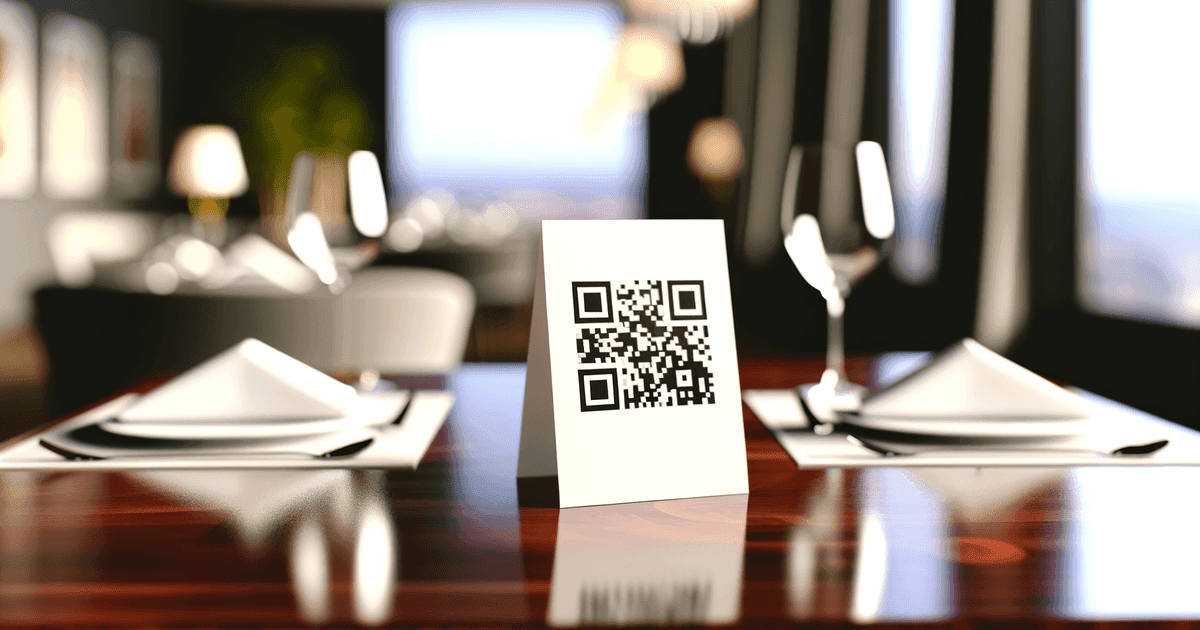
Nail the Design Fundamentals
A QR code's visual design directly impacts its scannability. The two most critical factors are contrast and the "quiet zone."
- Contrast is King: The dark modules of your QR code must stand out sharply against the light background. If using brand colors, always stick to a dark pattern on a light background. Never use light colors like yellow or pastels for the pattern.
- Respect the Quiet Zone: Every QR code needs a blank margin on all four sides. This quiet zone helps scanning apps distinguish the code from its surroundings. Most generators like QR Code Maker add this automatically, but be careful not to crop it.
Size and Placement Matter
Where you put your QR code and how big it is are just as important as how it looks. For most print materials viewed up close, the minimum size should be 1 inch by 1 inch (2.5 cm x 2.5 cm). However, this needs to scale up based on the scanning distance. Research on QR code scanning insights shows how critical these factors are for first-scan success.
QR Code Placement and Sizing Guide
This table provides practical recommendations for the minimum size of your QR code based on where it will be placed and the typical distance from which it will be scanned.
| Placement (Example) | Typical Scanning Distance | Recommended Minimum Size |
|---|---|---|
| Business Card | 6 inches (15 cm) | 1 x 1 inches (2.5 x 2.5 cm) |
| Table Tent / Menu | 1-2 feet (30-60 cm) | 2 x 2 inches (5 x 5 cm) |
| Poster (A4/Letter) | 3-5 feet (1-1.5 m) | 4 x 4 inches (10 x 10 cm) |
| Store Window Decal | 5-10 feet (1.5-3 m) | 8 x 8 inches (20 x 20 cm) |
| Billboard / Banner | 20+ feet (6+ m) | 3 x 3 feet (1 x 1 m) |
When in doubt, it’s always better to make your QR code a little bigger than you think you need.
Always Include a Clear Call to Action (CTA)
Never just place a QR code and expect people to scan it. You have to tell them what to do and what they’ll get. A simple, clear CTA next to the code makes all the difference.
- "Scan to View Our Menu"
- "Scan for 15% Off"
- "Scan to Join Our Wi-Fi"
The Golden Rule: Test, Test, and Test Again. Before printing, test your QR code with different phones (iPhone and Android) and scanning apps to ensure it works perfectly.
How to Track Your QR Code Performance
If you're not tracking your marketing, you're guessing. Dynamic QR codes turn a scannable image into a source of business intelligence. The analytics dashboard inside your QR code generator reveals how customers are interacting with your campaigns.
This data is a goldmine for making smarter decisions. If you see a ton of scans from an ad in a local newspaper, you've just validated that ad spend. Conversely, if a QR code on a poster gets no action, it’s a clear signal to change its placement or CTA.
Key Metrics to Monitor in Your Dashboard
When you log into a platform like QR Code Maker, you can monitor several key data points to fine-tune your campaigns.
- Total Scans: The total number of times your QR code has been scanned.
- Unique Scans: The number of individual devices that scanned your code.
- Scan Location: The city or country where scans are happening, crucial for confirming you’re reaching the right geographic audience.
- Time of Day: Charts showing when scans occur, helping you time future promotions.
- Device Type: Whether your audience is primarily on iOS or Android.
For a more detailed breakdown, our scan analytics guide walks through these metrics and what they can tell you about your campaigns.
By tracking performance, you move from guessing to knowing. Instead of wondering if a flyer worked, you can see that it generated 50 scans in its first week. That’s measurable ROI.
Using Data to Make Smarter Decisions
Once you start gathering data, you can use it to actively improve your strategy. If a QR code on your product packaging is outperforming the one on your in-store display by 300%, you know where to focus your efforts. Industry reports show that QR-led campaigns can achieve click-through rates of 30–40%, far surpassing typical display ads. You can explore detailed QR code insights to dig deeper.
Ultimately, tracking allows you to A/B test different designs, placements, and offers to see what truly connects with your audience. This data-driven approach ensures every QR code you create is a strategic tool for growing your business.
Frequently Asked Questions
As you start using QR codes, a few questions may arise. Here are quick answers to the most common ones.
Can I change the QR code's destination after it's printed? Yes, if you used a dynamic QR code. You can log into your dashboard and update the destination URL anytime, and the printed code will instantly point to the new location. This is a lifesaver for seasonal menus, weekly specials, or event changes. With a static QR code, the destination is permanent. That’s why for almost any business or marketing use, dynamic codes from a platform like QR Code Maker are the best choice.
Why won't my QR code scan? This is frustrating but usually has a simple fix. Run through this checklist:
- Is the contrast high enough? Ensure a dark pattern on a light background.
- Is it too small? The code must be large enough for a phone’s camera to see it clearly from the intended scanning distance.
- Did you leave a "quiet zone"? The blank margin around the code is essential for scanners.
- Is the pattern too complex? Long, complex URLs in static codes create a dense pattern that is hard to read. Dynamic codes use short URLs, keeping the pattern clean and easy to scan.
What's the right file type for print vs. digital? This detail makes a huge difference in quality.
- For Digital (websites, emails): Use PNG. It’s made for screens and supports transparent backgrounds.
- For Print (flyers, posters, packaging): Always use SVG or another vector format (like PDF). Vector files can be scaled to any size and remain perfectly crisp and sharp.
Getting these details right is more important than ever. In the U.S. alone, tens of millions of households now scan QR codes regularly. You can check the latest stats on QR code usage to see how fast the trend is growing. A faulty code isn't just a technical glitch; it's a missed connection with a customer.
Ready to create QR codes that get results? With QR Code Maker, you can design, manage, and track beautiful, dynamic QR codes in minutes. Start your free trial today and see how easy it is to connect with your customers.
**
Ready to create your QR code?
Free forever for static codes. Pro features with 14-day trial, no credit card required.
Irina
·Content LeadIrina leads content strategy at QR Code Maker, helping businesses understand how to leverage QR codes for marketing, operations, and customer engagement. Her expertise spans digital marketing, user experience, and practical implementation guides.
Learn more about us →Related Articles
A Practical Guide on How to Make a QR Code for Your Business
Learn how to make a QR code that drives results. This guide covers creating, customizing, and tracking QR codes with real-world marketing examples.
How to Track QR Code Scans: A Practical Guide for Marketers
Learn how to track QR code scans and measure campaign success. This guide covers dynamic codes, UTM parameters, and Google Analytics for actionable data.
How to Design a QR Code People Actually Want to Scan
Learn how to design a QR code that drives results. Our guide covers branding, scannability, sizing, and tracking to help you create codes that work.