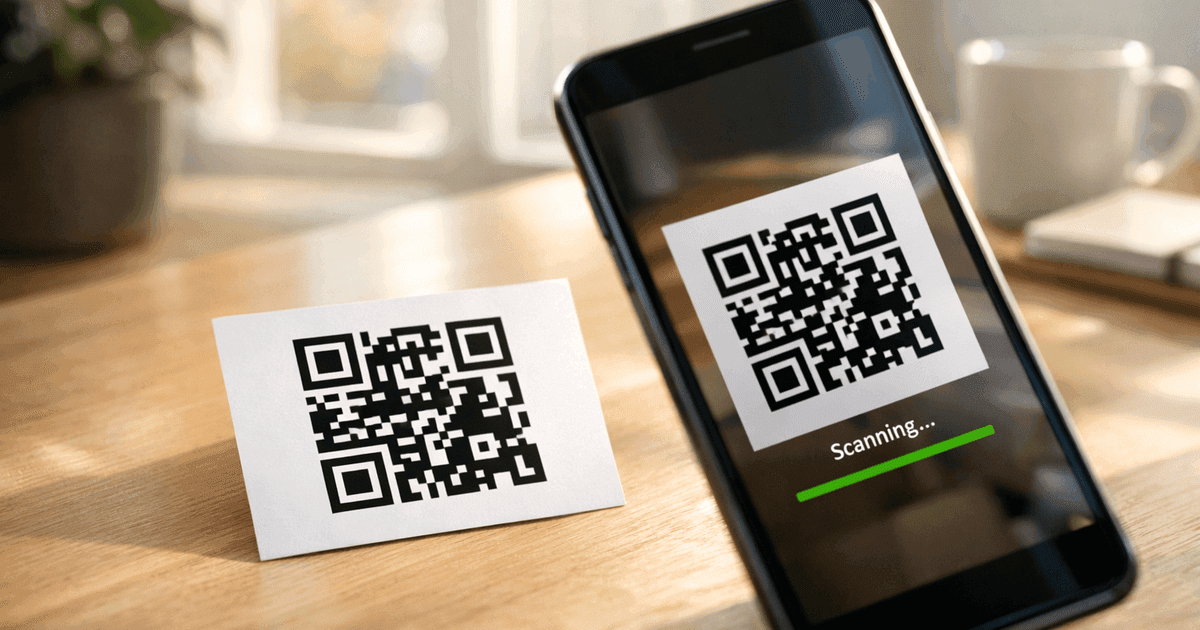
Learn how to create a call to action QR code that drives results. Our guide offers real-world tips, design strategies, and best practices for marketers.
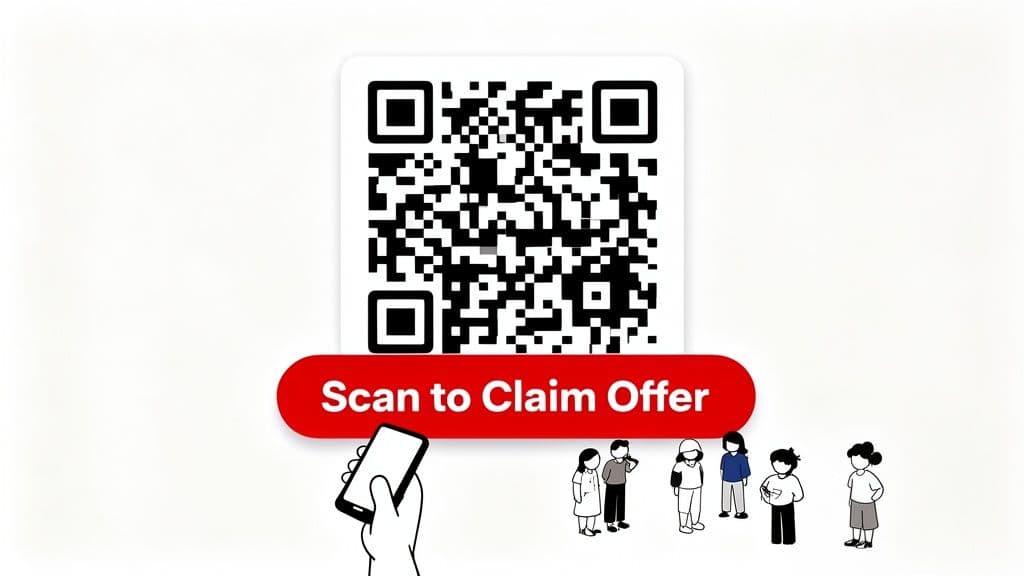
A call to action QR code isn't just a standard QR code. It’s a scannable image that includes a clear instruction telling people exactly what to do—think "Scan for Menu" or "Get 20% Off." This simple addition turns a passive square into a powerful marketing tool that guides your customers and dramatically boosts scan rates.
This guide provides practical, step-by-step advice for small business owners, marketers, and event organizers who want to create professional QR codes that drive action.
Why Your QR Code Needs a Clear Call to Action
Imagine seeing a plain black-and-white QR code on a poster. It’s an invitation without a destination. Your audience might see it, but they have no idea where it leads or why they should bother pulling out their phones. This is where a sharp call to action (CTA) makes all the difference.
A good call to action QR code answers two essential questions for your customers: "What is this?" and "What's in it for me?" For a busy restaurant, a simple "Scan for Our Menu" on a table tent is much more effective than a plain code. For an event, "Scan to Download the Agenda" provides immediate value and improves the guest experience.
From a Passive Link to an Active Tool
Without a CTA, your QR code is just a piece of tech hoping for a curious scan. With one, it becomes an active part of your marketing strategy. That short phrase builds trust and sets clear expectations, which is crucial for encouraging people to act.
Consider these real-world examples where a strong CTA changes the game:
- Restaurants: A QR code on a receipt that says "Scan to Leave a Review & Get a Free Coffee" is a brilliant way to gather feedback and encourage repeat business.
- Retail: Product packaging featuring a "Scan for Styling Tips" code adds value long after the customer leaves the store.
- Events: A banner at the entrance with "Scan to Join the Wi-Fi" offers a practical utility that attendees will appreciate.
- Business Cards: Instead of just linking to a website, "Scan to Add Me on LinkedIn" directs the interaction and helps build your professional network.
For example, learning how to design an effective QR code for survey collection can skyrocket response rates simply by clarifying the purpose of the scan from the start.
A QR code tells a user how to act, but the call to action tells them why. This distinction is key to turning a passive observer into an engaged customer.
Tools like QR Code Maker make this incredibly simple. You can embed powerful commands directly into your design with custom frames and text, creating codes that don't just get seen—they get scanned.
Step 1: Design a QR Code People Want to Scan
Let's be honest: a generic black-and-white QR code can look a bit technical and untrustworthy. In a world where people are cautious about what they scan, your QR code's design is its first impression. It can either build instant trust or raise a red flag.
By adding your logo, brand colors, and a clear frame, you transform a functional tool into a professional, branded asset. This signals that you’re a legitimate business and gives people the confidence to scan. It’s the difference between a mysterious black box and a clear invitation from a brand they recognize.
Go Beyond Black and White
Weaving your brand's identity into your QR code does more than just make it look good—it makes it work better. The data supports this: custom QR codes with logos and clear calls-to-action can see an 80% increase in scan rates compared to their plain counterparts. This isn't just about aesthetics; it's a strategic decision that directly drives engagement.
Key Design Elements for Higher Scan Rates
Creating an effective call to action QR code is a balance between style and scannability. When using a tool like QR Code Maker, you get a variety of customization options.
Here are the ones that truly make a difference:
- Your Logo: This is the most powerful branding element. Placing your logo in the center immediately tells people who the code belongs to. Good QR code generators automatically adjust the code’s error correction to ensure your logo doesn’t interfere with scannability.
- Brand Colors: Ditch the generic black and white for your own color palette. The key is to maintain high contrast between the dark parts of the code (the pixels and "eyes") and the light background. Dark blue on a white background is great; pale yellow on white will likely fail.
- Custom Frames: A frame is the perfect place for your call-to-action text, like "Scan for Menu" or "Join Our Wi-Fi." It keeps the message clean, clear, and directly connected to the code, so there’s no confusion.
Pro Tip: Always leave a "quiet zone"—a blank margin—around the outside of your QR code. This empty space helps scanning apps lock onto the code without getting confused by nearby text or images.
Real-World Design Examples
Let's see how this works for different businesses.
A Local Restaurant: A cafe wants customers to view its digital menu. A standard black-and-white code taped to the table is functional but feels cheap.
- The Fix: A QR code designed in the cafe’s warm brown color, with their coffee cup logo in the middle. It’s set inside a frame with the friendly text: "View Our Menu." Now, it feels like a natural part of the cafe's branding and is much more inviting.
An Event Organizer: An organizer needs attendees to download the event app. A plain code in the program booklet is easy to ignore.
- The Fix: A vibrant QR code that uses the event's primary colors, includes the event logo, and has a clear frame stating, "Download the App." This turns the code into an exciting part of the event materials that encourages scans.
A Consultant's Business Card: A consultant wants new contacts to connect on LinkedIn. A small, plain QR code in the corner looks like an afterthought.
- The Fix: A sleek, minimalist code that matches the card’s design, perhaps using a dark gray instead of harsh black. A subtle frame says, "Connect with Me," elevating the card and simplifying networking. For more detailed guidance, check out this complete guide on how to design a QR code.
By taking a few minutes to design your QR code, you create a powerful visual cue that reinforces your brand, builds trust, and ultimately drives more scans.
Step 2: Write a Call to Action That Converts
A great design gets people to look, but compelling words get them to scan. The final piece of your call to action QR code is the short, punchy text that tells people exactly what to do and why it’s worth their time.
You don't need a lot of text. You have just a moment to grab someone's attention. The goal is to write copy so clear and compelling that it removes all hesitation.
What Makes a CTA Irresistible?
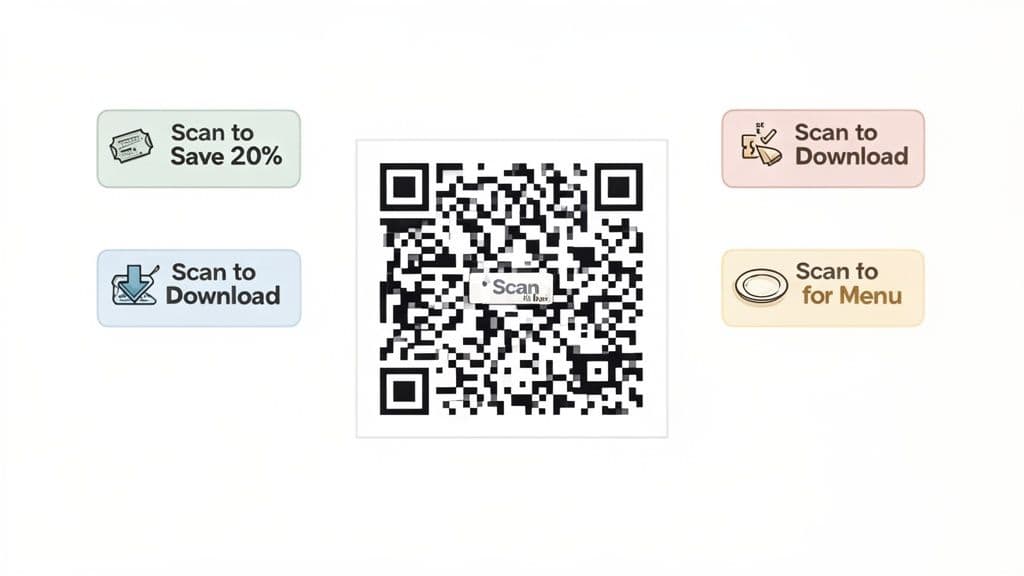
The best QR code copy is built on a simple formula: a clear verb plus an obvious benefit. This respects your audience's time by immediately answering their question: "What’s in it for me?"
Let’s break down the core parts:
- Action Verbs: Start with a strong, direct command. Words like "Scan," "Get," "View," "Download," "Join," and "Discover" are unambiguous.
- Clear Value: Immediately after the verb, state the reward. Are they getting a discount, a PDF, or a faster way to pay?
- Urgency (Optional but Effective): Adding a time-sensitive element can encourage immediate action. Phrases like "Offer Ends Tonight" or "Limited Spots Available" tap into the fear of missing out (FOMO).
A vague CTA like "Scan Here" is better than nothing, but it lacks motivation. Compare that to "Scan for 20% Off," which offers a clear, tangible benefit that’s much harder to ignore.
Proven Formulas for High-Performing Copy
You don't have to reinvent the wheel. Certain copywriting formulas are proven to work wonders for QR codes.
Here are a few simple structures to get you started:
- [Action Verb] + [Benefit]: Example: "Download the Free Guide"
- [Action Verb] + to + [Outcome]: Example: "Scan to Join Our Wi-Fi"
- [Benefit] + with a Scan: Example: "Unlock Exclusive Deals with a Scan"
These work because they're direct and focused on the user's gain, which is crucial for quick mobile interactions.
A great call to action is a promise. "Scan for the Menu" promises access to food choices. "Get Your Coupon" promises savings. If you deliver on that promise instantly, you build trust.
Ready-to-Use CTA Templates for Your Business
To make this even more practical, here are some industry-specific CTA templates you can adapt right away.
Effective Call-to-Action Formulas for Your QR Code
| Industry/Use Case | CTA Formula | Example |
|---|---|---|
| Restaurants | Scan for [Resource] | "Scan for Our Full Menu" |
| Retail | Get [Discount/Offer] | "Get 20% Off Your Next Purchase" |
| Events | [Action Verb] the [Asset] | "Download the Event Agenda" |
| Business Cards | Scan to [Action] | "Scan to Save My Contact" |
| Wi-Fi Sharing | Scan to [Action] | "Scan to Join Our Wi-Fi" |
| Real Estate | Take a [Experience] | "Take a 360° Virtual Tour" |
| Packaging | Scan for [Information] | "Scan for Assembly Instructions" |
These simple, direct CTAs are effective. They tell the user exactly what they're getting and why they should scan.
When you use a tool like QR Code Maker, you can easily add these CTAs into custom frames, ensuring the text is perfectly integrated with the code's design. For more ideas, check out our deep dive into QR code call-to-action examples.
Step 3: Place Your QR Code for Maximum Scans
You've designed a great QR code with a compelling call to action. Now, where you put your code is the final, critical step. The core principle is simple: put your code where your audience has the time, ability, and motivation to scan.
Think of it like setting up a physical shop. You wouldn't open a boutique down a deserted alley. Your call to action QR code needs to be in a high-traffic, well-lit, and contextually relevant spot.
Best Practices for Physical Placement
The best place for your QR code is almost always where your customers are already interacting with your business. Match the code’s purpose to the user’s environment and what they’re trying to do at that moment.
Here are a few high-impact physical placements:
- Restaurant Tables and Menus: This is a natural fit. A "Scan for Our Menu" or "Scan to Pay Your Bill" code on a table tent is incredibly convenient for diners.
- Product Packaging: Adding a "Scan for Assembly Instructions" or "Get Styling Tips" code on your product's box adds value after the purchase and can reduce customer support inquiries.
- In-Store Signage and Window Displays: A bold QR code on a window cling offering "Scan for 20% Off Inside!" can pull people into your store. Inside, placing codes near products with a "Scan to Watch a Demo" CTA can encourage a purchase.
- Event Registration Desks and Banners: At a conference, a "Download the Agenda" or "Join the Wi-Fi" QR code at check-in is a lifesaver for attendees.
People are more comfortable with this technology than ever. Mainstream adoption has skyrocketed, with an estimated 99.5 million smartphone users in the U.S. alone expected to scan QR codes by 2025. This isn't a fad; it's a part of daily life. For a deeper look, dive into more QR code usage statistics.
Common Placement Mistakes to Avoid
Knowing where not to put your QR code is just as important. A poorly placed code leads to frustration and kills your campaign's potential.
Key Takeaway: A QR code that can't be scanned is worse than no QR code at all. It erodes customer trust and makes your brand look unprofessional. Always test every placement from the user's perspective.
Steer clear of these classic mistakes:
- On Moving Objects: Placing a QR code on a delivery truck or city bus is nearly impossible for someone to scan safely and effectively.
- On Reflective or Curved Surfaces: Glossy posters under bright lights or codes wrapped around a bottle create glare and distortion that prevent scanning. Opt for matte finishes and flat surfaces.
- In Areas with Poor Connectivity: A QR code that leads to a website is useless in a subway station or a basement with no Wi-Fi or cell service.
- Too Small or Too Far Away: A tiny code on a massive billboard is a common mistake. A good rule of thumb is a 10:1 distance-to-size ratio; if someone is 10 feet away, the code should be at least 1 foot wide.
By thinking critically about context, visibility, and accessibility, you can ensure your call to action QR code is perfectly positioned to capture attention and drive scans.
Step 4: Track and Optimize Your QR Code Performance
A great-looking call to action QR code is a solid start, but the real value comes from understanding how people use it. If you're not tracking scans, you're just guessing. You won't know why something worked or how to improve it.
This is where dynamic QR codes are essential. Unlike static codes, which are permanent, dynamic QR codes use a short redirect URL that you can change anytime. This setup allows for powerful tracking, turning every scan into actionable business insights.
Unlocking Insights with QR Code Analytics
When you create dynamic codes with a platform like QR Code Maker, you get access to a dashboard with real-time analytics. This is about more than counting scans; it’s about understanding the story behind them.
Here are the key metrics you should be tracking:
- Total Scans: The overall volume of engagement your QR code is getting.
- Unique Scans: How many different people scanned your code, which helps gauge the true reach of your campaign.
- Scan Location: See where your scans are coming from by city, which is invaluable for local businesses.
- Time of Day: Find out when your audience is most active.
- Device Type: Learn whether your audience is using iPhone or Android to optimize your landing pages.
Learning to read this data turns a simple QR code into a data-driven marketing channel. For a full walkthrough, check out our guide on how to track QR code scans.
This diagram illustrates how different placements—on a menu, on product packaging, or at an event—all funnel into the same tracking and analytics system.
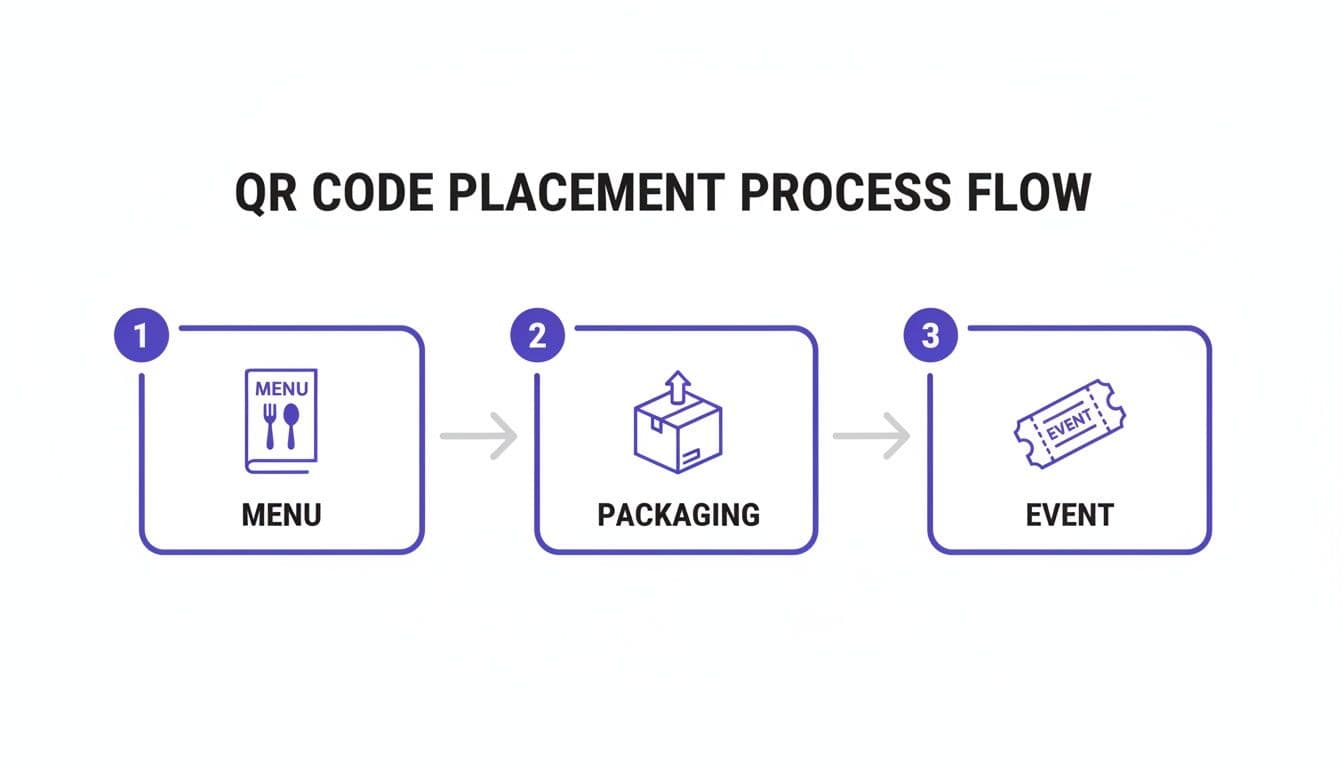
This reinforces that a well-placed code is the first step, but gathering scan data is where the strategy really begins.
From Data to Decisions
Having analytics is one thing; using them to sharpen your strategy is another. The data shows you what's happening, so you can make smart adjustments.
Imagine you place a QR code with the CTA "Scan for 15% Off" on posters in three different locations. After a week, your analytics reveal one location is driving 80% of the scans. That’s a huge win. You've just identified where your most engaged audience is, allowing you to double down on that area.
The success of your call to action QR code is tied to its relevance and the value you offer. Data shows that 39% of marketers find exclusive content to be the most effective hook for getting scans, with discounts a close second at 33%. This is why the ability to adapt is so important—69% of marketers who use dynamic codes update them at least monthly to refine their strategies based on performance data.
A/B Testing Your Way to Success
One of the most powerful ways to optimize is A/B testing: creating two different versions of your campaign to see which performs better. Since dynamic QR codes are editable, you can run these tests without reprinting anything.
Here are a few A/B testing ideas:
- Test Your Call to Action: On two identical posters, use different CTAs. One might say "Scan to View Menu," while the other says "Scan for Today's Specials." Track which gets more scans.
- Test Your Design: Does a QR code with your brand's vibrant colors outperform a standard black-and-white one? Place them in similar environments and let the data decide.
- Test Your Offer: Is a "10% Off" coupon more appealing than a "Free Appetizer"? Link two different QR codes to two different landing pages with unique offers and measure which converts better.
By constantly testing and refining, you move from "I think this will work" to "I know this works." Every scan provides feedback, helping you build more effective campaigns over time.
To really connect your QR codes to your business goals, it's worth diving into essential UTM parameter best practices. By adding these tags to your destination URLs, you can see exactly how much traffic and how many conversions your QR codes are driving in platforms like Google Analytics.
Common Questions About Call to Action QR Codes
As you prepare to launch your call to action QR code campaign, you'll likely have a few practical questions. Getting these details right is key to a successful launch.
Here are answers to the most common questions from small business owners and marketers.
What Is the Best Size for a QR Code?
It depends entirely on the scanning distance. There's no single "best size."
For close-range scanning—like on a business card or product packaging—a minimum size of 2 x 2 cm (about 0.8 x 0.8 inches) is a reliable baseline. For a poster on a wall or a sign in a window, you need to go bigger. If people are scanning from a few feet away, aim for at least 10 x 10 cm (4 x 4 inches) to ensure their phone camera can lock on easily.
Practical Tip: Always print a test version first. Place it where the final code will go, stand where a user would be, and try scanning it. If you have to move closer, your code is too small.
Can I Change My QR Code Link After Printing?
Yes, but only if you’re using a dynamic QR code. This is the single biggest reason to use a professional QR code platform for any marketing campaign.
Dynamic QR codes, which you can create with a tool like QR Code Maker, point to a short link that you can edit anytime. If you find a typo in your URL after printing 1,000 flyers, you can fix it in seconds without reprinting.
A static QR code, on the other hand, has the destination URL permanently embedded. Once it's printed, it cannot be changed. For the flexibility and tracking needed in marketing, dynamic is the clear choice.
How Do I Add a Logo Without Breaking the Code?
Adding a logo is a great way to build brand recognition and trust, but it must be done correctly.
QR codes feature error correction, which allows up to 30% of the code to be covered while remaining scannable. A good QR code generator automatically places your logo in the center and sizes it to stay within this safe zone.
The critical rule is to never cover the three large squares in the corners. These are the finder patterns that the scanner uses for orientation. As long as those are clear, the error correction can handle a logo in the middle.
What Kind of Analytics Can I Track?
Dynamic QR codes unlock a wealth of data that shows how people are interacting with your campaign. Typically, you can track:
- Total number of scans for overall engagement.
- Unique users to understand your campaign's actual reach.
- Geographic location of each scan (by city and country).
- Scan time and date to identify peak activity periods.
- Device type used for the scan (e.g., iPhone or Android).
This is actionable intelligence. If you see a high number of scans from a specific city, you know where to focus your next ad spend. If scans peak on weekday mornings, you can time your social media posts accordingly.
Ready to create QR codes that get results? With QR Code Maker, you can design, manage, and track beautiful, branded QR codes in just a few clicks. Get started for free.
Ready to create your QR code?
Free forever for static codes. Pro features with 14-day trial, no credit card required.
Irina
·Content LeadIrina leads content strategy at QR Code Maker, helping businesses understand how to leverage QR codes for marketing, operations, and customer engagement. Her expertise spans digital marketing, user experience, and practical implementation guides.
Learn more about us →Related Articles
How to Make a Custom QR Code: A Step-by-Step Guide for Small Businesses
Learn how to make a custom QR code that boosts engagement and reflects your brand. This guide covers design, tracking, and best practices for businesses.
How to Create a Custom QR Code With a Logo People Will Actually Scan
Learn how to create a custom QR code with logo that boosts engagement. Our guide offers actionable tips for marketers and small businesses to stand out.
10 Essential QR Code Best Practices for Your Business in 2026
Unlock the full potential of your campaigns with our guide to QR code best practices. Learn design, tracking, and placement for maximum engagement.