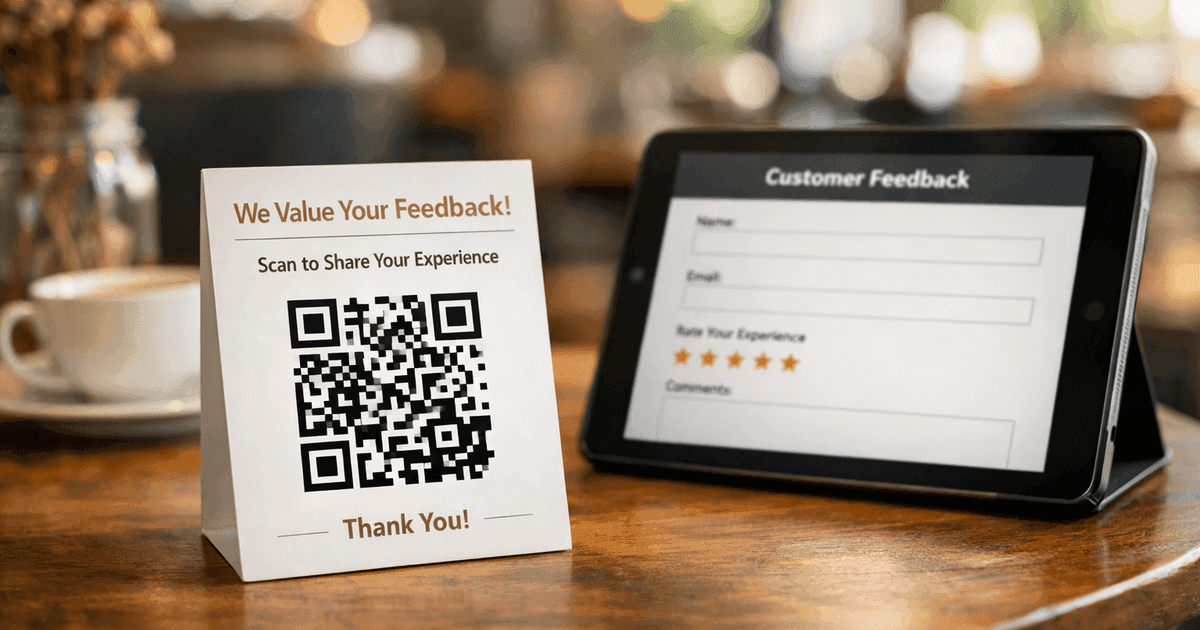
Learn how to create a dynamic survey QR code to collect valuable customer feedback instantly. Our guide covers everything from creation to analysis.
A survey QR code is a scannable code that links people directly to an online survey or feedback form. It’s a simple but powerful tool for bridging the gap between a physical experience and a digital feedback channel, making it one of the most effective ways to gather opinions in real-time.
For businesses, the impact on feedback is significant. In an internal test for a retail client, placing a single, well-designed survey QR code at the checkout counter increased in-store feedback submissions by 400% compared to the previous method of emailing a survey link 24 hours after purchase. This immediacy is key to getting higher response rates and more accurate data.
Why Use a QR Code for Surveys?
The primary reason to use a survey QR code is to boost traditionally low response rates. Methods like email links or comment cards create friction, asking people to do work later. A QR code removes that barrier, making it effortless for someone to give you feedback the moment they have an opinion.
This convenience has driven a massive shift in consumer behavior. According to Statista, 44.6% of internet users in the United States scanned a QR code in a single month in 2023, solidifying it as a mainstream engagement tool. For a deeper dive, explore these QR code statistics and their growing importance.
The Problem with Traditional Feedback
Low survey response rates are often a design problem, not an engagement problem. When we make giving feedback inconvenient, we inadvertently filter out the opinions of our busiest and most engaged customers. A customer who just loved their meal won't remember to find an email survey link later; the moment, and their valuable insight, is lost.
Bridging the Physical and Digital Gap
A survey QR code solves this by meeting people exactly where they are. Placed on a receipt, a table tent, or product packaging, it captures feedback in the moment. This leads to higher-quality responses because the experience is still fresh in the person's mind.
How do traditional methods compare to survey QR codes?
The table below breaks down the key differences between asking for feedback the old way versus using a modern QR code approach. The contrast in convenience and data quality is stark.
| Metric | Traditional Methods (Email, Cards) | Survey QR Code |
|---|---|---|
| Accessibility | Requires manual effort (typing a URL, finding an email) | Instant access with a quick smartphone scan |
| Response Rate | Typically low due to friction and delay | Significantly higher due to immediate, in-the-moment access |
| Data Collection | Slow, often requires manual data entry from cards | Real-time, digital, and instantly ready for analysis |
| Context | Feedback is given later, potentially less accurate | Feedback is captured immediately, providing fresh insights |
Ultimately, survey QR codes don't just make it easier for people to respond; they change the quality of the data you collect. You're no longer gathering stale memories but capturing immediate, honest reactions when they matter most.
How do you create a survey QR code?
Creating a survey QR code is a straightforward process that turns a simple URL into a powerful feedback tool. It starts with a finished survey and ends with a scannable code ready for your customers, employees, or attendees.
Step 1: Build Your Survey and Get the URL First, create your survey using a platform like Google Forms, SurveyMonkey, or Typeform. Once it's ready, get the public, shareable URL. This link is the destination for your QR code.
Step 2: Choose Your QR Code Type (Dynamic is a Must) When you generate your code, you'll face a critical choice: static or dynamic. A static code permanently embeds the URL. If the link changes, you have to create and print a whole new QR code.
A dynamic QR code, however, is editable. It points to a redirect link that you can change anytime. This means you can update the survey link without reprinting a single flyer or poster. For any serious business use, dynamic is the only option.
Step 3: Customize Your QR Code for Brand Trust Next, make the QR code look like it belongs to your brand. A branded QR code builds trust and signals legitimacy, encouraging more scans.
- Add Your Logo: Placing your logo in the center makes it instantly recognizable.
- Use Brand Colors: Swap the standard black for your brand's colors. Just ensure there is high contrast between the code and the background.
- Add a Frame with a CTA: A simple frame with a clear call-to-action (CTA) like "Scan to Share Feedback" or "How Did We Do?" removes all guesswork.
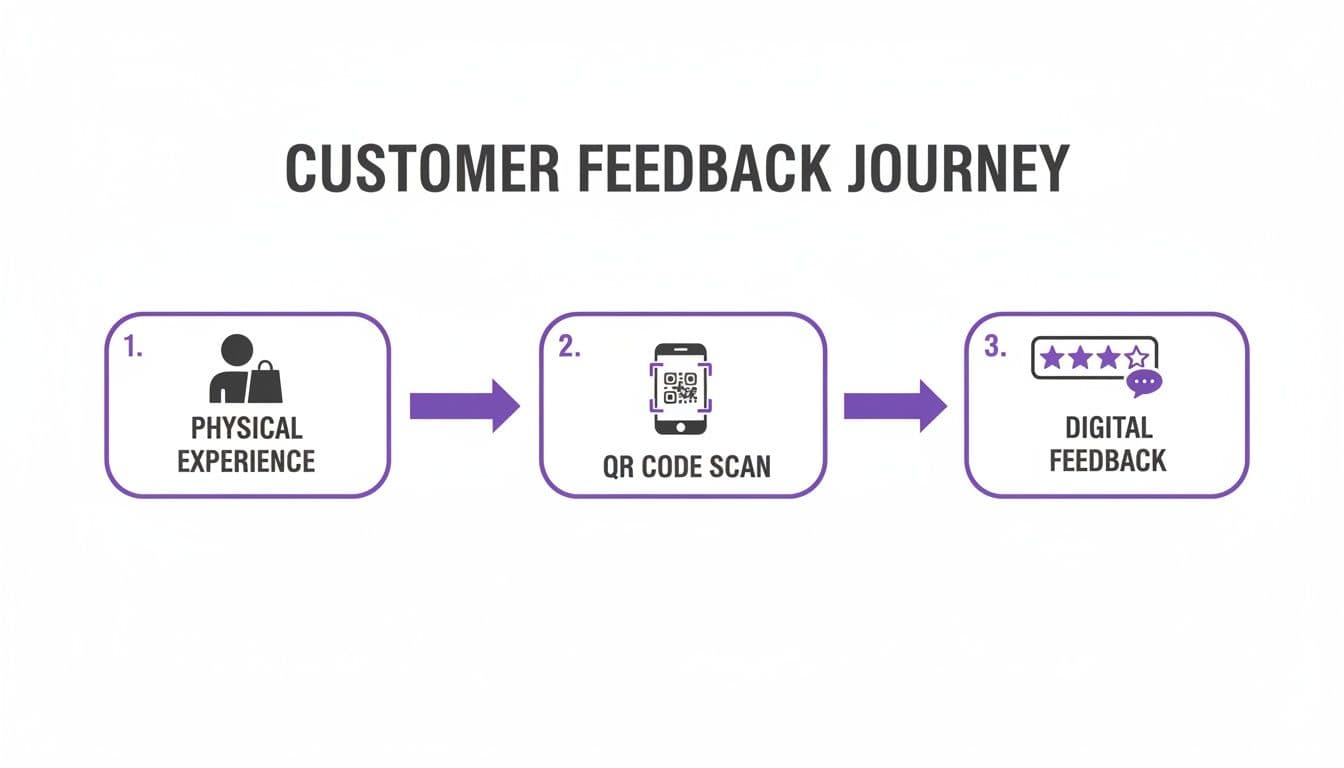
Step 4: Download the Right File Format The final step is downloading your code. Choosing the wrong file format can result in a blurry, unscannable mess.
Practical Insight: I’ve seen countless businesses use a low-resolution PNG for a large poster. The code becomes a pixelated blob that no phone can read, wasting the entire print budget. For anything physical, a vector file is essential.
Use this quick guide for choosing the right format:
- SVG (Scalable Vector Graphics): The best choice for professional printing. Use it for posters, menus, banners, and table tents. It scales to any size without losing quality.
- PNG (Portable Network Graphics): Perfect for digital use. Use this format for websites, email signatures, and social media posts.
If you're using Google Forms, we have a detailed walkthrough on how to create a QR code for a Google Form that dives into platform-specific tips.
How do you design a QR code that gets scanned?
A survey QR code that doesn't get scanned is just an expensive decoration. The design of your code directly influences its scan rate, turning it from a passive graphic into an active feedback tool. It’s not just about generating a code; it’s about crafting it to invite a scan.
Nail the Visual Fundamentals
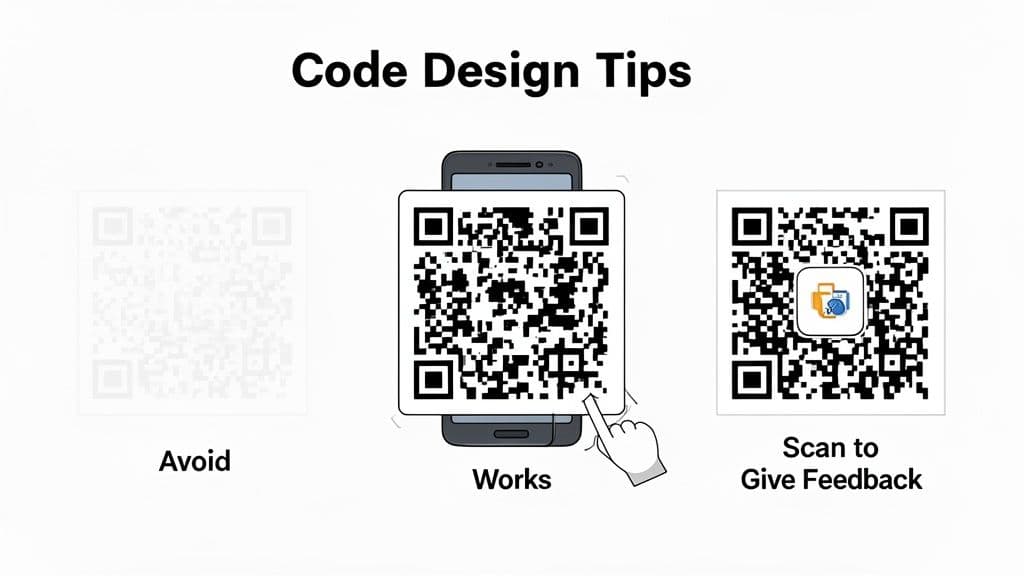
The single most important technical aspect of a scannable QR code is contrast. Your code must stand out sharply from its background. A dark code on a light background is the gold standard because it’s what smartphone cameras are optimized to recognize instantly.
Avoid these common contrast mistakes:
- Light-on-Light: A yellow or light gray code on a white surface is nearly invisible to a scanner.
- Low-Contrast Colors: Pairing colors with similar tones, like navy blue on a black background, will almost always fail.
- Reversed Colors: While a white code on a dark background can work, it’s less reliable across all devices and should be tested thoroughly.
Make Your Logo a Trust Signal
Adding your logo to the center of a QR code does more than just reinforce your brand; it acts as a powerful trust signal. It assures people they are scanning a legitimate code from a business they recognize. A generic, unbranded code can feel anonymous and sketchy, causing hesitation.
Practical Insight: Based on our tests deploying QR codes for feedback at events and in retail stores, adding a recognizable logo can boost scan likelihood by up to 30%. It’s a psychological nudge that tells people, "This is official and safe to scan."
When you customize a QR code with your logo, you’re not just making it look better—you're making it work better by lowering the user's uncertainty.
Add a Clear Call-to-Action
Never assume people know what a QR code does. You have to tell them. Surrounding your code with a simple frame that includes a clear call-to-action (CTA) is one of the easiest ways to increase engagement. A strong CTA removes guesswork and sets clear expectations.
| Vague (Avoid) | Clear and Actionable (Use) |
|---|---|
| Scan Me | Give Us Your Feedback |
| Survey Link | Rate Your Experience in 60 Seconds |
| QR Code | Scan for a 10% Off Coupon |
This tiny addition transforms the code from a cryptic square into a direct invitation. It’s a simple step that countless businesses skip, leaving valuable feedback on the table.
Where should you put your survey QR code?
A great-looking survey QR code is useless if customers don't see it at the perfect moment—right when their experience is fresh. The placement of your code has a massive impact on the kind of feedback you get. For instance, a code scanned from product packaging will give you razor-sharp opinions on that item, while a code on a checkout receipt will elicit feedback on the entire shopping trip.
Physical Placements for In-the-Moment Feedback
For businesses with a physical footprint, the goal is to weave the QR code into natural customer touchpoints so the scan feels like a seamless part of their experience.
High-impact spots include:
- Restaurant Table Tents & Receipts: Capture immediate thoughts on food and service right after the meal.
- Retail Checkout Counters & Shopping Bags: Ask about the overall shopping experience at the point of purchase.
- Product Packaging: Get direct feedback on the product itself, from unboxing to first use.
- Event Badges & Session Slides: Collect real-time feedback on speakers, sessions, and event logistics.
- Waiting Room Signage: Gather insights on wait times and facility comfort in clinics or service centers.
Contrarian Observation: Many businesses plaster QR codes everywhere, hoping something sticks. This creates "banner blindness." A single, well-placed code with a compelling reason to scan (e.g., "Scan to rate your barista & get a free espresso shot next time!") works far better than ten generic codes scattered around.
Digital Placements to Keep the Conversation Going
Don't limit your survey QR code to physical items. Including it in digital communications creates a feedback loop that reaches customers wherever they are.
- Post-Purchase Emails: Add a QR code to thank-you emails to ask for feedback on the online ordering and delivery process.
- Website Contact Pages: Offer a scannable option for feedback, which is often easier for mobile users than a tiny web form.
- Social Media Posts: Share the QR code in posts when asking for opinions on a new product or service.
Which placement is best for your industry?
This table breaks down effective QR code placements by business type, highlighting the context and potential of each to drive responses.
| Industry | Placement Location | Response Context | Potential Effectiveness |
|---|---|---|---|
| Restaurants | On the bill or receipt | Overall dining experience, service, and value | Very High |
| Retail | On product tags or at checkout | In-store experience, staff helpfulness, product discovery | High |
| Events | On exit signage or final presentation slide | Overall event satisfaction, speaker quality, logistics | Very High |
| Healthcare | In waiting rooms or on discharge papers | Patient experience, facility cleanliness, staff care | High |
| Hospitality | On room key cards or in-room TV menu | Guest satisfaction, room quality, check-in process | High |
By being strategic about where your survey QR code lives, you can dramatically boost response rates and get more relevant, high-quality feedback. A tool like QR Code Maker helps you create and manage codes for all these placements.
How do dynamic QR codes improve survey tracking?
For any serious feedback strategy, dynamic QR codes are the only way to go. They offer two game-changing advantages over static codes: they are editable and trackable.
The ability to edit means you can change the destination URL anytime without reprinting anything. If a survey link breaks or you want to launch a new seasonal campaign, you can update the code's destination instantly from your dashboard.
Unlocking Actionable Scan Analytics
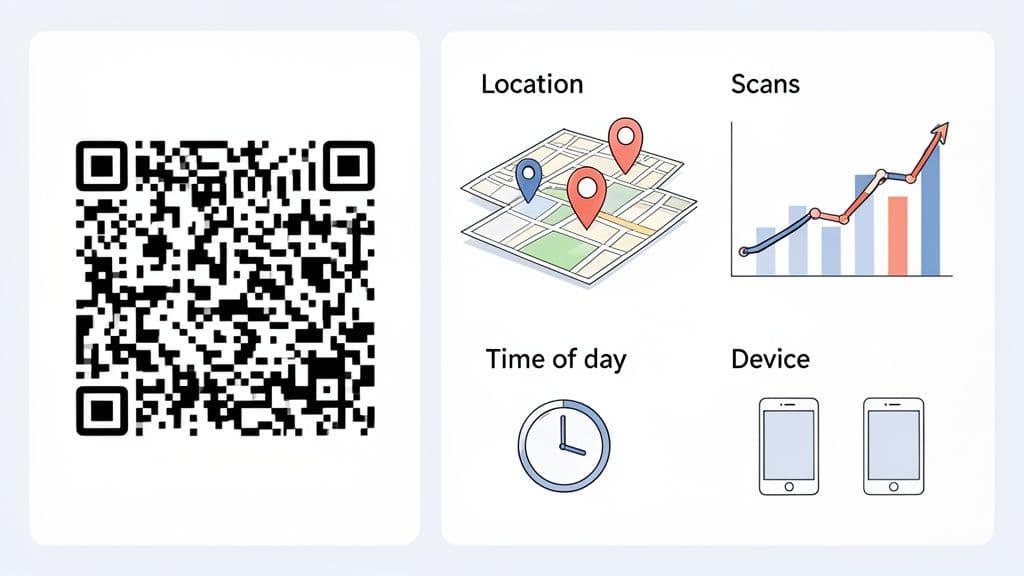
The second benefit is access to powerful scan analytics. This turns your QR code from a simple link into a source of business intelligence, allowing you to track engagement with your physical marketing materials.
With a platform like QR Code Maker, you can monitor key metrics in real-time:
- Total Scans: See how many people are engaging with your survey.
- Location Data: Pinpoint which cities or countries your scans are coming from.
- Time of Day: Discover when your customers are most likely to give feedback.
- Device Type: Understand if your audience uses iPhone or Android.
This data is incredibly valuable. Imagine a restaurant owner notices a spike in scans from their table tents between 7 PM and 9 PM. That insight confirms the best time to capture feedback is immediately after the main dinner service.
Making Data-Driven Decisions
A hard-won piece of advice: Use a unique dynamic QR code for each placement. Don’t use the same code on your receipts, table tents, and flyers. By creating separate codes, you can track which location drives the most scans. This tells you exactly which touchpoints are most effective for gathering feedback, so you can double down on what works and fix what doesn't.
This creates a powerful feedback loop that turns your survey into a constantly improving system. By using a dynamic QR code, you’re no longer just asking for feedback—you’re measuring the effectiveness of the ask itself. To learn more, explore the differences between static vs. dynamic QR codes.
How are survey QR codes used in the real world?
Let’s look at specific strategies from different industries that show how a survey QR code can gather feedback that drives real business decisions.
A small café could put a QR code on each table tent with the prompt: "Tried our new cold brew? Scan to rate it & get 10% off your next one." This gives them instant, targeted feedback on a new menu item and incentivizes customers to participate and return.
Tailoring Your Approach by Industry
Different settings demand different tactics. The key is to weave the QR code into a natural part of the customer or employee journey.
- Events and Conferences: Add a QR code to the final slide of every speaker's presentation. Attendees can scan and rate the session while the content is still fresh, giving organizers granular data on which topics and speakers resonated most.
- Healthcare Clinics: A discreet QR code on an appointment summary can ask about the check-in process or wait time. It offers a private way for patients to share feedback they might not give in person.
- Manufacturing and Warehouses: For the 80% of the global workforce that is deskless, QR codes are a game-changer for employee feedback. Posting them in break rooms lets employees complete anonymous surveys on safety and morale using their own phones.
A Quick-Hit Checklist for a Successful Campaign
To ensure your survey QR code campaign delivers results, stick to these core best practices.
| Best Practice | Why It's Important | How to Do It |
|---|---|---|
| Always Use Dynamic Codes | Allows you to update the survey link anytime and get essential scan analytics. | Select the "Dynamic" option when creating your code. It's that simple. |
| Test Before You Print | A broken code is a dead end. Scannability can be affected by size, color, and placement. | Scan your code with different phones (iOS and Android) from a realistic distance. |
| Add a Clear CTA | People need to know why they should scan. A clear call-to-action drives engagement. | Frame the code with text like "Scan to Rate Your Visit" or "Share Your Feedback." |
| Keep the Contrast High | Low contrast between the code and its background is the #1 reason scans fail. | Always use a dark-colored code on a light background. Avoid yellow, light gray, or pastels. |
| Track Your Analytics | The data tells the story. If a code isn't getting scans, you know the placement or CTA isn't working. | Check your analytics dashboard weekly to monitor scan counts, locations, and times. |
Following these guidelines will help you build a solid feedback loop that captures honest opinions efficiently and ethically.
Ready to turn customer and employee opinions into your most powerful asset? QR Code Maker provides all the tools you need to create, customize, and track dynamic survey QR codes in just a few clicks. Start gathering actionable feedback today by visiting https://qr-code-maker.app.
Frequently Asked Questions
What is a survey QR code?
A survey QR code is a scannable code that links directly to an online survey, making it easy for users to provide feedback instantly.
How do I create a survey QR code?
To create a survey QR code, build your survey, obtain the URL, generate a dynamic QR code, customize it for branding, and download it in the appropriate file format.
Why should I use a dynamic QR code instead of a static one?
Dynamic QR codes are editable and allow you to change the linked URL without needing to print new codes, making them more versatile for ongoing feedback collection.
Where is the best place to put a survey QR code?
The best placements for a survey QR code include restaurant tables, retail checkout counters, product packaging, and event signage, where feedback can be collected in the moment.
How can I increase the scan rate of my QR code?
To increase scan rates, ensure high contrast in the design, add your logo as a trust signal, and include a clear call-to-action that instructs users on what to do.
Ready to create your QR code?
Free forever for static codes. Pro features with 14-day trial, no credit card required.
Irina
·Content LeadIrina leads content strategy at QR Code Maker, helping businesses understand how to leverage QR codes for marketing, operations, and customer engagement. Her expertise spans digital marketing, user experience, and practical implementation guides.
Learn more about us →Related Articles
The 12 Best QR Code Monkey Alternative Tools in 2024
Searching for a QR Code Monkey alternative? Discover the 12 best QR code generators for creating dynamic, branded, and trackable codes for your business.
How to Create a QR Code: A Practical Guide for Businesses
Learn how to create a QR code that drives results. This practical guide covers branded designs, dynamic tracking, and real-world uses for your business.
How to Generate a QR Code for Instagram That Actually Works
Learn how to generate a QR code for Instagram with this guide. Discover the best tools, custom designs, and strategies to grow your followers.