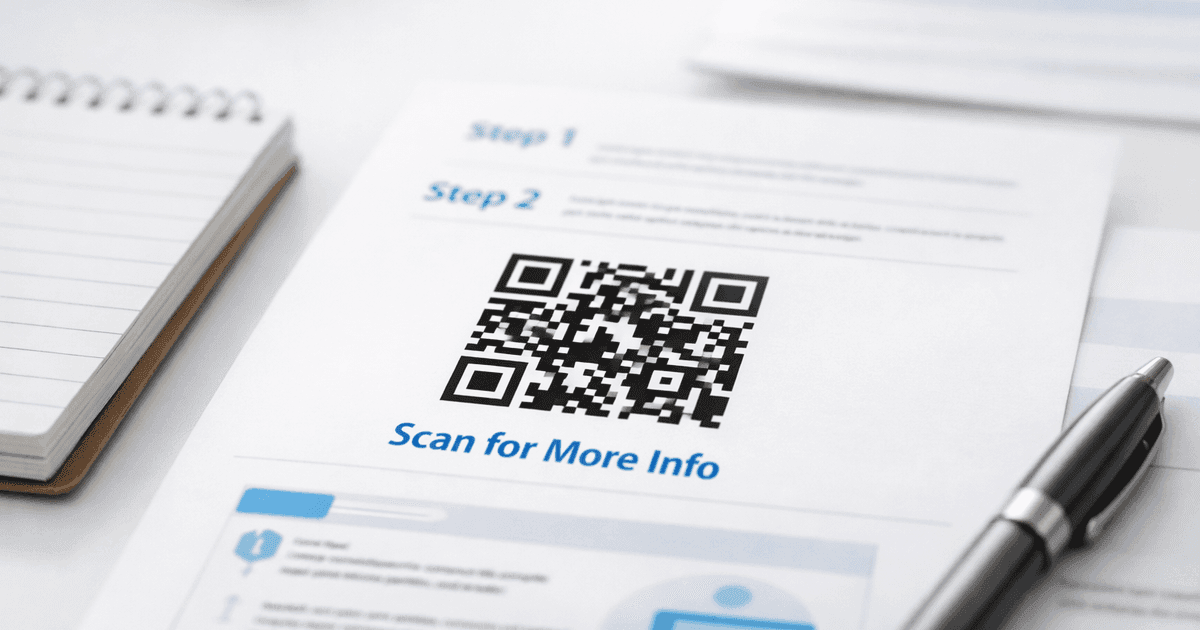
Discover a proven approach to qr code in email that boosts opens, CTR, and ROI with actionable tips.
Placing a QR code in an email is a smart strategy to connect your digital campaigns with real-world actions. For small business owners, marketers, and event organizers, it’s a simple, powerful tool that closes the gap between a customer’s inbox and their phone, making it effortless for them to engage with your offers, events, or content.
Why QR Codes Belong in Your Email Marketing
Let's explore why QR codes are a game-changer for email campaigns. They transform a static, one-way message into a genuine interactive experience, giving your subscribers a direct, frictionless path to take the next step.
Imagine you own a restaurant and are sending an email about your weekly specials. Instead of a simple "click here" link, a QR code allows a customer to scan it and immediately see the full menu on their phone. This simple addition drives more traffic to your landing page, smooths out the user's journey, and provides rich, trackable data that a plain link just can't match.
Bridge the Digital and Physical Worlds
The real magic of a QR code in an email is its ability to link an online interaction (opening an email) with an immediate mobile action. This creates a seamless flow for users who are now completely comfortable with scannable tech.
- For Restaurants: A customer receives your promotional email, scans the code, and lands directly on your reservation page or a special event menu. No friction.
- For Event Organizers: Forget clumsy check-ins. Send attendees a QR code ticket they can pull up in their email and present at the door. It’s clean, professional, and fast.
- For Marketers: Trying to drive app downloads? A QR code linked to your App Store or Google Play page is a direct pipeline, completely removing the need for users to manually search for your app.
A QR code isn't just a fancy barcode; it's a direct invitation for your audience to interact with your brand in a tangible way. It simplifies complex actions into a single, quick scan.
Drive Engagement with Measurable Results
QR codes made a huge comeback during the pandemic and have been an essential marketing tool ever since. In fact, 47% of marketers worldwide now use email as their number one channel for embedding them. That's no surprise when you see that global QR code scans surged by 57% in 2023, with email being a major driver of that growth. You can read the full research about these QR code trends to get the whole picture.
This isn't just a fad; it's a strategic shift toward deeper engagement and proving your campaign's ROI. When you use a dynamic QR code from a trusted solution like QR Code Maker, you can track every single scan. This gives you incredibly valuable data on when, where, and how your audience is interacting with your brand.
Before we dive into how to do it, let's quickly compare a standard email campaign to one supercharged with a QR code.
Email vs. Email with QR Code: A Quick Comparison
It's easy to think a QR code is just another link, but its impact on user behavior and data collection is significant. The table below breaks down the key differences.
| Feature | Standard Email (Link Only) | Email with QR Code |
|---|---|---|
| User Action | Requires a click, often on a desktop, then switching devices if the action is mobile-first. | A simple scan with a smartphone camera, directly connecting the user to a mobile experience. |
| Engagement | Passive; user reads and might click. | Active; invites an immediate physical interaction. |
| Use Cases | Best for reading articles, visiting websites, or filling out forms on a computer. | Ideal for mobile-first actions like app downloads, event check-ins, menu viewing, or in-store offers. |
| Tracking | Tracks clicks and opens. | Tracks scans, location, time, and device type, providing deeper behavioral insights. |
| Friction | Can be high if the call-to-action is mobile-centric (e.g., "Download our app"). | Extremely low; removes the need to type URLs or search app stores. |
| Versatility | Limited to digital-to-digital journeys. | Bridges the gap between digital (email) and physical (in-store, at an event) worlds. |
The takeaway is clear: while a standard email gets the message out, an email with a QR code invites your audience to act on that message instantly, using the device that's already in their hand. This simple addition transforms a passive message into an active experience.
Creating a Branded and Trackable QR Code
A generic black-and-white QR code in your email can look like an afterthought. To make a real impact, your QR code needs to be a seamless extension of your brand and, just as importantly, it has to tell you if it's working.
This is where custom, dynamic QR codes come in. Think of it less as a technical gimmick and more as a branded, measurable gateway for your subscribers.
First, static codes are not suitable for serious email marketing. A dynamic QR code is the only way to go. Unlike a static one that permanently locks in the destination URL, a dynamic code uses a short redirect link. This is a game-changer. It means you can update the code's destination anytime—even after you’ve sent your campaign. If you spot a typo in the URL or need to swap out a promotion, you can fix it on the back end without sending a broken campaign to your audience.
Designing a Code That Actually Gets Scanned
A QR code that looks professional and matches your branding is far more likely to get scanned because it builds trust. People are often hesitant to scan random, generic codes.
Using a platform like QR Code Maker, you can turn that standard square into a genuine marketing asset. Here’s our practical advice:
- Add Your Logo: Placing your logo in the center of the code provides immediate brand recognition. It tells the user exactly who the code belongs to and reassures them it’s legitimate.
- Use Your Brand Colors: Ditch the default black and white. Swapping in your brand's color palette makes the code feel like a natural part of your email. Just be sure to maintain strong contrast between the dark and light elements so all phones can read it easily.
- Frame It with a Call to Action: Don't make people guess. A simple frame around the code with text like "Scan for the Menu," "Get 20% Off," or "RSVP Here" sets clear expectations and dramatically boosts scan rates.
This isn't just about aesthetics; it's about turning a passive email element into an interactive experience that guides your customer smoothly from their inbox to your desired action.
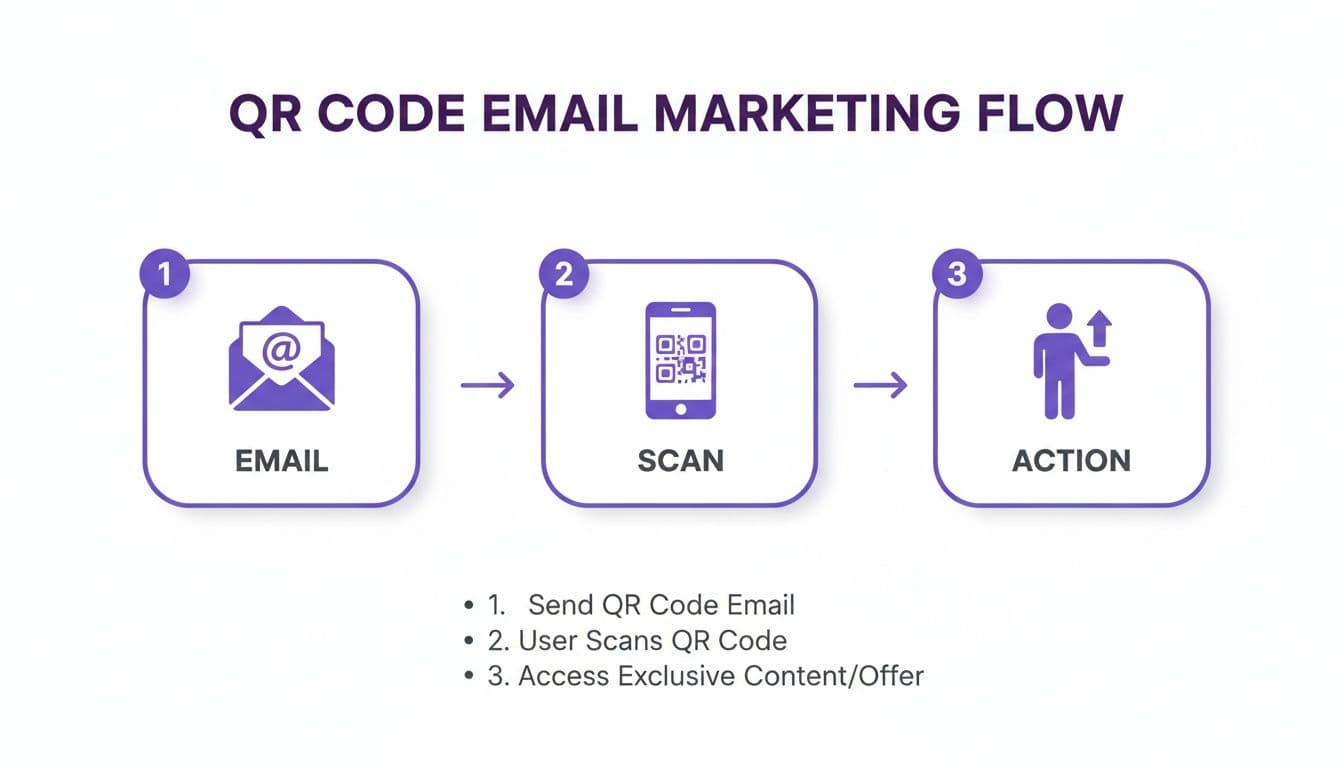
This simple flow is exactly what you're aiming for. A well-placed QR code in an email bridges the gap between the screen and a real-world, mobile action, removing all the usual friction.
Match the QR Code to Your Goal
The design is only half the battle. What the QR code does is just as important. The type of code you create should align with what you want the user to accomplish.
Here are a few practical use cases for small businesses, marketers, and event organizers:
- URL QR Code: The most common type. Perfect for sending people to a specific landing page, your online store, a new blog post, or a video.
- vCard QR Code: Fantastic for business cards and networking. One scan saves your contact details directly to the user's phone.
- WiFi QR Code: Ideal for cafes, event venues, or offices. A single scan connects a user to your WiFi network without them needing to type in a password.
- Coupon QR Code: A restaurant or retail shop can use a code that reveals a special discount, driving foot traffic or online sales directly from an email.
The real power of a dynamic QR code lies in its trackability. Every scan provides valuable data, turning your email campaign from a hopeful shot in the dark into a source of clear, actionable insights.
When you use a trackable QR code generator, you unlock analytics that show you precisely how people are engaging. You can see how many people scanned your code, their general location, and even what time of day they’re most active. This data is essential for understanding your campaign's true performance and making smarter decisions for your next one.
Embedding Your QR Code in an Email Campaign
Once you've created your branded QR code, it's time to get it in front of your audience. Think of your QR code as a visual call-to-action—it needs to be inviting, obvious, and perfectly placed.
Whether you're using Mailchimp, Klaviyo, or another platform, the process is straightforward. Drag an image block into your email template and upload your QR code image (a PNG file is best for emails).
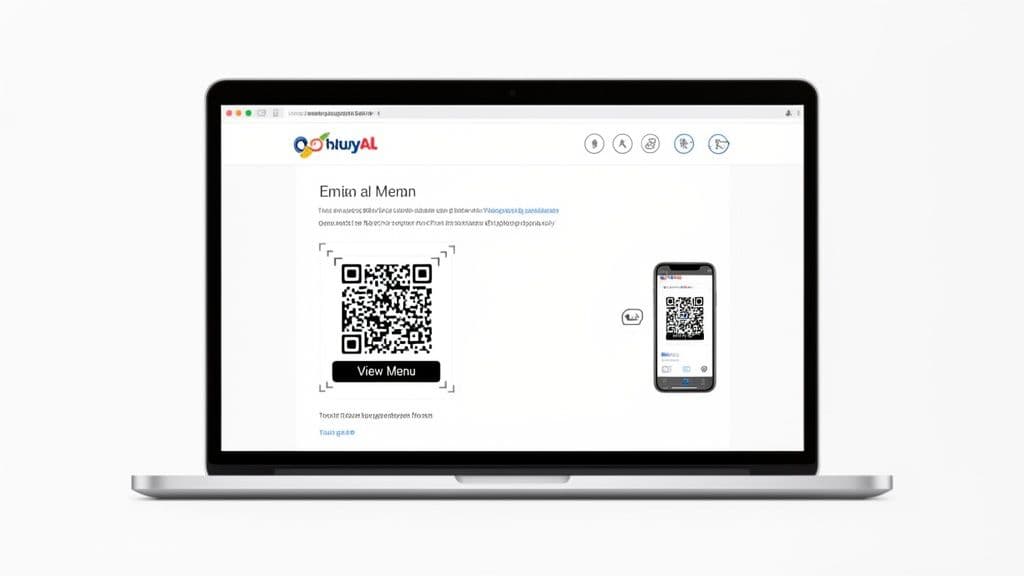
This isn't a niche tactic anymore. Email has become the top channel for QR code use at 47%, beating out even product packaging. This shift is happening for a good reason: scan rates are projected to jump another 22% by 2025. For small businesses in retail, hospitality, or events, a qr code in email is a massive opportunity to connect with customers right on their phones. If you want to dive deeper, you can find more details in these QR code statistics and trends.
Best Practices for Placement and Sizing
How and where you place your QR code will make or break its performance. A code that's too small, buried at the bottom, or crammed against other elements will be ignored—or worse, it will fail to scan and frustrate your subscribers.
Follow these practical tips:
- Size It for Mobile: Your QR code needs to be at least 1x1 inch (2.5x2.5 cm) when viewed on a phone screen. Anything smaller is a gamble. The best way to know for sure? Send a test email to yourself and try scanning it on your own phone.
- Give It a "Quiet Zone": Don't crowd your QR code. It needs empty space around all four sides to help phone cameras lock on. Think of it as a protective border.
- Place It with Purpose: A QR code floating by itself is confusing. Always pair it with a clear, direct command. Tell people exactly what they'll get when they scan, such as, "Scan to get 20% off your next order!" or "Scan to see our new holiday menu." For more tips, check out our guide on building a strong call-to-action QR code.
Don't Forget Accessibility and Deliverability
A great email campaign works for everyone. When you embed a QR code, you're embedding an image, which comes with a few responsibilities.
Remember, some email clients block images by default. If a subscriber has images turned off, your beautiful QR code will be an empty box—unless you have a backup plan.
This is where two simple but crucial steps save the day.
First, always set descriptive alt text for your QR code image. Instead of the default filename, write what it does. "QR code to view the event map" tells users who can't see the image exactly what they're missing.
Second, and this is non-negotiable, always include a regular hyperlink that points to the same URL as the QR code. This gives desktop users a way to click and ensures that anyone who can't or prefers not to scan still has a path to your content. It’s a simple fallback that guarantees you won't lose a conversion.
Testing and Optimizing Your Email for More Scans
Sending an email without testing it is a recipe for disaster. When you have a QR code in an email, that testing phase becomes absolutely essential. A code that won't scan or links to a broken page is a dead end for your customer.
First, do a real-world check. Send a test email to yourself and a few colleagues. Open it on both an iPhone and an Android phone, and check it in different email clients like Gmail and Outlook. Does the QR code display correctly everywhere? Most importantly, can you scan it instantly with your phone's camera?
Navigating Common Pitfalls
One of the biggest hurdles is image blocking. Email clients like Outlook sometimes block images by default for security. If your QR code is the only way for someone to grab an offer, a large portion of your audience might just see an empty box.
This is why you need a backup plan. Always include a clear, hyperlinked call-to-action right next to the code—something like, "Or, click here to get your coupon." It’s a simple but critical safety net.
Another common issue is scannability. A QR code that's too small or has poor color contrast is just digital decoration. Test it under different lighting conditions to ensure it’s scannable in the real world.
A/B testing isn't just for subject lines. Applying it to your QR code's presentation can uncover surprising insights into what drives your audience to scan, turning good results into great ones.
Simple A/B Tests to Boost Scans
Once you’ve confirmed the code works technically, it's time to optimize its performance. A/B testing, or split testing, is your best friend here. The idea is to send two slightly different versions of your email to small segments of your audience and see which one performs better.
Here are a few simple A/B tests you can run:
- Placement: In Version A, put the QR code high up in the email. In Version B, place it further down, closer to your final call-to-action. See which position gets more scans.
- Design: Test a standard black-and-white code against a branded one that includes your logo and company colors. Does the branded version feel more trustworthy and encourage more scans?
- Call to Action (CTA): Test the words around the code. Does a direct offer like "Scan for 20% Off" work better than a softer "Get Your Discount"? Small changes in language can make a big difference.
By letting data guide you, you stop guessing what works and start knowing what works. Every test provides invaluable feedback, helping you fine-tune your strategy.
Analyzing Scan Data to Prove Campaign Success
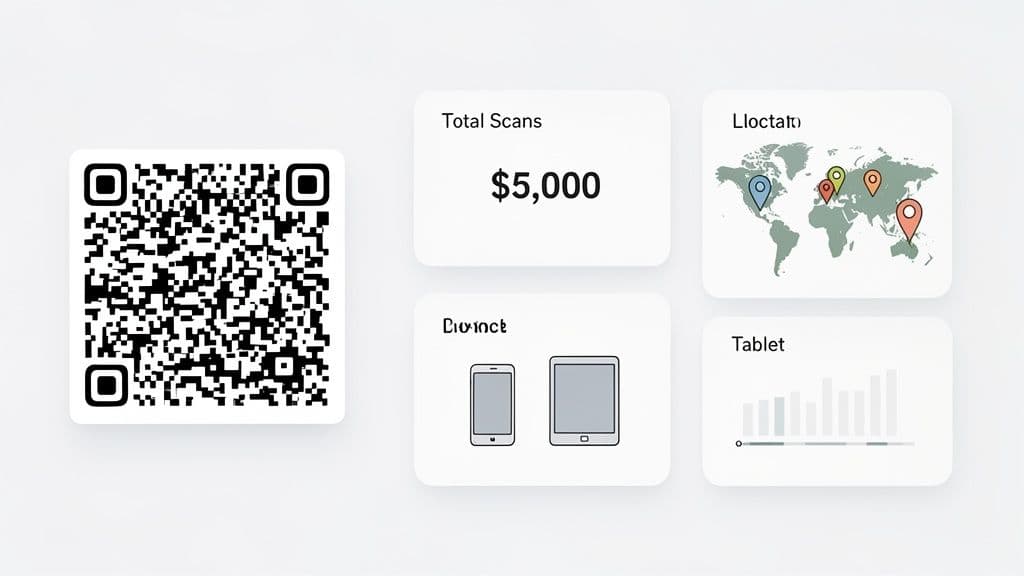
Once your campaign is live, the real work begins. With a dynamic QR code in an email, you’re no longer guessing about engagement—you’re measuring it. The analytics dashboard is where you turn raw scan data into a clear story about your campaign's performance and ROI.
This is about much more than just a total scan count. It's about getting answers to the who, where, and when behind every interaction. You can now draw a straight line from an email you sent to a specific action a customer took.
Key Metrics That Truly Matter
When you open your dashboard, it's easy to get overwhelmed. Let's focus on the numbers that provide genuinely actionable insights.
- Total Scans vs. Unique Scans: Think of total scans as a measure of enthusiasm; a high number could mean a few super-fans are scanning your code repeatedly. But unique scans is your true measure of reach, telling you how many individual people engaged.
- Location Data: This is a goldmine for local businesses. A restaurant owner might discover a surprising number of scans from a neighboring town, revealing a new market to target with ads.
- Device and Browser Info: Is your audience dominated by iOS or Android users? This insight helps you optimize future landing pages for the majority of your audience.
- Time of Day: Your dashboard will show a timeline of scan activity. If you notice a spike every morning after sending your newsletter, you’ve found the best time to schedule future campaigns.
Remember, your QR code data is just one piece of the puzzle. Combining it with your broader email analytics gives you the full picture of how people interact with your message from open to scan.
Connecting Data to Your Business Goals
The proof is in the numbers. A staggering 47% of marketers are now embedding QR codes in their emails. This trend is fueling a market projected to hit USD 33.14 billion by 2031, precisely because the data is so powerful.
In the US alone, where 42.2% of North American scans happen, retailers can finally connect a digital email promotion directly to in-store foot traffic. The data tells a story that was previously impossible to see.
Don't just collect data—use it to ask better questions. If scans spiked on Tuesday morning, what was special about that email's subject line? If a certain city shows high engagement, could you host a pop-up event there?
This is what makes dynamic QR codes so valuable. A high scan rate on a coupon code is a direct indicator of potential sales. For an event manager, tracking scans on an RSVP link provides real-time attendance figures you can rely on.
By learning how to track QR code scans the right way, you can prove the value of your email campaigns with hard numbers—not just vanity metrics like open rates.
As you start using QR codes in your emails, some questions will naturally arise. Here are answers to the most common ones.
Answering Your Top QR Code in Email Questions
Can People Actually Scan a QR Code from an Email on Their Phone?
Yes, they absolutely can, and modern smartphones make it simple.
An iPhone user can just open their Camera app and point it at the QR code on their screen—the link will pop up. Most Android phones do the same thing natively or through Google Lens. It's a surprisingly smooth process.
That said, you can make it even easier. A short line of text like, "Point your camera here to scan," removes any guesswork. More importantly, always include a regular hyperlink to the same destination. This gives everyone a foolproof way to engage, whether they prefer scanning or clicking.
What’s the Best Size for a QR Code in an Email?
There’s no single magic number, but a solid rule of thumb is to make sure the code is at least 1 inch by 1 inch (or 2.5cm x 2.5cm) when it appears on a mobile screen. It has to be big enough for a phone’s camera to recognize it without the user having to pinch and zoom.
On the flip side, don't make it so large that it overwhelms the email. The most critical step is to send a test to yourself. Open it on your phone. Can you scan it instantly? If so, you're good to go.
Should I Use a Dynamic or Static QR Code in Emails?
For any professional email marketing, a dynamic QR code is the only real option. The flexibility is a lifesaver.
Imagine you send an email to thousands of people and then realize the link is broken. With a static code, you’re out of luck. With a dynamic one, you can log into your dashboard and change the destination URL after the email has already been sent.
A static QR code is a one-and-done tool—it’s permanent and you can't track it. A dynamic code is a living marketing asset. It gives you the crucial scan data you need to actually measure if your campaign worked.
Using a dynamic code from a trusted solution like QR Code Maker also unlocks essential analytics: scan counts, locations, and device types. That's the data you need to prove ROI and get smarter with your next send.
How Do I Make My QR Code More Engaging?
A plain black-and-white square can feel sterile or even untrustworthy. To encourage people to scan it, you need to build trust and give them a clear reason to act.
- Brand It: This is a must. Use a tool like QR Code Maker to add your logo to the center and adjust the colors to match your brand palette. It instantly makes the code feel like it belongs to you.
- Frame It with a Clear CTA: Don't just drop a QR code into your email. You have to tell people exactly what to do and what they’ll get. A frame with a call-to-action is perfect for this. Text like "Scan to Get 20% Off" or "Scan to View the Menu" is direct, clear, and provides a compelling reason to scan.
Ready to create QR codes that get results? With QR Code Maker, you can design, manage, and track beautiful, branded QR codes in seconds. Start creating for free today!
Ready to create your QR code?
Free forever for static codes. Pro features with 14-day trial, no credit card required.
Irina
·Content LeadIrina leads content strategy at QR Code Maker, helping businesses understand how to leverage QR codes for marketing, operations, and customer engagement. Her expertise spans digital marketing, user experience, and practical implementation guides.
Learn more about us →Related Articles
Create a QR Code for Your Restaurant Menu That Customers Will Love
Discover how to create a QR code for restaurant menu that elevates the dining experience. Learn to design, implement, and track your digital menu.
How to Create a WiFi Password QR Code for Your Business
Learn how to create a secure WiFi password QR code. This guide covers branding, tracking, and best practices for guest WiFi access in any business setting.
How to Use a QR Code Generator: The Ultimate Guide for Businesses
Discover how qr code generator qrcode generator generate qr qr code builder can simplify creating codes, tracking campaigns, and boosting engagement.