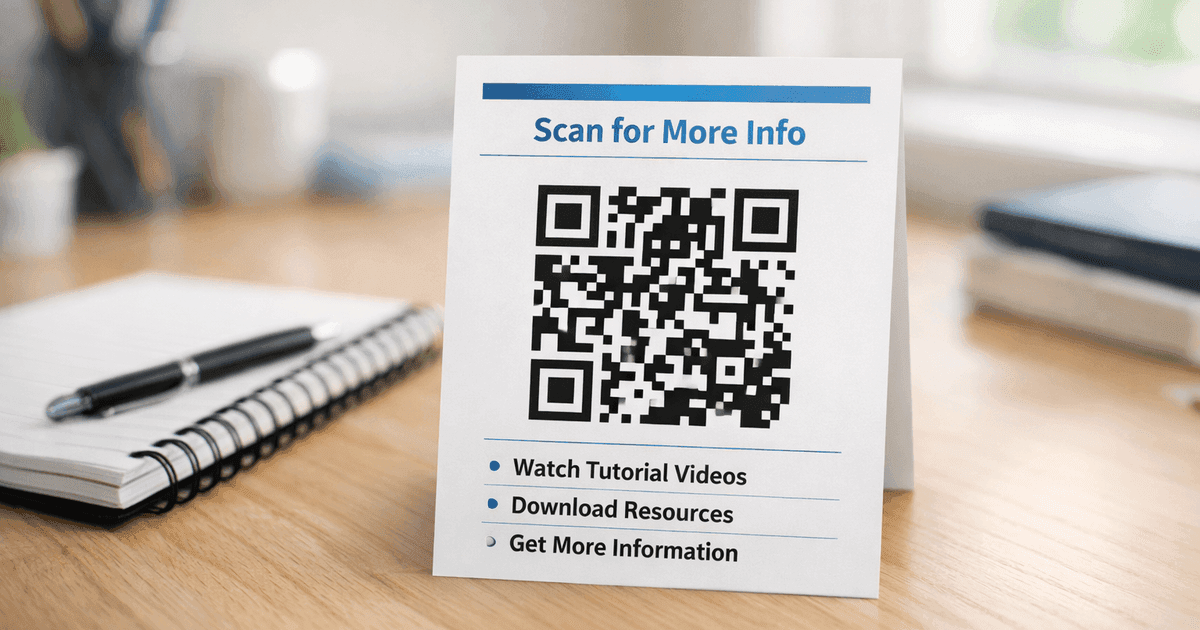
Learn how to use a QR code for attendance to streamline check-ins for events, classes, and workplaces. A practical guide with actionable tips and examples.
A QR code for attendance is a scannable image that automates how you track event, class, or meeting check-ins. Instead of using paper sign-in sheets, attendees scan the code with their smartphone to get marked as present, instantly creating an accurate digital record.
This simple technology streamlines the entire check-in process. At a recent trade show we managed, implementing a QR code system at the entrance reduced the average check-in time from over 30 seconds per person (for manual name lookup) to under 5 seconds. For an event with 500 attendees, that single change saved over three hours of collective queueing time.
Why Use a QR Code for Attendance?
Manual attendance tracking is slow, prone to errors, and creates a pile of administrative work. Paper sign-in sheets get lost, handwriting can be illegible, and manually entering that data into a spreadsheet is a recipe for mistakes. Using a QR code for attendance automates the entire process, providing faster check-ins, perfect accuracy, and instant data access.
The world has fully embraced this technology. According to Statista, QR code payments alone are projected to involve over 2.2 billion users by 2025, demonstrating just how comfortable people are with scanning codes as part of their daily lives. If you're curious about the bigger picture, you can dig into more QR code statistics to see the trends.
What are the core benefits of QR code check-ins?
Switching to a QR code system pays immediate dividends, whether you're managing a conference, a classroom, or a company meeting.
| Benefit | Description |
|---|---|
| Drastic Time Savings | Slashes administrative time by eliminating the need to call names or decipher sign-in sheets. |
| Enhanced Accuracy | Digital check-ins mean zero transcription errors. Every attendance record is perfectly accurate. |
| Instant Data Access | Data is logged in real-time, providing an immediate and precise headcount. |
| Improved Attendee Experience | A modern, smooth check-in gets people into your event or class quickly, without friction or delays. |
Practical Insight: The biggest win isn't just saving time at the door. It's the clean data you get after the event. A QR code system completely eliminates the mystery of a smudged sign-in sheet. Every record is accurate and ready for follow-up or reporting.
How do you set up a QR code attendance system?
Creating a QR code attendance system is surprisingly straightforward. The process involves two main steps: first, create a simple digital form for attendees to fill out, and second, link a dynamic QR code to that form. This combines a quick, easy scan with powerful digital data collection.
The most reliable way to do this is with a tool like Google Form, a basic survey builder, or a dedicated landing page. When an attendee scans the code, their phone's browser opens your form. They enter their name or email, hit submit, and they're marked as present. Every entry is automatically logged into a spreadsheet for you.
Step 1: Create Your Check-In Form
Before making the QR code, you need a destination for the scan. A simple check-in form is almost always the best option. While you could link a QR code to any URL, a form provides a structured way to capture the exact information you need.
Google Forms is an excellent starting point because it’s free, intuitive, and funnels all submissions neatly into a Google Sheet. For a detailed guide, see our article on how to create a QR code for a Google Form.
Pro Tip: Keep your form brutally simple. For most attendance tracking, a single field for "Name" or "Email" is all you need. Every extra question adds friction and will slow down your check-in line. The goal is speed.
Step 2: Generate a Dynamic QR Code
Once your form is ready, it’s time to create the QR code. It is critical to use a dynamic QR code for this purpose. Unlike a static code where the destination URL is permanently embedded, a dynamic code uses a short redirect link. This allows you to change the destination URL later—for instance, to a new check-in form for your next event—without ever having to reprint the QR code.
Using QR Code Maker, the process is simple:
- Select the "Website URL" QR code type.
- Paste the link to your Google Form or check-in page.
- Ensure the code is set to "Dynamic."
- Customize the design with your branding.
Step 3: Customize for Trust and Recognition
A generic black-and-white QR code works, but a branded one performs better. Customizing your attendance QR code builds trust and encourages scans. When attendees see a code with your organization's logo, it feels official and secure.
With a tool like QR Code Maker, you can easily:
- Add Your Logo: Place your company or event logo in the center of the code.
- Use Brand Colors: Match the code's pattern to your brand identity.
- Include a Frame: Add a clear call to action, such as "Scan to Check In."
This small effort reassures users they are scanning the correct code, leading to a smoother check-in experience.
Which type of QR code is best for attendance?
The most important decision you'll make is whether to use a single, universal QR code for everyone or issue a unique, individual code to each attendee. A single QR code is great for low-stakes situations like free workshops or internal meetings. However, for paid conferences or mandatory training, unique codes provide the security and individual tracking you need.
This decision tree can help you visualize which path makes the most sense for your situation.
The more you need to control access and know exactly who is in the room, the more you should lean toward unique, individual codes.
Comparison: Single vs. Unique QR Codes
This table compares the two approaches on security, setup, and ideal use cases.
| Feature | Single QR Code (for all attendees) | Unique QR Code (per attendee) |
|---|---|---|
| Security | Low. The code can be easily screenshotted and shared, allowing for unauthorized check-ins. | High. Each code is tied to one individual, preventing sharing and ensuring only registered attendees can check in. |
| Setup Ease | Very easy. Create one dynamic QR code and display it for everyone. | Moderate. Requires generating codes in bulk and distributing them via email or an app. |
| Data Tracking | Basic. You can see how many scans occurred and when, but not automatically who scanned. | Advanced. Each scan is tied to a specific person, providing a precise, automated attendance roster. |
| Best Use Case | Free workshops, casual meetups, internal company meetings. | Paid conferences, secure corporate events, mandatory training sessions, academic classes. |
Contrarian Observation: Many organizers fear that generating unique codes is too complex. It's not. The CSV bulk upload feature in QR Code Maker is a game-changer for large events. You can upload a spreadsheet of attendee names, and the platform generates a unique, trackable QR code for each person in seconds, saving countless hours.
For any paid event, using unique codes is non-negotiable. It prevents ticket sharing and gives you a crystal-clear list of who actually attended—vital data for calculating event ROI and planning follow-up marketing. To get a better handle on managing these codes, check out our guide to dynamic QR codes.
What are the best practices for deploying attendance QR codes?
Creating the QR code is easy; deploying it effectively is what separates a smooth check-in from a frustrating bottleneck. Thoughtful placement and preparation are key. With QR code usage becoming mainstream—global scans hit an astonishing 41.77 million, a 433% jump from 2021 levels—attendees expect a seamless experience. You can dig into the numbers and market potential of QR codes to see just how widespread this is.
How do you optimize QR code placement and visibility?
The biggest mistake is assuming people will find the code. Place it intentionally in their line of sight where they naturally pause.
- At Entrances: Use large, clear QR codes on stands or posters at every entry point.
- On Name Badges: For conferences, printing a unique code on each person's badge is incredibly efficient for session tracking.
- On Presentation Screens: During a class or seminar, display the code on the main screen to let everyone scan it at once.
How do you prepare for technical and human glitches?
No system is perfect. Your backup plan is more important than your primary system, as common issues are often human-related (poor Wi-Fi, dead phones) rather than technical.
Your Essential Backup Kit:
| Issue | Primary Solution | Backup Plan |
|---|---|---|
| Poor Wi-Fi / No Signal | Encourage attendees to connect to venue Wi-Fi. | Provide a short URL below the QR code that can be typed manually. |
| Dead Phone Battery | Set up a designated charging station near the entrance. | Have a staff member with a tablet to look up names. |
| Scanning Difficulties | Ensure the code is large, well-lit, and not behind a glare. | Keep a printed master list for manual check-ins. |
A friendly staff member who can look someone up by name on a laptop or tablet can resolve almost any issue in seconds and keep the line moving. This human element is non-negotiable.
How can you use your attendance data?
The true value of a QR code system lies in the clean, immediate data you get from every scan. This information is a strategic asset that helps you run smarter events, streamline operations, and make better decisions.
The analytics dashboard inside QR Code Maker transforms raw scan data into a clear picture of attendee behavior. You can see who checked in, precisely when they did it, and from where, allowing you to understand the real flow of your event or the punctuality of your team.
From Scan Times to Strategic Planning
By tracking when people arrive, you can pinpoint peak check-in periods. This is actionable intelligence that directly impacts staffing and scheduling. If you see that 75% of your attendees arrive within the first 15 minutes, you know to double your registration staff during that initial rush to prevent lines. For managers tracking employee check-ins, those same timestamps can quickly reveal patterns of tardiness.
Real-World Example: A client running a multi-session conference used QR code scan data to track attendance at each breakout session. They discovered that the session immediately after lunch was consistently the most popular. For their next event, they moved that session to a larger room, a simple change that prevented overcrowding and dramatically improved the attendee experience—a decision based entirely on scan data.
Digging Deeper into Attendee Behavior
A robust analytics dashboard can reveal even more granular details that help fine-tune future planning.
- Device Usage: Knowing whether most attendees use iPhones or Androids can inform the development of your event app.
- Geographic Data: For a multi-venue event, seeing which locations get the most scans helps you reallocate resources on the fly.
- Scan Uniqueness: Monitoring total scans versus unique scans helps spot potential issues, like someone attempting to use the same code multiple times.
All of this valuable information is powered by the analytics of trackable QR codes, the backbone of any professional attendance system.
Where to Go From Here
From creating a single code for a small meeting to generating thousands for a major conference, a QR code is the key to making your attendance tracking accurate, fast, and genuinely useful.
Moving away from paper sign-in sheets is a fundamental upgrade to how you run your events, classes, or daily operations. You save time, eliminate manual errors, and get real data you can use to understand attendance patterns. The next step is to put this into practice.
The best way to see the difference is to try it yourself. Go ahead and create your first dynamic QR code with a platform like QR Code Maker. It provides all the necessary tools—customization, bulk creation, and detailed analytics—to manage the entire process effectively.
Ready to build a smarter, faster attendance system? With QR Code Maker, you can create, customize, and track your attendance QR codes in minutes. Start your free trial today and see how easy it is to manage your next event or class.
Frequently Asked Questions
What is a QR code for attendance tracking?
A QR code for attendance tracking is a scannable image that automates check-ins for events, allowing attendees to mark their presence digitally.
How do I create a QR code for attendance?
To create a QR code for attendance, you need to set up a digital form for attendees and then link a dynamic QR code to that form.
What is the difference between a static and dynamic QR code?
A static QR code has a fixed URL, while a dynamic QR code allows you to change the destination URL without reprinting the code.
Can I use QR codes for both free and paid events?
Yes, QR codes can be used for both free and paid events, but unique codes are recommended for paid events to enhance security and tracking.
What should I do if attendees have trouble scanning the QR code?
If attendees have trouble scanning the QR code, ensure it is large and well-lit, and provide a manual check-in option as a backup.
Ready to create your QR code?
Free forever for static codes. Pro features with 14-day trial, no credit card required.
Irina
·Content LeadIrina leads content strategy at QR Code Maker, helping businesses understand how to leverage QR codes for marketing, operations, and customer engagement. Her expertise spans digital marketing, user experience, and practical implementation guides.
Learn more about us →Related Articles
Survey QR Code: Your Guide to Gathering Feedback Instantly
Learn how to create a dynamic survey QR code to collect valuable customer feedback instantly. Our guide covers everything from creation to analysis.
The 12 Best QR Code Monkey Alternative Tools in 2024
Searching for a QR Code Monkey alternative? Discover the 12 best QR code generators for creating dynamic, branded, and trackable codes for your business.
How to Create a QR Code: A Practical Guide for Businesses
Learn how to create a QR code that drives results. This practical guide covers branded designs, dynamic tracking, and real-world uses for your business.