소셜 미디어 QR 코드
소셜 미디어 QR코드 만들기: Instagram, TikTok, Facebook, LinkedIn을 연결. 명함이나 포장에 인쇄하면 스캔으로 바로 팔로우.
소셜 미디어 QR 코드는 Instagram 및 Facebook과 같은 플랫폼의 프로필로 직접 링크합니다. 한 번의 스캔으로 방문자를 프로필로 바로 이동시켜 팔로우, 좋아요 또는 콘텐츠와 상호작용할 수 있습니다.
작동 방식
누군가 스캔하면 소셜 미디어 프로필 페이지로 직접 이동합니다. Instagram에서는 팔로우 버튼이 있는 프로필을 볼 수 있습니다. Facebook에서는 좋아요 버튼이 있는 페이지를 볼 수 있습니다. 검색도 없고 입력도 없습니다—프로필에 즉시 액세스합니다.
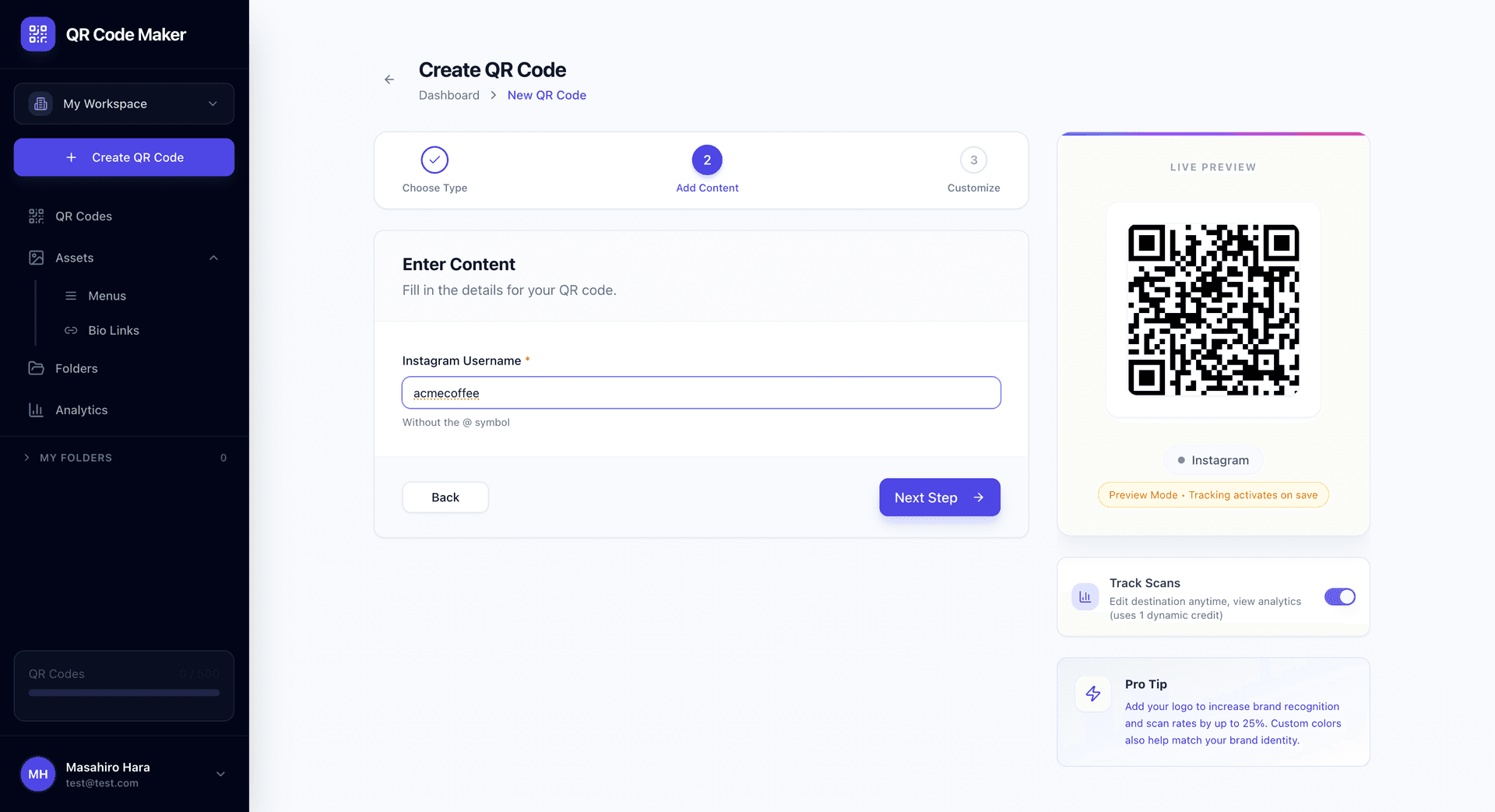
Instagram QR 코드
Instagram 사용자 이름을 입력하세요(@없이), 그러면 Instagram 앱(또는 앱이 없으면 브라우저)에서 프로필을 직접 여는 QR 코드를 만듭니다.
사용 장소:
- 명함
- 제품 포장
- 스토어 디스플레이
- 인쇄 마케팅 자료
- 이벤트 간판
- 레스토랑 테이블 텐트
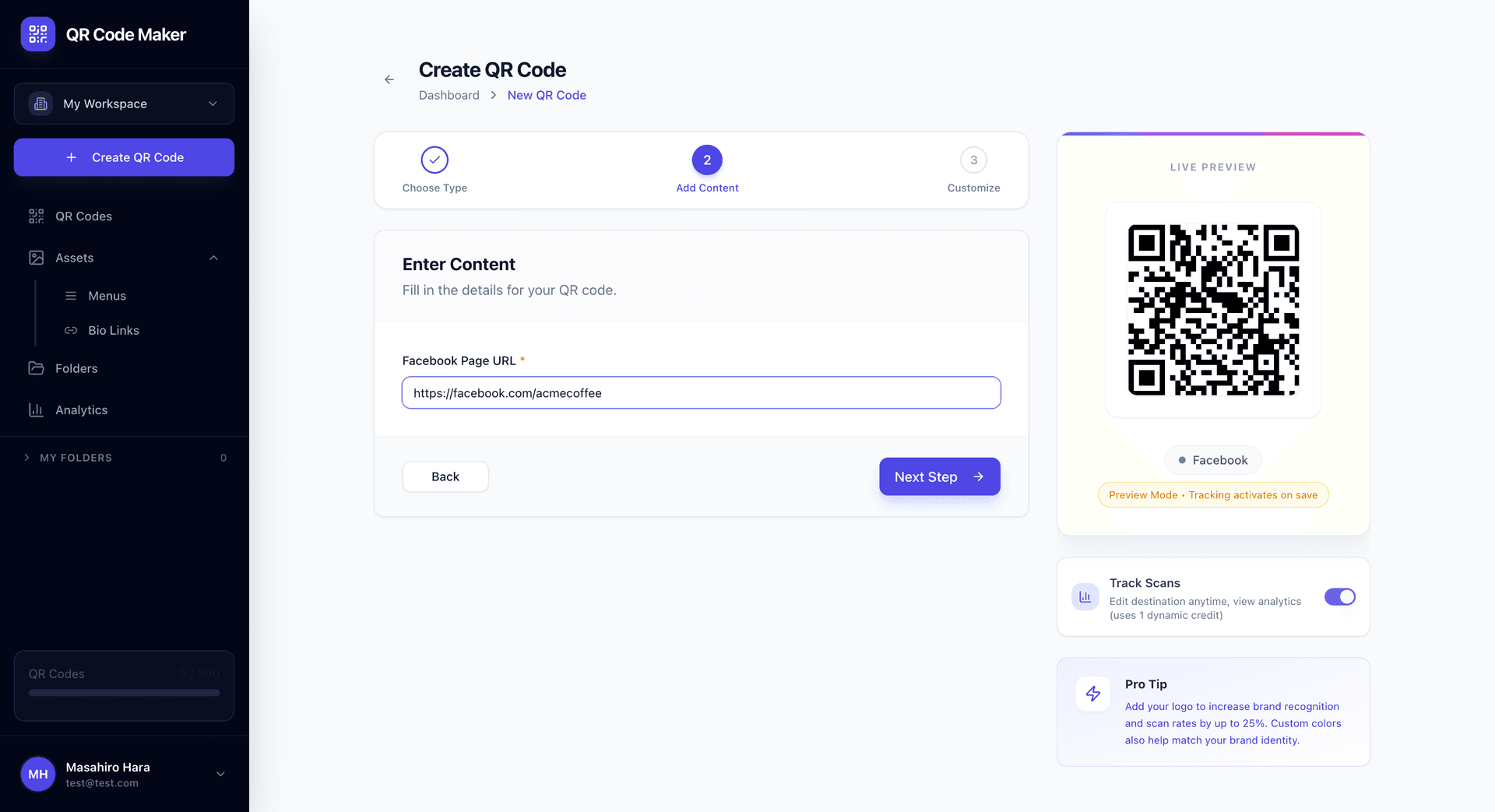
Facebook QR 코드
Facebook 페이지 URL을 입력하면 페이지를 여는 QR 코드를 만듭니다. 비즈니스 페이지, 개인 프로필, 그룹 또는 이벤트에 작동합니다.
사용 장소:
- 비즈니스 간판
- 인쇄 광고
- 다이렉트 메일 조각
- 무역 박람회 디스플레이
- 제품 삽입물
소셜 미디어 QR 코드 만들기
Instagram의 경우:
- + QR 코드 생성을 클릭하고 Instagram을 선택하세요
- 사용자 이름을 입력하세요(@ 없이)
- QR 코드 디자인을 커스터마이징하세요
- 다운로드하세요
Facebook의 경우:
- + QR 코드 생성을 클릭하고 Facebook을 선택하세요
- 전체 Facebook 페이지 URL을 입력하세요
- QR 코드 디자인을 커스터마이징하세요
- 다운로드하세요
동적 및 추적 가능
소셜 미디어 QR 코드는 동적이므로:
- 사용자 이름이나 페이지를 변경하면 목적지를 업데이트합니다
- 참여도를 측정하기 위해 스캔을 추적합니다
- 언제 어디서 사람들이 스캔하는지에 대한 분석을 확인합니다
- 소셜 전략이 변경되면 재인쇄 없이 교체합니다
사용 사례
팔로워 늘리기: 청중이 있는 곳—포장, 영수증, 간판에 인쇄하세요.
이벤트 프로모션: 컨퍼런스 배지, 이벤트 프로그램, 스폰서 자료.
소매 통합: 계산대에서 "거래를 위해 팔로우하세요".
제품 포장: 소셜 존재를 가리키는 "실제로 보기" 카드.
명함: 텍스트로 @username을 인쇄하는 것보다 더 매력적입니다.
인플루언서 마케팅: 쉬운 팔로우 액세스가 있는 스폰서 콘텐츠.
Instagram vs 소셜용 웹사이트 QR
| 접근 방식 | Instagram QR | Instagram용 웹사이트 QR |
|---|---|---|
| 사용자 경험 | Instagram을 직접 엽니다 | 브라우저 → Instagram |
| 추적 | 내장 분석 | URL 단축기 필요 |
| 앱 동작 | Instagram 앱에서 엽니다 | 브라우저에서 열릴 수 있음 |
| 설정 | 사용자 이름만 | 전체 URL 필요 |
Instagram QR 코드는 플랫폼에 최적화되어 있기 때문에 더 부드러운 경험을 제공합니다.
사용자 경험
Instagram 앱이 설치된 경우:
- QR 코드를 스캔합니다
- Instagram 앱이 프로필로 열립니다
- 팔로우를 탭합니다
Instagram 앱이 없는 경우:
- QR 코드를 스캔합니다
- 브라우저에서 Instagram 프로필이 열립니다
- 앱에서 열거나 브라우저에서 계속하라는 메시지가 표시됩니다
어느 쪽이든 빠르게 프로필에 도달합니다.
팁
리디렉션을 테스트하세요. 코드를 스캔하고 올바른 프로필로 이동하는지 확인하세요.
브랜드 색상을 사용하세요. QR 코드 색상을 소셜 브랜드와 일치시키세요.
행동 유도를 추가하세요. QR 코드 근처에 "팔로우하세요" 또는 "페이지를 확인하세요".
청중을 고려하세요. Instagram은 젊은층을 대상으로 하고, Facebook은 더 광범위한 인구 통계를 가지고 있습니다.
성과를 추적하세요. 어느 배치가 가장 많은 스캔을 유도하나요? 작동하는 것에 더 투자하세요.
소셜 미디어 QR vs 바이오 링크
한 특정 플랫폼에서 사람들이 팔로우하기를 원한다면 해당 플랫폼의 QR 코드를 사용하세요. 여러 플랫폼이 있다면 바이오 링크를 사용하여 방문자가 선택하게 하세요.
자주 묻는 질문
사용자 이름을 변경하면 어떻게 되나요? 대시보드에서 QR 코드를 편집하세요. 동적이므로 기존에 인쇄된 코드가 새 사용자 이름으로 리디렉션됩니다.
스캔이 팔로워로 전환되는지 확인할 수 있나요? 스캔 수는 볼 수 있지만 팔로워 전환은 소셜 플랫폼에서 발생합니다. 스캔 타이밍을 팔로워 증가와 비교하여 추정하세요.
그냥 @username을 인쇄하지 않는 이유는 무엇인가요? 가능합니다! 하지만 QR 코드가 더 빠릅니다—입력이 필요 없습니다. 검색하고 입력하는 것보다 한 번의 탭이 더 팔로우할 가능성이 높습니다.
방문자가 앱을 설치해야 하나요? 아니요. 앱이 없으면 브라우저에서 프로필이 열립니다. 하지만 인앱 경험이 더 부드럽습니다.
여러 플랫폼을 위한 하나의 QR을 만들 수 있나요? 그것이 바로 바이오 링크의 용도입니다—모든 소셜 프로필이 있는 하나의 페이지.
내 계정이 비공개이면 작동하나요? 네, 하지만 방문자는 비공개 계정 메시지를 보고 팔로우를 요청해야 합니다.