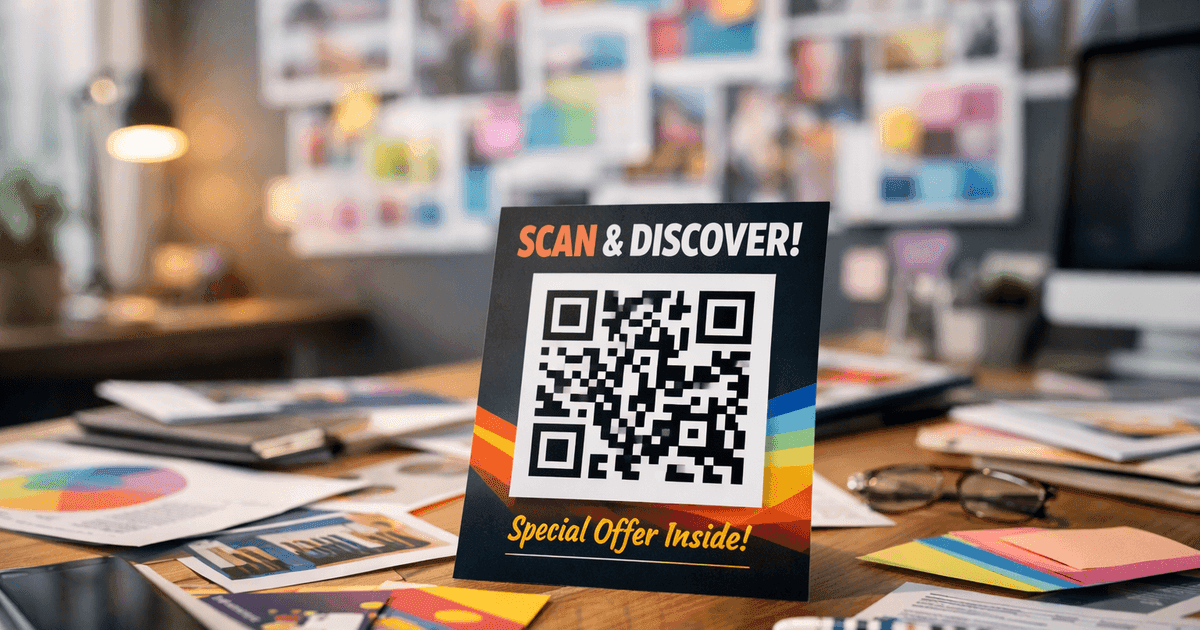
Discover 10 powerful qr code marketing ideas for small businesses. Boost engagement, track results, and grow your brand with actionable tips and examples.
In a world where every customer has a smartphone, bridging your physical business with your digital presence is more important than ever. QR codes have evolved from a novelty into a powerful marketing tool for small business owners, marketers, and event organizers. From turning a simple menu into an interactive experience to capturing customer feedback with a single scan, these pixelated squares offer endless possibilities. They are the key to connecting offline actions with online results, creating a seamless journey for your audience.
This guide provides a comprehensive roundup of actionable qr code marketing ideas. We'll give you practical implementation steps, real-world examples, and best practices designed for immediate use. You'll get a detailed playbook showing you exactly how to execute campaigns that drive tangible outcomes.
Whether you run a restaurant looking to streamline orders, a retail store aiming to boost promotions, or an event planner needing to manage attendees, these strategies are for you. You will learn how to leverage these versatile tools to drive engagement, increase sales, and build a stronger brand. This list is your blueprint for creating professional, trackable, and effective QR code campaigns that connect with customers and grow your business.
1. QR Code Menu Marketing for Restaurants
One of the most transformative QR code marketing ideas for restaurants is the adoption of contactless digital menus. By placing a QR code on each table, at the entrance, or on receipts, you give customers instant, touch-free access to your full menu. This shift saves significant money on reprinting physical menus and allows for real-time updates to items, prices, and daily specials.
This strategy enhances both safety and efficiency. Digital menus can be enriched with high-quality photos, detailed descriptions, and allergen information, creating a more engaging and informative dining experience. It's a simple change that makes your restaurant feel modern and customer-focused.
Practical Tips & Best Practices
To make your QR code menu a success, follow these actionable steps:
- Step 1: Optimize for Speed: Ensure your digital menu is mobile-friendly and loads in under three seconds. A slow-loading page frustrates customers.
- Step 2: Strategic Placement: Don't just stick the QR code on the table. Place it on window decals, hostess stands, and carry-out bags to catch customer attention at multiple points.
- Step 3: Keep it Branded: Use a trusted tool like QR Code Maker to customize your code with your restaurant's logo and colors. This reinforces your brand and makes the code look more professional.
- Step 4: Track and Analyze: Use dynamic QR codes to monitor scan analytics. This data helps you understand which menu items are viewed most, identify peak ordering times, and make smarter marketing decisions.
This approach not only modernizes the dining experience but also provides powerful business insights. To get started, you can explore a dedicated restaurant menu QR code solution.
2. Boost Google Reviews with a Smart QR Code
One of the most strategic QR code marketing ideas for service-based businesses is using a smart review filter. This method involves a QR code that first asks customers to rate their experience. Happy customers (e.g., those who rate 4 or 5 stars) are automatically directed to your Google Reviews page. Unhappy customers are routed to a private feedback form, protecting your public reputation while still capturing valuable insights to help you improve.
This powerful reputation management strategy is perfect for local businesses like plumbing companies, medical practices, and salons, where online ratings directly impact customer trust. By proactively guiding the feedback process, you can significantly boost your star rating on Google.
Practical Tips & Best Practices
To effectively manage your online reputation with a QR code, follow these best practices:
- Step 1: Strategic Placement: Put the QR code where customers are most likely to scan it after receiving service, such as on receipts, at checkout counters, or in follow-up emails.
- Step 2: Simplify the First Step: Keep the initial rating simple. A quick "Happy" or "Unhappy" choice is more effective than a complex survey that people won't complete.
- Step 3: Optimize the Feedback Form: For customers who had a negative experience, make the private feedback form brief. Ask only essential questions to gather the most critical information quickly.
- Step 4: Analyze and Act: Regularly review the private feedback to identify recurring issues. Use this data to train staff, refine processes, and make tangible service improvements.
This approach not only boosts your positive reviews but also turns negative experiences into growth opportunities. To learn more, explore practical guides on how to increase Google Reviews.
3. Share Product Information & How-To Guides
One of the most practical QR code marketing ideas for retail is linking physical products to detailed digital information. By placing a QR code on packaging or in-store displays, brands can instantly give customers access to specifications, setup guides, and engaging videos.
This strategy empowers customers to make more informed buying decisions. For example, a home goods store could link a QR code on a flat-pack furniture box to a step-by-step assembly video. This tactic enriches the customer experience, builds trust, and provides information beyond the limits of printed packaging.
Practical Tips & Best Practices
To effectively use QR codes for product information, follow these clear steps:
- Step 1: Create a Compelling Call-to-Action (CTA): Don't just place a code; guide the user. Use clear, action-oriented text like "Scan for Assembly Video" or "See How It's Made" to increase scans.
- Step 2: Prioritize the Mobile Experience: The destination landing page must be mobile-first. Ensure it loads quickly and presents information clearly on a small screen.
- Step 3: Use Rich Media: Go beyond text. Link to high-quality video demonstrations, 360-degree product views, or user manuals to create a memorable and helpful interaction.
- Step 4: Track Engagement: Use a dynamic QR code to monitor scan data. Analyzing which products are scanned most can reveal which items need more in-store information or which packaging designs are most effective.
4. Streamline Event Check-In & Attendee Management
For event organizers, one of the most effective QR code marketing ideas is to streamline attendee management. By sending a unique QR code to each guest via email, event staff can scan attendees in seconds, eliminating long lines and manual check-in lists. This system provides real-time attendance data and can even be used to track session participation or booth visits.
This technology is a standard practice at large conferences and trade shows. Event organizers gain valuable insights into attendee behavior, such as which sessions are most popular or which exhibitor booths attract the most traffic, enabling data-driven decisions for future events.
Practical Tips & Best Practices
To run a flawless QR code check-in system, follow these critical steps:
- Step 1: Test Before the Event: Thoroughly test your QR code scanners and ensure the venue's Wi-Fi can handle the volume of scans, especially during peak arrival times.
- Step 2: Create Multiple Check-In Points: Set up several scanning stations to prevent bottlenecks at the entrance. Consider separate lines for different ticket types.
- Step 3: Personalize the Experience: Use a dynamic QR code that, when scanned, directs the attendee to a mobile-optimized page with a personalized welcome message (e.g., "Welcome, Jane! Here is the event schedule.").
- Step 4: Analyze Engagement Data: After the event, use the scan data to provide sponsors with tangible metrics on booth traffic. This data also helps optimize future event layouts and schedules.
By leveraging QR codes, you not only improve operational efficiency but also create a smoother, more professional experience for every attendee.
5. Offer Exclusive Coupons & Discounts
One of the best QR code marketing ideas for driving immediate sales is linking directly to exclusive coupons. By placing a QR code on print ads, social media posts, or product packaging, businesses can give customers a direct and easy path to savings. This strategy turns passive interest into active engagement and measurable sales.
The appeal lies in its simplicity. Customers can instantly access a limited-time offer, motivating them to make a purchase they might have otherwise delayed. When exploring how QR codes can enhance physical items, consider learning about effective promotional products that serve as excellent carriers for your discount codes.
Practical Tips & Best Practices
To launch a successful QR code coupon campaign, follow these steps:
- Step 1: Track Your Channels: Create unique dynamic QR codes for each marketing channel (e.g., one for your Instagram story, another for a print flyer). This allows you to measure which platform delivers the best results.
- Step 2: Create Urgency: Link your QR code to a landing page that features a countdown timer for the offer. This encourages immediate action.
- Step 3: Simplify Redemption: Make the coupon easy to use. Provide a simple "copy code" button for online checkouts or a scannable barcode that works with your point-of-sale (POS) system.
- Step 4: Test Your Offers: Experiment with different discount types, like 20% off versus a "buy one, get one free" deal. Use the analytics from your QR codes to see which offer resonates most with your audience.
6. Offer Virtual Property Tours & Listing Details
For real estate professionals, one of the most powerful QR code marketing ideas is bridging physical signs with digital property information. By placing a QR code on a "For Sale" sign or flyer, agents can give potential buyers instant access to virtual tours, photo galleries, and listing details. This strategy allows prospects to explore a home at their convenience, right from the curb.
Individual agents can create unique codes for each listing, allowing them to track which properties generate the most scans and measure the effectiveness of their marketing efforts. To create an immersive experience, QR codes can link directly to listings enhanced by the best virtual home staging software platforms, showcasing a property's full potential.
Practical Tips & Best Practices
To effectively use QR codes for real estate listings, follow these steps:
- Step 1: Create Immersive Tours: Link your QR code to a mobile-friendly landing page featuring high-resolution photos, drone footage, and a 3D virtual tour for a compelling first impression.
- Step 2: Generate Unique Codes: Use a dynamic QR code for each property. This lets you update the destination link if the listing status changes and track analytics for each specific address.
- Step 3: Include a Clear Call-to-Action: Place text like "Scan for a Virtual Tour" or "Get Property Details" near the QR code to encourage scans.
- Step 4: Capture Leads Seamlessly: Add a simple contact form on your landing page to capture the name and email of interested buyers, automatically feeding leads into your system for follow-up.
7. Provide Instant WiFi Access
One of the most customer-friendly QR code marketing ideas is providing instant, password-free WiFi access. By placing a QR code at your entrance or on tables, you let guests connect to your network with a single scan. This eliminates the frustration of manually typing complex passwords and creates a welcoming digital experience for every visitor.
This strategy is perfect for coffee shops, hotels, and waiting rooms. Beyond convenience, this method allows businesses to redirect users to a custom welcome page after they connect. This digital touchpoint can be used to display daily specials, promote upcoming events, or capture an email address, turning a simple utility into a powerful marketing tool.
Practical Tips & Best practices
To make the most of your WiFi QR code, follow these actionable steps:
- Step 1: Display Prominently: Place your QR code in high-visibility areas like the front counter and waiting areas. Add a clear instruction, such as "Scan Here for Free WiFi."
- Step 2: Create a Welcome Page: Instead of just connecting users, redirect them to a mobile-friendly landing page. Use this page to showcase special offers or ask for a social media follow.
- Step 3: Offer an Incentive for Sign-ups: Use your welcome page to offer a small discount (like 10% off) in exchange for an email signup. This turns your free WiFi into a valuable lead generation tool.
- Step 4: Monitor Usage: Use QR code analytics to track how many people scan to join your network. This data can help you understand peak business hours and measure customer dwell time.
This approach transforms a standard amenity into a strategic asset. For a straightforward way to create one, you can use a dedicated WiFi QR code generator.
8. Grow Your Social Media Following
One of the easiest QR code marketing ideas for boosting your online presence is linking directly to your social media profiles. By placing a QR code on physical materials like packaging, business cards, or in-store displays, you create a frictionless path for customers to connect with your brand online. This eliminates the need for them to manually search for your profiles.
This tactic is great for building a community around your brand. For example, a restaurant can place a QR code on its menu that leads to its Instagram page, encouraging diners to tag them in photos of their meals.
Practical Tips & Best Practices
To maximize follower growth with social media QR codes, follow these steps:
- Step 1: Consolidate Your Profiles: Use a "Social Media QR Code" that links to a single landing page featuring all your social profiles. This lets users choose their preferred platform to follow you on.
- Step 2: Add a Clear Call-to-Action: Tell people what to do. Use simple text like "Follow Us on Instagram!" or "Scan for Behind-the-Scenes Content" to guide users.
- Step 3: Link to Specific Content: To promote a specific campaign, link the QR code to a contest announcement or a new video rather than just your main profile page.
- Step 4: Brand Your Code: Customize your QR code with your brand’s logo and colors using a tool like QR Code Maker. A branded code looks more trustworthy and appealing.
This approach transforms static marketing materials into active gateways for community building. For a complete guide, explore these tips on using QR codes for social media.
9. Drive App Downloads and Engagement
One of the most powerful QR code marketing ideas for mobile-first businesses is driving app downloads. A single QR code can intelligently detect a user's device (iOS or Android) and direct them to the correct app store, making it seamless for potential users to install your application.
This strategy can be enhanced with deep linking. If a user already has the app installed, scanning the code can take them to a specific page or promotional offer within it. For example, a retail store could place a QR code on an in-store display that takes shoppers directly to that product's page in their app.
Practical Tips & Best Practices
To effectively use QR codes for app promotion, follow these steps:
- Step 1: Offer an Incentive: Encourage downloads by linking the QR code to an exclusive in-app offer. A message like "Scan to get 15% off your first in-app purchase" is highly effective.
- Step 2: Leverage Deep Linking: For existing users, create deep links that connect physical marketing materials to relevant content inside your app, like a specific feature or sale.
- Step 3: Optimize Your App Store Page: Ensure your app store page has compelling screenshots, a clear description of benefits, and positive reviews to make the download decision easy.
- Step 4: Track Everything: Use a dynamic QR code to track scans and installs. This data is crucial for measuring the ROI of your physical marketing campaigns.
10. Share Contact Info with vCard QR Codes
One of the most professional QR code marketing ideas for networking is the vCard QR code, which simplifies contact sharing. By putting a QR code on your business card, you can let others instantly save your name, phone number, email, and company details directly into their phone's contacts. This eliminates the manual data entry and potential for errors associated with traditional paper cards.
This strategy has become standard for professionals in sales, real estate, and professional services. A vCard QR code creates an immediate digital connection, ensuring your contact information is not just received, but saved and accessible for future follow-ups.
Practical Tips & Best Practices
To get the most out of your vCard QR code, follow these best practices:
- Step 1: Complete Your Profile: Make sure your digital vCard is comprehensive. Include your full name, job title, company, phone, email, and a link to your LinkedIn profile.
- Step 2: Brand Your Code: Use a tool like QR Code Maker to add your company logo or a headshot to the center of the code. Match the colors to your business card's design for a professional look.
- Step 3: Test Before Printing: Always test your QR code on multiple devices (iOS and Android) and with different camera apps before you print a large batch of business cards.
- Step 4: Use a High-Resolution File: When exporting your QR code for print, make sure it is a high-resolution vector file (like SVG). This ensures it remains scannable and crisp, even when resized.
This technique transforms a simple business card into an interactive tool. You can easily create a vCard QR code to upgrade your networking materials.
10-Point QR Code Marketing Comparison
| Item | Implementation complexity | Resource requirements | Expected outcomes | Ideal use cases | Key advantages |
|---|---|---|---|---|---|
| QR Code Menu Marketing for Restaurants | Low–Medium — digitize menu and integrate with POS | Digital menu design, CMS/POS integration, internet access | Reduced printing costs, real-time menu updates, item analytics | Restaurants, cafes, chains, seasonal menus | Dynamic updates, analytics, improved hygiene |
| Google Reviews Capture via Filtered QR Codes | Low–Medium — routing logic and simple forms | Redirect logic, feedback form, review links, basic analytics | More positive Google reviews, private capture of complaints | Local services, medical practices, salons, trades | Increases reviews, protects public reputation |
| Product Information & Specifications QR Codes | Medium — cataloging and multimedia creation | Product documentation, videos, translations, CMS | Higher buyer confidence, reduced returns, richer engagement | Retail, electronics, furniture, cosmetics | Multimedia product info; real-time updates |
| Event Check-In & Attendee Tracking QR Codes | Medium–High — integration with event systems | Badge printing, scanners, event management/CRM integration, reliable network | Faster check-ins, attendance and session analytics, sponsor ROI | Conferences, trade shows, corporate events, expos | Real-time tracking, reduced queues, detailed analytics |
| Promotional Coupon & Discount QR Codes | Low–Medium — campaign and POS linkage | Coupon management, POS/e‑commerce integration, tracking | Increased traffic and redemptions, measurable campaign ROI | Retail promotions, restaurants, e-commerce flash sales | Precise attribution, urgency creation, fraud reduction |
| Real Estate Property Tour & Listing QR Codes | Medium — virtual tour and CRM setup | Professional photos/videos, virtual tour tools, CRM integration | Qualified leads, fewer unnecessary showings, tracked interest | Real estate agents, brokers, property managers | 24/7 lead capture, virtual tours, detailed property data |
| WiFi Connection QR Codes | Low–Medium — network and redirect setup | WiFi infrastructure, landing page, optional lead capture tools | Easier onboarding, email/list capture, increased dwell time | Cafés, hotels, retail stores, hospitality venues | One-scan convenience, data capture, fewer support requests |
| Social Media Profile & Content QR Codes | Low — link aggregation and design | Active social profiles, optional landing aggregator, branded design | Increased followers and content engagement | Brands, influencers, packaging, events | Simple offline→social bridge, low cost, dynamic links |
| App Download & Deep Linking QR Codes | High — deep-linking and app store handling | App development, deep link framework, platform testing | Higher app installs, direct in-app engagement, campaign attribution | Mobile-first companies, retail/apps, services | Direct deep linking, better UX, measurable installs |
| vCard & Contact Information QR Codes | Low — generate vCard and print-ready code | Contact data, high-res design for print, optional analytics | Faster contact capture, fewer manual errors, networking efficiency | Professionals, networking events, sales and recruiters | Eliminates manual entry, accurate contact sharing, updatable |
Bringing Your QR Code Marketing to Life
From restaurants streamlining orders to real estate agents offering instant virtual tours, the versatility of QR codes is clear. We've explored ten powerful qr code marketing ideas, each serving as a bridge between your physical and digital worlds. These are actionable blueprints that businesses are successfully using to enhance customer engagement, simplify operations, and boost their bottom line.
The journey from a simple black-and-white square to a powerful marketing tool is about strategy and understanding your customer's needs. The key to all successful campaigns is a focus on providing value. A customer scans a code with the expectation of a reward—whether it's a discount, useful information, or a more convenient experience.
Key Takeaways for Lasting Impact
As you start implementing these ideas, remember these core principles:
- Context is King: Place QR codes where your audience is already engaged. A code on a product package should lead to how-to guides, while one on a restaurant table should simplify ordering. Always ask: "What does my customer need in this exact moment?"
- Clarity Drives Action: A QR code alone is not enough. Pair it with a clear Call-to-Action (CTA). Phrases like "Scan for 20% Off," "View Our Menu," or "Take the Virtual Tour" remove confusion and tell users what to expect, significantly increasing scan rates.
- The Mobile Experience is Non-Negotiable: The scan is just the first step. The destination—whether it's a landing page, a menu, or a social media profile—must be perfectly optimized for mobile devices. A slow-loading or poorly formatted page will break the user journey.
- Measurement is Mastery: The true power of a digital tool is its trackability. Using dynamic QR codes is essential, as they allow you to monitor scan data, including the number of scans, location, and time of day. This data is invaluable for understanding campaign performance and refining your approach.
Your Next Steps: From Idea to Execution
The potential of these qr code marketing ideas is immense. Start small. Choose one or two ideas from this list that align with your immediate business goals. Is your priority to gather more customer reviews? Start with a Google Reviews QR code. Launching a new product? Implement codes on your packaging that link to video demonstrations.
The most important step is to begin experimenting. Create your first dynamic QR code, design it to match your brand, and place it in a high-traffic, relevant location. Track the results, gather feedback, and don't be afraid to adjust. By embracing this technology, you are opening a direct, interactive, and measurable channel of communication with your customers.
Ready to turn these ideas into reality? With QR Code Maker, you can create professional, branded, and trackable dynamic QR codes in minutes. Our platform provides detailed analytics and flexible customization to ensure your campaigns are both beautiful and effective. Start your journey with the right tools at QR Code Maker and watch your marketing engagement soar.
Ready to create your QR code?
Free forever for static codes. Pro features with 14-day trial, no credit card required.
Irina
·Content LeadIrina leads content strategy at QR Code Maker, helping businesses understand how to leverage QR codes for marketing, operations, and customer engagement. Her expertise spans digital marketing, user experience, and practical implementation guides.
Learn more about us →Related Articles
10 Practical QR Code Marketing Strategies for Your Business
Discover 10 actionable qr code marketing strategies to boost engagement and ROI. This guide for SMBs covers everything from analytics to contactless menus.
10 Creative QR Code Ideas to Boost Engagement in 2024
Unlock the power of QR codes for your business. Discover 10 creative qr code ideas, from branded designs to dynamic menus, perfect for marketers and events.
8 Powerful QR Code Call to Action Examples to Drive Engagement
Explore our guide to powerful qr code call to action examples. Learn how to drive sales, get reviews, and grow your audience with actionable tips for 2026.