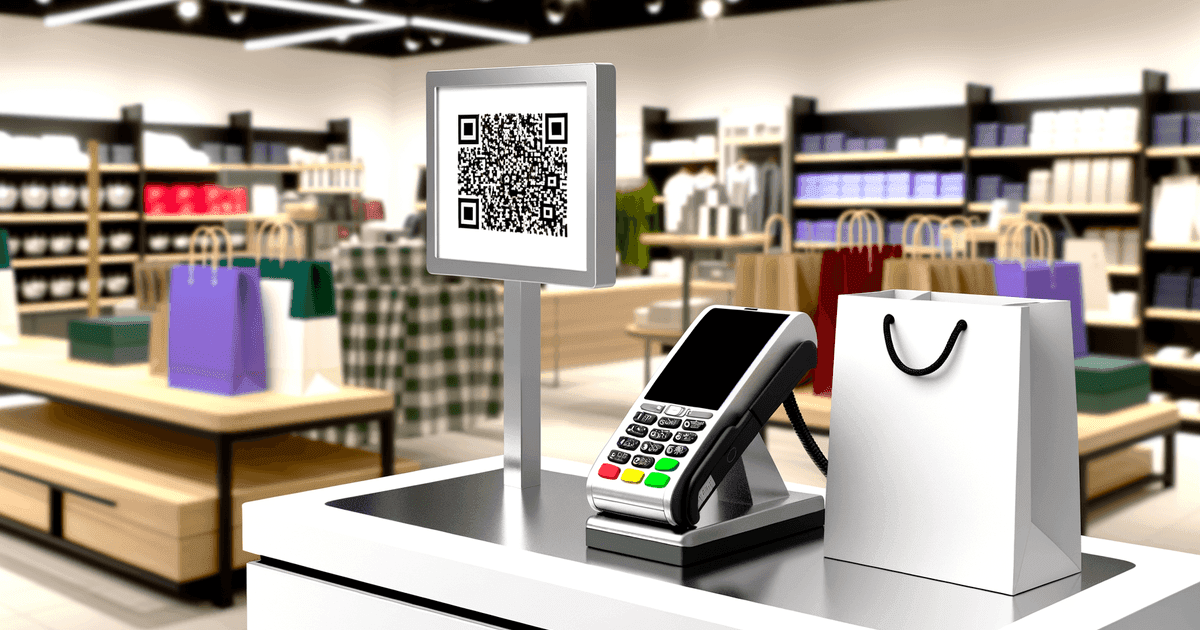

QR codes don't process payments—they link to payment systems. Here's what that means for your business and when QR payments are the right choice.
"QR code payments" is a bit of a misnomer. QR codes don't actually process payments—they're links, just like any other QR code. The payment happens in whatever system you link to: PayPal, Venmo, Stripe, your bank's payment portal, or a cryptocurrency wallet.
Understanding this distinction matters because it determines what's possible, what's secure, and when QR payments make sense for your business.
How QR Code Payments Actually Work
A "payment QR code" is simply a QR code that encodes a URL or identifier directing users to a payment system. The flow looks like this:
- Customer scans QR code
- QR code opens a payment link (website, app, or wallet)
- Customer enters amount (or sees pre-filled amount)
- Customer confirms payment
- Payment processes through the linked system
The QR code is just step 1—a convenient link. Everything else depends on what you're linking to.
The Three Main Approaches
1. Payment Page Links (Stripe, Square, PayPal Checkout)
Link your QR code to a hosted payment page from your payment processor. Customer enters card details on that page.
Best for: Businesses already using these processors, one-time transactions
Limitation: Requires mobile web form completion; not as fast as tap-to-pay
2. Peer-to-Peer App Links (Venmo, PayPal.me, Cash App)
Link directly to your account in a P2P payment app. Customer must have the same app installed.
Best for: Tips, small businesses, peer-to-peer transactions
Limitation: Requires customer to have specific app; fees vary by platform
3. Cryptocurrency Addresses
Encode a wallet address directly in the QR code. Customer pays from their crypto wallet.
Best for: Crypto-accepting businesses, international transactions
Limitation: Volatility, limited customer adoption, irreversible transactions
QR code users projected in the US annually
of credit card holders have experienced some form of fraud
typical QR code scan time
Regional Variations
QR code payment systems vary significantly by region:
Europe: EPC QR Codes
The European Payments Council standardized QR codes for SEPA transfers. EPC QR codes encode:
- Beneficiary name and IBAN
- Amount (optional)
- Payment reference
When scanned, compatible banking apps pre-fill the transfer details. No intermediary payment processor needed—funds transfer directly between bank accounts.
Asia: Super-App Integration
In China (Alipay, WeChat Pay) and India (UPI), QR payments are dominant because:
- Payment apps have massive user bases
- Codes link directly to integrated wallets
- Transaction fees are minimal or zero for merchants
United States: Fragmented Landscape
The US lacks a unified QR payment standard. Options include:
- Venmo/PayPal QR codes (requires same app)
- Retailer-specific apps (Starbucks, Walmart)
- Payment processor hosted pages (Stripe, Square)
- Cryptocurrency wallets
This fragmentation means customers may not have the app your QR code expects.
When QR Payments Make Sense
Events and Pop-Ups
Setting up a full POS system for a one-day event is overkill. A QR code linking to your payment page requires:
- No hardware
- No merchant account setup time
- No card reader to lose or charge
Print QR codes on signage, hand them out on cards, or display on tablets.
Table Payments (Restaurants)
Printing payment QR codes on receipts or table cards lets diners pay without waiting for servers. Benefits:
- Faster table turnover
- Reduced staff workload
- Customers control timing
Itemized vs. Open Amount
Most QR payment implementations let customers enter their own amount—useful for tips but not for itemized transactions. If you need customers to pay a specific total, link to a pre-filled payment page or invoice.
Tips and Donations
For service workers, buskers, or nonprofits, QR codes provide contactless tipping:
- No cash needed
- Can link to Venmo/PayPal for zero-fee P2P transfers
- Persistent signage (laminated cards, stickers)
Invoicing
Include QR codes on invoices linking directly to the payment page. Reduces steps from "receive invoice" to "complete payment."
When QR Payments Don't Make Sense
High-Volume Retail Checkout
For established retail, tap-to-pay (NFC) is simply faster:
- Tap: 1-2 seconds
- QR scan + app + confirm: 10-30 seconds
QR codes add friction that slows lines.
Customers Without Smartphones
Sounds obvious, but some customer segments (elderly populations, children, budget-conscious consumers) may not have smartphones or comfortable with mobile payments.
Complex Transactions
QR codes link to single destinations. If transactions require:
- Multiple items with different prices
- Discounts or promo codes
- Inventory management integration
...you need a proper POS system, not QR codes.
Security Considerations
QR Codes Themselves Are Neutral
A QR code is just encoded data. It can't be "hacked" any more than a printed URL can be hacked. Security depends entirely on:
- What you link to
- How secure that destination is
- Whether the customer verifies before paying
The Real Risks
Replacement attacks: Someone covers your legitimate QR code with their own, redirecting payments to their account. Physical security of displayed codes matters.
Phishing pages: QR codes can link to fake payment pages designed to steal credentials. Customers should verify the URL before entering payment info.
Malicious redirects: If using dynamic QR codes, account compromise could redirect payments. Use strong authentication on your QR management platform.
Security Best Practices
For businesses accepting QR payments:
- Use reputable payment processors with fraud protection
- Display codes where they can't be easily covered/replaced
- Consider tamper-evident printing for permanent displays
- Regularly verify your codes link to correct destinations
- Use dynamic codes so you can update if compromised
For customers paying via QR:
- Verify the URL before completing payment
- Use familiar payment apps rather than entering card details on unknown pages
- Be skeptical of QR codes in unusual locations
Physical Security Matters
The biggest QR payment security risk isn't technical—it's someone physically replacing your code with theirs. Inspect permanent QR displays regularly, especially in public-facing locations.
Implementation Steps
1. Choose Your Payment System
For occasional payments (events, tips):
- Venmo/PayPal.me links (zero fees for P2P)
- Cash App
- Zelle (bank-integrated)
For business payments:
- Stripe Payment Links
- Square Online Checkout
- PayPal Checkout
For European businesses:
- EPC QR code generators (direct bank transfer)
For cryptocurrency:
- Wallet-specific QR generators
- Payment processors like BitPay or Coinbase Commerce
2. Generate Your QR Code
Once you have your payment link, create a QR code that encodes it. For payment codes, consider:
- Static codes if the payment link is permanent
- Dynamic codes if you might need to change the destination (e.g., update Venmo username)
- Custom branding to match your business and build trust
3. Display and Test
Before deploying:
- Scan the code yourself and complete a test transaction
- Test with multiple phone types (iOS, Android)
- Verify funds arrive in the correct account
- Check the customer experience from scan to confirmation
4. Train Staff and Customers
If customers aren't familiar with QR payments:
- Add instructions ("Scan to pay with your phone")
- Indicate which payment apps are supported
- Have backup payment methods available
Tracking Payment QR Codes
Unlike e-commerce links with UTM tracking, QR code payment tracking depends on your payment processor's reporting, not QR code analytics.
What you can track:
- Scan counts (if using dynamic QR codes)
- Payment amounts and times (from processor)
- Customer information (if collected by processor)
What you typically can't track:
- Which specific QR code location generated which payment
- Abandoned scans (people who scanned but didn't pay)
- Time between scan and payment completion
If location-based attribution matters, use separate QR codes for each location and link to uniquely-tagged payment pages.
Frequently Asked Questions
Are QR code payments secure?
QR codes themselves are just links—security depends on the payment system you link to. Use reputable payment processors, protect physical codes from replacement, and educate customers to verify URLs before paying.
What payment apps work with QR codes?
Most payment apps support QR codes in some form: Venmo, PayPal, Cash App, Zelle, Apple Pay (via Safari), Google Pay, Alipay, WeChat Pay, and most banking apps in Europe (via EPC codes). The catch: payers often need the same app you're using.
Can I set a specific payment amount in the QR code?
It depends on the payment system. Some (like Stripe Payment Links) let you pre-set amounts. Others (like Venmo links) let customers enter their own amount. EPC QR codes in Europe can include optional amounts. Check your specific platform's capabilities.
Do QR code payments have transaction fees?
The QR code itself has no fee. Transaction fees depend on your payment processor: Stripe/Square typically charge 2.9% + $0.30, PayPal varies by transaction type, Venmo P2P is free but business accounts have fees, and EPC bank transfers are often free or minimal.
Should I use static or dynamic QR codes for payments?
Static codes are fine if your payment link is permanent. Dynamic codes are better if you might change payment processors, update your username, or need scan analytics. The extra cost of dynamic codes is usually worth the flexibility for business payment codes.
Create Payment QR Codes
Ready to accept QR code payments? Start with your payment link:
Generate your QR code:
- URL QR codes - Link to any payment page
Once you have your payment processor link (PayPal, Venmo, Stripe, etc.), create a QR code that directs to it. Test thoroughly before deploying.
For codes you might need to update: View our pricing - Dynamic codes let you change the payment destination without reprinting.
Ready to create your QR code?
Free forever for static codes. Pro features with 14-day trial, no credit card required.

Irina Aguiar
·Content LeadIrina Aguiar leads content strategy at QR Code Maker, where she has written extensively on QR code technology, marketing, and business operations. Her work ranges from technical explainers on how QR codes are generated and how error correction works to practical guides on QR marketing, automation, and scan analytics — plus hands-on tutorials covering Python, Google Sheets, and Zapier integrations. She also publishes honest competitor comparisons and industry-specific playbooks for retail, real estate, hospitality, healthcare, and events.
More from Irina Aguiar →Related Articles
QR Codes for Gift Registries: Simplifying Wedding and Event Gifting
Share your wedding, baby shower, or celebration registry with a simple scan. Here's how to create and share registry QR codes effectively.
QR Code Gift Cards: Personal Gifting and Business Implementation
QR codes can add a personal touch to digital gift-giving or streamline your business's gift card program. Here's how to use them effectively in both contexts.
QR Code Check-In for Appointments: Implementation Guide for Service Businesses
Streamline client arrival with QR code check-in. Here's how to implement it across healthcare, salons, and professional services—and when simpler solutions work better.