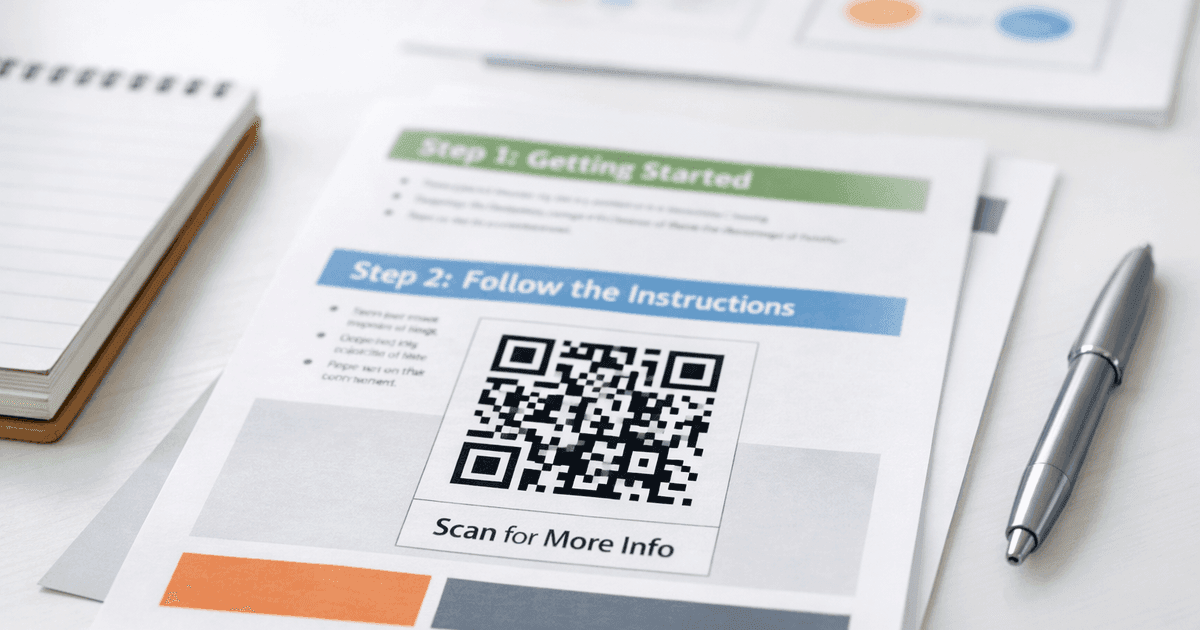
Discover how to effectively use QR codes in social media to boost engagement. Our guide offers real-world strategies and practical tips for your next campaign.
Using QR codes in your social media strategy is one of the smartest ways to connect your offline marketing efforts with your online community. When you place a scannable code on a physical item—like a flyer, menu, or business card—you build a frictionless path for people to find and follow you online. It turns a moment of real-world curiosity into direct online engagement.
Why QR Codes Are Your Social Media Superpower
Let's be practical—getting a customer from your physical store to your Instagram page is a huge leap. You're asking them to stop what they're doing, pull out their phone, open an app, and perfectly type in your handle. It's a clunky process where potential followers often drop off.
QR codes completely flatten that barrier. They act as a direct bridge from the physical to the digital world. A quick scan can instantly land a customer on your Instagram, Facebook, or TikTok profile. That immediate connection is what captures the impulse to follow.
Turning Passive Observers into Active Followers
Picture a diner at a restaurant. They see a small, well-designed QR code on the table tent. Instead of just linking to a menu, this code opens a simple landing page with links to the restaurant's drool-worthy Instagram feed and a prompt to join a Facebook group for exclusive weekly specials. The diner is already having a good experience, making them far more likely to tap "Follow" right then and there.
This is the real value of using QR codes in social media: they meet customers exactly where they are. It’s a game-changer for small businesses, marketers, and event organizers for a few key reasons:
- Eliminates Search Friction: No more fumbling with usernames or searching for the right "@" handle. A scan is direct and error-proof.
- Boosts Instant Engagement: You can capitalize on a customer's positive experience the moment it's happening, not hours later when the feeling has faded.
- Creates a Unified Brand Experience: It connects your physical marketing materials—like posters, business cards, and product packaging—directly to your digital community.
- Provides Measurable Results: With dynamic QR codes, you can track scan data to see which offline channels drive the most traffic to your social profiles.
Practical Tip: The magic of a QR code is its simplicity. It transforms a passive flyer or sign into an interactive gateway, inviting customers to continue their journey with your brand online with zero hassle.
Before we dive into the "how," let's look at how QR codes can bridge common gaps between your physical marketing and social media goals.
Connecting Offline Touchpoints to Social Media Wins
This table shows a few practical ways QR codes can link your physical marketing materials directly to your most important social media goals.
| Offline Touchpoint | Social Media Goal | QR Code Use Case |
|---|---|---|
| Business Card | Grow professional network | Code links directly to your LinkedIn profile. |
| Restaurant Menu | Increase Instagram followers | Code opens your Instagram feed full of food photos. |
| Event Flyer | Drive event engagement | Code links to a Facebook Event page for RSVPs. |
| Product Packaging | Build a community | Code directs to a private Facebook Group for fans. |
| In-Store Signage | Boost TikTok video views | Code links to your latest viral TikTok video. |
These are just a handful of ideas. For a deeper dive, check out more QR code marketing ideas to see just how versatile they can be.
The Undeniable Growth of Social Media Marketing
The scale of social media is massive. As of October 2024, there were 5.22 billion social media users worldwide. Marketers are pouring resources into platforms like Facebook, which saw its advertising audience grow by a staggering 266.6 million users in just a few months of 2023.
Businesses strategically using branded, trackable QR codes are seeing incredible results. In fact, scans in marketing campaigns have shot up by 323% since 2021. This isn't just a trend; it's proof that QR codes have become an essential tool for turning offline buzz into measurable online growth. To see more data like this, check out these insightful social media marketing statistics.
Crafting Your First Social Media QR Code: A Step-by-Step Guide
Making a QR code for your social media isn't just about generating a black-and-white square. It’s about creating a branded, intentional bridge that pulls people from the real world straight into your online community. When you use a professional tool like QR Code Maker, the process is simple.
Step 1: Choose a "Social Media" QR Code Type
First things first, select a specific "Social Media" QR code type. This is a critical move. Unlike a basic URL code, this directs people to a clean, mobile-friendly landing page where you can list all your social channels in one spot—Instagram, TikTok, Facebook, LinkedIn, you name it. This empowers your audience, letting them connect with you on the platform they use most.
Step 2: Always Use Dynamic QR Codes
For any serious marketing effort, dynamic QR codes are non-negotiable. A static code is a dead end; its destination URL is permanently baked in. If that link ever changes, the code becomes useless, and you'll have to reprint everything.
A dynamic code, on the other hand, is smart. It points to a flexible redirect URL that you control. This means you can update the destination links whenever you want without reprinting a single flyer or menu. Just launched a new TikTok account? No problem. Log into your dashboard and swap out the old link for the new one. That agility is essential in the fast-moving world of social media.
This simple diagram shows how a QR code bridges the gap between your physical marketing and your digital presence.
It’s a clean, three-step journey that turns a customer’s real-world interaction into immediate online engagement with your social profiles.
Step 3: Customize Your QR Code to Match Your Brand
A generic QR code is invisible. A branded, customized one builds trust and grabs attention. Think of it as a tiny, scannable piece of your brand's identity.
Here’s how to make your QR code pop:
- Add Your Logo: Placing your logo in the center of the code is the fastest way to signal who it belongs to. It instantly increases trust.
- Use Brand Colors: Ditch the default black and white. Infuse your brand’s color palette to make the code feel familiar and professional. Just ensure strong contrast between the foreground and background for easy scanning.
- Select a Frame: Many tools offer pre-designed frames that can include a short call-to-action (CTA) like "Follow Us" or "Scan Me." This gives people context and a reason to pull out their phone.
Best Practice: A well-designed QR code doesn't just look good—it performs better. A visually appealing, on-brand code is far more likely to be scanned because it feels intentional and trustworthy.
For a deep dive into making codes that are both beautiful and functional, check out this guide on how to design a QR code.
Step 4: Write a Call-to-Action That Works
The final piece is the text you put next to your QR code. Your CTA needs to be clear, concise, and give people a reason to care. It has to answer their unspoken question: "What's in it for me?"
Instead of a lazy "Scan here," get specific. Spark curiosity or offer a clear benefit.
Effective CTA Examples:
- For Restaurants: "Scan to see our daily specials on Instagram!"
- For Events: "Scan to join the conversation on our Facebook Event page."
- For Retail: "Scan for exclusive styling tips on TikTok."
- For B2B: "Scan to connect with me on LinkedIn."
When you combine a dynamic, branded QR code with a powerful call-to-action, you create an irresistible pathway for your offline audience.
Smart QR Code Strategies for Each Social Platform
A one-size-fits-all approach is a recipe for failure on social media, and the same goes for your QR codes. To see real engagement, you have to tailor your strategy to each platform. Let's get into specific, actionable tactics for the networks where your audience lives.
Every platform has its own vibe. A QR code campaign that crushes it on Instagram could be a dud on LinkedIn. The trick is to match your QR code’s purpose to the platform's personality.
Instagram: From Unboxing to Shoppable Feeds
Instagram is a visual feast, making it a goldmine for brands with physical products. Picture this: a customer unboxes their latest purchase. A well-placed QR code on the packaging can turn that moment of excitement into an immediate digital connection.
Real-World Example: A boutique clothing store includes a QR code on its hang tags. When scanned, it opens a Reels video showing three different ways to style that exact garment.
- Shoppable Feeds: Send them straight to an Instagram Shop collection featuring the product they just bought. It’s the perfect way to suggest complementary items.
- User-Generated Content (UGC) Campaigns: The QR code could launch a pre-made Instagram Story filter or a post with your branded hashtag already populated, making it easy for customers to share.
- Styling Guides and Tutorials: Selling apparel or home goods? The code could open a tutorial video. For more on this, see this guide on video for social media marketing.
Facebook: The Go-To for Communities and Events
Facebook’s strength lies in building communities and getting people to attend events. Your QR codes should lean into that.
Real-World Example: An event organizer places a large QR code on a poster at a local coffee shop. A quick scan takes someone directly to the Facebook Event page where they can RSVP, see which friends are going, and get updates without searching.
For local businesses, a QR code on an in-store flyer can be a direct invitation to a private Facebook Group where you offer exclusive deals and build a loyal following.
TikTok: Fueling the Next Viral Challenge
TikTok is all about jumping on trends. Your QR code can be the offline trigger that ignites your brand’s viral hashtag challenge. Think bold, eye-catching QR codes on your storefront, takeout bags, or even a mural.
When someone scans it, the code should do the heavy lifting:
- Link directly to a TikTok video demonstrating the challenge.
- Include the official sound you want them to use.
- Have your official hashtag ready to copy and paste.
You’re making it simple to participate, dramatically boosting the odds of your campaign catching fire.
By eliminating every barrier to entry, a QR code on TikTok flips a passive viewer into an active creator for your brand. It’s the real-world spark for online creativity.
QR codes have taken over marketing, especially on social media. Their use in advertising campaigns shot up by 323% between 2021 and 2023. Dynamic QR codes are the MVP, holding a 65% market share in 2024 because they let you change the link without reprinting. This boom is driven by real usage; in the U.S., 83.4 million adults scanned a code in 2022, a number expected to hit 42.6% of all mobile users by 2025. You can dig into more of these powerful QR code statistics on qrcodechimp.com.
LinkedIn: The Modern Handshake for Professionals
For B2B companies, consultants, or anyone networking professionally, LinkedIn is key. A QR code is the new handshake.
Real-World Example: At a conference, a speaker ends their presentation with a slide containing a QR code. The audience can scan it to instantly connect with the speaker on LinkedIn, download the presentation slides, and ask follow-up questions.
Place a QR code on your business card. One scan, one tap, and you’re connected. It's clean, fast, and makes a strong impression. For an even better experience, use a vCard QR code from a service like QR Code Maker, which saves your full contact details—name, email, phone, and LinkedIn profile—directly to their phone.
Placing Your QR Codes for Maximum Scans
You've designed a beautiful, on-brand QR code. Now for the most important part: where to put it. Smart placement is the difference between a code that gets hundreds of scans and one that gets ignored.
The rule of thumb is this: put your QR code where your audience has both the time and the motivation to scan it. It’s about meeting them in the right moment with a relevant offer. A code buried on a busy checkout counter is just noise, but one that offers real value when someone has a minute to spare? That's a winner.
Context Is Everything
Think through your customer's journey. Where do they pause? Where are they most engaged?
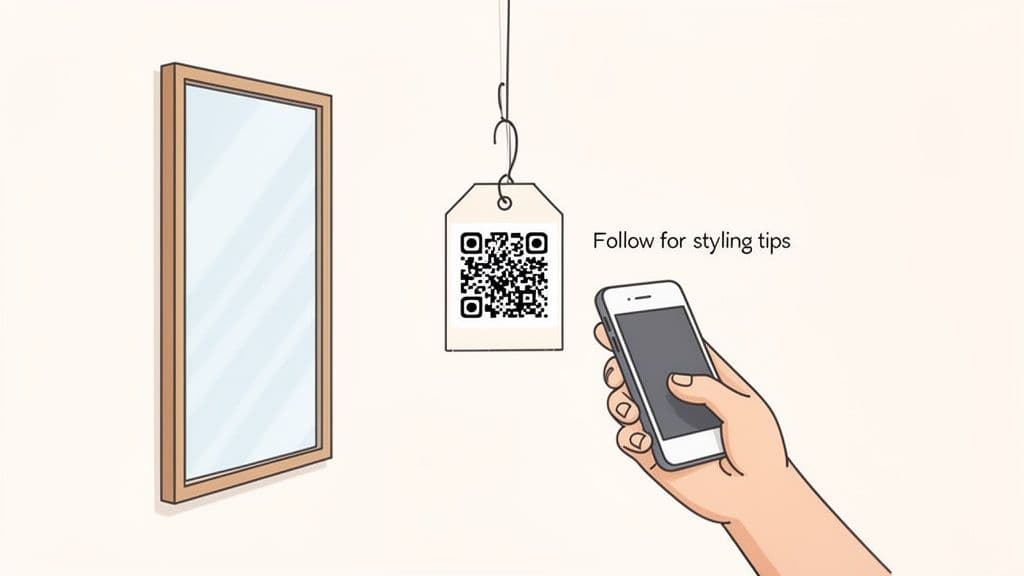
A QR code that says "Follow us for styling tips" placed inside a clothing store's fitting room is brilliant. The customer is literally trying on your products and looking for inspiration. The call-to-action feels helpful, not pushy.
On the flip side, a QR code on a crumpled receipt is a waste. The transaction is over. The same goes for codes on moving objects like a delivery van—they're just impossible to scan safely.
Technical Best Practices That Drive Scans
A few technical details can make or break your code's performance.
- Size Matters: The code needs to be big enough for a phone’s camera to focus. For handheld items like a flyer, aim for a minimum size of 1.2 inches (3-4 cm). For a poster viewed from a distance, it needs to be much larger.
- Contrast is Key: Your QR code’s dots must stand out from the background. Branded colors are great, but a light yellow code on a white background will fail. Stick to dark foregrounds on light backgrounds.
- Leave a Quiet Zone: Don't crowd your QR code. Always leave a clear, empty border around it. This "quiet zone" helps cameras distinguish the code from other design elements.
Pro Tip: Before you print 1,000 flyers, always test your QR code. Print a sample on the actual paper you’ll be using and try scanning it with different phones (iPhone and Android) in various lighting conditions. This five-minute check can save you from an expensive mistake.
Smart Placement Ideas for Social Media Growth
The best placements seamlessly connect a real-world experience to a social media action.
Here are a few proven ideas:
- Restaurant table tents with a QR code linking to the restaurant's Instagram, encouraging diners to tag them in food photos.
- Event badges or lanyards with a code that opens the Facebook event page for the official schedule and speaker updates.
- Product hang tags in a retail shop that link to a TikTok video showing three ways to use that item.
- "Thank You" cards in e-commerce packages, offering a discount on a future order for following on social media.
The best place for your QR code is wherever it feels like a helpful next step for your audience.
Measuring What Matters with QR Code Analytics
You’ve designed a slick QR code and put it out into the world. Now what? How do you know if it's working? The answer is in the data, and this is where dynamic QR codes become your secret weapon.
Without analytics, you're flying blind. With them, you can stop guessing and start making data-driven decisions. Platforms like QR Code Maker offer a powerful analytics dashboard that turns raw scan numbers into clear, actionable insights.
Unpacking Your Analytics Dashboard
Once people start scanning, your dashboard lights up with vital metrics. These numbers tell a story about who is engaging with your brand and where.
Here are the essential metrics to watch:
- Total Scans: Your overall interaction volume. Track it over time to see how scans spike after an event or promotion.
- Unique Scans: This tells you how many individual people scanned your code. A high number of total scans but low unique scans means you have a small, highly engaged audience.
- Location Data (City & Country): Pinpoint where your scans are coming from. This is gold for businesses with physical locations or event organizers.
- Device Type (Operating System): Is your audience mostly on iOS or Android? This helps you optimize the landing pages you link to.
- Time of Day: The dashboard reveals peak hours and days for scans. Use this to schedule social media posts when your audience is most active.
Turning Data into Actionable Insights
Seeing the numbers is one thing; using them to make smarter moves is the real goal.
Imagine you're an event organizer who placed flyers with a QR code in three different coffee shops. By checking your analytics, you can see which flyer is performing best. If the coffee shop on Main Street is generating 70% of the scans, you've found a high-value location. Next time, focus your budget there.
Your QR code analytics aren't just a report card; they're a roadmap. Each data point is a clue that helps you understand your audience better and refine your strategy for maximum impact.
The trend is clear: 93% of marketers boosted their QR code usage last year. Top brands like Nike and Google are all in. Vincle, for example, saw a 90% spike in event interaction using QR codes. Today, nearly 80% of businesses use dynamic QRs for trackable social links, giving them the data to finally measure the real-world impact of their offline marketing.
Beyond the Scan: Social Media Monitoring
To get the full picture, look beyond the initial scan. What happens after a user scans your code and follows you?
This is where effective social media monitoring comes in. It helps you track brand mentions, gauge sentiment, and understand the conversations happening around your brand. This broader view helps you map the entire customer journey, from that first scan to their ongoing engagement online.
Got Questions About Social Media QR Codes?
You have the strategy down, but a few questions are probably still on your mind. Let's tackle the most common ones.
Can I Link a Single QR Code to Multiple Social Media Profiles?
Yes, you absolutely can—and you should. The smartest way is with a dedicated "Social Media" QR code from a platform like QR Code Maker.
Instead of sending someone to just your Instagram, this code directs them to a mobile-friendly landing page. This page neatly displays buttons for all your channels: Instagram, Facebook, TikTok, LinkedIn, and more. It puts the choice in your audience's hands, letting them follow you on the platform they use most. This dramatically increases the odds of turning a scan into a follower.
What Is the Difference Between a Static and a Dynamic QR Code?
This is the single most important thing to understand. A static QR code is permanent. The destination URL is baked directly into the pattern. Once generated, you can never change where it points. If a social profile link changes, the code is useless.
A dynamic QR code, on the other hand, is flexible and intelligent. It points to a short redirect URL that you control from a dashboard.
For any marketing campaign, always use dynamic codes. They let you add a new TikTok profile, update a Facebook event link, or swap a campaign URL without reprinting a single flyer. Plus, dynamic codes are the only way to get the scan analytics you need to see what’s working.
Where Are the Best Places to Put My Social Media QR Codes?
The short answer? Put them wherever your audience is already interacting with your brand offline and has a moment to scan. The key is to match placement with purpose.
Here are a few spots that consistently get great results:
- On restaurant menus or table tents to drive follows to your food-focused Instagram.
- On product packaging or inserts to encourage unboxing videos and tagged posts.
- On your business cards for a seamless "let's connect on LinkedIn" moment.
- On event banners or flyers to push a live hashtag or direct attendees to a Facebook event page.
Always pair your code with a clear call-to-action. Tell people exactly what they'll get when they scan. Context turns a passive glance into an active scan.
How Do I Make My QR Code Look Professional and On-Brand?
A generic, black-and-white QR code can look sketchy and get ignored. A branded code, however, builds trust and performs better. Modern tools like QR Code Maker give you all the customization options you need.
Here’s how to create a professional look:
- Add Your Logo: Placing your logo in the center is the clearest visual cue that the code is legitimate and belongs to you.
- Use Brand Colors: Ditch the default black and use your primary brand colors. Just ensure high contrast between the foreground (the dots) and the background so phones can scan it easily.
- Choose a Frame: A simple frame with a short CTA like "Follow Us" or "Scan to Join" gives people that final nudge to pull out their phone.
A thoughtfully designed QR code doesn’t just look better; it performs better by reassuring people that it's safe, relevant, and worth their time.
Ready to create stunning, trackable QR codes that grow your social media following? With QR Code Maker, you can design branded dynamic codes in seconds, put all your social profiles on a single landing page, and track every scan with powerful analytics. Start your free trial today and see the difference it makes.
Ready to create your QR code?
Free forever for static codes. Pro features with 14-day trial, no credit card required.
Irina
·Content LeadIrina leads content strategy at QR Code Maker, helping businesses understand how to leverage QR codes for marketing, operations, and customer engagement. Her expertise spans digital marketing, user experience, and practical implementation guides.
Learn more about us →Related Articles
10 Practical QR Code Marketing Strategies for Your Business
Discover 10 actionable qr code marketing strategies to boost engagement and ROI. This guide for SMBs covers everything from analytics to contactless menus.
How to Create a Call to Action QR Code That Gets Scanned
Learn how to create a call to action QR code that drives results. Our guide offers real-world tips, design strategies, and best practices for marketers.
How to Make a Custom QR Code: A Step-by-Step Guide for Small Businesses
Learn how to make a custom QR code that boosts engagement and reflects your brand. This guide covers design, tracking, and best practices for businesses.