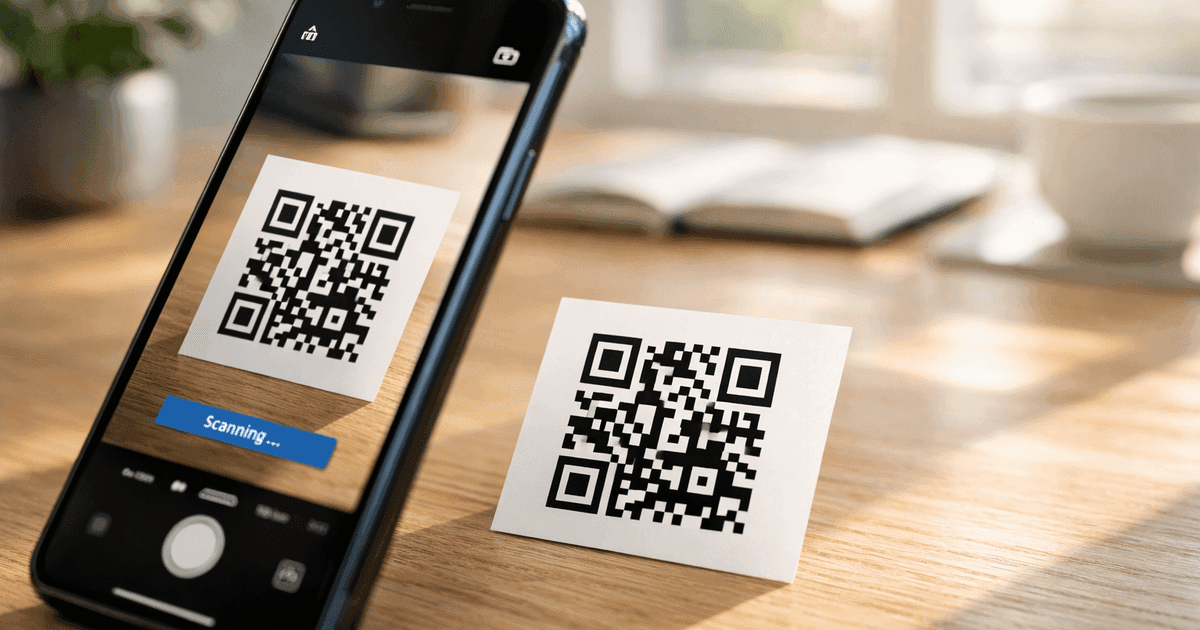

Learn if QR codes are safe to scan and which QR code generators are trustworthy. Understand the real risks, how to spot scams, and choose a safe generator.
The short answer: QR codes themselves are completely safe. They're just data containers—like a text file or a sticky note. They can't contain viruses, malware, or executable code.
But (and this is important): QR codes can link to dangerous websites, just like any hyperlink. The code is safe; where it takes you might not be.
Understanding the Real Risks
Let's separate fact from fear. Here's what QR codes can and cannot do:
What QR Codes CANNOT Do
- ❌ Contain viruses or malware
- ❌ Execute code on your phone
- ❌ Access your data without your action
- ❌ Automatically download files (you have to approve)
- ❌ Make payments without confirmation
What QR Codes CAN Do
- ✓ Link to any website (including malicious ones)
- ✓ Open phishing pages designed to steal credentials
- ✓ Trigger downloads (but you must approve them)
- ✓ Pre-fill forms with attacker-chosen data
- ✓ Connect you to unknown WiFi networks
The risk isn't in the QR code—it's in what you do after scanning.
How QR Code Scams Work
1. Phishing Attacks
The most common threat. A QR code links to a fake website that looks like a legitimate one (bank, email provider, social media). You enter your login credentials, which the attacker captures.
Example: A QR code on a parking meter links to "payhere-parking.com" instead of the real city payment site.
Protection: Always verify the URL before entering any information. Check for HTTPS and correct spelling.
2. Overlay Attacks (Sticker Scams)
Criminals place their QR code stickers over legitimate codes. You think you're scanning the restaurant's menu, but you're actually opening a malware site.
Where this happens: Public spaces, restaurants, parking lots, bus stops
Protection: Look for signs of tampering. Is the code a sticker placed over something? Does it look out of place?
3. Social Engineering
A QR code in an email, text, or physical mail claims urgency: "Scan to verify your account!" or "Your package is waiting—scan for details."
Protection: Never scan QR codes from unsolicited messages. Go directly to the company's website instead.
4. Malicious WiFi Networks
A QR code connects you to a WiFi network controlled by an attacker. Once connected, they can intercept your traffic and capture sensitive data.
Example: A "Free Airport WiFi" QR code in an airport lounge that connects to an attacker's hotspot instead of the official network.
Protection: Only scan WiFi QR codes from official sources. Verify with staff if unsure. Use a VPN on public networks.
5. Cryptocurrency and Payment Fraud
Attackers replace legitimate payment QR codes with their own wallet addresses. This is especially common with cryptocurrency where transactions are irreversible.
Example: A scammer places a sticker with their Bitcoin address over a donation QR code.
Protection: For cryptocurrency transactions, manually verify the first and last few characters of the wallet address match what you expect.
Real-World QR Code Scam Examples
Understanding how scams actually unfold helps you recognize them:
The Parking Meter Scam (2022)
In multiple US cities, scammers placed QR code stickers on parking meters. The codes led to convincing payment pages that collected credit card information. Cities had to issue public warnings and remove the stickers.
The Restaurant Review Scam
Fraudsters placed QR codes in restaurant windows offering "Leave a review, get 10% off." Scanning led to phishing pages collecting personal data. The restaurants had no idea until customers complained.
The Package Delivery Scam
Text messages and physical mail with QR codes claiming "Your package couldn't be delivered. Scan to reschedule." These lead to phishing sites or malware downloads. Legitimate carriers don't send QR codes this way.
The Crypto ATM Scam
Scammers call victims pretending to be from utilities, government agencies, or tech support. They direct victims to cryptocurrency ATMs and have them scan QR codes to send payments—which go directly to the scammer's wallet.
How to Scan QR Codes Safely
Before You Scan
- Consider the source: Is this code in a trustworthy location? A restaurant menu is safer than a random flyer.
- Check for tampering: Does the code look like a sticker placed over another?
- Be suspicious of urgency: Legitimate services don't pressure you with "scan immediately" tactics.
After You Scan (Before You Click)
Most phones show a preview of the URL before opening. Use this moment to verify:
- Check for HTTPS: Secure sites start with https://
- Verify the domain: Is it spelled correctly? Watch for tricks like "arnazon.com" or "paypa1.com"
- Match expectations: Does the URL match where you expected to go?
If You Accidentally Scan a Suspicious Code
- Don't enter any information
- Close the browser tab immediately
- If you entered credentials, change that password right away
- Run a security scan on your phone if concerned
Are QR Code Generators Safe?
Most reputable QR code generators are perfectly safe. But the industry has some bad actors. Here's how to identify trustworthy tools:
Green Flags (Signs of a Safe Generator)
- Clear pricing: You know exactly what's free and what costs money
- Transparent policies: Terms are easy to find and understand
- No required credit card: Truly free features don't need payment info "just in case"
- Established reputation: Reviews, recognizable brand, professional website
- Data ownership: Your codes work even if you stop using the service (for static codes)
- Privacy respect: They don't require excessive personal information
Red Flags (Signs to Avoid)
- "Free" but requires credit card: Classic bait-and-switch
- Codes expire without warning: Especially static codes, which shouldn't expire
- Injects their branding: Adds unwanted logos or redirects through their servers
- Vague expiration policies: Unclear when or why codes stop working
- Excessive data collection: Asking for information unrelated to QR codes
- Poor security practices: No HTTPS, asks for passwords via email
Questions to Ask Before Using a Generator
- Are static codes truly free and permanent?
- What happens to my codes if I cancel?
- Does the generator insert their branding into my codes?
- Who controls my data?
- Is there transparent pricing?
Our Approach at QR Code Maker: Static codes are free forever and never expire. We don't require credit cards for free features. We don't inject branding. We're transparent about what's free and what's paid. See our pricing.
Safe QR Code Practices for Businesses
If you're creating QR codes for your business, protect your customers:
Use Dynamic Codes for Public Materials
Dynamic codes let you change the destination if something goes wrong—like if your landing page URL changes or you need to update content.
Include Context
Tell people what they're scanning for:
- "Scan for menu"
- "Scan to join WiFi"
- "Scan to register"
Ambiguous codes feel suspicious.
Keep URLs Short and Recognizable
yourcompany.com/menu is more trustworthy than link.sketchy-service.com/xKj3mQ9
Monitor for Tampering
If you use QR codes in public spaces, check periodically that no one has covered them with malicious stickers.
Use HTTPS
Ensure your destination pages use HTTPS. It's expected in 2026, and its absence makes your code look suspicious.
Dynamic Codes and Account Security
If you use dynamic QR codes, your account becomes a security concern. If someone gains access, they could redirect your codes anywhere.
Protect Your QR Generator Account
- Use a strong, unique password
- Enable two-factor authentication if available
- Don't share login credentials
- Review linked codes periodically
If You Suspect a Compromise
- Change your password immediately
- Review all active codes and their destinations
- Check the edit history if available
- Contact the provider's support
What To Do If You've Been Scammed
If you've scanned a malicious QR code and entered information:
Immediate Steps
- Close any open pages from the suspicious scan
- Change passwords immediately for any accounts where you entered credentials
- Enable two-factor authentication on affected accounts if not already active
- Monitor financial accounts for unauthorized transactions
- Run a security scan on your device using reputable antivirus software
If Financial Information Was Compromised
- Contact your bank or credit card company immediately
- Request a new card number
- Place a fraud alert on your credit reports
- Document everything for potential disputes
Report the Scam
- FTC (US): reportfraud.ftc.gov
- IC3 (FBI): ic3.gov for internet crimes
- Local authorities: Especially for physical QR code tampering
- The business: If you found a malicious code at a legitimate business, they need to know
The Future of QR Code Security
As QR codes become more prevalent, security is evolving:
Secure QR Codes
Some organizations are developing QR codes with built-in authentication—digital signatures that verify the code came from a legitimate source. These aren't widespread yet but may become standard for sensitive applications.
Scanner Improvements
Phone manufacturers are adding more security features to built-in scanners, including better URL preview displays and warnings for suspicious domains.
User Education
The best defense remains awareness. As more people understand QR code risks, scammers have a harder time succeeding.
Frequently Asked Questions
Are QR codes safe to scan?
QR codes themselves are safe—they're just data containers that can't contain malware. However, they can link to malicious websites. Always preview the URL before opening, and be cautious of codes from unknown sources.
Can QR codes contain viruses or malware?
No. QR codes can only contain data like text or URLs—they cannot contain executable code. However, a QR code can link to a website that hosts malware or phishing pages. The code itself is harmless; the destination might not be.
Are free QR code generators safe?
Reputable free generators like QR Code Maker are safe. Be cautious of generators that require credit cards for "free" codes, have unclear expiration policies, insert their own branding or redirects, or ask for excessive permissions.
Can QR codes be hacked?
QR codes themselves can't be hacked remotely—the data is encoded in the pattern. However, physical QR codes can be covered with malicious stickers (overlay attacks). For dynamic codes, if someone gains access to your account, they could change the destination.
What are the signs of a malicious QR code?
Watch for stickers placed over existing codes, codes in suspicious locations, URLs with typos mimicking real sites (phishing), immediate requests for login or payment, and codes in unsolicited emails or messages.
How do I verify a QR code is safe before scanning?
Most phone cameras show a preview of the URL before you tap. Check for HTTPS, look for typos in the domain name, and verify the domain matches the expected source. If anything looks suspicious, don't proceed.
The Bottom Line
QR codes are as safe as the links in emails or websites—which is to say, they're a neutral technology that can be used well or poorly.
For scanning: Preview URLs before opening, verify domains, and be skeptical of codes from unknown sources.
For creating: Choose a reputable generator with transparent policies. Don't sacrifice security for "free." If you're ready to create your first code, our getting started with QR codes guide walks you through the process.
The technology isn't the risk. Your awareness and choices are what keep you safe.
Looking for a safe, transparent QR code generator?
QR Code Maker offers:
- Free static codes that never expire
- No required credit card for free features
- Transparent pricing with no hidden catches
- Professional tools without predatory practices
Free account includes unlimited static codes + 1 trackable dynamic code
Ready to create your QR code?
Free forever for static codes. Pro features with 14-day trial, no credit card required.

Irina Aguiar
·Content LeadIrina Aguiar leads content strategy at QR Code Maker, where she has written extensively on QR code technology, marketing, and business operations. Her work ranges from technical explainers on how QR codes are generated and how error correction works to practical guides on QR marketing, automation, and scan analytics — plus hands-on tutorials covering Python, Google Sheets, and Zapier integrations. She also publishes honest competitor comparisons and industry-specific playbooks for retail, real estate, hospitality, healthcare, and events.
More from Irina Aguiar →Related Articles
LinkedIn QR Code: Share Your Profile Instantly (2026 Guide)
Create a LinkedIn QR code to share your profile, company page, or post with one scan. Step-by-step guide with design tips, placement ideas, and tracking.
YouTube QR Code: Link Videos to the Physical World (2026 Guide)
Create a YouTube QR code that links to a video, channel, or playlist. Step-by-step guide with use cases for packaging, events, education, and marketing.
QR Code A/B Testing: How to Test What Actually Works
Most guides say print two QR codes and compare. Here's what they don't tell you about costs, statistical significance, and why one-code testing changes everything.