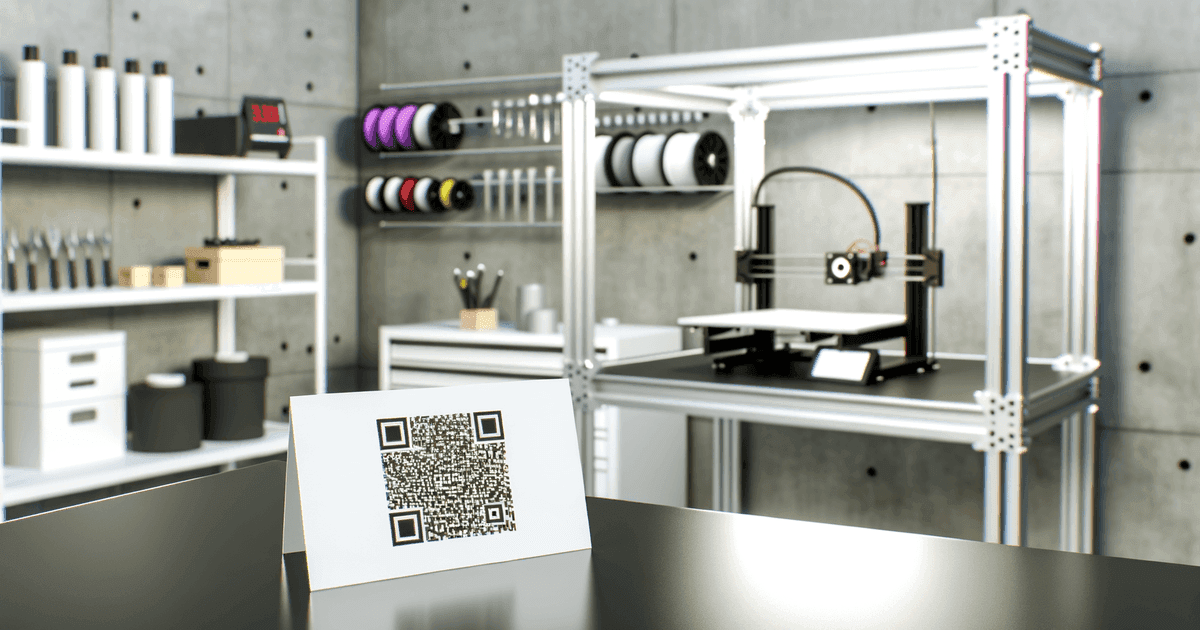

3D printed QR codes add durability and novelty to physical products. Here's how to create them, when they're worth the effort, and when regular printing works better.
Standard QR codes work perfectly well printed on paper, stickers, or screens. But sometimes you need something more durable, more tactile, or more interesting. That's where 3D printed QR codes come in.
This guide covers when 3D printing QR codes makes sense, how to create them, and the technical considerations that affect scannability.
What 3D Printed QR Codes Actually Are
A standard QR code is a 2D pattern of dark and light modules. A 3D printed QR code renders that same pattern in three dimensions—raised "pixels" and flat background, creating a physical object that can still be scanned.
How they work:
- Raised modules (traditionally black) create the pattern
- Flat background (traditionally white) provides contrast
- Phone cameras detect the pattern through shadow/contrast
- Same scanning technology, different physical form
Key technical point: The QR code doesn't need to be black and white. It needs contrast. Raised vs. flat creates contrast through shadows and material differences.
When 3D Printing Makes Sense
Durability Requirements
Regular printed or stickered QR codes wear out. 3D printed codes resist:
- Abrasion from handling
- Weather exposure
- Chemical exposure (depending on material)
- General wear and tear
Good for: Industrial equipment tags, outdoor signage, products that get handled repeatedly.
Integration with Physical Products
When the QR code needs to be part of the product itself, not just attached:
- Embedded in product casing
- Built into packaging molds
- Part of branded merchandise
- Integrated into furniture or fixtures
Good for: Water bottles, keychains, trophy bases, architectural elements.
Tactile Accessibility
3D printed codes can be felt as well as seen:
- Helpful for visually impaired users to locate codes
- Provides physical confirmation of code location
- Can include tactile instructions around the code
Good for: Public wayfinding, inclusive design, educational materials.
Novelty and Memorability
A 3D printed QR code is more interesting than a flat printed one:
- Trade show giveaways that people actually keep
- Wedding favors with registry links
- Unique business cards
- Art installations
Good for: Marketing where standing out matters more than cost.
Honest Assessment
For most applications, regular printed QR codes work perfectly fine and cost far less. 3D printing makes sense when durability, integration, or novelty provides real value—not just because it's technically possible.
When Regular Printing Is Better
Cost sensitivity: 3D printing per unit costs significantly more than printing stickers or paper.
High volume: Producing thousands of 3D printed codes is impractical. Print runs of hundreds of thousands of stickers cost pennies each.
Temporary use: Event signage, promotional campaigns, or anything temporary doesn't need permanent physical codes.
Indoor controlled environments: Where codes won't face wear, weather, or handling, durability adds no value.
Speed: 3D printing takes time. Need codes tomorrow? Print them.
minimum practical size for 3D printed QR codes
more data capacity vs. traditional barcodes
damage tolerance with error correction
Creating 3D Printed QR Codes
Step 1: Generate the Base QR Code
Create your QR code as you normally would:
- Use a standard QR code generator
- Link to your URL, text, or other content
- Consider using dynamic codes if the destination might change
Export format: You'll need either SVG or high-resolution PNG. SVG is preferable for clean vector conversion.
Step 2: Convert to 3D Model
Transform the 2D code into a printable 3D model:
Option A: Dedicated QR-to-3D tools Online services convert QR codes directly to 3D-printable files. Search for "QR code to STL converter."
Option B: 3D modeling software
- Import the 2D QR code (SVG or traced from PNG)
- Extrude the dark modules to create raised areas
- Leave light areas as the flat base
- Export as STL file for printing
Software options:
- Tinkercad (free, beginner-friendly)
- Fusion 360 (more capable, free for personal use)
- SketchUp (intuitive for beginners)
- OpenSCAD (code-based, good for automation)
Step 3: Optimize for Printing
Module height: Raised areas typically 1-2mm above background. Too low lacks contrast; too high creates scanning angle issues.
Base thickness: Include adequate base layer for structural integrity—typically 2-4mm depending on overall size.
Size considerations:
- Minimum practical size: ~2 × 2 cm
- Larger is better for reliable scanning
- Consider where/how the code will be scanned
Error correction level: Use higher error correction (Level M or higher) to compensate for any printing imperfections.
Step 4: Material and Color Selection
For single-material printing:
- Choose a material that creates shadow contrast
- Light-colored materials with raised areas work well
- Dark materials with light backgrounds also work
For multi-material or multi-color printing:
- Print raised modules in one color, background in contrasting color
- Black/white provides maximum contrast
- Any high-contrast combination works (dark blue/white, red/white, etc.)
Material considerations:
- PLA: Good for indoor use, easy to print
- PETG: More durable, better for outdoor use
- ABS: Durable but requires ventilation
- Resin: High detail but more complex process
Step 5: Print and Test
Print settings for QR codes:
- Slower speeds for cleaner module edges
- Enable "linear advance" or similar for sharper corners
- Use adequate infill for structural integrity
Critical: Test before production
- Scan the printed code immediately
- Test at various angles and distances
- Verify it works in different lighting
- Check that it links to correct destination
The Contrast Problem
The most common failure in 3D printed QR codes is insufficient contrast. If the code doesn't scan, try: changing materials/colors, increasing module height, improving lighting, or printing larger.
Practical Applications
Trade Show Merchandise
Use case: Branded keychains, bottle openers, or desk items with embedded QR codes linking to product information or lead capture.
Why it works: People keep useful items. A 3D printed code attached to something they'll use keeps your information accessible.
Implementation: Design the QR code as part of the item, not an afterthought. The code should be scannable without awkward positioning.
Industrial Tagging
Use case: Asset tracking, maintenance information, safety data sheets accessible via scan.
Why it works: Industrial environments destroy stickers. Molded or 3D printed codes survive.
Implementation: Use durable materials, ensure codes are accessible for scanning, consider environmental factors (oil, dust, etc.).
Product Packaging
Use case: Premium products where packaging is part of the experience—QR codes integrated into packaging design.
Why it works: Adds tactile element to unboxing, creates memorable interaction.
Implementation: Works best for rigid packaging (boxes, containers). Flexible packaging still needs printed codes.
Accessibility Features
Use case: Public signage, educational materials, or products designed for users with visual impairments.
Why it works: Raised codes can be located by touch, providing a physical anchor for digital access.
Implementation: Include tactile instructions explaining the code, ensure raised pattern is distinct enough to feel.
Art and Installations
Use case: Interactive art, museum exhibits, architectural features with scannable elements.
Why it works: 3D printed codes become design elements rather than afterthought stickers.
Implementation: Consider viewing angles, lighting, and how visitors will interact with the piece.
Technical Specifications
Size Guidelines
| Application | Minimum Size | Recommended Size |
|---|---|---|
| Keychains/small items | 2 × 2 cm | 2.5 × 2.5 cm |
| Product packaging | 2.5 × 2.5 cm | 3 × 3 cm |
| Signage (close viewing) | 3 × 3 cm | 4 × 4 cm |
| Signage (distance viewing) | 5+ × 5+ cm | Scale for distance |
Design Specifications
- Module height: 1-2mm above base
- Quiet zone: Include adequate margin around code (minimum 4 modules width)
- Error correction: Level M (15%) or L (7%) minimum; Q (25%) or H (30%) for durability
- Module definition: Sharp edges between raised/flat areas
Material Compatibility
| Material | Indoor | Outdoor | Chemical Resistance | Ease of Printing |
|---|---|---|---|---|
| PLA | Excellent | Poor | Low | Easy |
| PETG | Excellent | Good | Medium | Moderate |
| ABS | Excellent | Good | Medium | Moderate |
| Nylon | Excellent | Excellent | High | Difficult |
| Resin | Excellent | Varies | Medium | Moderate |
Frequently Asked Questions
Can any 3D printer create scannable QR codes?
Most FDM (filament) printers can create scannable QR codes at 2+ cm size. Resin printers offer finer detail for smaller codes. The key is adequate resolution to create distinct modules and sufficient contrast between raised and flat areas.
What's the smallest 3D printed QR code that will scan?
Practically, about 2 × 2 cm for FDM printers, smaller with resin printers. However, larger codes are more reliably scannable. For typical consumer phone cameras, 2.5+ cm provides reliable scanning.
Do I need to use black and white filament?
No. You need contrast, not specific colors. Any high-contrast combination works: dark blue/white, red/cream, black/yellow. Single-color prints work through shadow contrast from the raised modules.
Can I 3D print a dynamic QR code?
Yes. The QR code pattern itself is static—it's printed once. But if that pattern encodes a dynamic URL (from a service that lets you change destinations), you get the benefit of dynamic functionality with the durability of a physical code.
How durable are 3D printed QR codes?
Depends on material. PLA works for indoor, handled items. PETG or ABS for outdoor use. For truly harsh environments, consider injection molding the design or metal casting from a 3D printed mold.
Getting Started
Before 3D printing, you need a QR code to print:
- URL QR codes - Link to any web destination
- Text QR codes - Encode text directly in the code
- vCard QR codes - Share contact information
Download your code as SVG for easiest 3D conversion. For codes that might need destination updates in the future, view our pricing for dynamic codes that maintain the same physical appearance while letting you change where they point.
The 3D printing process is the creative part. The QR code generation is straightforward—start there, then build your physical creation around it.
Ready to create your QR code?
Free forever for static codes. Pro features with 14-day trial, no credit card required.

Irina Aguiar
·Content LeadIrina Aguiar leads content strategy at QR Code Maker, where she has written extensively on QR code technology, marketing, and business operations. Her work ranges from technical explainers on how QR codes are generated and how error correction works to practical guides on QR marketing, automation, and scan analytics — plus hands-on tutorials covering Python, Google Sheets, and Zapier integrations. She also publishes honest competitor comparisons and industry-specific playbooks for retail, real estate, hospitality, healthcare, and events.
More from Irina Aguiar →Related Articles
Short URLs and QR Code Technical Best Practices
Shorter URLs create simpler QR codes. Here's the technical detail on URL length, scanning reliability, and best practices that actually matter.
Data Matrix vs QR Codes: Which 2D Barcode Should You Use?
Both are 2D barcodes, but they're built for different purposes. Here's when to use QR codes, when Data Matrix makes sense, and why it matters.
LinkedIn QR Code: Share Your Profile Instantly (2026 Guide)
Create a LinkedIn QR code to share your profile, company page, or post with one scan. Step-by-step guide with design tips, placement ideas, and tracking.