QR Codes Texte Simple
Créez un code QR texte gratuit qui affiche jusqu'à 2 000 caractères au scan, sans internet. Idéal pour numéros de série, instructions ou codes d'accès.
Les QR codes Texte Simple affichent du texte directement sur le téléphone du scanner. Pas de site web, pas de redirection—juste du texte. Simple et utile pour les numéros de série, instructions, codes ou toute information que vous souhaitez transmettre instantanément.
Ce qu'il fait
Lorsque quelqu'un scanne, son téléphone affiche le texte que vous avez encodé. C'est tout. Pas d'internet requis, pas de site web à charger. Le texte apparaît immédiatement.
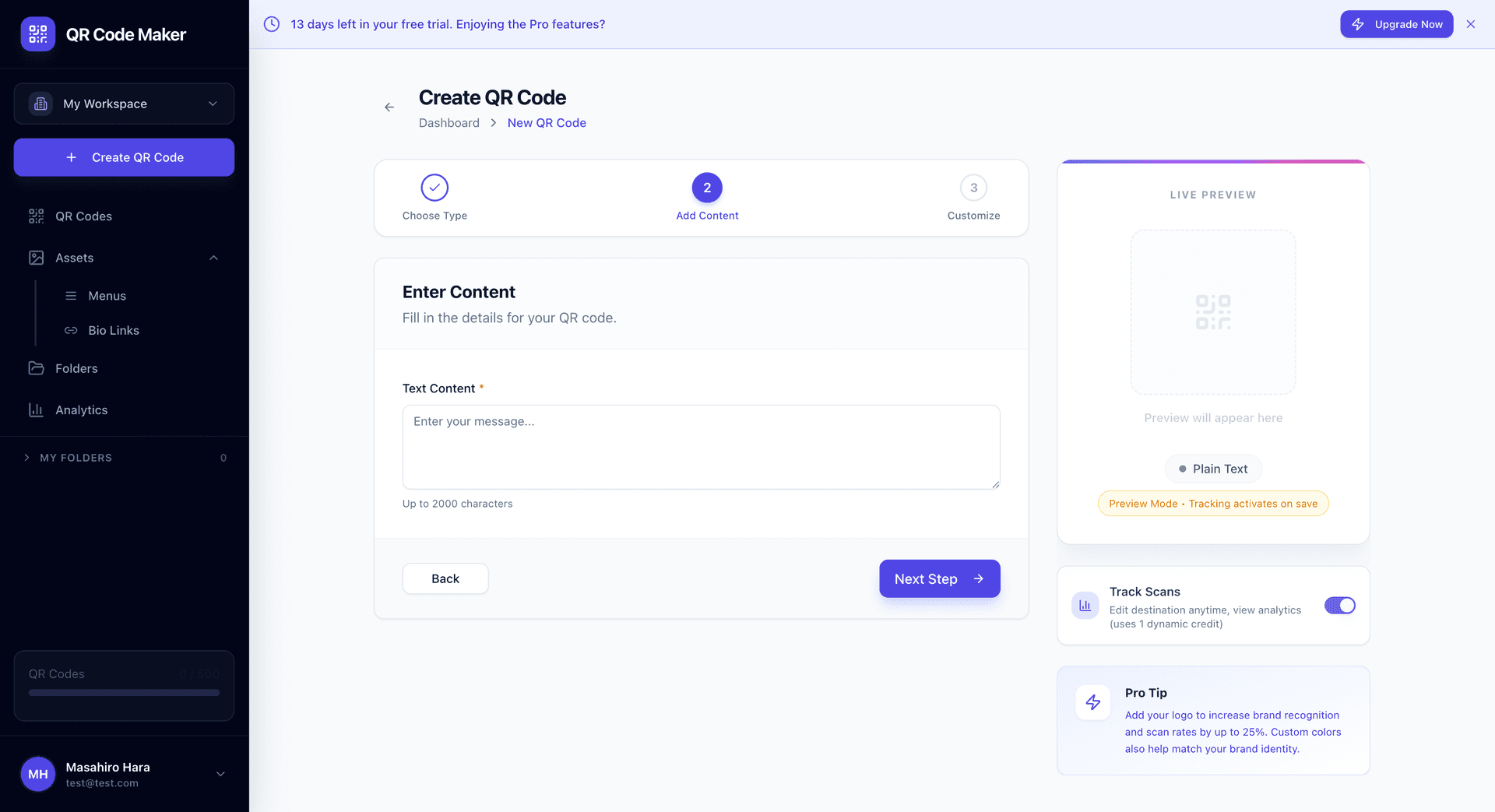
Créer un QR Code Texte
Cliquez sur + Créer un QR Code, sélectionnez Texte Simple, tapez votre texte et téléchargez. Vous pouvez entrer jusqu'à 2000 caractères.
Plus de texte = Motif plus dense
Les QR codes encodent les données dans leur motif. Un texte plus long signifie plus de données, ce qui signifie un motif plus dense et plus complexe. Restez concis pour un scan facile.
Cas d'utilisation
Numéros de série et identifiants : Numéros de série de produit, étiquettes d'actifs, codes d'inventaire.
Instructions : Brèves instructions d'utilisation, conseils d'assemblage, astuces d'utilisation.
Codes de vérification : Codes à usage unique, numéros de confirmation, ID de référence.
Poèmes et citations : Textes créatifs courts, messages de dédicace, citations commémoratives.
Sauvegarde WiFi : Alternative au QR WiFi—affichez simplement le mot de passe comme texte.
Notes et rappels : Laissez une note pour que quelqu'un la scanne plus tard.
Sauvegarde infos contact : Une alternative simple au vCard pour les détails de contact de base.
QR Texte vs Autres types
| Besoin | Utilisez ce type |
|---|---|
| Partager un site web | QR Site Web |
| Partager identifiants WiFi | QR WiFi |
| Partager infos contact | QR vCard |
| Afficher texte simple | QR Texte Simple |
| Pré-composer un email | QR Email |
Le Texte Simple est le fourre-tout pour quand vous avez juste besoin de transmettre des informations et qu'aucun format spécialisé ne convient.
QR Code statique
Les QR codes Texte Simple sont statiques—le texte est encodé directement dans le motif QR. Cela signifie :
- Ne peut pas être modifié après création
- Pas de suivi de scan disponible
- Fonctionne hors ligne (pas d'internet nécessaire)
- Garanti de fonctionner pour toujours (pas de dépendance serveur)
Si vous devez mettre à jour le texte plus tard ou suivre les scans, utilisez un QR Site Web dynamique qui renvoie vers une page avec votre texte.
Longueur de texte et densité du motif
| Longueur de texte | Complexité du motif | Facilité de scan |
|---|---|---|
| < 100 caractères | Simple | Très facile |
| 100-500 caractères | Modéré | Facile |
| 500-1000 caractères | Dense | Nécessite bonne caméra |
| 1000-2000 caractères | Très dense | Nécessite impression haute résolution |
Pour de meilleurs résultats, gardez le texte sous 500 caractères lorsque possible. Si vous en avez besoin de plus, assurez-vous d'imprimer à une taille plus grande.
Conseils de formatage
Les sauts de ligne fonctionnent. Appuyez sur Entrée pour ajouter des sauts de ligne—ils s'afficheront sur le téléphone.
Pas de formatage enrichi. Gras, italique, couleurs ne fonctionneront pas. C'est du texte simple uniquement.
Utilisez l'espacement judicieusement. Organisez les informations avec des sauts de ligne et un formatage simple.
Testez la lisibilité. Scannez votre code et assurez-vous que le texte est facile à lire sur un écran de téléphone.
Exemples d'utilisations
Étiquette d'actif :
ID Actif : LAP-2024-0847
Modèle : Dell Latitude 5540
Assigné : Dpt Marketing
Support : IT@entreprise.com
Vérification produit :
Produit Authentique
Série : XK9-442-JWP
Vérifier sur entreprise.com/verifier
Fabriqué : Déc 2024
Instructions événement :
Instructions d'enregistrement :
1. Montrez ce code à l'Inscription
2. Récupérez votre badge
3. Dirigez-vous vers le Hall B
Questions ? Envoyez SMS au 555-0123
Questions fréquentes
Y a-t-il une limite de caractères ? Oui, environ 2000 caractères maximum. Plus de caractères créent des motifs plus denses qui sont plus difficiles à scanner.
Puis-je inclure des emojis ? Techniquement oui, mais toutes les caméras de téléphone ne les rendent pas de manière cohérente. Tenez-vous-en aux caractères réguliers pour la fiabilité.
Puis-je formater le texte (gras, couleurs) ? Non. Les QR codes encodent uniquement du texte simple. Le formatage n'est pas possible.
Que se passe-t-il si j'ai besoin de plus de texte ? Créez une page web avec votre texte complet et utilisez un QR Site Web pour y renvoyer.
Puis-je mettre à jour le texte après impression ? Non, les QR codes Texte Simple sont statiques. Vous devrez créer un nouveau QR code avec le texte mis à jour.
Les caractères spéciaux fonctionneront-ils ? La plupart des caractères spéciaux fonctionnent bien. Si vous utilisez des caractères inhabituels, testez en scannant avant de finaliser.