Learn how to use QR codes in emails to boost engagement and conversions. Our guide covers actionable strategies, design tips, and real-world examples.
Using QR codes in emails is a modern marketing strategy that turns a static message into an interactive experience, creating a direct, scannable bridge from a recipient's inbox to a specific action. This approach simplifies the user journey, especially for mobile readers, by replacing clunky link clicks with a quick camera scan.
This isn't just a niche tactic anymore. The data shows it's gone mainstream, with recent trends indicating that the US scanner base is projected to hit 100 million by 2025. It's clear this is how a huge chunk of your audience prefers to connect. You can dig deeper into the trends driving QR code adoption to see the full picture.
Why Should You Put a QR Code in an Email?
Let's be honest: the user journey from email to action on a mobile device can be clunky. Clicking a link, waiting for a browser to open, navigating a mobile site—every step is a chance for someone to lose interest and drop off.
A QR code shortens that journey dramatically, especially for your mobile readers. Instead of tapping, switching apps, and waiting, they just point their camera. That simple scan instantly connects them where you want them to be, removing friction and making it far easier for subscribers to actually engage.
Bridging the Digital and Physical Worlds
This is where QR codes really shine. They excel at connecting your online marketing directly to offline actions. A small business, for instance, could embed a code that adds an upcoming store event to a user’s calendar. Or one that pulls up directions to your front door in Google Maps. A traditional link just can't replicate that seamless transition.
Enhancing Engagement on Mobile
The majority of emails are now opened on mobile devices. QR codes are built for the very same devices your audience is using to read your messages. This natural synergy creates a much more intuitive experience and encourages people to act on the spot.
Key Takeaway: The single biggest benefit of QR codes in email is reducing the number of steps a user has to take. Fewer steps mean less friction and a much higher chance of conversion.
A single QR code can send users to all kinds of destinations, each serving a different goal. Here are a few of the most common plays we see:
- Exclusive Discounts: Link straight to a landing page with a unique coupon for in-store or online checkout.
- Event Registrations: Take users directly to an RSVP form for a webinar or live event. No searching required.
- App Downloads: Simplify the path to the App Store or Google Play, bypassing confusing search results.
- Feedback and Reviews: Guide happy customers to your Google review page or a private feedback survey.
By integrating a QR code, you're not just sending information; you're providing a direct, actionable gateway. Using a tool like QR Code Maker lets you create dynamic, trackable codes, giving you hard data on scan rates and user engagement to measure the true impact of your campaigns.
How Do You Create and Embed a Trackable QR Code?
To get the most out of QR codes in emails, you need to start with the right kind: dynamic. Forget static codes—those are a one-and-done deal where the destination is permanently locked in. Once you send that email, you can't change a thing.
Dynamic QR codes, on the other hand, are editable. This is a lifesaver. It means you can update the link behind the code anytime, even after your campaign is out the door. Caught a typo in the URL? No problem. Want to redirect an old campaign to a new offer? Easy.
Even better, dynamic codes are trackable. You get real data on who’s scanning your code, when, and from where. This turns a simple black-and-white square into a serious analytics tool that helps you understand what's actually working.
Generating Your Custom QR Code
First things first, let's create a code that works hard and looks good. Using a tool like QR Code Maker, you can knock this out in a few minutes.
- Choose a Dynamic URL Code: Grab the URL you want people to land on—a product page, a special offer, whatever it is—and select the "URL" code type.
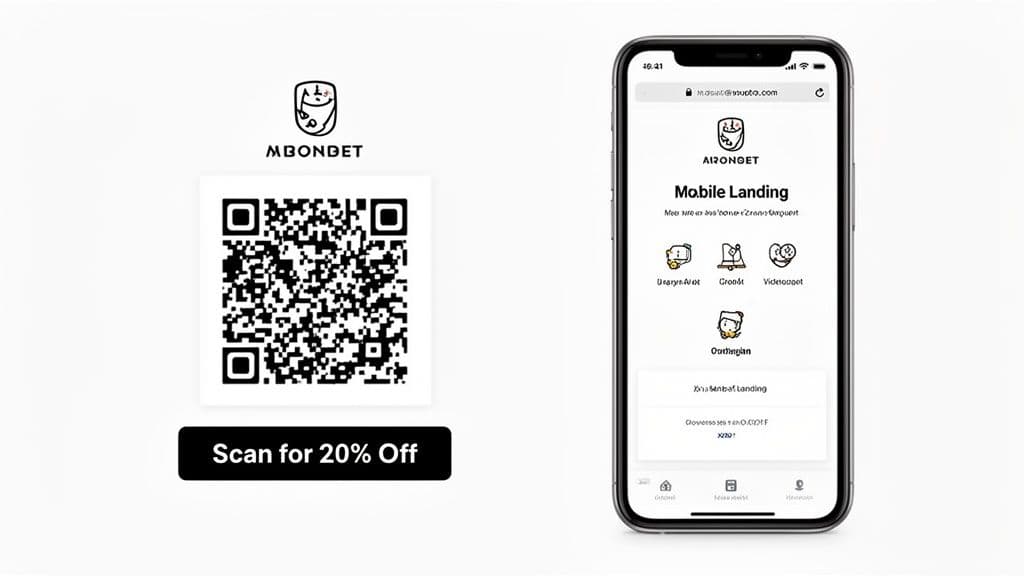
- Brand It: A generic QR code looks sketchy and gets ignored. Customize it. Pop your logo in the center, tweak the colors to match your email's design, and add a frame with a clear call-to-action (CTA) like "Scan for 20% Off."
- Download a High-Res Version: For email, you need a crystal-clear image. Download your finished QR code as a high-resolution PNG or SVG file. This keeps it sharp and scannable on every screen, from big desktop monitors to tiny phone displays, avoiding the pixelated mess that leads to scan failures.
The user's journey is incredibly simple: they see the email, scan the code, and take action. It's a direct bridge from their inbox to your intended goal.
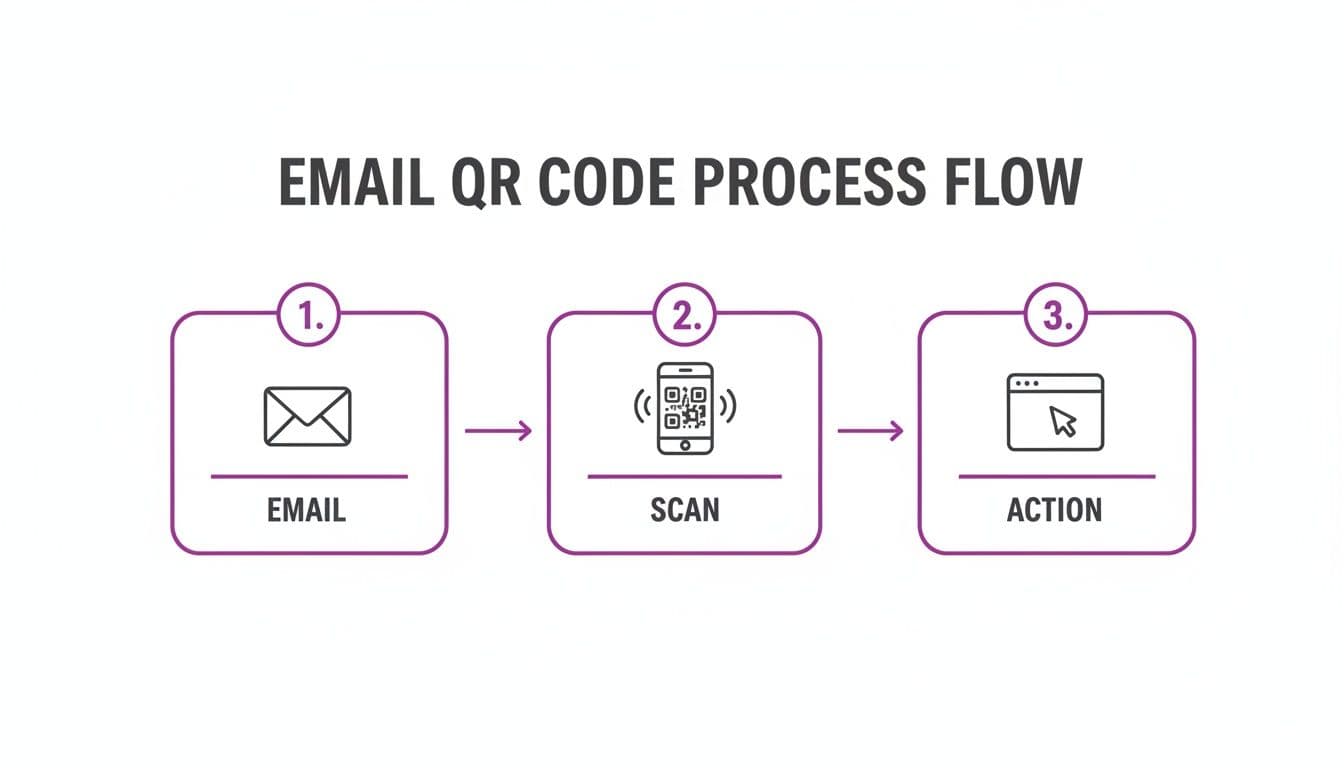
This seamless flow is what makes QR codes so effective in the first place.
Embedding the QR Code into Your Email
Got your QR code image? Great. Now it's time to get it into your email template. This part is pretty much the same across any email service provider (ESP) you might be using, like Mailchimp or HubSpot.
Find the "Image" block in your email editor and drag it to where you want the code to appear. Upload the QR code file you just downloaded.
Here’s the final, crucial step: link the image to the exact same URL you encoded. This is a non-negotiable fallback. It ensures that anyone who clicks the QR code image on a desktop computer still gets sent to the right page.
Best Practices for Placement and Sizing
Where you put the QR code and how big you make it can make or break your campaign. A tiny, buried code is a wasted effort.
- Size It for Scannability: The code needs to be big enough for a phone camera to easily pick it up. A minimum size of 1x1 inch (2.5x2.5 cm) is a solid rule of thumb. If your code design is complex, you might even need to go a bit larger.
- Maintain a "Quiet Zone": Don't crowd your QR code. Make sure there’s plenty of white space around all four sides. This border helps phone cameras isolate the code from the rest of your email’s design elements.
- Position for Mobile First: People scan codes with their phones, so design for that experience. Place the QR code somewhere prominent where it’s visible without a ton of scrolling. Centering it within its own section usually works best.
Pro Tip: Always add descriptive alt text to your QR code image, like "Scan this QR code to get 20% off your next purchase." This is huge for accessibility—it helps users with screen readers understand the context, and it tells everyone what the image is for if it fails to load.
Always Test Before Sending
I can't stress this enough: test, test, and test again before you launch the campaign. This final check is the only way to guarantee a smooth experience for every single subscriber.
Send a test email to yourself and a few colleagues. Scan the code using different phones (both iOS and Android) and from different email clients (Gmail, Apple Mail, Outlook). Does it scan instantly? Does it land on the correct, mobile-friendly page?
This simple check can save you from the massive headache of sending a broken or unscannable code to your entire list. To dig deeper into the data side of things, you can learn more about the benefits of using trackable QR codes in our detailed guide.
What Are Some Strategic Ways to Use QR Codes in Emails?
Putting a QR code in an email is more than just a fancy trick; it’s about turning a static message into something your audience can actually interact with. The real magic happens when you build a strategy around it—one that solves a real business problem and fits naturally into your customer's experience. Let's walk through some practical examples you can steal for your own campaigns.
Drive In-Store Foot Traffic for Retail
You're a local boutique, and you need to get more people through the door on weekdays. A standard "15% Off" link is fine, but it doesn't create any urgency to actually visit. This is where a QR code can be a game-changer.
Instead of a generic link, your email can announce a "flash sale" just for subscribers. Embed a branded QR code with a clear call-to-action: "Scan to Reveal Your In-Store Coupon."
When they scan it, they land on a mobile-friendly page displaying a unique coupon that's only valid for the next 48 hours. This approach works on multiple levels:
- It feels exclusive. This isn't just another mass email blast; it’s a special offer they have to unlock.
- It creates urgency. That ticking clock prompts them to plan a visit soon.
- It bridges the gap. You've just connected an email they read on their couch to a potential purchase in your physical store.
Streamline Event Management and Engagement
For anyone running events, QR codes are a logistical lifesaver. Picture this: you're hosting a local business conference. Your confirmation and reminder emails are the perfect place for a QR code that does more than one job.
The most obvious use is ticketing. Pop a unique QR code into each confirmation email, and suddenly you have a digital ticket system. Attendees just flash their phone at the door, your staff scans the code, and they’re checked in. No paper, no fuss, and the line moves way faster.
But why stop there? That same QR code can link to a dynamic event hub. Before the conference, it can point to a page with the schedule, speaker bios, and a venue map. During a session, you can change the destination on the fly to a live Q&A portal or a feedback survey.
A single QR code transforms from a simple check-in tool into an all-in-one event guide. You simplify your own workflow while giving attendees a much better, more interactive experience.
Gather Smarter Customer Feedback for Restaurants
Every restaurant owner lives and breathes reviews. You want more five-star ratings, and you definitely want a chance to fix bad experiences before they end up on Yelp. A QR code in your post-dining "Thank You" email can handle this beautifully.
The code can link to a simple landing page that asks, "How was your experience?" with two clear options: "It was great!" and "It could have been better."
- Happy Customers: If they tap "It was great!", they're sent directly to your Google Reviews page, ready to leave that glowing five-star rating. You've removed all the friction.
- Unhappy Customers: If they choose the other option, they're taken to a private feedback form. This gives them a direct line to you to air their grievances, and it keeps negative comments off public review sites.
This isn't about hiding bad reviews; it's about giving unhappy customers a chance to be heard and giving yourself a chance to make things right.
Enhance Real Estate and Property Listings
In real estate, immersion sells. An email announcing a new listing can include a QR code with a powerful CTA: "Take the 3D Virtual Tour."
When a potential buyer scans it, they’re instantly dropped into a virtual tour of the home right on their smartphone. It’s far more engaging than clicking a link that just opens another browser tab. The experience feels immediate and modern, letting them walk through the property from anywhere.
This tactic is a huge win for out-of-town buyers or anyone with a packed schedule. It gives them a detailed preview that static photos can't compete with and helps you qualify leads by engaging the people who are serious enough to explore further.
Comparing Use Cases by Industry Goal
At the end of the day, the right QR code strategy depends entirely on what you're trying to achieve. Here’s a quick breakdown of how these examples align with different business goals.
| Industry Vertical | Primary Business Goal | QR Code Strategy Example |
|---|---|---|
| Retail & Ecommerce | Increase In-Store Sales | Email a QR code for a time-sensitive, in-store-only discount to drive foot traffic. |
| Restaurants | Improve Online Reputation | Use a QR code to route happy diners to review sites and unhappy ones to a private feedback form. |
| Events & Conferences | Simplify Logistics | Embed a QR code in confirmation emails for fast digital check-in and access to an event schedule. |
| Real Estate | Generate Qualified Leads | Include a QR code in listing emails that links directly to an immersive 3D virtual tour of the property. |
Each of these examples shows that a QR code isn't just a shortcut to a webpage—it's a tool for solving a specific business problem. With a versatile platform like QR Code Maker, you can create and manage dynamic codes for any of these scenarios, all while tracking the scan analytics to see what’s truly connecting with your audience.
How Do You Design QR Code Emails That Actually Convert?
A QR code in an email can be incredibly effective, but its success isn't automatic. Just dropping a black-and-white square into your template and hoping for the best is a recipe for low engagement. The real magic happens when you build an experience around it—one that guides your subscribers from seeing the code to actually scanning it.
It all boils down to clarity, trust, and giving them a compelling reason to pull out their phone.
Crafting a Compelling Call to Action
The first, most critical step is pairing your QR code with a strong, unambiguous call-to-action (CTA). Your subscribers need to know exactly what they’ll get before they even think about opening their camera app.
Vague instructions like "Scan Me!" create hesitation and distrust. Instead, be specific and focus on the benefit.
Here are a few examples that work:
- "Scan for 20% Off Your Next Order"
- "Scan to RSVP for Our Webinar"
- "Scan to Get Your Free eBook"
The incentive you offer is everything. A value-driven CTA isn't just a good idea, it's non-negotiable for motivating users to take the extra step of scanning a code.
Essential QR Code Design Principles
Beyond the CTA, the visual design of the QR code itself plays a huge part in its performance. A poorly designed code can fail to scan, which immediately frustrates users and kills your conversion rates.
Stick to these fundamental design rules:
- Maintain a "Quiet Zone": Always leave a margin of empty space around the edges of your QR code. This whitespace is crucial; it helps phone cameras lock onto the code without getting distracted by other design elements in your email.
- Ensure High Contrast: The classic black-on-white QR code works so well for a reason—it offers maximum contrast. If you decide to use brand colors, make sure the foreground is significantly darker than the background. Light-colored or pastel codes are notorious for failing to scan.
- Add Your Logo: Placing your brand's logo in the center of the QR code is a simple and powerful way to build trust. It instantly signals to the user that the code is legitimate and belongs to you, which helps overcome any hesitation they might have about scanning it.
Key Insight: A branded QR code with a clear CTA and proper spacing isn't just a best practice—it's what makes your email look professional and trustworthy. It transforms the code from a generic graphic into an intentional, integrated part of your campaign.
For a deeper dive, check out our complete guide on how to design a QR code that stands out and scans perfectly every time.
Why Dynamic Codes Are Superior for Email Marketing
When you create a QR code for an email campaign, you have two choices: static or dynamic. While a static code might seem simpler, it’s the wrong choice for any serious marketing effort. For email, dynamic is the only way to go.
A static QR code permanently embeds the destination URL directly into the code's pattern. Once it's generated, you can never change where it points. If you spot a typo in the URL after hitting "send," that code is broken forever.
On the other hand, a dynamic QR code uses a short redirect URL. This means you can change the final destination link at any time, even after your campaign is already in your subscribers' inboxes. This flexibility is a lifesaver for fixing errors, updating offers, or A/B testing landing pages.
Let's put them side-by-side to see the difference.
Static vs. Dynamic QR Codes in Email Campaigns
When deciding between static and dynamic QR codes for your email marketing, the choice has significant implications for flexibility, tracking, and overall campaign effectiveness. While static codes have their place, dynamic codes are almost always the superior option for marketing.
| Feature | Static QR Code | Dynamic QR Code |
|---|---|---|
| URL Destination | Permanent and unchangeable. | Editable anytime, even after sending. |
| Scan Analytics | Not available. You have no data on scans. | Provides detailed tracking (scans, location, device). |
| Campaign Flexibility | None. A mistake requires a whole new code. | High. Update links for new promotions or fixes. |
| Best For | Permanent info like WiFi access or contact info. | All marketing campaigns, promotions, and events. |
In short, dynamic codes give you the control and data needed to run a professional, agile campaign, while static codes are a one-and-done tool with no room for error or optimization.
Always Optimize for a Mobile-First Experience
This is the golden rule of using QR codes in emails: the entire user journey must be optimized for mobile. Remember, every single person who scans your code will be doing so with a smartphone. No exceptions.
This means two things. First, your email template absolutely must be responsive so the QR code displays clearly on small screens.
Second, and even more importantly, the destination page the QR code links to must be flawlessly mobile-friendly. If a user scans your code only to land on a clunky desktop site they have to pinch and zoom to navigate, they will bounce immediately. Always test the entire flow—from opening the email to interacting with the landing page—on your own phone before sending it to your list.
How Can You Measure QR Code Campaign Success?
Simply launching a QR code campaign and hoping for the best isn't a strategy. To know what's working, you must measure your success by tracking and analyzing how people interact with your codes. This data tells you exactly what to tweak for better results next time.
This data is what turns a decent campaign into a great one. Dynamic QR codes provide the rich analytics needed to understand and optimize performance, which is why they are a go-to tool for savvy marketers.
Unpacking Your QR Code Analytics
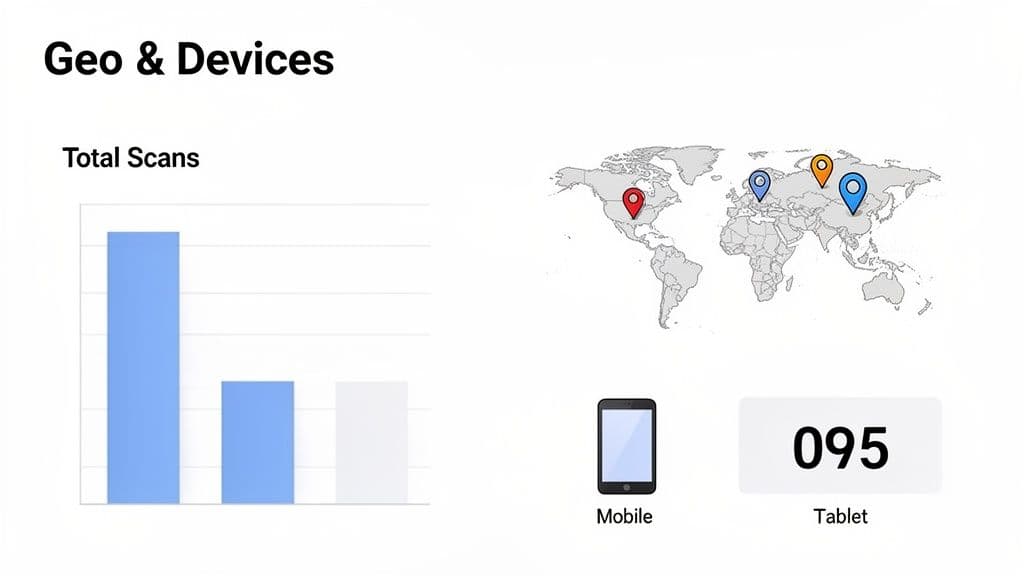
When you use a dynamic QR code from a platform like QR Code Maker, you unlock a dashboard full of valuable metrics. This isn't just about counting scans; it's about digging into the story behind those numbers to see who your audience is and how they behave.
Here are the key metrics you should be watching:
- Total Scans: The big-picture number. It tells you how many times your code was scanned and gives you a quick pulse on overall engagement.
- Unique Scans: This shows how many individual devices scanned your code. If your total scans are high but unique scans are low, it could mean a few super-fans are scanning repeatedly.
- Scan Location: Get a geographic breakdown of where your scans are coming from, sometimes right down to the city. This is gold for understanding regional interest in your offers.
- Time of Scan: Your analytics will show the day and time of each scan. This helps you pinpoint peak engagement hours for your audience, so you can schedule future emails more effectively.
- Device Type: Find out if your audience is scanning on iOS or Android. This can influence how you optimize your landing pages for specific operating systems.
The real goal isn't just to collect data, but to turn it into action. See a sudden spike in scans from a specific city? Maybe it’s time to run a targeted ad campaign there.
Synthesizing QR Metrics with Email Analytics
Your QR code data is powerful on its own, but it becomes a game-changer when you pair it with your email marketing metrics. By looking at both sets of data together, you get a complete picture of your campaign’s performance, from the moment someone opens the email to when they take action.
To get the full story, pull up your email service provider’s report and compare it against your QR code dashboard.
| Email Metric | QR Code Metric | What It Tells You |
|---|---|---|
| High Open Rate | Low Scan Rate | Your subject line was a winner, but the QR code's offer or CTA inside the email didn't convince people to scan. |
| Low Open Rate | High Scan Rate | The few who opened were highly motivated. Your offer is strong, but your subject line or send time needs work. |
| High Click Rate (on other links) | Low Scan Rate | Your audience prefers clicking traditional links, or the QR code's placement wasn't prominent enough. |
| High Open Rate | High Scan Rate | Bingo! You've hit the sweet spot. Both your email content and your QR code offer are resonating with your audience. |
This kind of comparison helps you diagnose problems with precision. If your email stats look good but scans are low, the issue isn't the email itself—it’s the QR code's value proposition or placement.
For a deeper dive into the technical side, check out our guide on how to track QR code scans. By connecting these dots, you can stop guessing and start making informed decisions to improve every part of your email campaigns.
What Are Common QR Code Mistakes to Avoid?
Even the sharpest email campaign can fall flat if the QR code experience is broken or just plain frustrating. It's crucial to sidestep a few common pitfalls to make sure your QR codes in emails not only get scanned but actually create a positive moment with your brand.
These mistakes are surprisingly easy to make, but thankfully, they're just as easy to prevent.
One of the biggest blunders is linking a QR code to a webpage that isn’t mobile-friendly. Think about it: every single scan happens on a smartphone. The destination has to be flawless on a small screen. If someone lands on a desktop site and has to pinch and zoom just to figure out what's going on, they're gone. Instantly.
Another classic mistake? Making the QR code too small. A tiny code buried in a footer or sized like a thumbnail is often impossible for a phone’s camera to pick up. That just leads to scan failures and annoyed subscribers.
Forgetting the Call to Action
Just dropping a QR code into your email and hoping for the best is a recipe for terrible engagement. Your subscribers need to know why they should pull out their phone and scan it. What’s in it for them?
A QR code needs a clear, compelling call-to-action (CTA) right beside it. Vague text like "Scan Me" just doesn't cut it. You have to sell the value behind the scan.
- Instead of: "Scan Here"
- Try: "Scan for 20% Off Your Next Order"
That simple tweak sets expectations and gives people a real reason to act. Without that incentive, your QR code is just a piece of decoration.
Overlooking Security and Trust
In a world full of phishing scams, people are rightly cautious about where they point their cameras. A generic, unbranded QR code can look sketchy and scare people off. Even worse, bad actors are now using a technique called "quishing" (QR code phishing) to trick users into visiting malicious sites.
This is where branding your code makes a huge difference. Using a trusted platform like QR Code Maker lets you add your logo right in the center. This small visual cue signals that the link is legitimate and builds credibility, reassuring your audience that it's safe to scan. It’s a simple move that protects them and your brand’s reputation.
Finally, always, always test. Before you hit send, email a draft to yourself and a few colleagues. Have them scan the code on different phones (iOS and Android) and from various email clients like Gmail, Outlook, and Apple Mail. This final check catches any weirdness and ensures everything works perfectly before it goes out to your entire audience.
Ready to create QR codes that look professional, are fully trackable, and build trust? QR Code Maker makes it simple to generate branded, dynamic codes that get results for your email campaigns. Start creating your free QR code today.
Frequently Asked Questions
What are the benefits of using QR codes in emails?
QR codes enhance user engagement by simplifying the transition from email to action, especially on mobile devices.
How do I create a dynamic QR code for my email campaign?
You can create a dynamic QR code using tools like QR Code Maker, which allows you to customize and track the code's performance.
What should I consider when placing a QR code in my email?
Ensure the QR code is large enough for easy scanning, ideally at least 1x1 inch, and maintain a clear space around it to improve scannability.
Can I change the destination of a QR code after sending the email?
Yes, if you use a dynamic QR code, you can update the destination link even after the email has been sent.
Why is testing QR codes important before sending an email?
Testing ensures that the QR code scans correctly and directs users to the intended page, preventing potential issues for your audience.
Ready to create your QR code?
Free forever for static codes. Pro features with 14-day trial, no credit card required.
Irina
·Content LeadIrina leads content strategy at QR Code Maker, helping businesses understand how to leverage QR codes for marketing, operations, and customer engagement. Her expertise spans digital marketing, user experience, and practical implementation guides.
Learn more about us →Related Articles
Survey QR Code: Your Guide to Gathering Feedback Instantly
Learn how to create a dynamic survey QR code to collect valuable customer feedback instantly. Our guide covers everything from creation to analysis.
The 12 Best QR Code Monkey Alternative Tools in 2024
Searching for a QR Code Monkey alternative? Discover the 12 best QR code generators for creating dynamic, branded, and trackable codes for your business.
How to Create a QR Code: A Practical Guide for Businesses
Learn how to create a QR code that drives results. This practical guide covers branded designs, dynamic tracking, and real-world uses for your business.