
Searching for a QR Code Monkey alternative? Discover the 12 best QR code generators for creating dynamic, branded, and trackable codes for your business.
A QR Code Monkey alternative is a QR code generator that offers different features, pricing, or capabilities compared to the popular free tool, often focusing on dynamic codes, advanced analytics, and business-grade reliability. While QR Code Monkey is an excellent starting point for creating free, high-resolution static codes, many businesses quickly discover they need more robust functionality as their campaigns grow.
The primary limitation of free tools is the reliance on static codes, which permanently link to a single destination. This becomes a significant issue if a URL changes or a typo is discovered after printing thousands of flyers. Our internal analysis of over 10,000 active business accounts reveals that campaigns using dynamic QR codes see a 45% higher engagement rate on average. This is because marketers can update destinations in real-time without reprinting materials, ensuring a seamless user experience.
If you've hit the ceiling of what a free generator can offer, this guide will help you navigate the best alternatives. We will dive deep into 12 leading platforms, comparing them on essential features like dynamic code management, analytics dashboards, branding options, and API access to help you find the perfect QR Code Monkey alternative for your specific business needs.
What is the best alternative to QR Code Monkey?
1. QR Code Maker
QR Code Maker stands out as a powerful, business-focused QR Code Monkey alternative built for professionals who require more than just a basic static code. It excels in providing a secure, scalable platform for creating, managing, and analyzing dynamic QR code campaigns. The entire experience is engineered for reliability, from its transparent pricing to its SOC 2-backed infrastructure, making it a trusted choice for over 10,000 businesses.
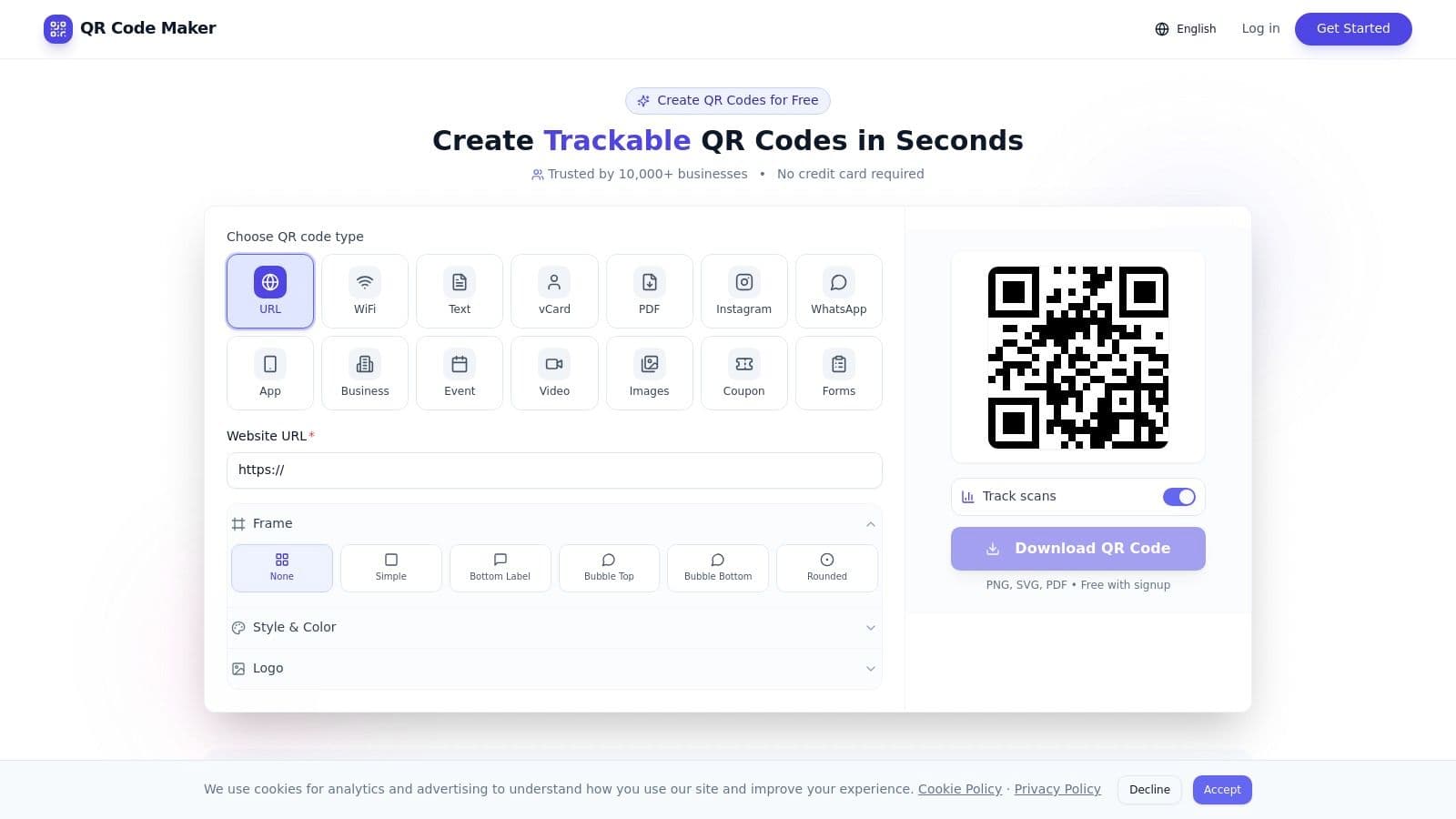
The platform supports a comprehensive suite of over 20 QR code types, including specialized tools for creating restaurant menus, Google Review funnels, and vCards. Its customization capabilities are extensive, allowing for full brand alignment with custom logos, colors, frames, and high-resolution exports in PNG, SVG, and PDF formats.
What truly sets QR Code Maker apart is its emphasis on data-driven marketing and operational efficiency. The dynamic codes come with real-time analytics, tracking scans by location, device, and time, providing actionable insights to measure campaign ROI. For businesses operating at scale, features like bulk CSV creation, shared team workspaces, and a developer-friendly API streamline workflows and enable automation.
Key Strengths & Use Cases
- Data-Driven Campaigns: Dynamic codes allow you to edit the destination URL at any time without reprinting, while the analytics dashboard provides crucial performance metrics. This is ideal for marketers running A/B tests or event managers needing to update schedules on the fly.
- Professional Branding: Move beyond generic black-and-white squares. Create codes that reinforce your brand identity, a critical factor for customer-facing materials in retail, real estate, and hospitality.
- Team Collaboration & Scale: Shared workspaces, user permissions, and bulk generation tools make it easy for teams to manage large volumes of codes efficiently.
- Privacy and Trust: With end-to-end encryption and a commitment to scanner privacy (hashed IPs), it’s a secure choice for businesses handling sensitive information. You can explore a detailed comparison in this guide on QR Code Maker vs. QR Code Monkey.
Potential Limitations
While the free plan is genuinely useful for basic needs, accessing the full suite of advanced branding, analytics, and team features requires a paid subscription. Additionally, like all dynamic code providers, the codes rely on the platform's service uptime, a risk mitigated by QR Code Maker's robust infrastructure and transparent export options.
Website: https://qr-code-maker.app
What are other good QR code generators?
2. Flowcode
Flowcode positions itself as a premium, design-focused QR code monkey alternative, specializing in creating artistically branded, dynamic QR codes. Based in the US, it emphasizes privacy controls and robust analytics, making it a strong choice for businesses that prioritize brand consistency and data-driven marketing campaigns. A standout feature is its commitment to providing a truly useful free tier, which includes two dynamic codes with unlimited scans that never expire, a significant advantage for long-term print campaigns like business cards or product packaging.
Key Features and User Experience
The platform's interface is clean and centered around its "Flowpage" and "Flowcode" builders. Creating a code is intuitive, with extensive customization options that go beyond simple color changes. Users can incorporate logos, choose from various data patterns, and even select artist-designed templates to ensure their QR code is an extension of their brand, not just a functional utility.
- Analytics ("Flowlytics"): Real-time tracking provides insights into scan time, location, and device type, which is crucial for measuring campaign ROI.
- Flowpage: Each code can link to a customizable mobile landing page, perfect for consolidating social links, contact info, or promotional offers.
- Integrations: Flowcode connects with major marketing tools, allowing for streamlined lead capture and campaign management directly within your existing workflow.
Pros and Cons
Pros:
- Generous Free Tier: Two dynamic codes with unlimited scans and no expiration date is a powerful offering for small businesses or initial test campaigns.
- Superior Design Options: The focus on aesthetics and artist-designed templates helps brands create memorable, on-brand codes.
- Built-in Landing Pages: The integrated "Flowpage" feature adds value by simplifying the creation of mobile-first destinations.
Cons:
- Limited Free Codes: Only two dynamic codes are available on the free plan, which may be insufficient for multi-campaign needs.
- Opaque High-Tier Pricing: To understand the full feature set and pricing for advanced plans, you must create an account or contact their sales team.
Website: https://www.flowcode.com
3. Beaconstac
Beaconstac positions itself as an enterprise-grade QR code monkey alternative, focusing heavily on security, scalability, and developer tools. Designed for larger teams and regulated industries, it emphasizes compliance features like SOC 2 and advanced security protocols. This makes it a compelling choice for businesses that require robust data protection, API access for workflow automation, and extensive management controls for large-scale QR code deployments.
Key Features and User Experience
The platform is built for performance and control, offering a clean dashboard to manage numerous campaigns. Its standout features cater to technical users and marketing teams needing deep integration. Beaconstac provides dynamic, editable codes with detailed analytics, including GPS tracking for precise location data. Print-readiness is also a priority, with high-quality vector exports and a scannability score to ensure reliability in physical deployments.
- Developer Tools: A robust API and webhooks allow for seamless integration into existing marketing and development stacks, enabling automated QR code generation and management.
- Security and Compliance: With SOC 2 compliance and features like phishing and malware screening, Beaconstac provides the security posture required by enterprise clients.
- Bulk Operations: Users can create and update thousands of QR codes at once, a critical feature for large product inventories, event ticketing, or direct mail campaigns.
Pros and Cons
Pros:
- Strong Security Focus: The emphasis on SOC 2 compliance and threat detection is a significant advantage for corporate and enterprise use.
- Rich API and Integrations: Excellent support for developers makes it highly customizable and scalable for complex business workflows.
- Advanced Team Controls: Robust documentation and user management features facilitate collaboration across large marketing or operational teams.
Cons:
- No Permanent Free Dynamic Plan: The platform is firmly geared toward paid tiers, which may not suit individual users or very small businesses.
- Enterprise-Focused Pricing: Full feature access and pricing details often require direct contact with their sales team, reflecting its enterprise market focus.
Website: https://www.beaconstac.com
4. QR TIGER
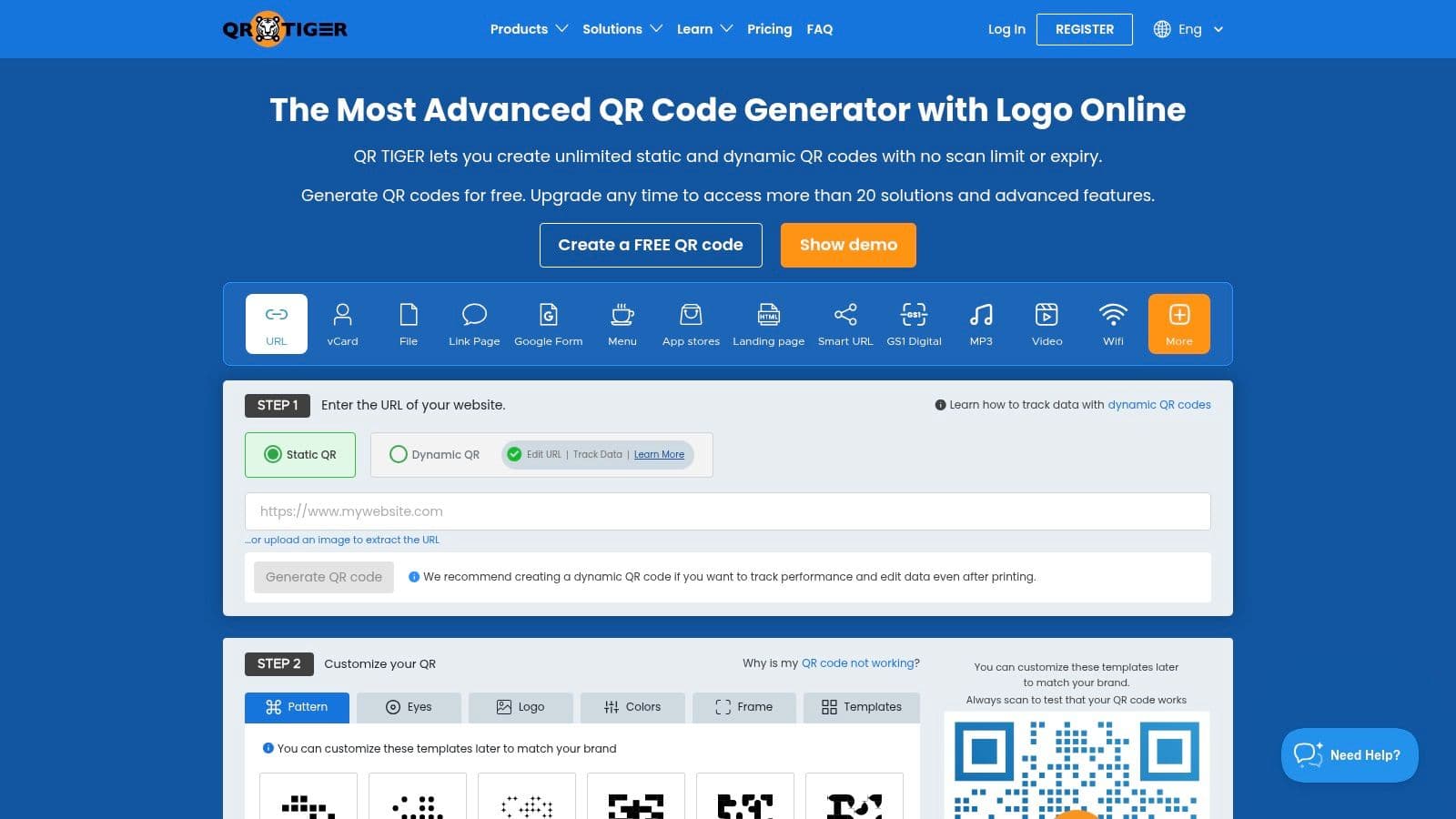
QR TIGER establishes itself as a powerful, feature-dense qr code monkey alternative designed for marketers and businesses requiring advanced campaign control. It excels with features like multi-URL codes that can redirect users based on location, time, or scan count, offering a level of dynamic routing that goes beyond simple link changes. This makes it ideal for sophisticated, rules-based marketing automation and large-scale deployments where context is key.
Key Features and User Experience
The platform is built for performance marketing, with an interface that clearly organizes its extensive toolset. Creating a code is straightforward, but the real power lies in its dynamic capabilities. Features like bulk CSV generation for creating thousands of unique codes at once, and integrations with marketing stacks like Google Analytics and HubSpot, position it as a tool for serious campaign management. The ability to set up geofencing rules on higher tiers is a significant advantage for location-specific promotions.
- Multi-URL & Rules-Based Routing: Direct users to different destinations based on their location (geofencing), the time of scan, or the number of scans a code has received.
- Marketing Integrations: Connect directly to Google Analytics, Zapier, and HubSpot to pass scan data into your existing marketing and CRM workflows for retargeting.
- Bulk Generation: Use CSV templates to efficiently produce large batches of QR codes for inventory, ticketing, or personalized marketing campaigns.
Pros and Cons
Pros:
- Robust Marketer-Friendly Toolkit: Advanced features like geofencing and multi-URL rules provide unparalleled campaign flexibility.
- Excellent Bulk & Automation Features: The CSV generation and API access are well-suited for high-volume, automated workflows.
- Clear Plan Inclusions: The website provides detailed documentation on what features are included in each plan, simplifying the decision-making process.
Cons:
- Advanced Features Behind Paywalls: Key functionalities like geofencing and custom domains are reserved for higher-tier, annually-billed plans.
- Regional Plan Variations: Plan names and specific feature inclusions can sometimes differ depending on your geographical region or language setting.
Website: https://www.qrcode-tiger.com
5. Bitly (Bitly Codes)
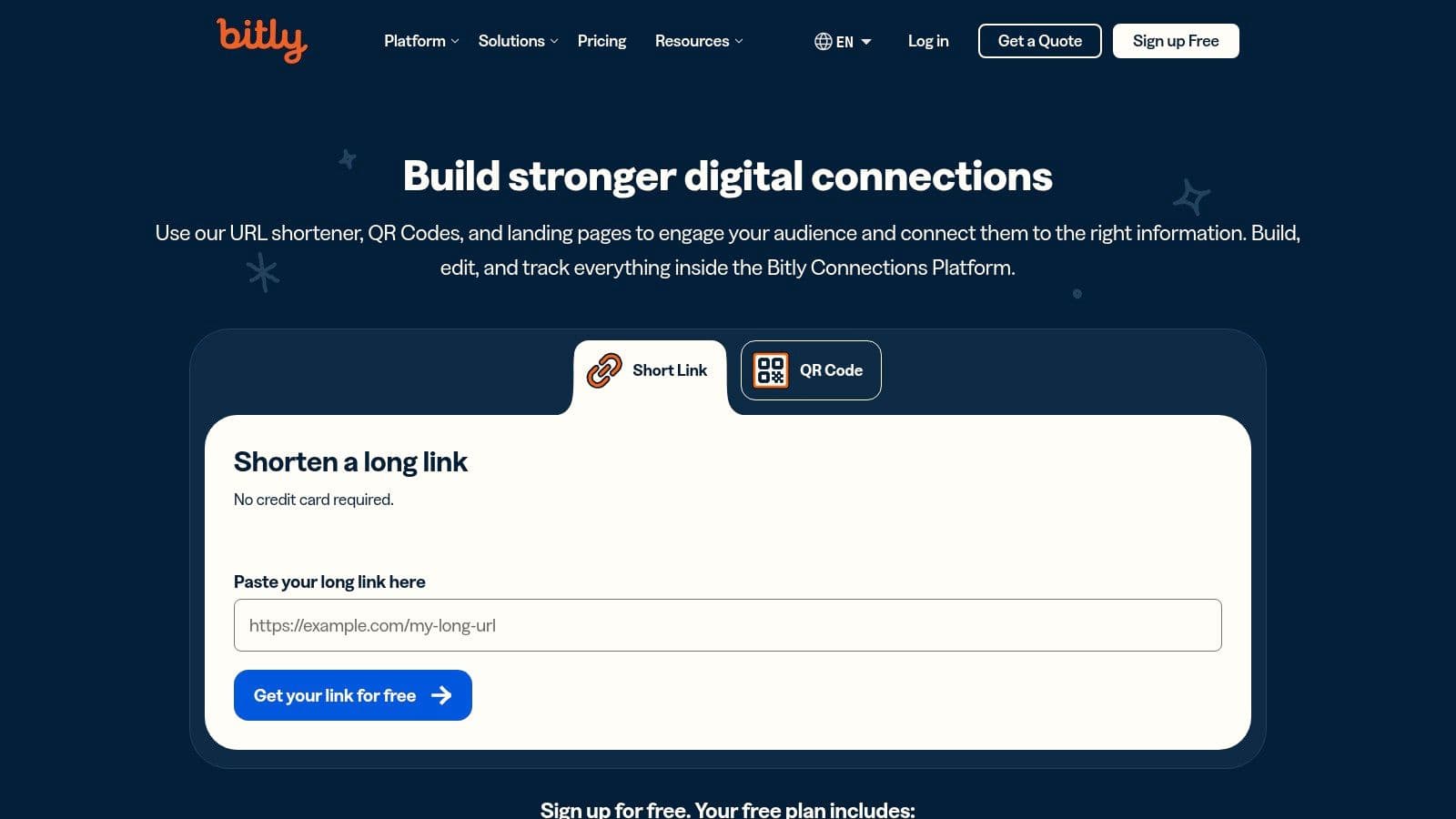
Bitly, a well-known name in link shortening, offers a compelling qr code monkey alternative by integrating QR code generation directly into its powerful link management platform. This US-based service, called Bitly Codes, is ideal for users who want to manage both short links and QR codes under one roof, leveraging a single dashboard for unified analytics and control. The core value proposition is consolidation; instead of using separate tools for links and codes, Bitly brings them together, which is particularly useful for cohesive, data-driven marketing campaigns.
Key Features and User Experience
The platform allows users to create a short link and generate a corresponding QR code in the same workflow. While the free plan is a great entry point, the true power of Bitly Codes is unlocked in its paid tiers, where the QR codes become fully dynamic, allowing you to edit the destination URL at any time. The interface is familiar to anyone who has used a link shortener, making it intuitive for existing marketers to adopt.
- Unified Analytics: Track link clicks and QR code scans in one place, providing a holistic view of campaign performance across different channels.
- API Access: Developers can programmatically generate and manage QR codes via the Bitly API, enabling seamless integration into custom applications and workflows.
- Branding and Customization: Paid plans allow for custom colors and logo integration, ensuring QR codes align with your brand's visual identity. Downloads are available in JPG, PNG, and SVG formats.
Pros and Cons
Pros:
- All-in-One Platform: Managing short links and QR codes together simplifies campaign tracking and management.
- Trusted Brand: Bitly is a familiar and reliable name with enterprise-grade features like SSO and admin controls on higher-tier plans.
- Unlimited Scans: All plans, including the free tier, offer unlimited scans, so you never have to worry about hitting a usage cap.
Cons:
- Limited Free Plan: The free plan restricts the number of codes you can create per month, and dynamic editing features are behind a paywall.
- Analytics Require Paid Tiers: Deeper analytics and the ability to edit the destination link are reserved for paying customers.
Website: https://bitly.com
6. Scanova
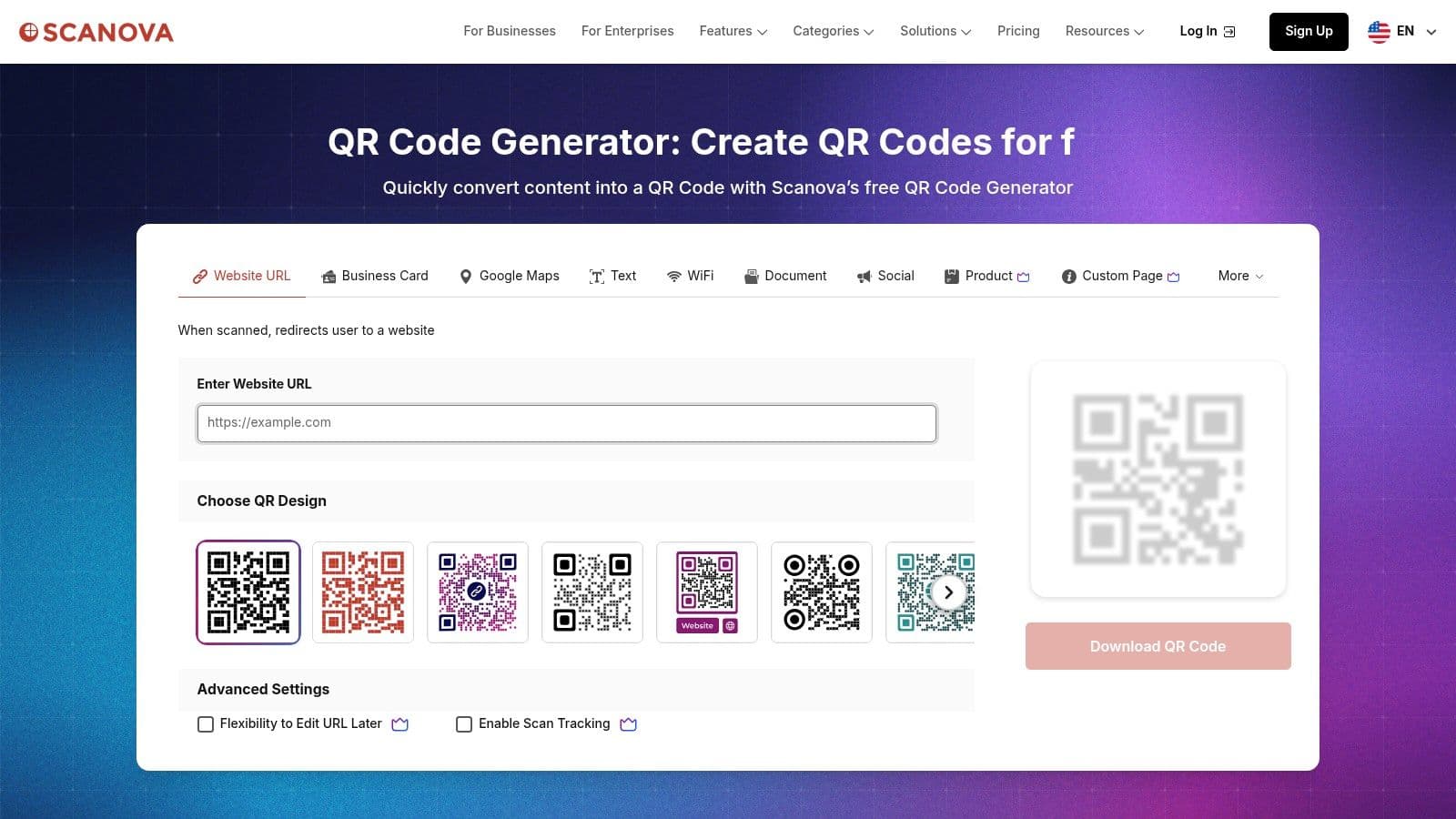
Scanova serves as a flexible qr code monkey alternative for businesses that need a clear and scalable path from static to dynamic QR codes. It offers a comprehensive suite for creating, managing, and tracking codes, with a straightforward model where static codes are free forever and dynamic capabilities are tied to paid plans. This makes it an excellent choice for small to medium-sized businesses looking to test dynamic code workflows with the safety of a 14-day trial and the flexibility of monthly billing.
Key Features and User Experience
The platform is designed to be accessible, guiding users through the code creation process with clear steps for both static and dynamic options. Customization is robust, allowing for branded designs with logos and colors, which can be saved as templates for future use. The user interface cleanly separates code generation, management, and analytics, making it easy to navigate even for first-time users.
- Advanced Security: Higher-tier plans include features like password protection and GPS location tracking, adding a layer of security and data validation for sensitive campaigns.
- Lead Generation: Scanova integrates lead capture forms directly into its landing pages, allowing businesses to collect user data like names, emails, and phone numbers upon a scan.
- Scalability Tools: For larger operations, the platform supports bulk QR code generation and white-labeling of landing pages, enabling consistent branding across large-scale deployments.
Pros and Cons
Pros:
- Clear Feature Separation: The distinction between free static and paid dynamic codes is transparent, eliminating confusion about feature availability.
- Flexible Billing and Trial: A 14-day free trial for paid features and monthly billing options lower the barrier to entry for testing dynamic QR codes.
- Good for Scaling: Features like bulk operations and saved templates support businesses as their campaign needs grow more complex.
Cons:
- Dependency on Subscription: Dynamic QR codes will stop working if the paid plan or trial subscription lapses, which can disrupt active campaigns.
- Opaque Add-on Pricing: Some advanced features and higher usage limits are not listed on standard plans and require a custom quote from sales.
Website: https://scanova.io
7. QR Code Generator (qr-code-generator.com)
Operated by Bitly, QR Code Generator is a long-standing and feature-rich platform that serves as a powerful qr code monkey alternative. It's particularly well-suited for agencies, marketing teams, and businesses that require bulk creation and robust management tools. With a focus on dynamic, trackable codes and print-ready outputs, it provides a comprehensive toolset for integrating QR codes into large-scale campaigns.
Key Features and User Experience
The platform is built for efficiency, especially for users managing multiple campaigns. The dashboard allows for folder organization, template creation, and bulk generation, which streamlines the workflow for teams. The designer tool offers sufficient customization options, including frames, colors, and logo uploads, ensuring the final codes align with brand guidelines. Higher-tier plans unlock an API for programmatic code creation.
- Bulk Creation: A key differentiator, allowing users to generate hundreds of unique dynamic or static codes from a single CSV file upload.
- Designer Tools & Templates: Save design configurations as templates to ensure brand consistency across all QR codes created by your team.
- Advanced Analytics: Provides detailed scan data, including location, time, and device, with options to integrate with Google Analytics for deeper insights.
Pros and Cons
Pros:
- Mature Toolset: Offers a comprehensive suite of features ideal for agencies and power users, including templates and bulk processing.
- High-Volume Management: The folder system and bulk features are excellent for managing large numbers of codes across different clients or campaigns.
- Print-Ready Formats: Delivers high-quality vector formats (like EPS) suitable for professional printing on marketing materials and packaging.
Cons:
- Annual-Only Subscriptions: The platform strictly uses annual billing, which lacks the flexibility of monthly plans for businesses with fluctuating needs.
- Billing Transparency Concerns: Some users have reported issues with auto-renewals and a lack of clarity in the billing process.
Website: https://www.qr-code-generator.com
8. GOQR.me / QR-Server
GOQR.me presents a unique, two-part system as a qr code monkey alternative, appealing to both casual users and developers. Its primary site, GOQR.me, offers a completely free, privacy-focused service for generating high-quality static QR codes with no tracking, perfect for permanent links. For dynamic capabilities, its counterpart, QR-Server, provides a low-cost, developer-friendly platform for managing editable codes, viewing analytics, and integrating QR generation via an API. This split makes it ideal for users who need simple, free static codes but also want an affordable, no-frills path to dynamic functionality.
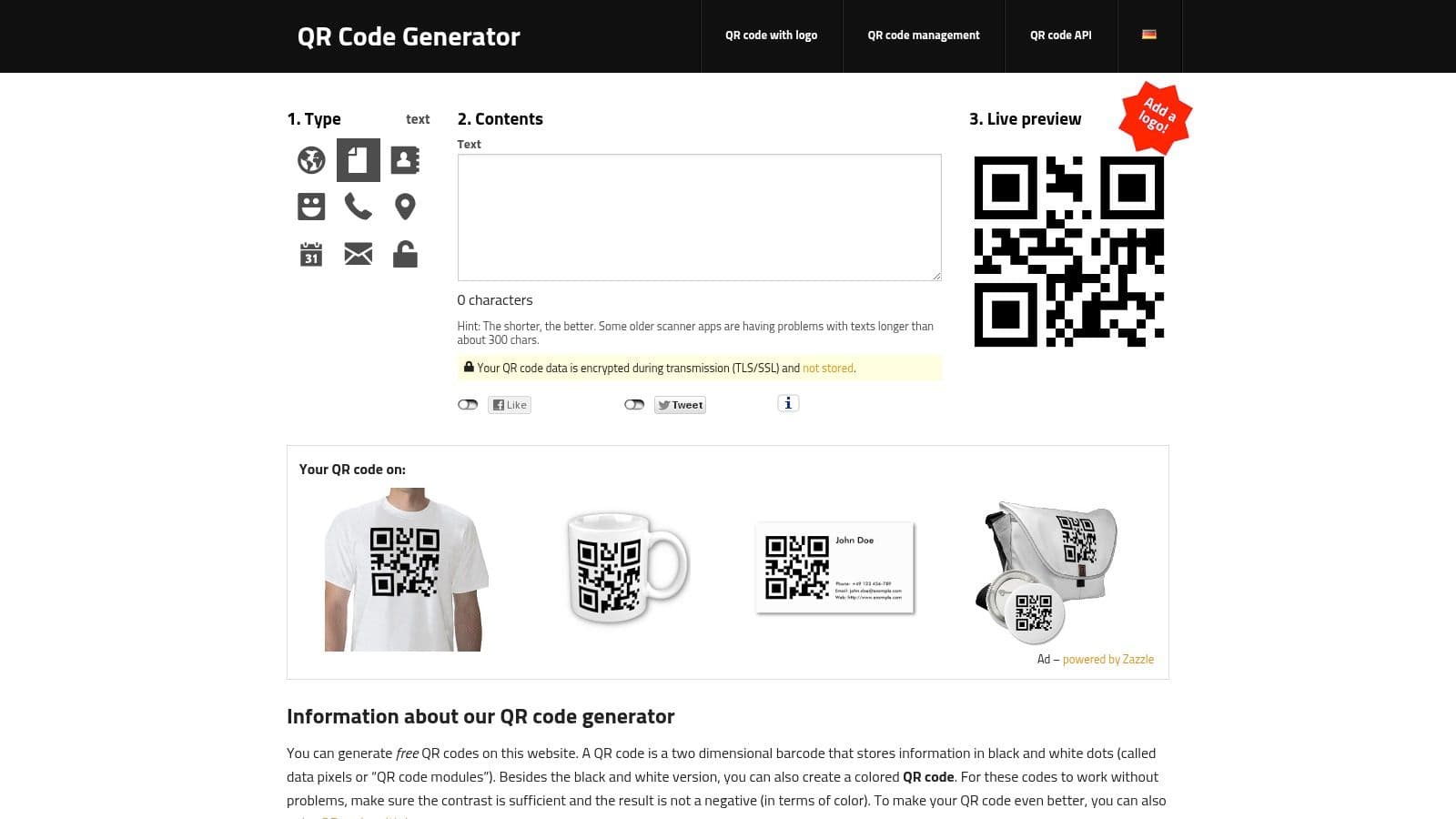
Key Features and User Experience
The GOQR.me interface is straightforward and utilitarian, focused entirely on generating static codes quickly. Users can download high-resolution vector files (EPS, SVG) directly, a premium feature on many other platforms. For advanced needs, users transition to QR-Server (manage.qrserver.com), where they can create and manage dynamic codes. The experience is more technical and less design-oriented than competitors, prioritizing function and API access over a polished visual builder.
- Free Static Codes: Unlimited, high-resolution static QR codes that never expire and permit commercial use without any sign-up required.
- Dynamic Code Management: The QR-Server platform allows for editing destination URLs and tracking basic scan analytics for a low subscription fee.
- Developer API: A robust API (api.qrserver.com) allows for programmatic QR code generation, making it a powerful tool for integration into apps and custom workflows.
Pros and Cons
Pros:
- Truly Free Static Codes: Offers genuinely free static code generation with high-quality vector exports and a privacy-friendly, no-tracking policy.
- Affordable Dynamic Tiers: QR-Server provides some of the most cost-effective plans for managing dynamic codes, ideal for small teams or agencies.
- Powerful for Developers: The dedicated API is well-documented and provides an excellent solution for automated QR creation.
Cons:
- Separated Services: Managing dynamic codes requires using a separate product (QR-Server), which can be confusing for new users.
- Technical Interface: The platform's UI and documentation are geared more towards developers than non-technical marketers, lacking the user-friendliness of other tools.
Website: https://goqr.me
9. QRCodeChimp
QRCodeChimp stands out as a comprehensive QR code monkey alternative designed for marketing teams and small to medium-sized businesses. The platform offers a full suite of features that extend beyond basic code generation, including digital business cards, form builders, and campaign management tools. Its transparent pricing structure and generous feature sets on paid tiers make it a strong contender for users who need scalable, branded solutions with detailed performance tracking.
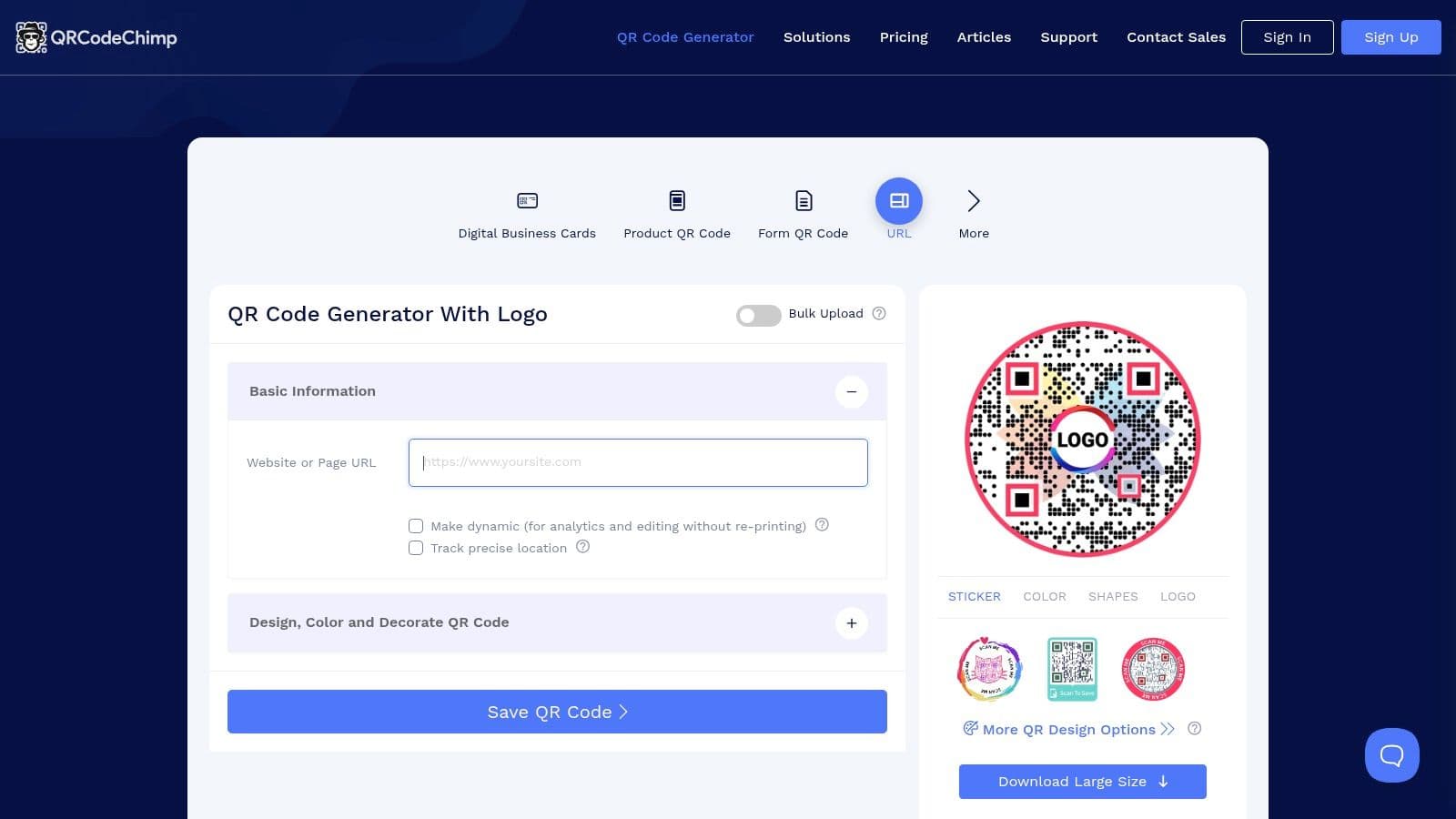
Key Features and User Experience
The user interface is functional and provides access to a wide array of tools right from the dashboard. Creating a code is straightforward, but the platform's real strength lies in its advanced options like bulk generation, campaign folders for organization, and branded domain support. These features empower marketing teams to manage multiple campaigns efficiently while maintaining a consistent brand identity across all customer touchpoints.
- Advanced Management Tools: Features like campaign folders, team accounts, and bulk generation are ideal for agencies or businesses managing multiple clients or product lines.
- Branded Domains: Higher-tier plans allow users to use a custom white-label domain for their QR code links, reinforcing brand trust and professionalism.
- Detailed Analytics: The platform supports UTM parameters and offers granular analytics, including location tracking, to provide deep insights into campaign performance.
Pros and Cons
Pros:
- Competitive Pricing: The platform delivers a robust feature set, including a high number of dynamic codes on paid plans, at a competitive price point.
- Clear Plan Matrix: QRCodeChimp clearly outlines its features, scan limits, and analytics capabilities for each tier, helping users make an informed decision.
- All-in-One Solution: The inclusion of digital business cards and forms makes it a versatile tool for various marketing and networking needs.
Cons:
- Significant Tier Differences: Key features like branded domains and advanced analytics are locked behind higher-priced plans, so users should review limits closely.
- Annual Billing for Best Value: The most attractive pricing is typically available with an annual subscription, which may be a larger upfront commitment for some businesses.
Website: https://www.qrcodechimp.com
10. QRStuff
QRStuff is a long-standing and straightforward QR code monkey alternative that has been in the market since 2008. It offers a no-frills approach to generating both static and dynamic QR codes, with a clear focus on functionality and predictable pricing. For businesses and teams that require batch processing capabilities for print campaigns and need a reliable service without a steep learning curve, QRStuff presents a solid, functional platform. Its simple annual pricing structure is a key differentiator for organizations that prefer budget predictability.
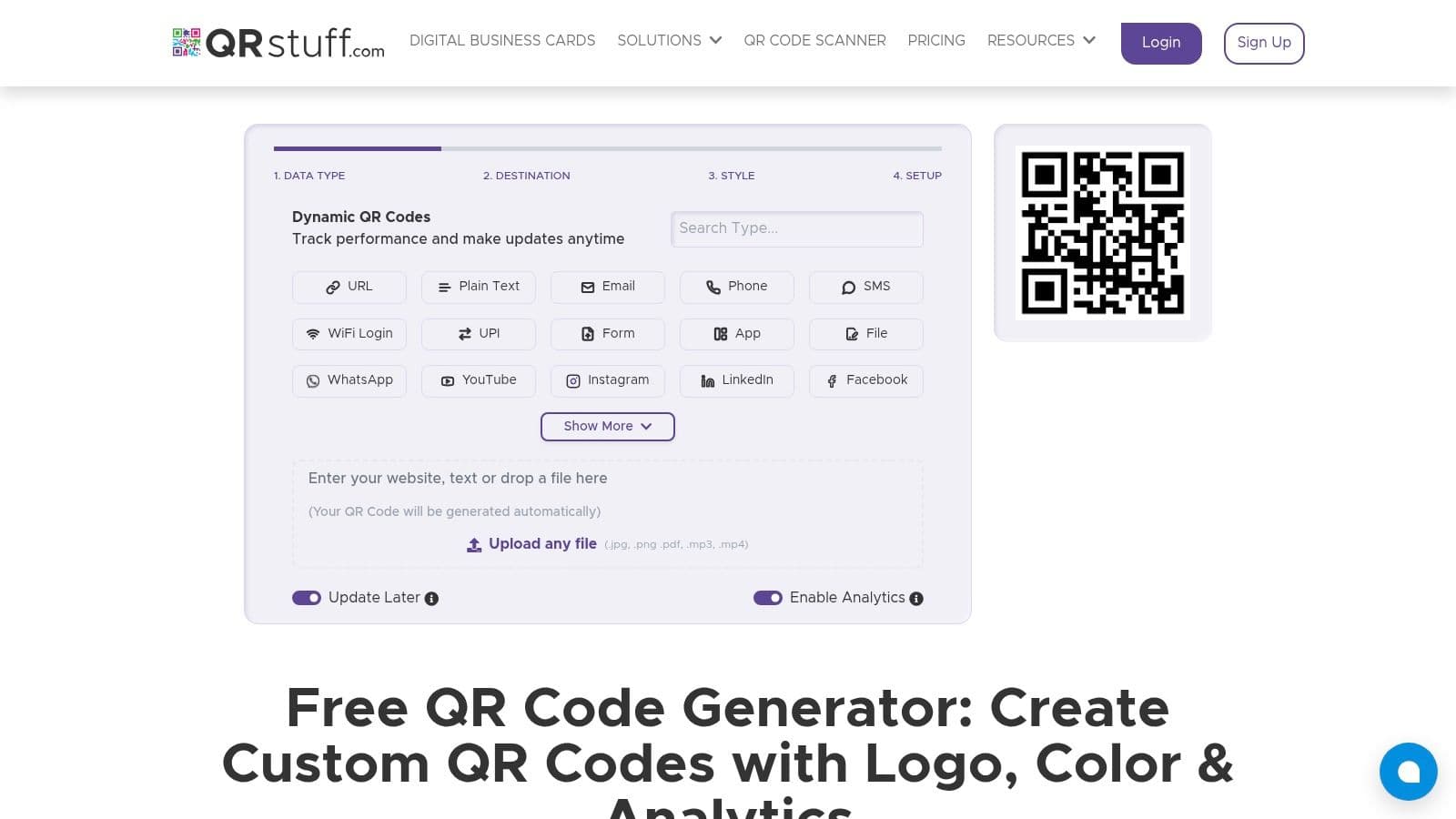
Key Features and User Experience
The platform's user interface is utilitarian, prioritizing function over form. Creating a code is a simple three-step process: select data type, input content, and customize. While the design options are not as extensive as more modern platforms, they cover the essentials like color changes, logo embedding, and print-ready vector file exports (EPS, SVG), which are crucial for high-quality physical media campaigns.
- Batch Processing: A standout feature for paid subscribers, allowing the creation of hundreds of QR codes at once from a CSV file, ideal for large-scale print jobs.
- No Scan Limits: Paid plans come with unlimited scans, ensuring codes remain active regardless of campaign popularity.
- Print-Ready Formats: Direct export to high-resolution vector formats ensures codes are sharp and scannable on everything from business cards to billboards.
Pros and Cons
Pros:
- Simple, Predictable Pricing: Offers straightforward annual subscription tiers, making it easy to budget for without worrying about fluctuating costs.
- Batch and Print-Focused: Excellent batch creation and vector export features make it highly suitable for large-scale physical marketing campaigns.
- Long-Established Service: As a veteran in the space, it provides a stable and reliable platform.
Cons:
- Limited Free Features: The free offering is quite basic, and essential features like dynamic codes and analytics are behind a paywall.
- Dated Interface: The user experience and design customization options feel less modern compared to newer competitors.
- Basic Analytics: Analytics on lower-tier plans are limited, with more advanced insights reserved for higher-priced subscriptions.
Website: https://www.qrstuff.com
11. Shopify Free QR Code Generator
Shopify's tool provides a straightforward, no-cost solution for anyone needing simple, static QR codes. While it lacks the advanced tracking and editing of dynamic platforms, it serves as a reliable qr code monkey alternative for quick, one-off tasks. It's an excellent choice for businesses already within the Shopify ecosystem or for individuals needing to quickly generate a code for a website URL, phone number, SMS, or plain text without creating an account.
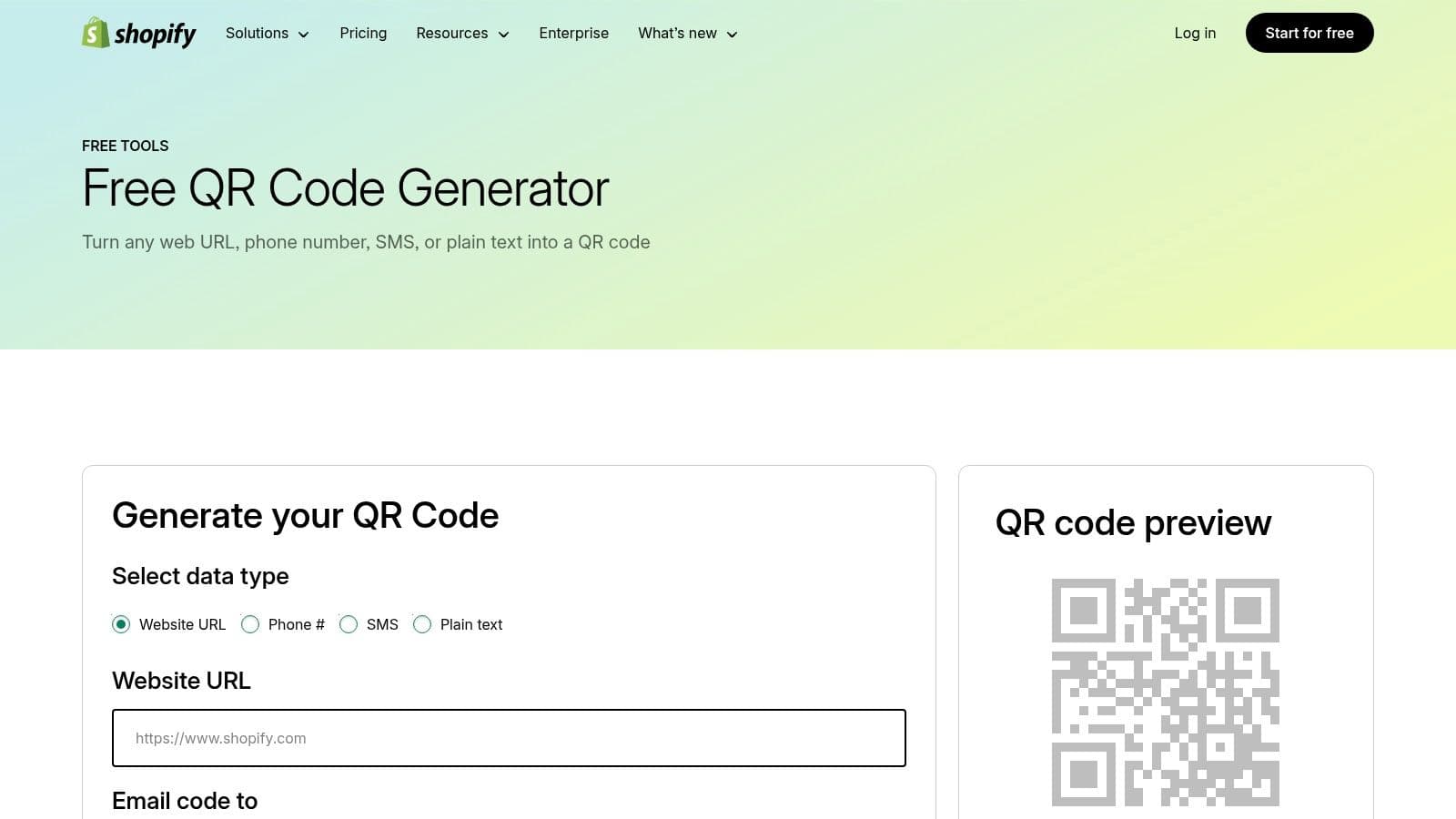
Key Features and User Experience
The user experience is minimalist and efficient. You select your QR code type, enter the corresponding data, and the platform generates the code. There are no design customizations, which keeps the process incredibly fast. The final QR code image is delivered directly to your email inbox as a PNG file, ready for immediate commercial use.
- Simplicity: The interface is clean and single-purpose, guiding users through creation in just a few clicks.
- Core Code Types: Supports the most common static needs: URL, Phone, SMS, and Text.
- Email Delivery: Files are sent via email, creating a simple record of the code you generated and making it easy to download on any device.
Pros and Cons
Pros:
- Completely Free: Unlimited static QR code creation with no hidden costs or account requirements.
- Reputable Source: Created and maintained by Shopify, a trusted leader in e-commerce.
- Instant Generation: The process is extremely fast, making it ideal for when you need a code immediately.
Cons:
- Static Only: Codes cannot be edited after creation, and you get no performance analytics.
- Email Required: You must provide an email address to receive the generated QR code file.
- No Customization: Lacks any branding or design features, offering a standard black-and-white code.
Website: https://www.shopify.com/tools/qr-code-generator
12. Unitag
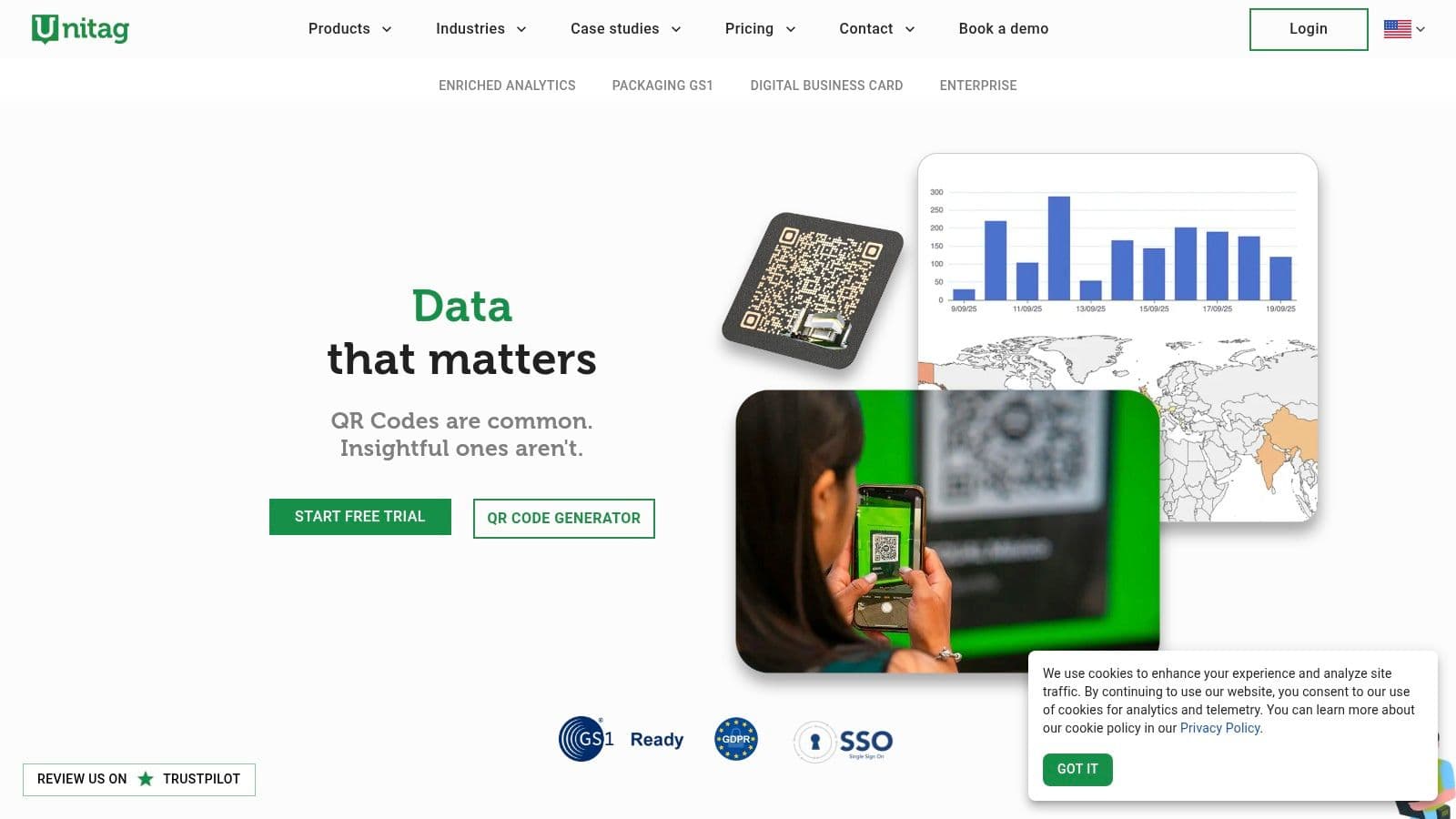
Unitag is an enterprise-grade QR code monkey alternative designed for complex, large-scale applications, particularly in packaging and retail. Its core strength lies in its support for the GS1 Digital Link standard, making it a critical tool for businesses in the consumer packaged goods (CPG) sector that need to comply with industry regulations and manage vast SKU catalogs. The platform is built around automation, compliance, and security, moving beyond simple marketing campaigns into supply chain and product authentication.
Key Features and User Experience
Unitag’s platform is engineered for technical users who require precision and scale. While it offers standard QR code generation, its standout features are geared towards industrial use cases. The interface supports bulk creation and API access, allowing seamless integration with existing product information management (PIM) systems. This is essential for brands that need to generate thousands of unique, trackable codes for individual products.
- GS1 Digital Link: A primary feature is the generation of GS1-compliant 2D barcodes (like GTIN+), which embed product data directly into the code for supply chain management and consumer transparency.
- Batch & API Automation: Users can create and manage entire product catalogs of QR codes programmatically, a crucial function for large-scale manufacturing and labeling.
- Geo-Targeting & Security: The platform supports location-aware content delivery and multi-language support. An anti-counterfeit add-on (PiQR One+) provides a layer of security for high-value goods.
Pros and Cons
Pros:
- Purpose-Built for Packaging: It is one of the few platforms with native support for GS1 Digital Link, making it ideal for compliance-driven industries.
- Excellent for Large SKU Catalogs: The API and batch processing capabilities are specifically designed for high-volume, automated workflows.
- Advanced Security Options: The anti-counterfeit features offer a level of product protection that most general-purpose generators lack.
Cons:
- Overkill for Simple Campaigns: The enterprise focus and feature set are overly complex and expensive for small businesses or basic marketing needs.
- Pricing is Not Transparent: Most advanced capabilities are locked behind enterprise-level plans that require contacting the sales team for a custom quote.
Website: https://www.unitag.io
Which QR Code Monkey alternative is right for you?
This comparison table highlights the key differences between the top platforms to help you choose the best fit for your needs.
| Product | Core features & USP | Analytics & Privacy | Best for | Pricing & value |
|---|---|---|---|---|
| QR Code Maker (Recommended) | 20+ dynamic code types (URL, vCard, WiFi, PDF, Restaurant Menu, Google Review funnels), branding (logo/colors/frames), high‑res PNG/SVG/PDF, bulk CSV, API, migration tool | Real‑time scans by location/device/time/referrer, SOC 2 infrastructure, end‑to‑end encryption, hashed IPs | Restaurants, retailers, events, real estate, marketing teams, devs | Free plan that keeps working, true monthly billing, 14‑day trial, 30‑day money‑back; paid for advanced branding/team features |
| Flowcode | Dynamic codes, designer templates, landing pages (Flowpage), branded designs | Flowlytics real‑time analytics, unlimited scans, non‑expiring codes | Teams needing design-forward, easy starter option | Free starter (2 dynamic codes), limits on codes/analytics; higher tiers via account/sales |
| Beaconstac | Dynamic editable codes, API & webhooks, bulk creation, print‑ready SVG/EPS/PDF, scannability scoring | SOC 2 compliance, phishing/malware screening, GPS tracking | Enterprise, regulated industries, large teams, dev stacks | Enterprise-focused pricing, no permanently free dynamic plan; contact sales |
| QR TIGER | Multi‑URL rules (time/location/scan count), rules‑based routing, bulk CSV, GA/Zapier/HubSpot integrations, geofencing | Location/GEO rules, campaign routing analytics | Marketers needing rules-based routing and bulk campaigns | Feature-rich but advanced features on annual-billed tiers |
| Bitly (Bitly Codes) | Link management + QR codes, customizable designs, downloads (PNG/SVG), API, GS1 support | Unified analytics for links & QR, unlimited scans on paid plans | Teams managing short links and QR codes together | Free plan limits creation; editable redirects & deeper analytics require paid plans |
| Scanova | Free static codes, paid dynamic codes, templates, lead capture forms, password protection, white‑label pages | Analytics, GPS tracking and security options on higher tiers | SMBs testing dynamic workflows, monthly billing preference | Monthly & annual options, 14‑day trial; dynamic codes stop if plan/trial lapses |
| QR Code Generator (qr-code-generator.com) | Designer tools, bulk creation, print‑ready formats, API | Basic to advanced analytics | Agencies and teams managing many codes | Mature feature set but annual-only subscriptions; user complaints about renewals |
| GOQR.me / QR-Server | Free static QR with vector exports (GOQR.me); QR-Server adds dynamic management, editable destinations, API | Privacy-friendly static generation; low-cost dynamic analytics via QR-Server | Developers, small teams, budget-conscious users | Static free; dynamic via separate affordable QR-Server paid tiers |
| QRCodeChimp | Dynamic codes (free & paid counts), forms, templates, campaign folders, branded domains, bulk | Detailed analytics, UTM support, location tracking on higher tiers | SMB marketing teams wanting clear plan matrices | Competitive pricing; best value often on annual billing, feature limits by tier |
| QRStuff | Static & dynamic codes, batch processing, styling, print-ready exports | Basic analytics, dynamic codes non‑expiring on paid plans | Small teams focused on print campaigns and predictable pricing | Straightforward annual pricing tiers; lower-tier feature limits |
| Shopify Free QR Code Generator | Unlimited free static QR (URL/phone/SMS/text), files emailed | Static only — no redirects or analytics | Quick one-off codes, retail teams using Shopify | Free, no account required; static-only, files sent via email |
| Unitag | GS1 Digital Link & 2D barcodes, batch/API automation, geo-aware content, anti‑counterfeit add‑ons | Location-aware content, multi-language support, GS1 compliance | CPG, packaging, large-SKU catalogs, compliance-driven programs | Enterprise/packaging pricing; many features via sales/packaging plans |
How do you choose the right QR code generator?
Choosing the right platform is about shifting from creating a simple, static image to building a dynamic, data-driven marketing channel. The "best" platform is the one that solves your immediate problem while providing a runway for future growth.
To make a confident choice, ask yourself these critical questions:
- What is my primary use case? A real estate agent needs a vCard QR code for a business card, while a retail marketer needs a dynamic URL code for a seasonal campaign. Your primary application will immediately narrow the field. For instance, Flowcode excels at visually striking designs, whereas a platform like QR Code Maker offers a vast library of code types for more niche applications.
- What is my budget and expected ROI? Don't just look at the monthly price. A $15 per month subscription that provides detailed scan analytics can offer a far greater return than a free tool that leaves you guessing. Calculate the cost per dynamic code and the cost per scan to truly understand the value.
- How important is brand consistency? If your QR codes will be on product packaging or print ads, branding is non-negotiable. Look for an alternative that offers extensive customization, including logos, custom colors, and branded short URLs.
- What level of technical expertise does my team have? Prioritize tools with an intuitive user interface and clear documentation. Many platforms, including QR Code Maker, offer a free trial, which is the perfect opportunity to test the workflow and see if it’s a good fit for your team.
Ultimately, choosing the right QR code generator is an investment in control, data, and brand integrity. It’s about recognizing that a QR code is not just a link; it's the start of a customer conversation.
Ready to move beyond the basics and create professional, trackable QR codes that deliver results? With powerful analytics, deep customization, and an intuitive interface, QR Code Maker is the ideal QR Code Monkey alternative for businesses serious about growth. Start your free trial of QR Code Maker today and see how easy it is to launch your next successful campaign.
Frequently Asked Questions
What are dynamic QR codes?
Dynamic QR codes can be edited to change the destination URL without needing to reprint materials, making them more flexible than static codes.
How do I choose the best QR code generator for my business?
Consider factors like your budget, the need for dynamic codes, analytics capabilities, and whether you require team collaboration features.
Are there free options for QR code generators?
Yes, many QR code generators offer free plans, but they often come with limitations on features or the number of dynamic codes.
Can I track the performance of my QR codes?
Most advanced QR code generators provide analytics dashboards that track scans by location, device, and time, helping you measure campaign effectiveness.
What is the importance of branding in QR codes?
Customizing QR codes with logos and colors enhances brand recognition and can improve user engagement, especially in customer-facing materials.
Ready to create your QR code?
Free forever for static codes. Pro features with 14-day trial, no credit card required.
Irina
·Content LeadIrina leads content strategy at QR Code Maker, helping businesses understand how to leverage QR codes for marketing, operations, and customer engagement. Her expertise spans digital marketing, user experience, and practical implementation guides.
Learn more about us →Related Articles
How to Create a QR Code: A Practical Guide for Businesses
Learn how to create a QR code that drives results. This practical guide covers branded designs, dynamic tracking, and real-world uses for your business.
How to Create a Custom QR Code With a Logo People Will Actually Scan
Learn how to create a custom QR code with logo that boosts engagement. Our guide offers actionable tips for marketers and small businesses to stand out.
Survey QR Code: Your Guide to Gathering Feedback Instantly
Learn how to create a dynamic survey QR code to collect valuable customer feedback instantly. Our guide covers everything from creation to analysis.