

Learn how to use a QR code for inventory to boost accuracy, streamline operations, and reduce errors. Your practical guide for small businesses.
A QR code for inventory is a scannable, two-dimensional label used to track products and assets in real time. Unlike a traditional barcode which holds a simple ID number, a single QR code can store extensive data—like an SKU, batch number, warehouse location, and expiration dates—all accessible with a quick scan from a smartphone or dedicated reader.
This simple action transforms chaotic annual stock-takes into a continuous, real-time process. The impact on accuracy is significant; warehouse management systems like PackemWMS report that businesses using QR codes can achieve over 95% inventory accuracy, a massive improvement over the typical 60-75% accuracy found in systems reliant on manual counts.
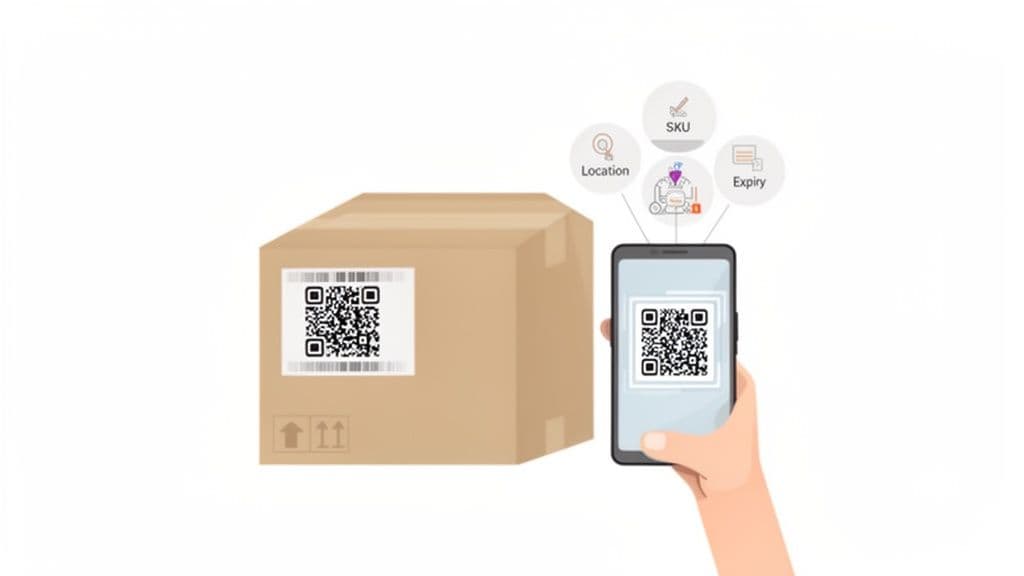
Why are QR codes better than barcodes for inventory?
QR codes are superior to barcodes for modern inventory management primarily due to their higher data capacity, error correction capabilities, and ease of scanning with standard smartphones. While barcodes have been the standard for decades, their limitations become clear in complex supply chains.
A traditional one-dimensional barcode can only store around 20-25 characters of information—enough for a basic product ID. A two-dimensional QR code can hold up to 1,520 alphanumeric characters, allowing a single scan to capture multiple data points at once.
Practical Insight: A common mistake is simply encoding an old barcode SKU into a QR code. The real power comes from embedding multiple data points separated by a simple character like a comma (e.g., "SKU123,BIN-A4,EXP202512"). A good scanning app can parse this string into different fields, eliminating dozens of manual clicks for your team on the warehouse floor.
This multi-data capability makes tracking far more granular and workflows significantly faster. For a full breakdown, see our guide comparing QR codes vs barcodes.
Comparing QR Code vs. Barcode Systems
The table below highlights the key operational differences between these two technologies in a day-to-day inventory setting.
| Feature | Traditional Barcode System | QR Code Inventory System |
|---|---|---|
| Data Capacity | ~20-25 characters (e.g., SKU only) | Up to 1,520 characters (SKU, location, batch, etc.) |
| Scanning Hardware | Requires dedicated laser scanners | Scannable with any modern smartphone camera |
| Scan Reliability | Can fail if partially damaged or smudged | Readable even with up to 30% damage |
| Information Access | One-way; links to a single database entry | Can link to URLs, trigger actions, or store plain text |
| Update Method | Real-time updates with every scan | Real-time updates with every scan |
| Accuracy Rate | Prone to read errors on damaged labels | High accuracy due to built-in error correction |
Ultimately, QR codes enable a proactive, data-rich inventory system, driving major efficiency gains in labor, accuracy, and operational speed.
How do you create QR codes for inventory?
To create QR codes for inventory, you must first define a clear data structure, choose between static and dynamic codes, and then use a bulk generator to produce unique labels for your products. This isn't just a niche tactic; it's a fundamental shift in modern logistics. The global QR code labels market was valued at $1.93 billion in 2023 and is projected to reach $4.47 billion by 2035, with inventory management being a primary driver of this growth, according to statistics from Krofile.com.
Step 1: Define Your Data Structure
Before creating any codes, map out the information each code needs to hold. A well-planned data structure is the foundation of an efficient system. Ask: what information does my team need to know instantly from a single scan?
- Essential Identifiers: A unique Stock Keeping Unit (SKU) or product ID is non-negotiable.
- Location Data: Include the warehouse zone, aisle, shelf, or bin number (e.g., "A4-S2-B5") to accelerate picking and putaway.
- Batch or Lot Numbers: Critical for quality control, recalls, and tracking specific production runs.
- Expiration Dates: Essential for perishable goods to manage stock rotation and reduce waste.
A common format is a simple, comma-separated string like SKU-12345,A4-S2-B5,EXP20251231. When scanned, good inventory software can parse this automatically, eliminating manual entry.
Step 2: Choose Between Static and Dynamic QR Codes
Your next decision is whether to use static or dynamic QR codes. While they look identical, they function differently and have long-term implications for your system's flexibility.
A static QR code embeds data directly into the pattern. Once printed, the information is permanent. This is suitable for data that will never change, like a product's original SKU.
A dynamic QR code encodes a short URL that redirects to the actual data stored online. This allows you to update the linked information at any time without reprinting the physical label.
Contrarian Observation: Many businesses default to static codes for inventory, believing they are simpler and cheaper. This is a classic mistake. I’ve seen companies waste thousands of dollars relabeling entire warehouses just to add one new data point, like a supplier ID. Dynamic codes future-proof your system against process changes, providing value that far outweighs the minimal subscription cost.
| Feature | Static QR Code | Dynamic QR Code |
|---|---|---|
| Data Flexibility | Fixed and unchangeable after printing. | Can be edited and updated in real-time. |
| Best Use Case | Permanent identifiers (e.g., SKU). | Variable data (e.g., stock levels, location, status). |
| Data Storage | Information is stored directly in the code's pattern. | Information is stored online and linked via a short URL. |
| Tracking & Analytics | No tracking capabilities. | Allows for scan tracking (who, when, where). |
| Long-Term Cost | Cheaper upfront, but costly if reprinting is needed. | Requires a subscription but avoids expensive reprint jobs. |
Step 3: Generate Codes in Bulk
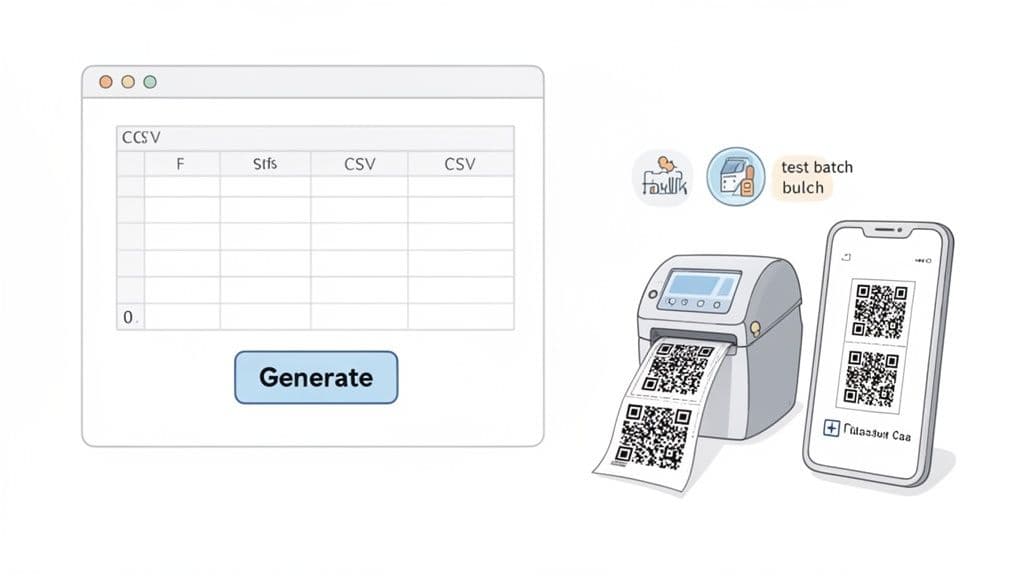
Creating codes one by one is not feasible for any significant amount of inventory. You need a bulk generation tool. Platforms like QR Code Maker allow you to create thousands of unique QR codes at once by uploading a single spreadsheet.
The process is simple:
- Prepare Your Data: Create a CSV file where each row represents an item and each column is a data point (SKU, Location, etc.).
- Upload the File: Import the CSV into a bulk generation tool.
- Generate and Download: Customize the design and download all your unique codes in one batch.
This method ensures consistency and eliminates the human error inherent in manual creation. For any serious operation, a specialized bulk QR code generator is essential.
Step 4: Test Before You Print
Always run a small test batch. Before ordering 10,000 labels, print 5-10 samples on your office printer. Stick them on actual products, in their real-world locations. Scan them with different phones and under various lighting conditions, from the bright receiving dock to the dimmest warehouse corner. This five-minute check can save you from a massive, expensive, and frustrating reprint job by confirming your size, material, and data format are viable.
What's the best way to print and apply the labels?
The best way to print and apply QR code labels is to choose a material that matches your environment and standardize the size and placement for consistency. An effective inventory system depends on a durable, scannable label that connects your physical stock to your digital records.
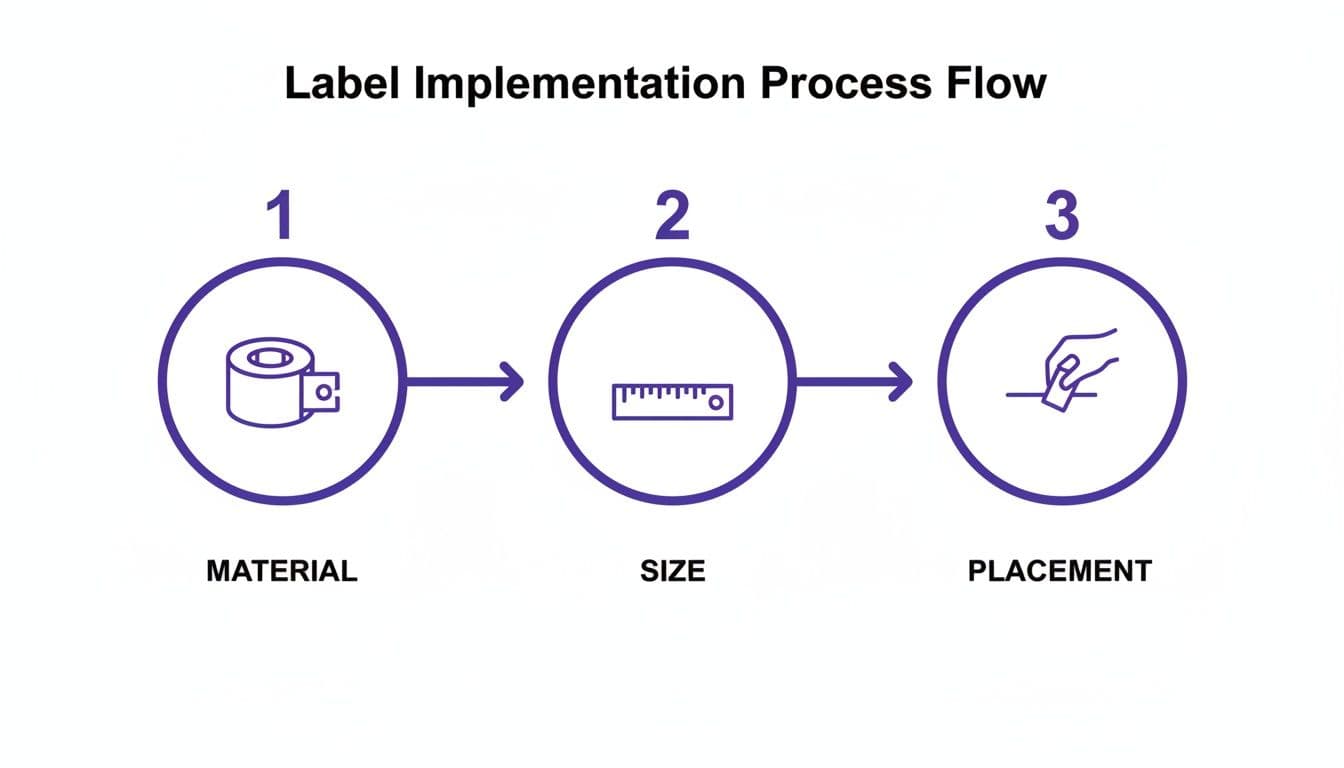
Selecting the Right Label Material
Your inventory's environment should dictate your label material. A cheap paper label will disintegrate in a refrigerated warehouse or tear on a high-traffic shelf, breaking the link to your data.
- Durable Polyester: Ideal for long-term assets and warehouse racking. It resists tearing, abrasion, and mild chemicals.
- Waterproof Vinyl: Necessary for items in cold storage, outdoor yards, or environments with frequent washdowns. It resists moisture and UV light.
- Removable Paper: Suitable for temporary tracking, like labeling parts for a specific project, as it peels off cleanly.
A Hard-Won Lesson: It’s tempting to save money with cheap paper labels. I’ve seen this backfire spectacularly. One client lost an entire day of productivity—costing thousands—because their labels fell off during a critical shipment. Investing an extra 5-10 cents per label on durable polyester would have prevented that massive operational headache.
Nailing QR Code Size and Placement
Consistency in size and placement makes your team's workflow fast and intuitive. A good rule of thumb is a minimum size of 1 inch x 1 inch (2.5 cm x 2.5 cm) for close-range scanning. For items on high shelves, you'll need larger codes.
Placement is equally critical. A code on a curved or glossy surface is difficult to scan. Create a simple Standard Operating Procedure (SOP), such as: "All QR codes must be placed on the front-facing, top-right corner of every box." This builds muscle memory, so your team isn't hunting for codes.
Comparing Label Application Methods
How you apply labels affects both speed and durability, especially at scale.
| Application Method | Best For | Pros | Cons |
|---|---|---|---|
| Manual Application | Low-volume or varied items | Low initial cost; flexible for odd shapes. | Slow; prone to inconsistent placement. |
| Label Applicator Gun | Medium-volume, flat surfaces | Faster and more consistent than by hand. | Can be awkward for small or curved items. |
| Print-and-Apply Machine | High-volume, automated lines | Extremely fast and highly consistent. | High initial investment; requires integration. |
For most small to medium-sized businesses, a mix of manual application and a simple applicator gun provides the right balance of speed, consistency, and cost.
How do you integrate QR code scanning into daily workflows?
To integrate QR code scanning into daily workflows, you must establish clear protocols that require a scan at every critical inventory touchpoint. This isn't just about adopting new technology; it's about building faster, more accurate processes into your team's daily muscle memory. With 18.8% of US & UK consumers reporting increased QR code usage post-pandemic, staff familiarity with scanning is higher than ever, making adoption easier.
Establish Clear Scanning Protocols
Define the moments when a scan is mandatory to maintain data integrity. These are your control points—anytime an item's status or location changes.
- Goods Receiving: Scan items as they arrive to instantly update inventory levels and flag discrepancies against purchase orders.
- Putaway and Transfer: Scan both the item and its new bin location when moving stock to ensure your digital map matches physical reality.
- Order Picking: Scan each item as it's picked to verify accuracy and drastically reduce shipping errors.
- Cycle Counts: Replace manual counting with rapid scanning for routine stock checks, which can be done without shutting down operations.
Choose the Right Scanning Hardware
The tools your team uses are as important as the rules they follow. You likely don't need expensive, specialized gear to start.
| Hardware Type | Ideal Environment | Pros | Cons |
|---|---|---|---|
| Employee Smartphones | Retail, small warehouses, field services | No extra hardware cost; intuitive for staff. | Battery life can be an issue; less durable. |
| Dedicated Barcode Scanners | Medium to high-volume warehouses | Fast, reliable scanning; long battery life. | Requires initial investment; another device to manage. |
| Rugged Industrial Scanners | Harsh environments (cold storage, manufacturing) | Extremely durable; built for drops and moisture. | Higher cost; can be bulky. |
Practical Tip: Don't roll this out everywhere at once. Start a pilot program in one high-traffic area, like your receiving dock. This lets you perfect the process on a small scale and creates a group of confident "super users" who can help train other departments and champion the new system.
Connect Scans to Your Core Systems
The final step is ensuring every scan updates your central source of truth, whether it's an Inventory Management System (IMS), ERP, or a spreadsheet.
- Direct API Integration: This is the best method, creating a real-time bridge between your scanning app and inventory platform for instant updates.
- CSV Export/Import: A simpler approach where the app exports scan data as a CSV file, which you then upload to your system to update records in batches.
Automating this data flow is key. You can build automated workflows with QR Code Maker and Zapier to connect your scanning app to other software without needing a developer, ensuring your inventory data is always current.
What are the real benefits of a QR code inventory system?
The real benefits of a QR code inventory system are drastically increased operational speed, enhanced data visibility for better decision-making, and a significant reduction in labor costs. Warehouses that switch from manual counts to QR codes save an average of 10+ hours per week and cut stock-counting time by 60-70%, according to data from inventory efficiency at PackemWMS.com. This frees up your team to focus on value-adding tasks like faster fulfillment and quality control.
Increased Speed and Efficiency
In a business that holds physical stock, time is money. A QR code system makes every inventory touchpoint nearly instantaneous. Instead of reading a pick list and searching for a product, an employee simply scans a bin label to confirm the location and scans the product to verify the item.
Real-World Impact: I worked with a small e-commerce business that was struggling during its peak season. By implementing simple QR codes on all bin locations, they cut their average order-picking time by 30%. This directly boosted their profitability by enabling them to ship more orders per day without hiring additional staff.
Enhanced Data Visibility and Control
A QR code system provides a live, granular view of your inventory. Each scan creates a digital timestamp, telling you exactly what you have, where it is, and who handled it last. This real-time data helps solve two of the most expensive inventory problems:
- Preventing Stockouts: Receive low-stock alerts you can trust, allowing you to reorder proactively before you disappoint a customer.
- Avoiding Overstocking: Identify slow-moving products and stop tying up capital in inventory that is just collecting dust.
This visibility is also crucial for quality control. For example, restaurants can use QR codes to track high-value ingredients. Scanning items as they are used reduces spoilage and creates a clear audit trail that discourages theft.
Reduction in Labor Costs
All efficiency gains translate directly into lower labor expenses. The hours saved on manual counting, data entry, and fixing human errors add up quickly. The traditional annual stock-take, which often requires shutting down operations and paying overtime, can be replaced by rolling cycle counts performed by a single employee during normal business hours.
| Benefit Area | Metric Improvement | Business Impact |
|---|---|---|
| Labor Efficiency | 30-50% reduction in time for picking & putaway | Lower payroll costs and higher productivity per employee. |
| Inventory Accuracy | Reaches 95%+, up from 60-75% manually | Fewer lost sales from stockouts; less capital tied up. |
| Error Reduction | 80%+ fewer shipping and receiving errors | Reduced return costs and improved customer satisfaction. |
| Stock Counting | 60-70% faster cycle counts | Eliminates operational shutdowns and overtime expenses. |
Adopting a QR code for inventory is a strategic move with a clear and compelling ROI. By tightening workflows and providing actionable data, it offers a powerful competitive edge.
What common mistakes should you avoid?
When implementing a QR code system, common mistakes include designing codes that are too complex to scan reliably, using cheap label materials that fail in a real-world environment, and failing to secure team buy-in through proper training. Avoiding these pitfalls is critical for success. According to recent logistics trends and QR code statistics, 43% of logistics companies now use QR codes to prevent stockouts and overselling, but their effectiveness depends entirely on a well-planned implementation.
Mistake 1: Overcomplicating the Data
A frequent error is trying to cram too much information into a single QR code. While the capacity is large, a leaner approach is better. Encode only the essential data needed for the workflow, such as an SKU, location, and batch number.
Contrarian Observation: The goal isn't to store a product's life story in the QR code. Think of the code as a key, not the library. Its only job is to instantly point your system to the detailed record in your database. A simpler code is smaller, scans faster, and is far less prone to errors.
Before finalizing your data structure, ask these questions:
- Is this data essential for this specific scan action?
- Can this data be looked up in our system using the primary ID instead?
- Will adding this make the printed code too complex and harder to scan?
Mistake 2: Skipping Real-World Testing
A code that scans perfectly in a well-lit office can fail in a dim warehouse, from an angle, or through shrink wrap. Before committing to a full rollout, run a small pilot batch through a rigorous testing process.
| Test Condition | Success Criteria | Why It Matters |
|---|---|---|
| Poor Lighting | The code scans instantly with a standard smartphone flashlight. | Warehouse corners and shipping containers are often poorly lit. |
| Scanning Angle | The code is readable from at least a 45-degree angle. | Staff will not always be standing perfectly in front of a label. |
| Scanning Distance | The code is scannable from a typical working distance (e.g., 3-5 feet). | Bin labels on higher shelves must be scannable from the ground. |
| Surface Glare | The code scans easily under direct overhead lighting. | Reflections from glossy labels or packaging can blind scanners. |
Mistake 3: Ignoring Team Training and Buy-In
The most advanced system will fail if your team doesn't understand why they're using it or how it makes their jobs easier. Don't just hand them a scanner and a new set of rules.
Frame the change around the benefits to them: less tedious manual counting, fewer errors they get blamed for, and faster product location. Involve experienced team members in creating the new SOPs and gather their feedback during the pilot phase. When your team sees the system as a tool that helps them succeed, adoption becomes seamless.
Avoiding these pitfalls will ensure your transition to a QR code inventory system is smooth and delivers immediate value. By planning your data, testing thoroughly, and getting your team on board, you can build a reliable system that boosts efficiency from day one. Start creating dynamic, trackable codes for your inventory with QR Code Maker (https://qr-code-maker.app).
Frequently Asked Questions
What are the advantages of using QR codes over barcodes for inventory management?
QR codes offer higher data capacity, better error correction, and can be scanned with smartphones, making them more versatile than traditional barcodes.
How do I choose between static and dynamic QR codes?
Static QR codes are fixed and best for unchanging data, while dynamic QR codes allow for real-time updates and are more flexible for changing inventory needs.
What materials are best for printing QR code labels?
Durable polyester and waterproof vinyl are recommended for long-term use, especially in challenging environments, while removable paper is suitable for temporary labeling.
How can I ensure my QR codes are scannable in different environments?
Test QR codes in various lighting conditions and on different surfaces to confirm their readability before mass printing.
What is the best way to apply QR code labels?
For consistency and speed, using a label applicator gun is effective for medium-volume items, while manual application may suffice for low-volume or irregularly shaped items.
Ready to create your QR code?
Free forever for static codes. Pro features with 14-day trial, no credit card required.

Irina Aguiar
·Content LeadIrina Aguiar leads content strategy at QR Code Maker, where she has written extensively on QR code technology, marketing, and business operations. Her work ranges from technical explainers on how QR codes are generated and how error correction works to practical guides on QR marketing, automation, and scan analytics — plus hands-on tutorials covering Python, Google Sheets, and Zapier integrations. She also publishes honest competitor comparisons and industry-specific playbooks for retail, real estate, hospitality, healthcare, and events.
More from Irina Aguiar →Related Articles
Survey QR Code: Your Guide to Gathering Feedback Instantly
Learn how to create a dynamic survey QR code to collect valuable customer feedback instantly. Our guide covers everything from creation to analysis.
The 12 Best QR Code Monkey Alternative Tools in 2026
Searching for a QR Code Monkey alternative? Discover the 12 best QR code generators for creating dynamic, branded, and trackable codes for your business.
A Guide to Creating a QR Code for Attendance Tracking
Learn how to use a QR code for attendance to streamline check-ins for events, classes, and workplaces. A practical guide with actionable tips and examples.